Modern vehicles are no longer defined by engines alone, but by the quality of the digital experience inside the cabin. In “6 Infotainment Screens In the USA vs. 6 Glitchy Software Nightmares,” the contrast between innovation and execution becomes impossible to ignore.
Today’s top infotainment systems promise seamless connectivity, sharp displays, intelligent voice assistants, and fast, intuitive interfaces that rival smartphones. These systems are designed to make driving easier, more connected, and more personalized, blending navigation, media, and vehicle controls into a single, unified experience.
However, this rapid shift toward software-driven design also exposes serious weaknesses. When systems are rushed or poorly integrated, they can suffer from lag, freezing screens, failed connections, and unreliable updates.
Instead of simplifying the driving experience, these issues create frustration and, in some cases, real inconvenience. This comparison highlights both ends of the spectrum, showing how advanced technology can either enhance daily driving or complicate it when reliability falls short.
6 Infotainment Screens In the USA
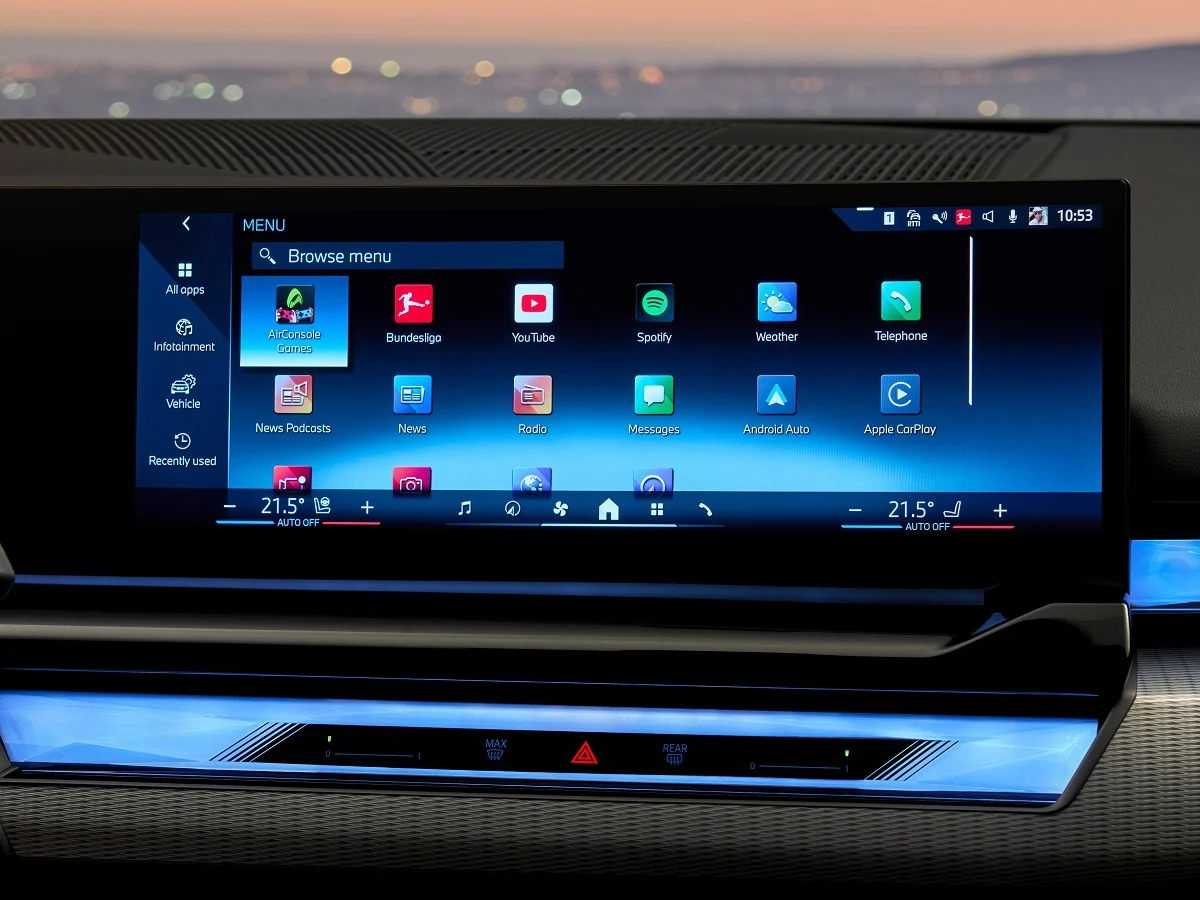
1. BMW iDrive 8.5 in the 5 Series: A Refined Digital Cockpit Experience
BMW iDrive 8.5 in the 5 Series (G60) is one of BMW’s most advanced infotainment systems, built around the Curved Display that combines a 12.3-inch digital instrument cluster and a 14.9-inch central touchscreen under a single glass panel.
It delivers a wide, high-resolution digital cockpit designed to reduce distraction while presenting driving data and entertainment in a unified interface. The system focuses on speed, clarity, and multiple interaction methods, including touch, voice commands, and the traditional rotary controller.
A key improvement in iDrive 8.5 is the “zero-layer” interface, which brings essential functions directly to the home screen through large vertical widgets. The QuickSelect feature allows drivers to access apps and settings instantly with minimal navigation, reducing the need to dig through nested menus.
A persistent action bar at the bottom of the screen provides continuous access to navigation, media, and climate controls. Although climate settings are now fully screen-based, this layout keeps frequently used functions within easy reach and improves usability compared to earlier versions.
Performance is a major strength, with BMW Operating System 8.5 delivering fast response times, smooth animations, and crisp graphics. The system supports wireless Apple CarPlay and Android Auto, along with 5G connectivity for quicker navigation, data, streaming, and real-time services.
Augmented reality navigation has also been improved, offering clearer visual guidance in complex driving environments. The interface is designed to feel smartphone-like while maintaining automotive reliability and stability.
Despite its strengths, the system relies heavily on touchscreen input, with climate controls integrated into the display, which can demand more attention than physical buttons. The rotary controller remains available and helps reduce distraction during driving. However, the wide feature set and layered customization options may feel overwhelming for some users, especially those new to BMW’s interface approach.
iDrive 8.5 brings a faster and more intuitive experience to the 5 Series, refining earlier software while maintaining a strong focus on usability, connectivity, and digital clarity. It also integrates AI-driven voice control improvements and customizable driving profiles, allowing drivers to tailor both entertainment and vehicle behavior to personal preferences with greater precision than previous versions in real time.
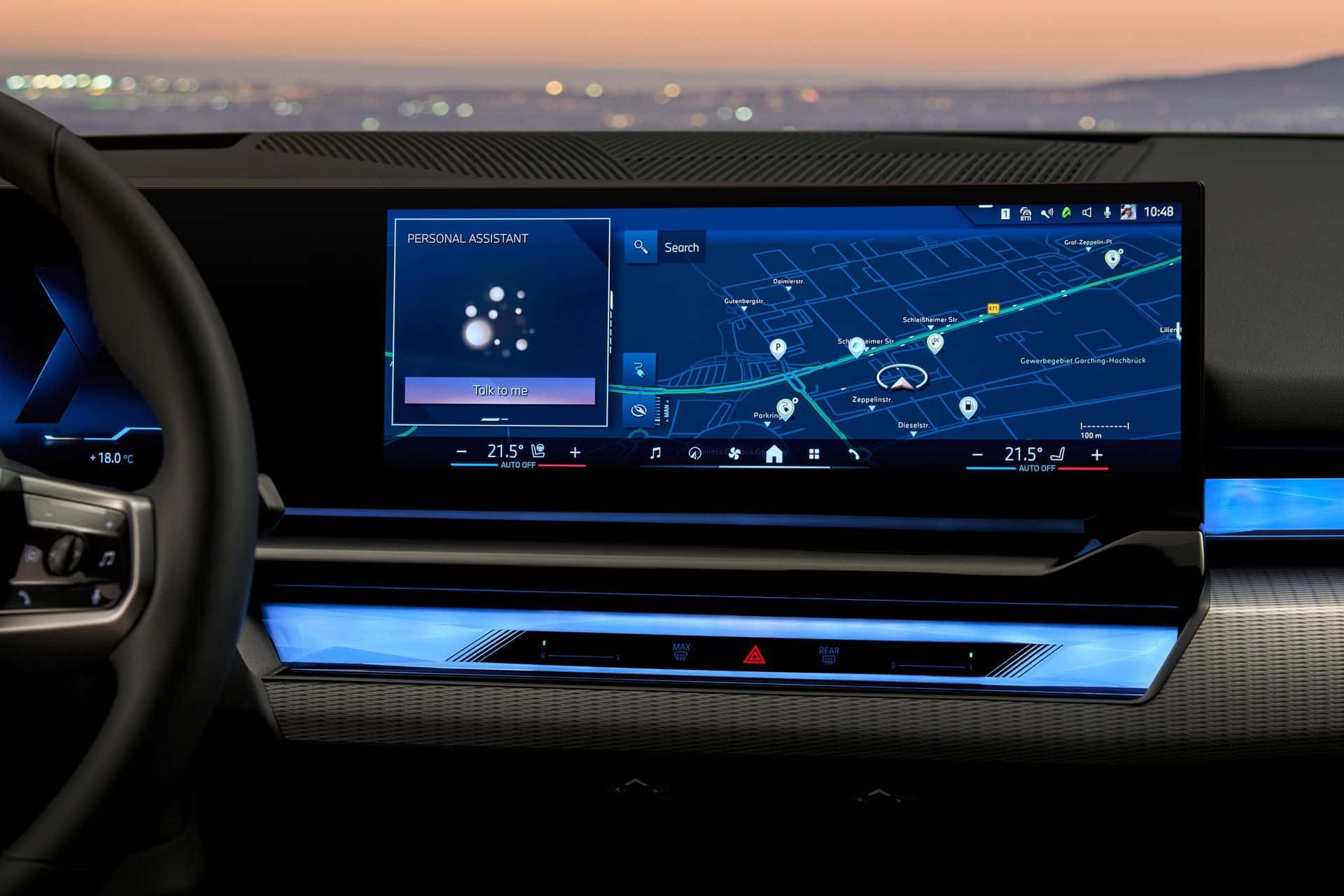
2. Stellantis Uconnect 5 in Jeep Compass: Fast, Customizable, and User-Friendly Infotainment
The Stellantis Uconnect 5 system in the Jeep Compass is widely regarded as one of the most user-friendly infotainment platforms in its class, combining smartphone-like simplicity with strong performance and practical physical controls.
Built on an Android-based operating system, it is significantly faster than previous generations, with boot times and app switching improved to feel more like a modern mobile device than a traditional car interface.
At the center of the system is a 10.1-inch high-definition touchscreen that delivers sharp visuals and a responsive interface. The layout follows a simple, tablet-style grid with customizable widgets, making it easy for users to personalize the home screen according to their preferences. This design reduces complexity and creates what many describe as a “zero-learning-curve” experience, allowing new users to adapt quickly.
One of Uconnect 5’s strongest advantages is its flexibility. It supports up to five user profiles, enabling drivers to save personal settings such as seat position, mirror adjustments, climate preferences, and media choices.
It also allows dual Bluetooth phone connections at the same time, making it convenient for users to manage both work and personal devices. Wireless Apple CarPlay and Android Auto come standard, ensuring seamless smartphone integration without cables.
The system includes a natural voice assistant, “Hey Jeep,” which allows hands-free control of navigation, entertainment, and climate functions. Over-the-air updates ensure the software stays current, improving features and functionality over time rather than only fixing issues. The interface is also highly customizable, letting users rearrange apps, widgets, and shortcuts for easier access.
Despite its strengths, the wide range of customization options can feel overwhelming at first for some users. Occasionally, minor usability quirks such as screen sleep timing or adjustment learning curves may appear during early use.
Unlike many fully digital competitors, Uconnect 5 retains physical knobs for volume and tuning, along with key climate controls, providing tactile feedback that improves usability while driving. This balance of touch and physical inputs is a key reason for its strong reputation.
In the Jeep Compass, Uconnect 5 stands out as a fast, practical, and well-balanced infotainment system that prioritizes ease of use without sacrificing modern features or connectivity.
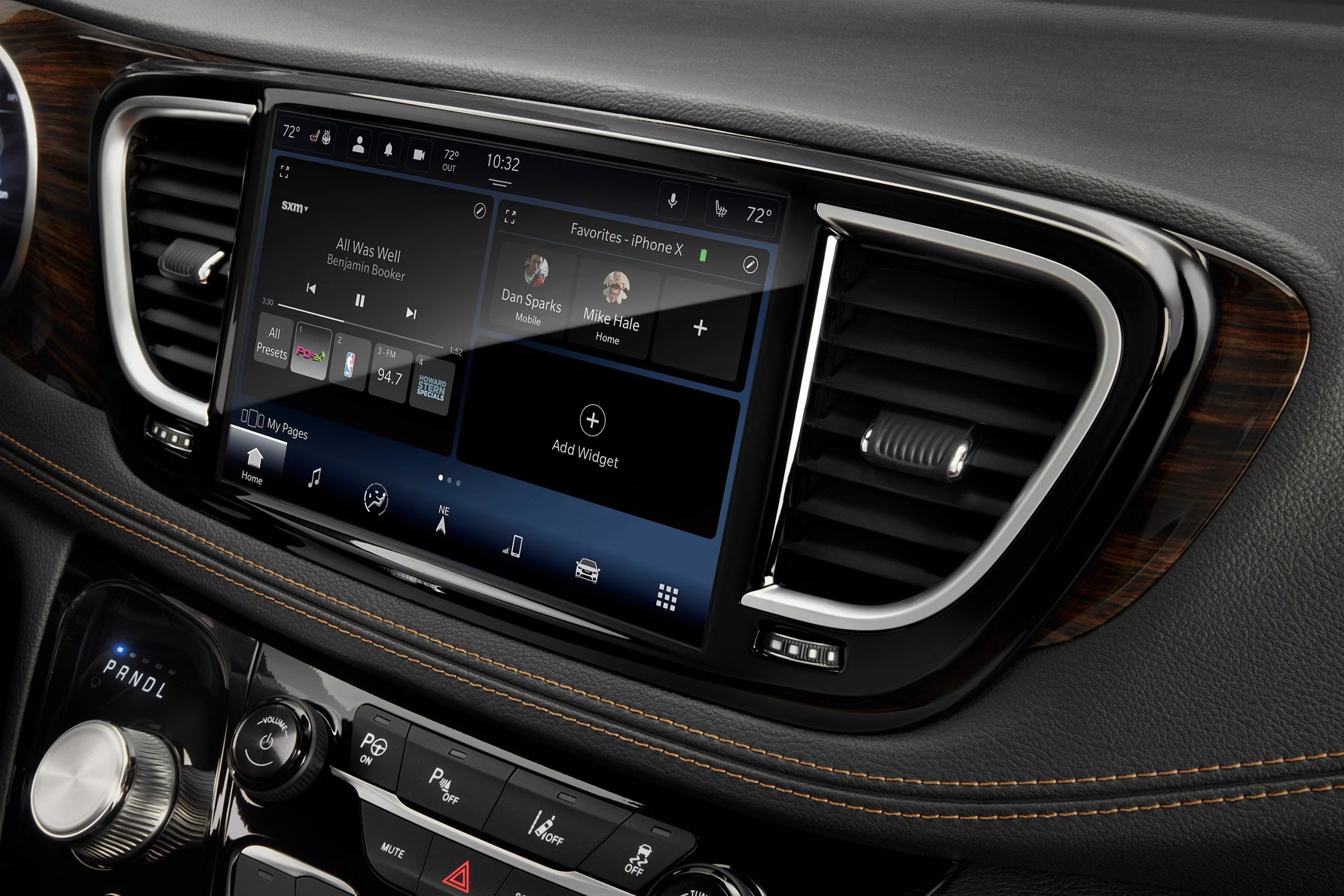
3. Toyota Multimedia in RAV4: A Simpler, Faster, and More Reliable Infotainment System
The Toyota Multimedia system in the RAV4 represents a major improvement in Toyota’s infotainment technology, shifting from older, sluggish interfaces to a modern, fast, and highly usable system. Built around a 10.5-inch or available 12.9-inch high-definition touchscreen, it focuses on simplicity, clarity, and stability rather than excessive visual effects or complex menus.
A key strength of the system is its responsive performance. The interface boots quickly when the vehicle starts and operates with minimal lag, even under heavy use. Graphics are crisp and easy to read, and the layout uses large touch targets designed to reduce distraction while driving. The system is built to prioritize everyday functions such as navigation, audio control, and connectivity rather than unnecessary extras.
The interface is designed to feel smartphone-like, with customizable widgets that allow drivers to arrange navigation, media, and vehicle settings according to personal preference.
Wireless Apple CarPlay and Android Auto are standard, offering stable and seamless smartphone integration without cables. Cloud-based navigation and real-time map updates improve route accuracy, while the “Hey Toyota” voice assistant enables natural speech commands for controlling key functions.
A permanent quick-control menu provides fast access to essential settings such as brightness, Bluetooth, and driver assistance features. Higher trims benefit from the larger 12.9-inch display, which improves visibility and usability. The system also introduces new features like Drive Recorder, which uses vehicle cameras to capture driving events.
However, the shift toward a fully digital interface comes with trade-offs. Many physical buttons have been removed, including traditional climate controls, which are now operated through the touchscreen.
This can make quick adjustments less convenient while driving. Some features also rely on subscriptions, which may not appeal to all users. In addition, the large display can sometimes produce noticeable glare depending on lighting conditions.
Earlier Toyota infotainment systems were often criticized for outdated graphics and slow performance, but this updated platform addresses those issues directly. The result is a system that feels modern, stable, and easy to use, with a strong focus on practical daily usability rather than unnecessary complexity or visual overload.
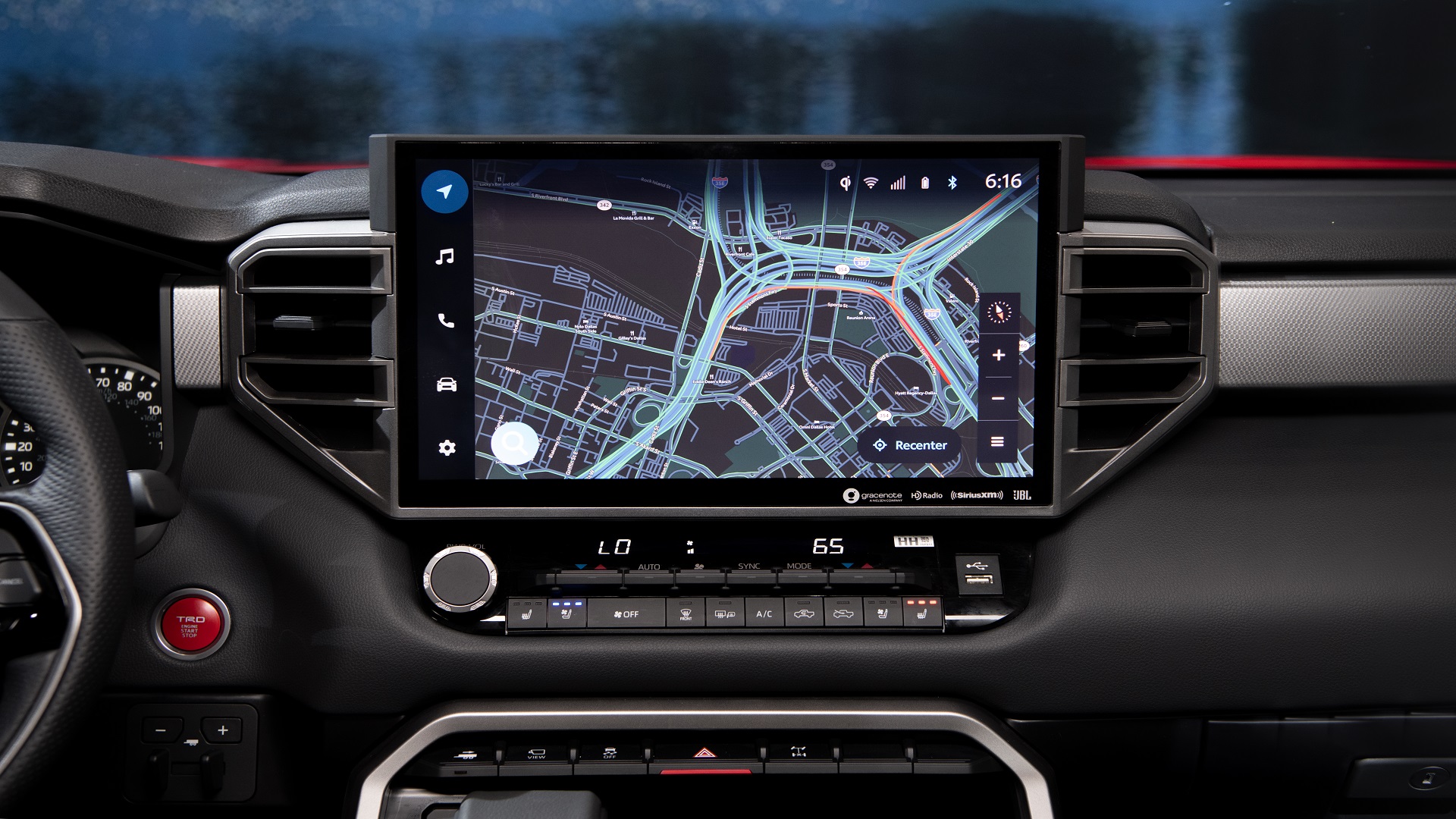
4. Volvo XC60 Google Built-in: A Seamless Android-Powered Infotainment Experience
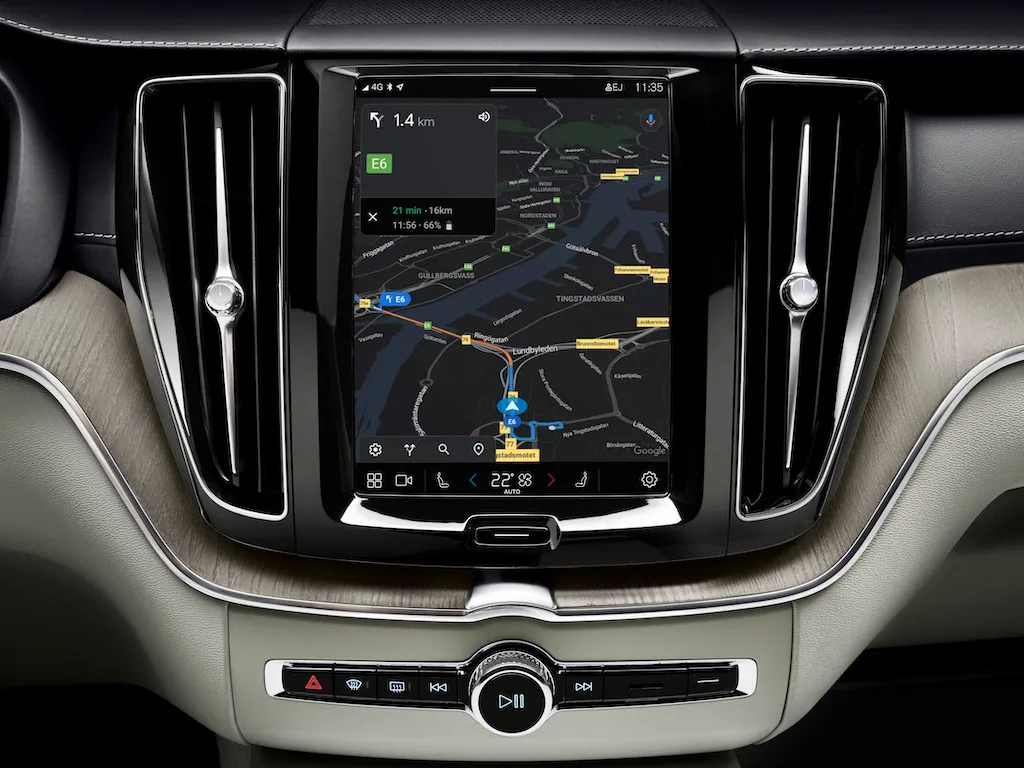
The Volvo XC60’s Google-built-in infotainment system represents a major shift in automotive software by fully integrating Google’s ecosystem directly into the vehicle. Built on Android Automotive OS, the system turns the car into a standalone smart device, eliminating the need to connect a smartphone for core functions. Google Maps, Google Assistant, and the Play Store are embedded natively, providing a connected and intuitive experience from the moment the vehicle starts.
At the center of the system is a portrait-oriented 9-inch to updated 11.2-inch touchscreen, designed with a minimalist Scandinavian aesthetic that aligns with Volvo’s interior design philosophy. The interface uses a clean tile-based layout with large, easy-to-read icons, typically focusing on four main apps such as Maps, Phone, Media, and Assistant. This simplified structure reduces menu complexity and supports safer interaction while driving.
Performance is a major strength due to next-generation Snapdragon processors, which significantly improve responsiveness and reduce lag. The system is reported to be up to twice as fast as earlier versions, with smoother animations and faster app loading. Google Maps integration is a standout feature, offering real-time traffic updates, advanced routing, and direct integration into the driver display.
Voice control through Google Assistant is highly responsive, allowing hands-free operation of navigation, entertainment, and climate settings using natural language commands like “Hey Google.” This improves convenience while reducing driver distraction. Over-the-air (OTA) updates ensure the system continuously improves with new features, interface refinements, and security enhancements.
The design prioritizes a smartphone-like experience, especially for Android users familiar with Google services. However, the system relies heavily on touchscreen interaction, with most physical buttons removed, including traditional climate controls. This creates a clean cabin design but may require more visual attention while driving. Additionally, some users note that certain functions and app integrations can occasionally experience early-stage software glitches.
Despite these limitations, the Volvo XC60’s Google Built-in system is widely praised for its speed, clarity, and deep Google integration. It delivers a modern, connected driving experience centered on simplicity, real-time data, and intelligent voice control.
5. Mercedes-Benz MBUX in EQE: A Futuristic, AI-Driven Luxury Infotainment System
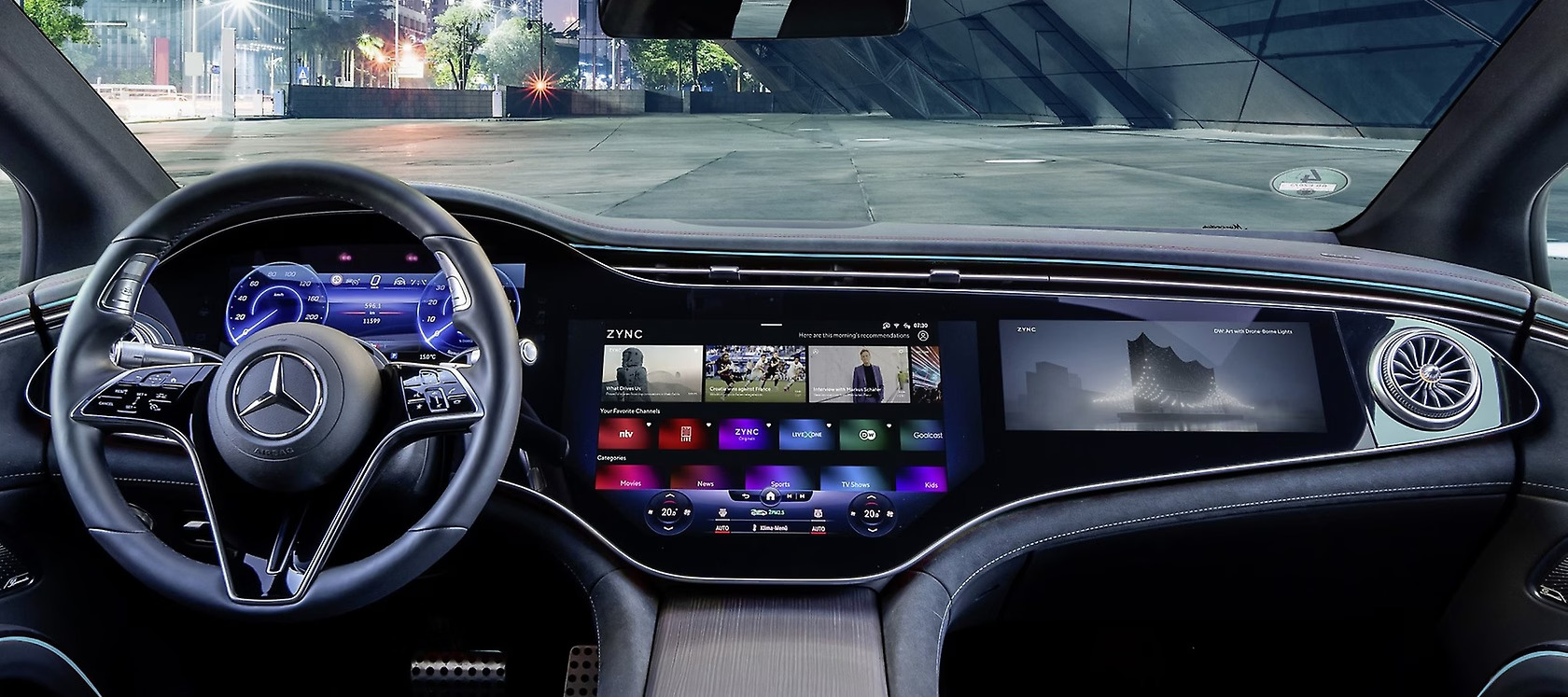
The Mercedes-Benz MBUX system in the EQE is widely regarded as one of the most advanced infotainment platforms in the automotive world, combining cutting-edge artificial intelligence, high-end hardware, and immersive display technology. At its core is either a 12.8-inch OLED central screen or the optional 56-inch MBUX Hyperscreen, which spans the entire dashboard in a continuous curved glass panel. This design creates a highly cinematic and visually striking cockpit experience.
A defining feature of MBUX is its “Zero Layer” interface, powered by artificial intelligence. Instead of requiring users to navigate through multiple menus, the system learns driver habits and automatically surfaces frequently used functions such as navigation, media, or seat adjustments directly on the home screen. This predictive approach reduces manual searching and makes interactions faster and more intuitive over time.
Performance is supported by powerful hardware, including an 8-core processor and 24GB of RAM, allowing for smooth animations, fast loading times, and minimal lag. The interface is designed to feel fluid and responsive, similar to a high-end smartphone or tablet.
Voice control is another major strength. The “Hey Mercedes” assistant enables natural language commands for navigation, climate control, and entertainment, often reducing the need for touch input. Augmented reality navigation further enhances usability by overlaying directional arrows onto a live camera feed of the road, making route guidance clearer and more precise.
The system also includes EV-focused navigation features such as intelligent route planning, charging station location, and energy management tools. Additional functionality includes biometric authentication through fingerprint and voice recognition, allowing personalized driver profiles to load automatically.
Despite its strengths, the system’s complexity can feel overwhelming due to the large number of features and settings. The heavy reliance on touch and haptic controls, especially on the steering wheel, can also be distracting for some users compared to physical buttons.
The MBUX system in the EQE stands out for its visual impact, intelligent software, and advanced user experience, positioning it as one of the most technologically ambitious infotainment systems in modern luxury vehicles.
6. Porsche PCM 6.0 in Taycan: Performance-Focused and Highly Responsive Infotainment
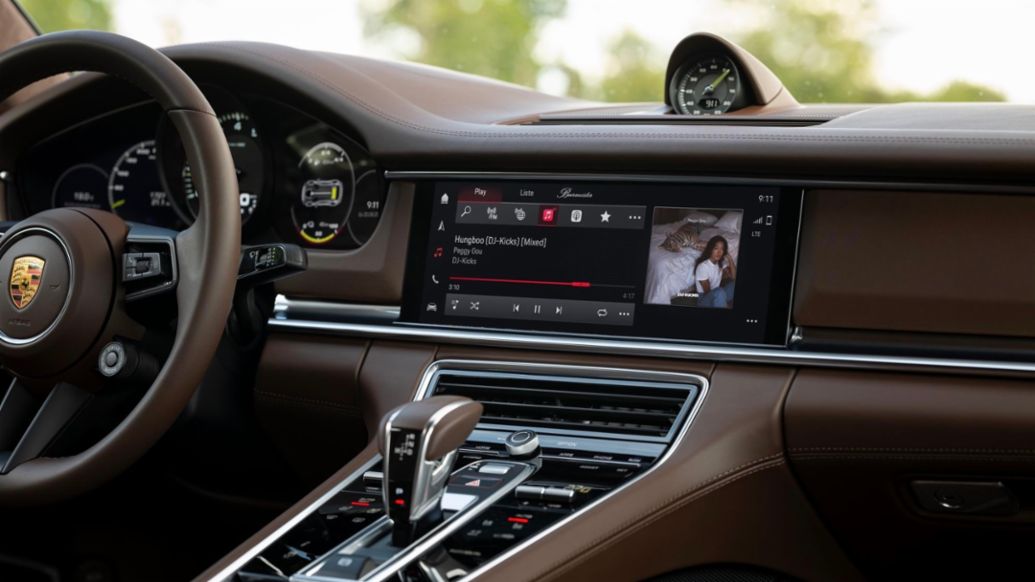
Porsche PCM 6.0 in the Taycan is a performance-oriented infotainment system designed to match the brand’s driver-focused philosophy. Centered around a 10.9-inch high-definition touchscreen (with optional passenger display), the system emphasizes speed, precision, and deep integration with the vehicle’s performance features. Its glass surface and clean layout give it a premium feel, while its responsiveness rivals modern tablets.
A major strength of PCM 6.0 is its fast processing and smooth operation. The interface is virtually lag-free, allowing drivers to switch between menus, navigation, and vehicle data instantly. The updated design introduces a tile-based layout with clearer, color-coded icons, making functions easier to identify at a glance. This logic-driven interface avoids unnecessary clutter, focusing on usability rather than excessive visual effects.
What sets PCM 6.0 apart is its deep connection to the Taycan’s performance systems. Drivers can access detailed vehicle data such as battery status, energy flow, and even track-focused metrics through Porsche Track Precision integration. The system also includes an advanced Charging Planner, which calculates routes with optimal charging stops and prioritizes high-output stations for efficiency.
Connectivity is another strong point. Native integration with streaming services like Spotify and Apple Music allows users to play music directly through the car without relying on a smartphone. Wireless Apple CarPlay and Android Auto are also supported, ensuring flexibility for different users. The “Hey Porsche” voice assistant enables natural language commands for controlling navigation, climate, and comfort features.
The system is designed to evolve through over-the-air updates, ensuring continued improvements in functionality. Additional features include remote access via the Porsche Connect app and customizable display layouts.
However, the system is not without drawbacks. Climate controls are handled through a lower touchscreen instead of physical buttons, which can be less convenient while driving. The depth of features may also require some time to learn, and the optional passenger display may not be essential for all users.
PCM 6.0 delivers a fast, precise, and driver-centric infotainment experience that aligns closely with Porsche’s performance identity.
Also read: 10 Cars That Are Cheap to Buy But Cost a Fortune to Insure for Young Drivers
6 Glitchy Software Nightmares
1. Volkswagen ID.4 Infotainment: Persistent Software Issues and Gradual Improvements
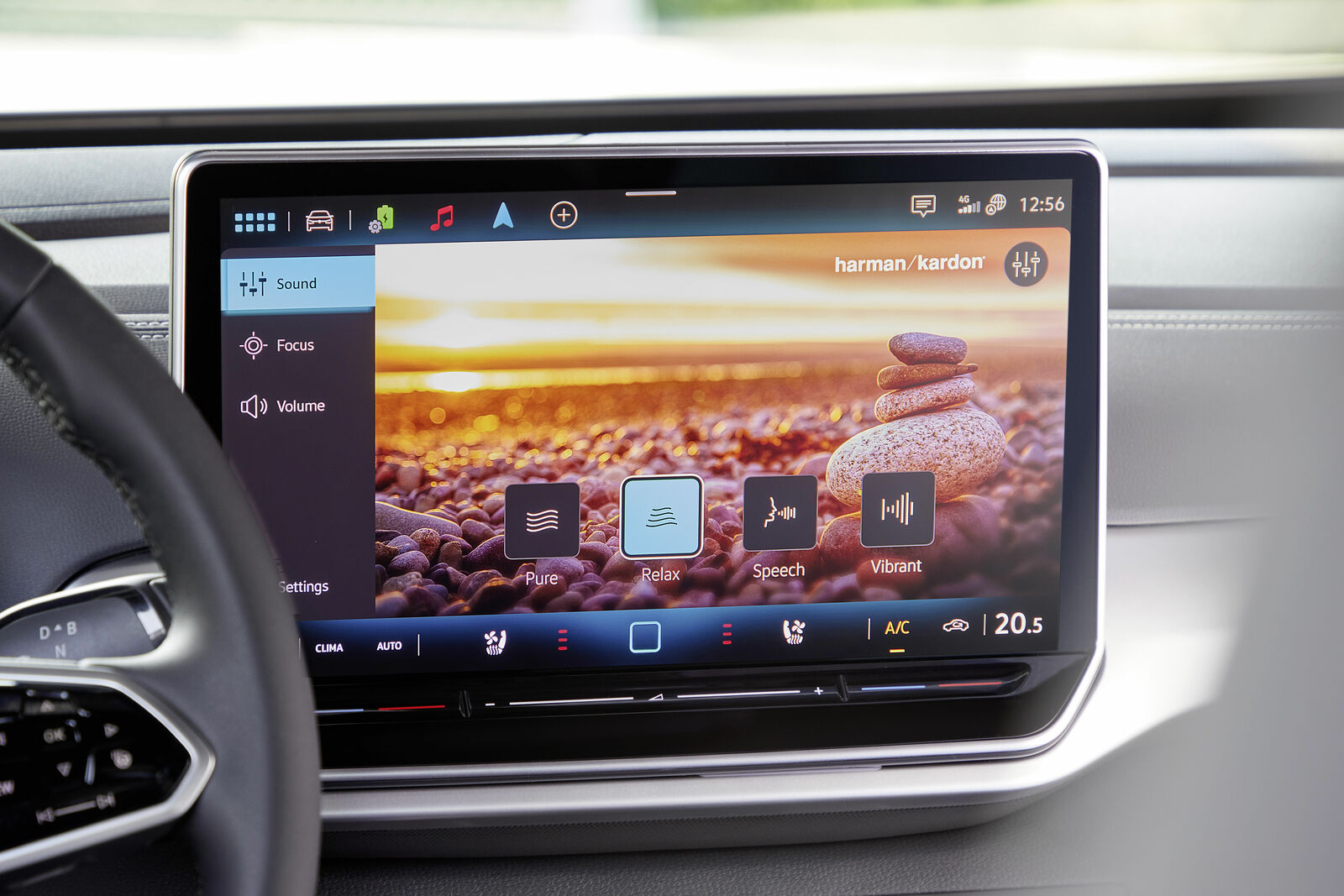
The Volkswagen ID.4 has gained a reputation for frustrating infotainment performance, particularly in early models, where software reliability and responsiveness have been major concerns. Many users report severe issues such as the “black screen of death,” where both the infotainment display and instrument cluster suddenly shut off while driving. These problems highlight deeper weaknesses in the system’s early software and hardware integration.
One of the most common complaints is sluggish performance. The interface often takes several seconds to respond to simple inputs, creating a laggy and unrefined user experience. This is compounded by touch-sensitive controls for volume and temperature that are not backlit, making them difficult or impossible to use at night. Frequent glitches, including frozen screens and failed smartphone connections, further contribute to a sense that the system feels unfinished.
A significant portion of these issues stems from immature software in 2021–2023 models. Early versions were prone to bugs, crashes, and instability, while promised over-the-air updates were often delayed or required dealership visits to install. In some cases, problems were linked to failures in the 12-volt battery, which could disrupt multiple vehicle systems, including infotainment, charging, and startup functions.
The system’s complexity also plays a role. Because infotainment, battery management, and driver assistance features are interconnected, a fault in one area can affect others, leading to cascading failures.
Volkswagen has made improvements in newer models, particularly from 2024 onward. Updates include a larger 12.9-inch screen, faster processing, and more stable software. Dealer-installed updates for older vehicles have also helped address some issues.
Despite these fixes, the ID.4’s infotainment system still carries a reputation for inconsistency, especially in earlier versions.
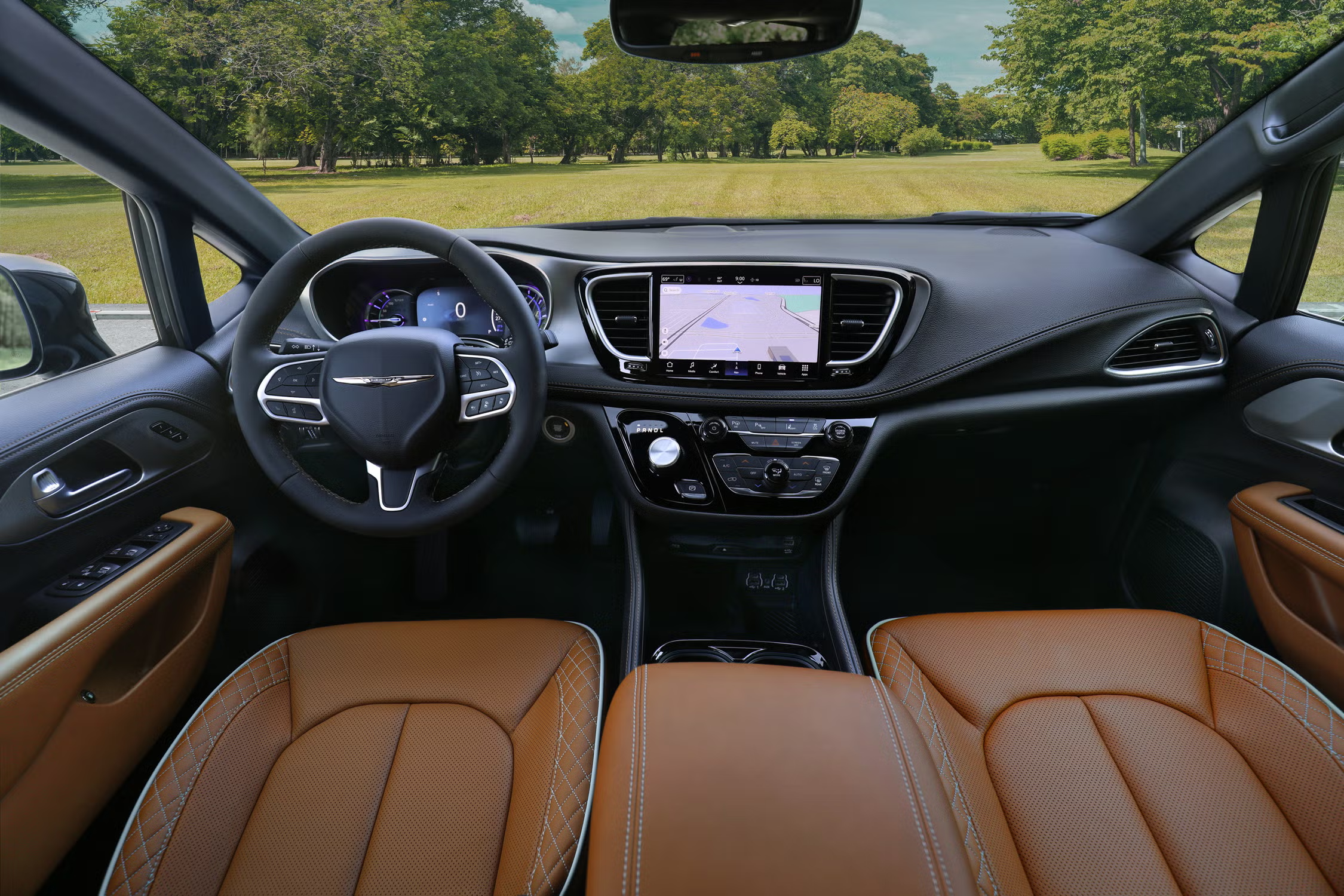
2. Chrysler Pacifica Hybrid: Complex Software Issues Undermining Reliability
The Chrysler Pacifica Hybrid is often praised for its practicality and family-friendly design, but it has developed a reputation for serious software and reliability problems, particularly related to its hybrid system integration. While the Uconnect infotainment platform itself is generally well-regarded, the hybrid variant introduces additional complexity that has led to frequent glitches and inconsistent performance.
A major concern is the interaction between the plug-in hybrid powertrain, battery management system, and various electronic control modules. This complex network of systems often results in software conflicts, causing issues such as screen freezes, reboot loops, and failure of key features like the backup camera. These problems are not just inconvenient but can also raise safety concerns, especially for families relying on the vehicle for daily use.
Owners commonly report “Christmas tree” warning lights appearing on the dashboard, along with erratic system behavior. In more severe cases, the vehicle may enter limp mode, lose power, or even shut down unexpectedly. One known issue involves a transmission wiring connector fault that can lead to sudden engine shutdowns. Although software updates have been released, some fixes merely provide warnings rather than resolving the root cause.
Charging-related problems are also frequent, with some vehicles failing to charge properly or displaying inaccurate battery information. These issues are often linked to flaws in battery management software, which has led to multiple recalls, particularly for models produced between 2017 and 2023. In certain cases, dealer-installed software updates have introduced new problems, including rendering infotainment systems unusable.
The reliance on software-based fixes for what may be underlying hardware issues has contributed to repeated service visits and ongoing frustration for owners. While the Pacifica Hybrid offers innovative features and efficiency benefits, its complicated software ecosystem has made it one of the least reliable vehicles in its segment, particularly in earlier model years.
3. Rivian R1T Software: Innovation Paired with Growing Pains
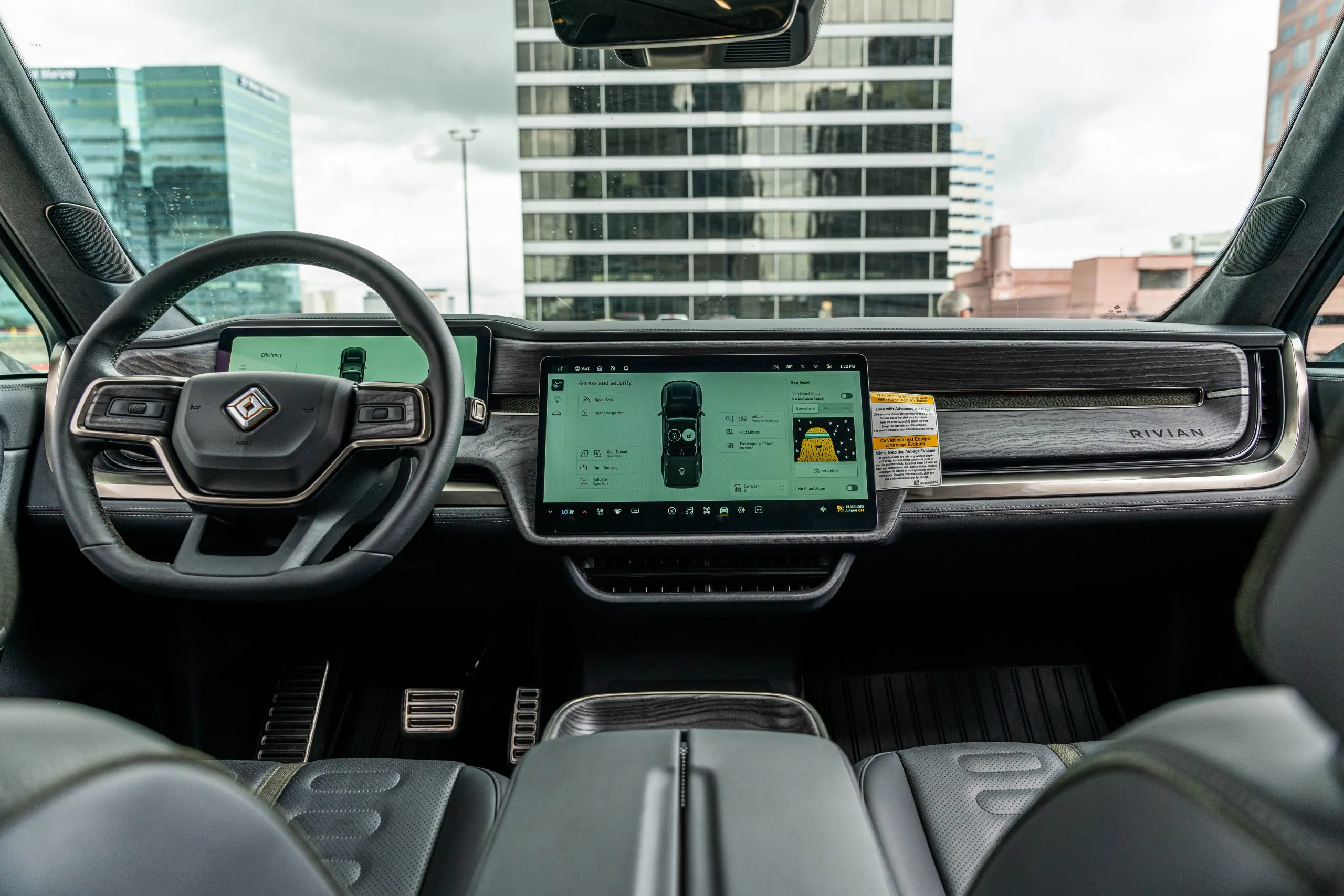
The Rivian R1T showcases a bold, technology-first approach to automotive design, delivering sleek displays, modern interfaces, and frequent over-the-air (OTA) updates. However, this rapid innovation has also led to notable software challenges, giving some owners a frustrating and inconsistent experience.
A key issue stems from Rivian’s fast update cycle. While OTA updates regularly introduce new features and improvements, they can also create unintended problems, a phenomenon known as software regression.
In some cases, updates that fix one issue may accidentally disrupt other functions, such as air conditioning, navigation, or infotainment stability. This creates a sense that the system is still evolving in real time, with owners effectively acting as early testers.
Another commonly reported problem is the “phantom drain,” where the vehicle’s software fails to properly enter sleep mode, leading to significant battery loss while parked. This highlights deeper challenges in managing the vehicle’s complex software systems efficiently.
The R1T also relies heavily on touchscreen controls for nearly all cabin functions, including climate settings and vent direction. While this creates a clean, minimalist interior, it also means that software glitches can severely impact usability. In extreme cases, display freezes or system crashes can make essential controls temporarily inaccessible.
Additional concerns include occasional camera malfunctions, infotainment bugs, and rare system reboots while driving. These issues are partly due to the complexity of integrating new features and refining advanced systems in a relatively young automotive company.
Despite these drawbacks, Rivian’s continuous updates do improve the vehicle over time. However, the process can feel uneven, balancing impressive innovation with ongoing software refinement challenges.
4. Volvo EX90: Software Ambition Limited by Early Reliability Problems
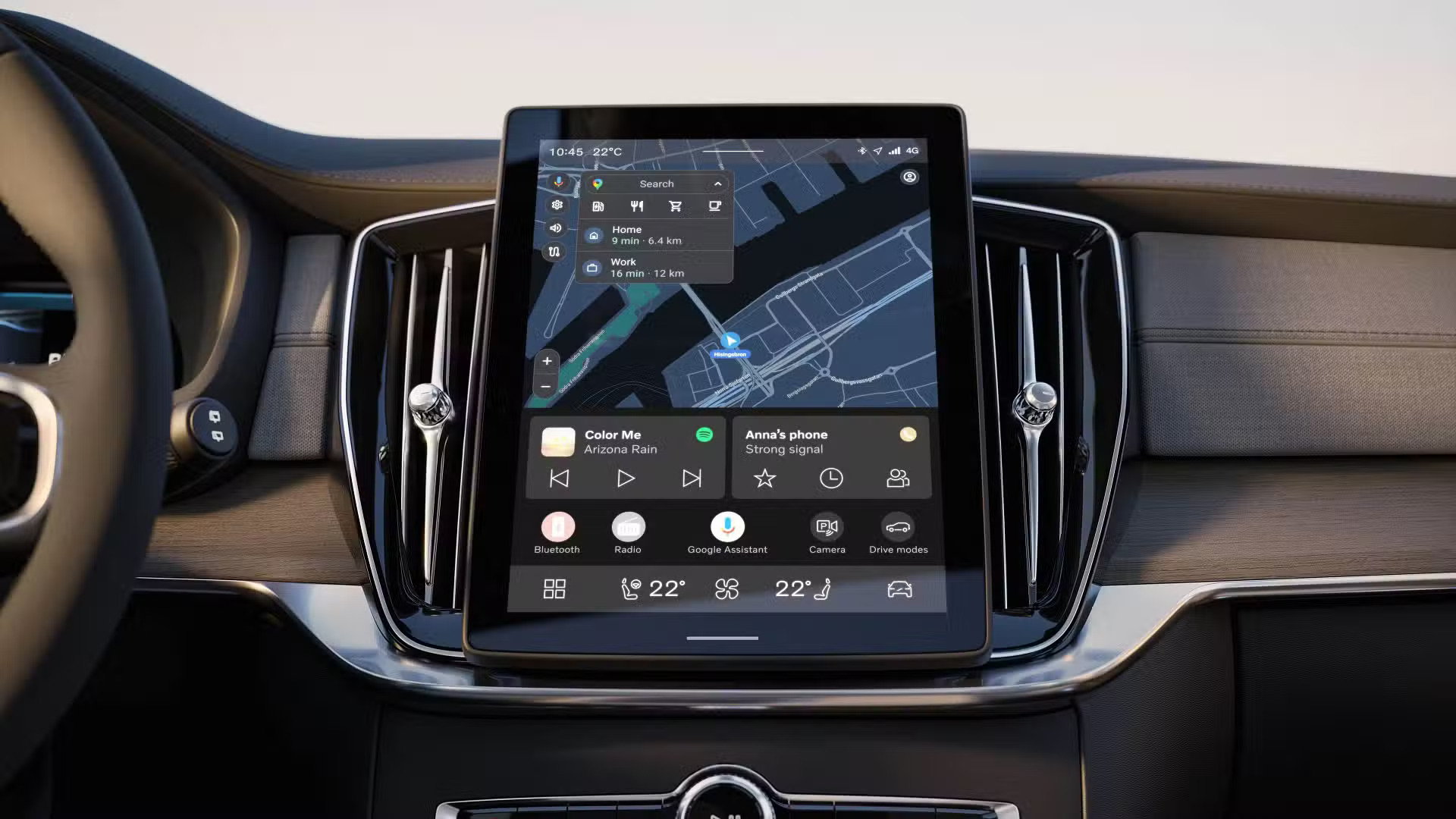
The Volvo EX90 represents a major shift toward fully software-driven vehicles, but its initial rollout has faced serious challenges. Built around a centralized computing system, the EX90 relies on a small number of powerful processors to manage nearly all vehicle functions, including infotainment, safety systems, and driver assistance. While this approach is designed for long-term flexibility and advanced capabilities, early versions have struggled with stability and execution.
A key issue is that the vehicle launched with incomplete software. Several promised features were missing, and early users reported frequent system crashes, lag, and unexpected restarts. Because the system is highly interconnected, a problem in one area, such as infotainment, can affect other functions like driver assistance or sensor operation. This creates a chain reaction that impacts both usability and safety.
The reliance on a centralized architecture has also introduced performance bottlenecks. Reports suggest that the hardware may not be fully optimized for the system’s demands, leading to slow responses and occasional freezes. Drivers have experienced issues with navigation, digital keys, and even essential features such as lighting and driver aids.
Other concerns include malfunctioning sensors, unreliable driver assistance features, and battery drain caused by the system failing to shut down properly. In some cases, hardware replacements have been required to address persistent problems, highlighting the severity of the issues.
Although updates have been released to improve the system, many early owners feel they are dealing with unfinished technology. The EX90 highlights both the promise and risks of software-focused vehicle design, showing how innovation can be limited when reliability and refinement are not fully achieved at launch.
5. Ford F-150 Lightning: Powerful EV Undermined by Software Frustrations
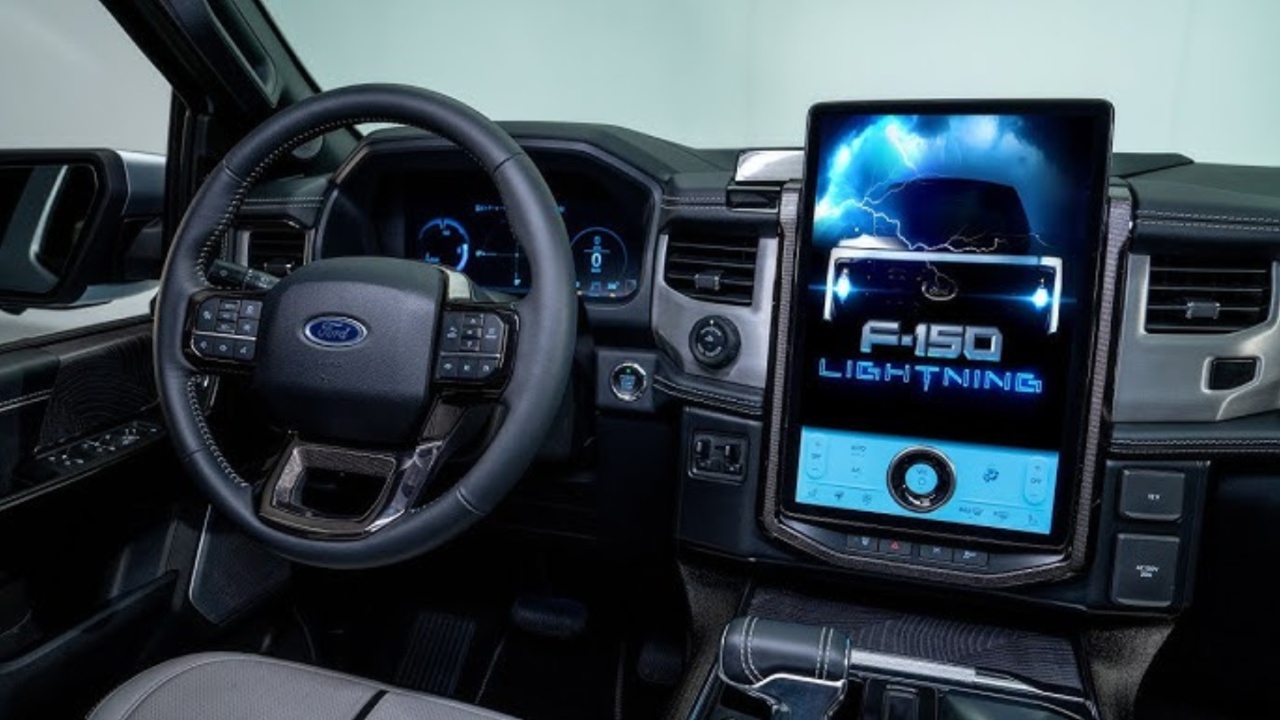
The Ford F-150 Lightning combines a strong electric powertrain with modern technology, but its software experience has been a consistent source of frustration for many owners. At the center of the cabin is a large 15.5-inch vertical touchscreen running Ford’s SYNC 4A system, which looks impressive but often struggles with reliability and responsiveness.
One of the most common issues is system lag and freezing. Owners frequently report that the infotainment screen becomes unresponsive, especially when using navigation or managing charging routes. This can be particularly problematic in a work-oriented vehicle, where delays in accessing directions or vehicle information can disrupt productivity.
Connectivity problems are another major concern. Wireless Apple CarPlay and Android Auto often fail to connect or disconnect unexpectedly, forcing users to retry or reset the system. In some cases, a full reboot or even a 12-volt battery reset is required to restore functionality. These issues create an inconsistent user experience that contrasts with the truck’s otherwise advanced features.
Charging and battery management systems have also presented challenges. Some users report difficulty initiating charging or maintaining stable connections with home charging setups. Inaccurate range estimates and unreliable trip planning tools further complicate long-distance driving, reducing confidence in the vehicle’s software capabilities.
Over-the-air updates are intended to fix these issues, but they can be inconsistent and occasionally introduce new problems. Additionally, some service centers lack the expertise to quickly resolve complex software-related faults, leading to extended downtime.
The F-150 Lightning demonstrates strong potential as an electric truck, but its software systems have yet to reach the same level of reliability and refinement as its mechanical and performance components.
6. Jeep Grand Cherokee: Advanced Features Held Back by Software and Quality Issues
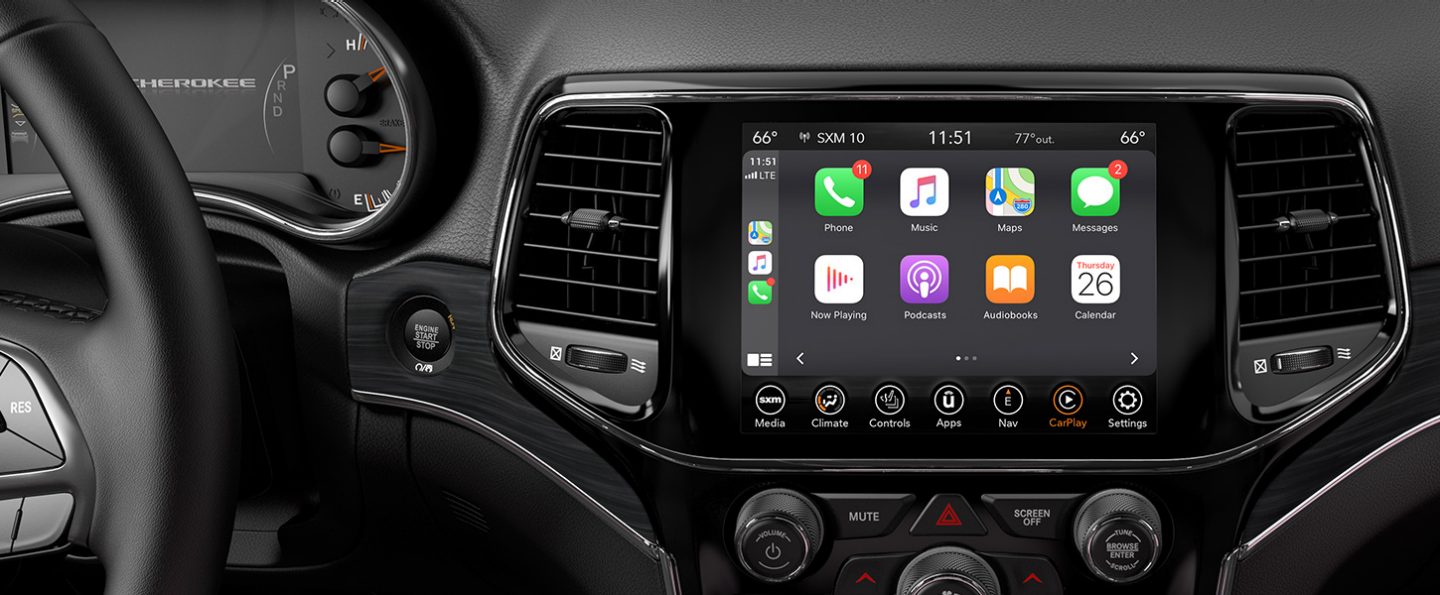
The Jeep Grand Cherokee, particularly in its newer generations, offers a modern and tech-heavy interior powered by the Uconnect 5 system. While the infotainment platform itself is generally well-regarded, its implementation in the Grand Cherokee has been affected by software instability and inconsistent hardware integration, leading to widespread owner complaints.
One of the most frequently reported problems is “ghost touch” behavior, where the screen registers inputs without being touched. This can result in random changes to radio stations, climate settings, or navigation inputs, creating both frustration and distraction while driving.
Additional issues include failure of the passenger-side display to sync properly and glitches in the digital rearview mirror, highlighting inconsistencies across the vehicle’s multiple screens.
The root of many of these problems lies in the vehicle’s complex electronic architecture. The Grand Cherokee relies heavily on interconnected digital systems, including infotainment, driver displays, and hybrid powertrain controls in 4xe models. This complexity increases the risk of system conflicts, where a fault in one component can affect others.
More serious concerns have also been reported. Some owners have experienced digital instrument cluster failures, battery drain while the vehicle is off, and in rare cases, loss of drive power. These issues have led to recalls and increased scrutiny, particularly for plug-in hybrid variants. Vehicles have sometimes required extended dealership visits due to unresolved software glitches.
Although the Grand Cherokee delivers strong features and modern technology, its software reliability has not consistently matched its ambitions. The combination of advanced systems and uneven execution has contributed to lower quality ratings and ongoing concerns about long-term dependability.
The difference between the best infotainment systems and the most problematic ones comes down to how well the technology is executed. The six standout systems prove that fast performance, clear layouts, and stable connectivity can transform complex features into tools that genuinely improve the driving experience. When everything works as intended, drivers benefit from convenience, efficiency, and a sense of control.
On the other hand, the glitch-prone systems show how fragile that experience can be. Software bugs, inconsistent updates, and overly complicated interfaces can disrupt not just entertainment but also essential vehicle functions. In some cases, these problems lead to repeated service visits and long-term reliability concerns.
As the industry continues moving toward software-defined vehicles, manufacturers face increasing pressure to deliver systems that are not just advanced but dependable. This comparison reinforces a simple idea: technology must work consistently to be valuable. Without that reliability, even the most impressive features lose their impact.
Also read: 5 Cars for Extreme Heat in the USA vs 5 Cars with Poor Airflow