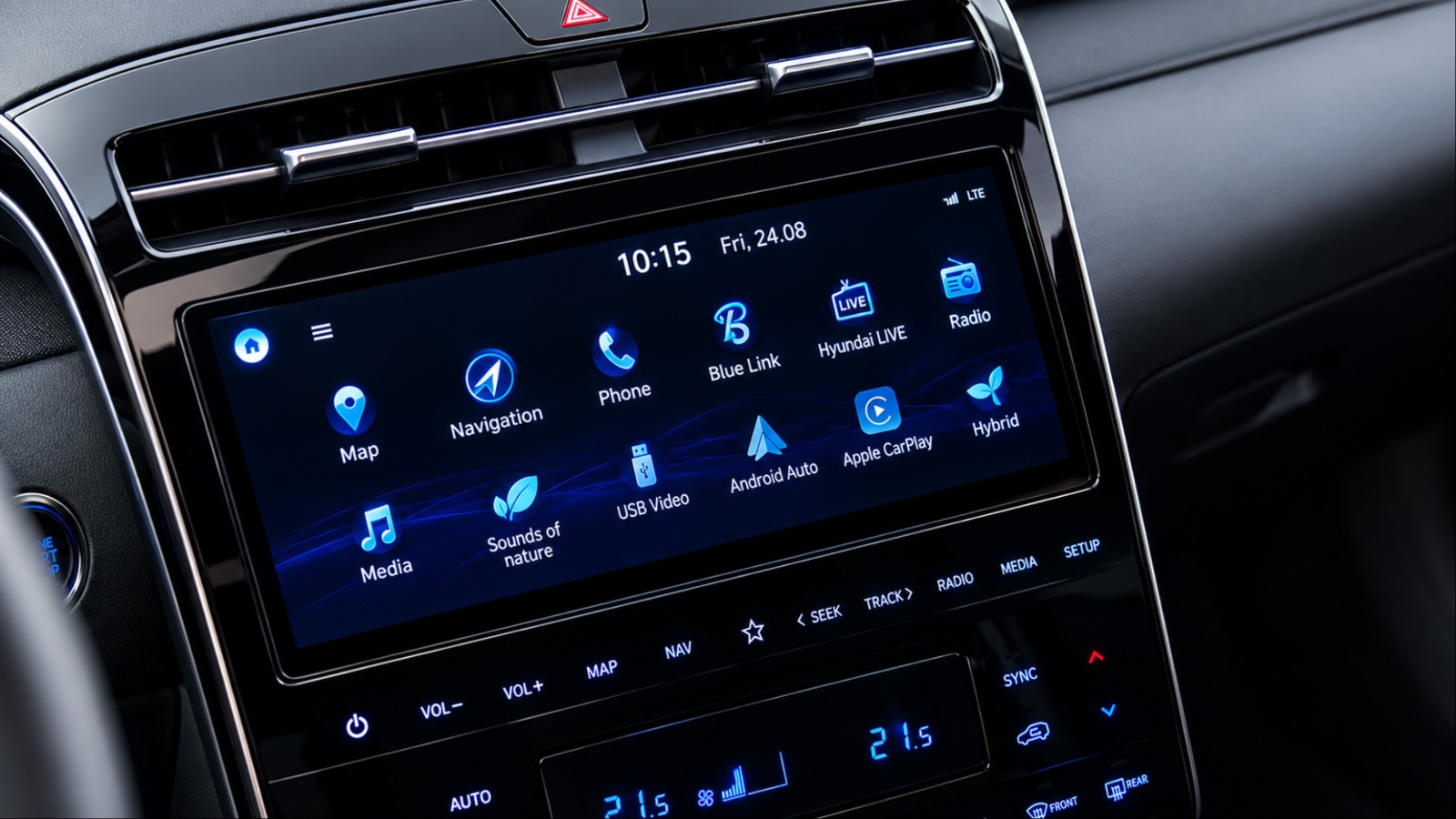
Most Tucson owners drive off the lot knowing the basics. They know the infotainment screen, the climate controls, and the shifter. What they rarely learn is buried deeper in the menus and the smart key.
Hyundai builds convenience and safety tools into every Tucson trim. Many stay unused for years. Owners simply never find them in the abridged manual.
This matters because these features solve real daily annoyances. A hot car in summer. A tight parking space downtown. A blind spot on the highway.
The Tucson’s engineering team pulled ideas from Hyundai’s flagship models and scaled them down. Some started as gimmicks in early press coverage. Several have since proven genuinely useful in daily testing and owner forums.
This list focuses on eight specific systems. Each one is documented in Hyundai’s official owner’s manuals and verified through dealer technical resources.
None of these require aftermarket modification. They exist in the vehicle as delivered. You just need to know where to look. We researched each feature using Hyundai’s NX4-generation Tucson manuals, dealer technical explainers, and verified owner reports. The goal is accuracy, not hype.
What follows are eight features that go beyond the glovebox quick-reference card. Some are safety systems. Others are pure convenience. All of them are worth learning properly.
1. Remote Smart Parking Assist (RSPA)
RSPA lets you move the Tucson into or out of a parking space from outside the vehicle. You control it entirely through the smart key.
The system relies on front, front-side, rear-side, and rear ultrasonic sensors. These sensors detect parking spaces and control vehicle steering, speed, and gear shifts to help enter and exit spaces remotely.
To use it, you press and hold a directional button on the smart key. The vehicle moves in the direction of the button pressed, and releasing the button pauses the movement immediately. This isn’t a hands-off autopilot. It only handles straight-line movement.
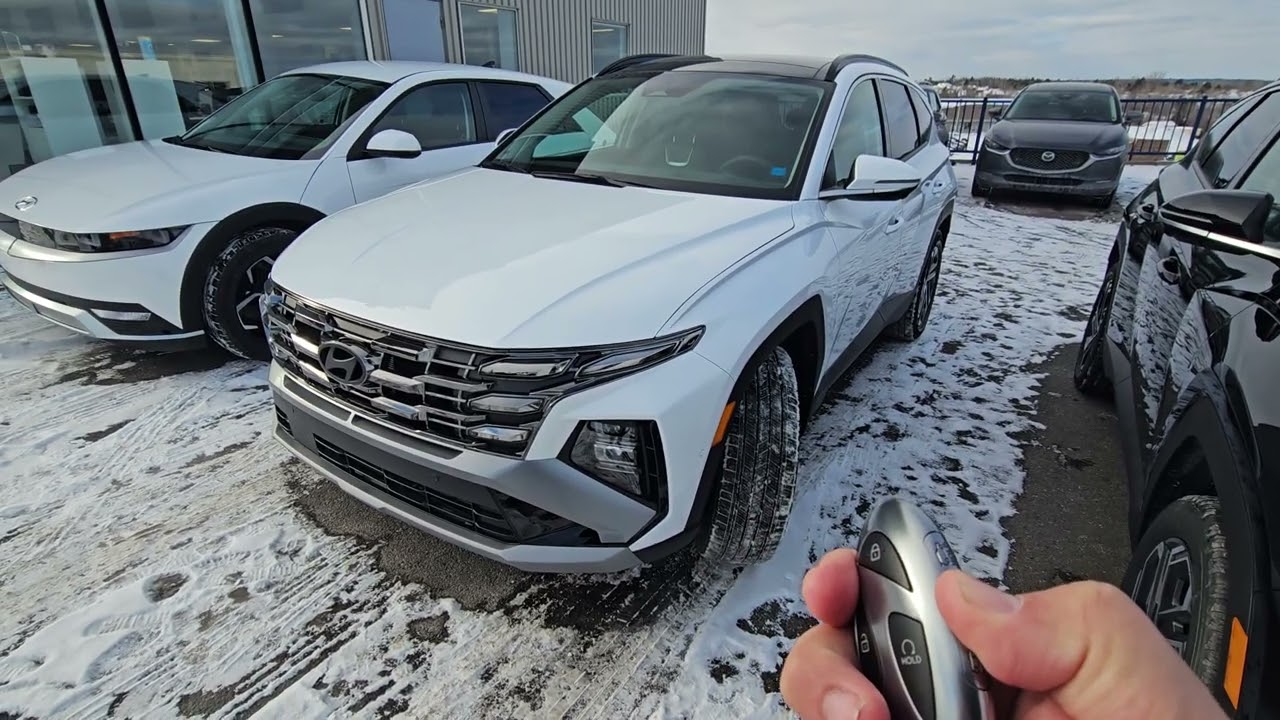
RSPA is designed for short, straight movements forward or backward, with the driver controlling it via the smart key from outside the vehicle. It won’t parallel park or go through turns on its own.
The practical value shows up in tight garages and narrow curb spaces. Apartment garages become easier to slide into without opening doors near concrete walls or pillars.
Shared driveways benefit too. You can move the vehicle forward or back to give others room without starting a full repositioning maneuver. When the system activates, it doesn’t work alone. Parking Distance Warning and Surround View Monitor also engage automatically alongside RSPA.
Competitively, this remains fairly rare in the compact SUV segment. Many rivals, including the Toyota RAV4 Hybrid, Honda CR-V Hybrid, and Ford Escape Hybrid, don’t offer this feature at all.
Safety limits exist too. All passengers must exit the vehicle before using the Remote Operation function. The system also won’t operate correctly in spaces too narrow for you to safely stand nearby.
If the smart key loses connection or the battery runs low, the feature simply won’t engage. It defaults to requiring manual parking in that scenario.
Once the vehicle reaches your target spot, you don’t need to do anything else. The vehicle automatically shifts into Park and engages the parking brake when the remote operation finishes.
2. Ultrasonic Rear Occupant Alert
This feature goes far beyond a simple dashboard reminder. It’s designed to catch what a distracted driver might miss entirely. The basic version exists on many vehicles already. This basic system doesn’t actually detect the presence of objects or occupants in the rear seat. It informs the driver based on the record of the rear doors opening and closing.
The Tucson’s advanced version is different. After the driver locks the vehicle from outside, ultrasonic sensors mounted on the ceiling begin detecting indoor movement for 24 hours.
Sensitivity here is notable. The sensors are capable of detecting breathing movements in a sleeping occupant, not just obvious motion. The system doesn’t discriminate between passengers and pets either. The ultrasonic sensors embedded in the ceiling detect movement from both passengers and pets after the vehicle is locked.
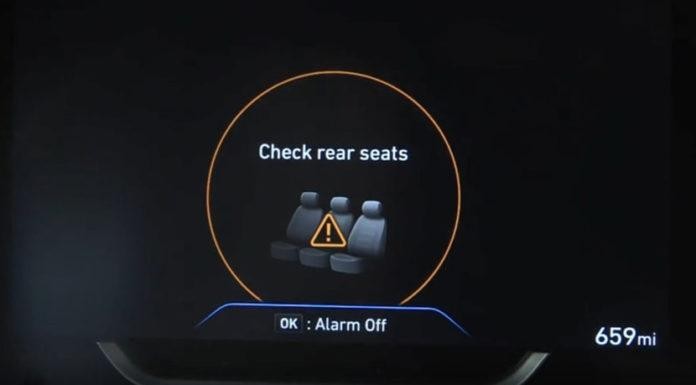
When movement triggers the alert, the response is loud and unmistakable. The car honks its horn and flashes emergency lights for 25 seconds to notify both the driver and any nearby passersby.
It also reaches you remotely. A notification may be sent directly to the driver’s smartphone through Hyundai’s Blue Link connected services. Trim availability matters here. The advanced ultrasonic system is applicable on 2025 Tucson SEL Convenience and Limited trims specifically.
You can find the settings without digging through a paper manual. Rear Occupant Alert can be enabled from Settings, then Vehicle, then Convenience, then Rear Occupant Alert on the infotainment screen.
There’s a real reason Hyundai invested in this. Roughly 37 children die annually from vehicular heatstroke in the United States, and more than 1,000 children have died this way since 1998.
One important caveat is that open windows can lead to false alerts. If a window is left open, wind or insects inside the cabin could trigger the alert even when there is no actual security issue.
3. Blind-Spot View Monitor (BVM)
Side mirrors leave a gap. BVM closes it by putting a live camera feed directly in your line of sight. The mechanism is simple but effective. Blind-Spot View Monitor uses wide-side view cameras to display the rear blind spot areas on the instrument cluster whenever the turn signal is activated.
It responds directionally, not generically. When the left or right turn signal turns on, the corresponding side image appears on the instrument cluster automatically. The feed disappears just as automatically. Once the turn signal turns off, the image on the instrument cluster turns off as well.
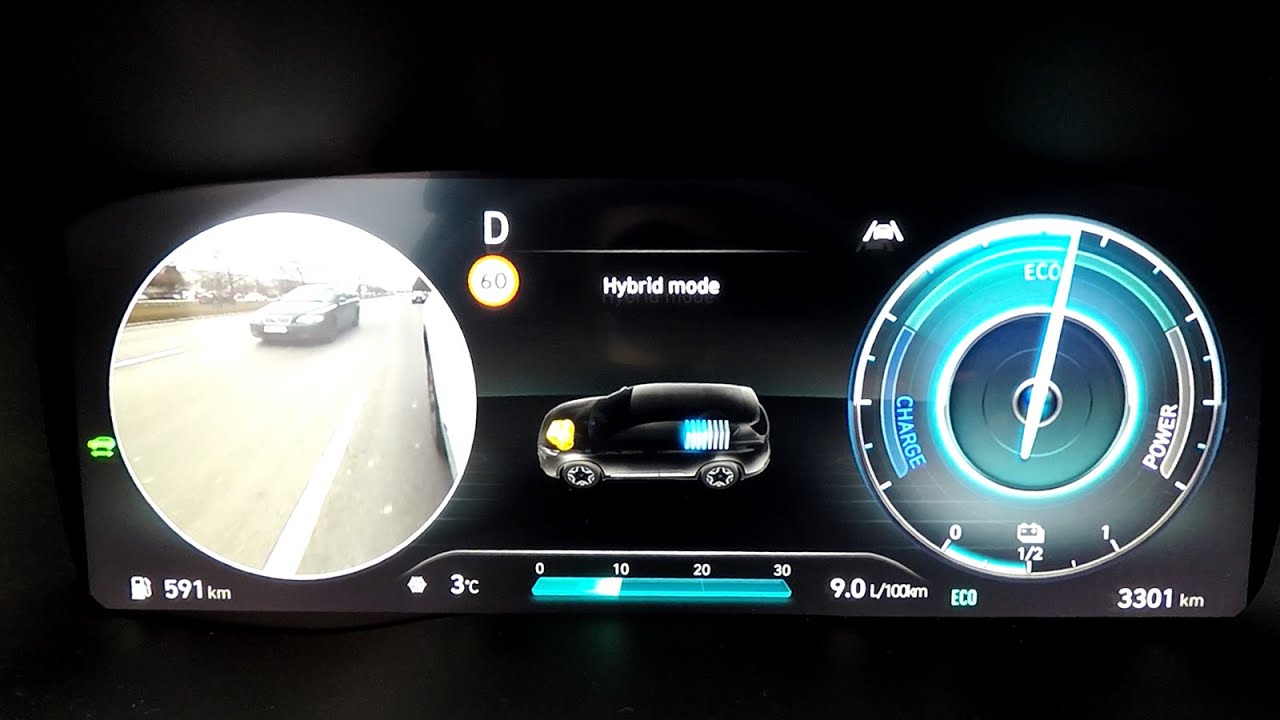
There’s a built-in safety override too. When the hazard warning flasher is on, Blind-Spot View Monitor turns off regardless of the turn signal’s status.
This differs meaningfully from radar-based blind spot warnings. BVM uses side-mounted cameras to project a live view of the adjacent lane, while Blind-Spot Collision-Avoidance Assist uses radar sensors on the rear bumper to detect fast-approaching vehicles.
Together, they cover different failure points. One shows you the lane visually. The other warns you about closing speed. Finding the toggle isn’t intuitive on a first pass. You access it through Setup, then Vehicle, then Driver Assistance, then Blind-Spot Safety, then Blind-Spot View from the Settings menu.
Maintenance matters more than most owners realize. The side view camera lenses must be kept clean, since a blocked or covered lens can prevent Blind-Spot View Monitor from operating normally.
Hyundai also warns against certain cleaning products. Strong chemicals with high alkaline content or volatile organic solvents like gasoline or acetone should never be used to clean the lenses.
Trim availability is limited by design. This feature is typically available on higher trims of models including the Palisade, Sonata, Santa Fe, and Tucson.
Hyundai is direct about its limitations too. The perceived distance from another vehicle shown on the cluster may differ from the actual distance, so drivers should always turn their head to confirm before changing lanes.
4. Express (One-Touch) Window Control
This one hides in plain sight on the smart key itself. Most owners never test it because nothing in the dash suggests it exists. An owner on a UK forum described the discovery directly. Pressing and holding the unlock button drops all windows at once, and pressing and holding the lock button closes all windows simultaneously.
The practical use case is obvious for anyone who’s baked in a parked car. It’s brilliant on hot days to cool the cabin before you even open the door.
This isn’t unique to Hyundai, but it’s rarely advertised. Similar systems have appeared on other manufacturers’ vehicles for over a decade without much fanfare.
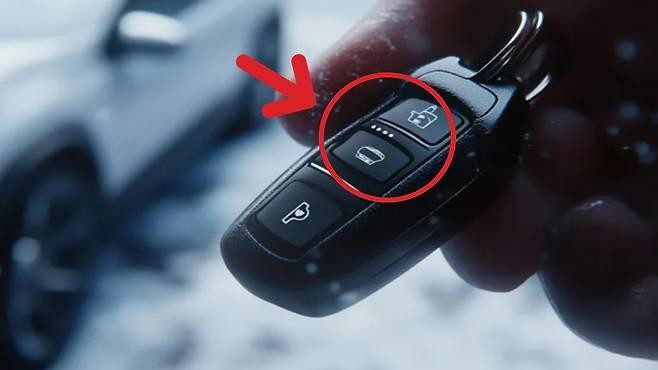
It’s technically documented, just easy to miss. One forum member confirmed it’s mentioned in section 5.35 of the manual and noted it’s been a fairly common feature since 2012 across many brands.
The feature works from a distance too, within the smart key’s typical range. You don’t need to be standing next to the vehicle to trigger it. For families loading kids or groceries, this cuts down on fumbling. You can vent the cabin while still walking across the parking lot.
It also works in reverse for security. Approaching the car and confirming all windows are sealed takes one press instead of a walk-around inspection.
Owners moving from older Hyundai models sometimes miss this feature entirely on the first vehicle. It’s not present on every trim generation, so cross-shopping owners should confirm it exists on their specific configuration.
5. Auto Hold Combined With Engine Shutoff Parking Brake
This is a quiet convenience trick that most Tucson owners never intentionally use. It combines two systems that already exist separately. A forum contributor explained the trick clearly.
With Auto Hold engaged and the vehicle stopped, turning off the engine using the start/stop button causes the handbrake to engage and the gear to shift into Park automatically.
Normally, you’d shift to Park manually before shutting off the engine. This shortcut removes a step from the routine. It’s particularly useful in drive-through lines or quick curbside stops. You can stop, hold the brake, and shut down without the usual sequence of shifting first.
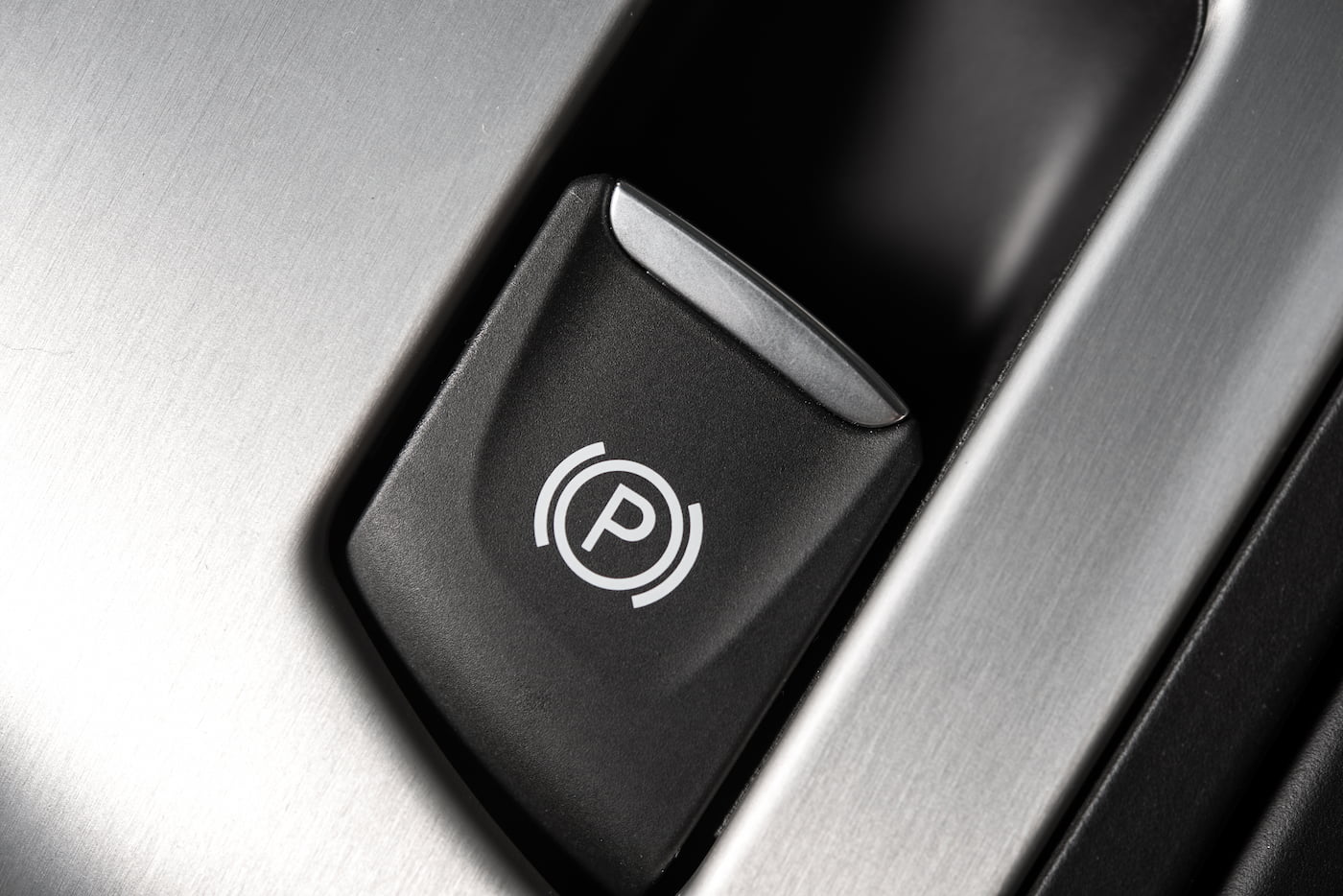
The feature depends entirely on Auto Hold being active beforehand. If Auto Hold isn’t engaged, this shortcut simply won’t trigger the same way. Auto Hold itself locks the brakes automatically at a stop. It releases smoothly the moment you press the accelerator again.
This pairing matters most on hills or inclines. The parking brake engaging automatically adds a layer of security beyond just holding the brake pedal.
It also reduces wear on the transmission’s parking pawl over time. Shifting to Park at the exact right moment, rather than rushing it, protects the mechanism.
Owners coming from manual-heavy driving habits sometimes forget this exists. It’s not marketed prominently because Hyundai treats it as a natural extension of Auto Hold rather than a standalone feature.
6. Driver Talk (Rear Speaker Intercom)
Anyone with kids in the third row of a larger SUV understands the appeal instantly. The Tucson brings a version of this idea into a compact package.
According to research from Vehicle HQ, activating the feature turns the driver into the “captain of your own rolling PA system,” with the driver’s voice coming through clearly on the rear speakers.
This solves a common frustration on road trips. Turning around to shout instructions while driving is both distracting and often ineffective over road noise. The feature routes audio specifically to the rear speaker zone. It doesn’t broadcast through the entire cabin at uniform volume.
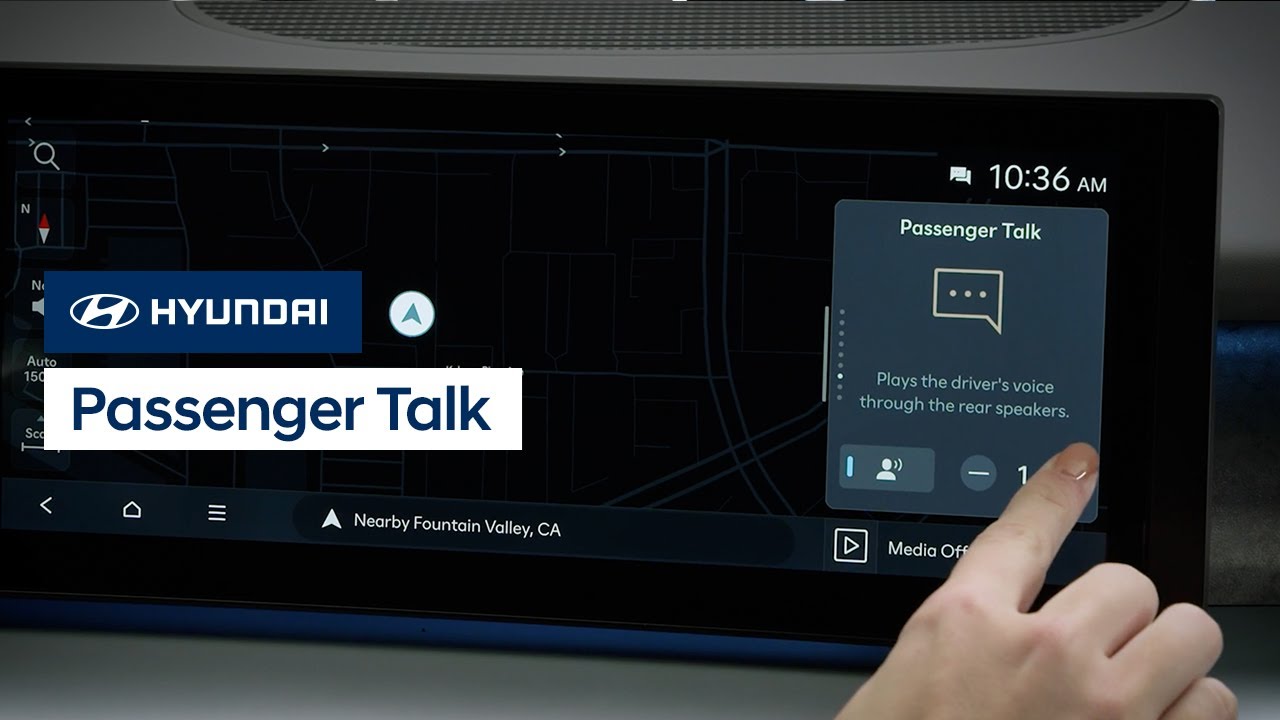
It’s tucked into the media or audio settings menu rather than sitting on the main dashboard. This is likely why so few owners stumble onto it accidentally.
For families with sleeping kids or noise-sensitive passengers, this offers a quieter alternative to raising your voice. You speak normally, and the system handles amplification.
It also works well for practical instructions during loading or unloading. Coordinating with a passenger in the back without twisting around adds a small safety margin while driving.
Some owners use it more for chores than road trips. Giving directions to a passenger fetching something from the back cargo area becomes easier without repeating yourself.
7. Rearview Camera Washer
This feature addresses a common problem with backup cameras. Dirt and grime can build up on a lens that is difficult to reach or even see clearly. According to Vehicle HQ’s research, the system works automatically. Whenever the rear windshield washer is activated, a small jet sprays the camera lens to clean it at the same time.
This matters more than it initially sounds. A dirty backup camera lens can distort or completely obscure the image right when you need it most, like backing out in rain or snow.
On certain trims, the cleaning function goes further. Some models allow triggering this cleaning separately from the general rear washer activation, via a dedicated camera icon.
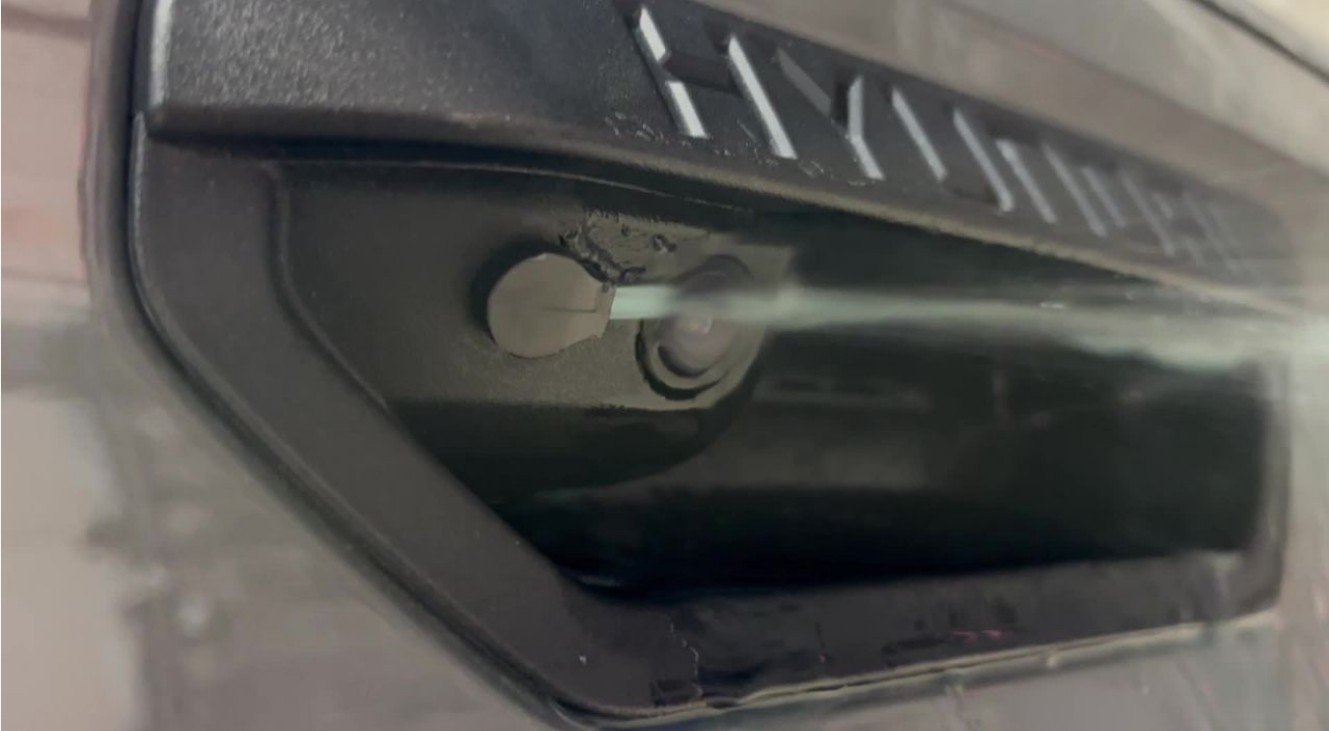
This separation is useful because rear windshield washing and camera cleaning don’t always need to happen together. You might want a clean camera view without using washer fluid on the entire rear glass.
Owners in muddy or snowy climates benefit the most from this. Road spray accumulates quickly on rear-mounted equipment, and manual cleaning isn’t always practical mid-drive.
It’s a small mechanical detail, but it directly supports other safety features. A clean camera feed matters for parking assist systems and rear cross-traffic alerts that depend on clear visual input.
Most owners never notice this happening because it’s fully automatic. There’s no separate button to remember pressing during normal washer use.
8. Sounds of Nature (Ambient Audio)
Buried inside the media menu is a feature with no obvious connection to driving at all. It’s designed purely for the cabin atmosphere. According to Vehicle HQ’s research, the feature is tucked away in the media options, usually under a tree or leaf icon.
Once activated, it replaces standard audio with ambient soundscapes. Tapping it reveals a selection of soothing soundscapes ranging from gentle raindrops to crackling campfires. The intended effect is atmospheric rather than functional. It can transform the cabin into what’s described as a zen retreat on wheels.
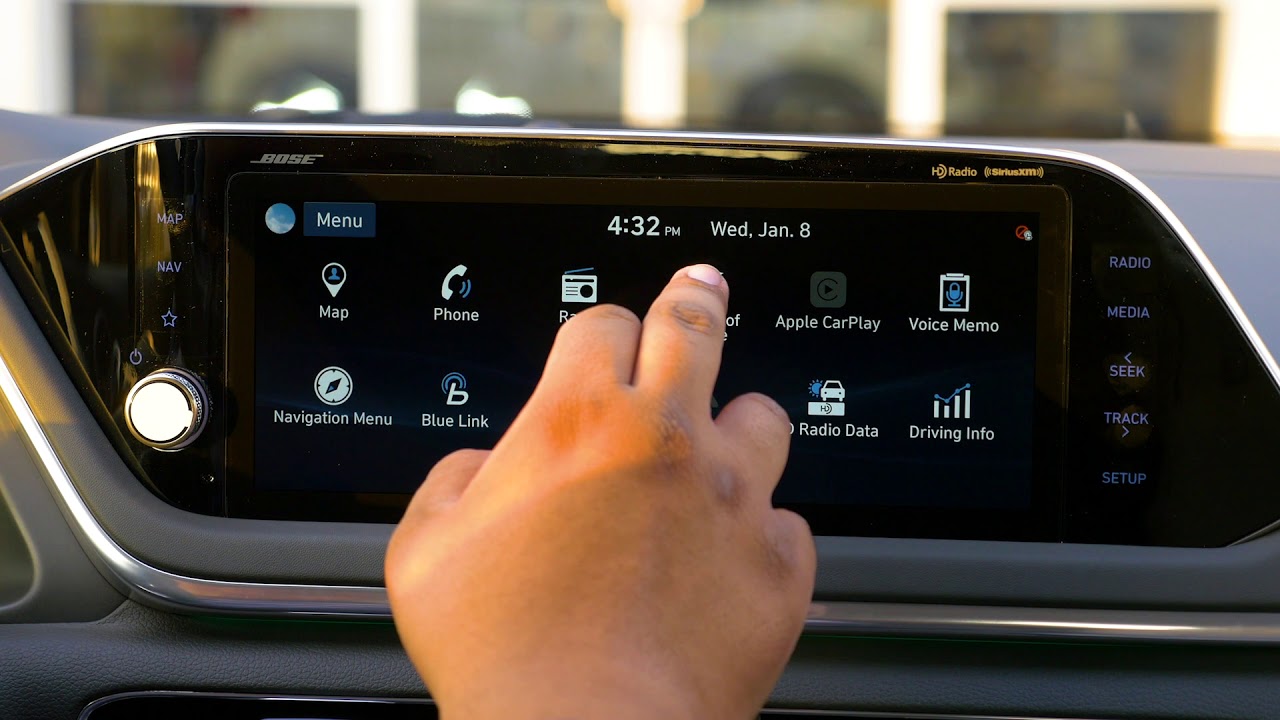
This is most useful in specific situations rather than daily commuting. Sitting in stop-and-go traffic or waiting in a pickup line are the obvious use cases.
It also works well for passengers rather than just the driver. Kids or anxious passengers sometimes respond better to ambient nature sounds than talk radio or silence.
Because it’s filed under general media settings, it’s easy to scroll past without noticing. There’s no dedicated hardware button pointing to its existence.
Some owners use it as a wind-down feature before a nap during a long charging stop, especially in hybrid trims. Others treat it purely as background texture during solo drives.
It costs nothing to try and requires no setup beyond finding the icon. That low barrier is likely why so many owners eventually discover it by accident rather than intention.