Climate control systems in vehicles are an essential part of the driving experience, affecting comfort, convenience, and safety. Over the years, car manufacturers have experimented with different ways to allow drivers to adjust temperature, airflow, and ventilation.
Some have prioritized simplicity and physical accessibility, equipping cars with intuitive knobs, buttons, and sliders that can be used without diverting attention from the road.
Others have leaned into digital integration, replacing physical controls with touchscreen interfaces or digital panels that combine multiple functions in one place.
Both approaches have advantages and disadvantages, and understanding them can help drivers choose vehicles that match their needs and driving habits.
Physical controls offer a tactile experience that allows for quick adjustments. A simple twist of a knob or press of a button can change temperature or fan speed without requiring drivers to look away from the road.
This design philosophy aligns with the principle that driving should remain primarily about controlling the vehicle rather than navigating menus.
Cars with physical controls often provide immediate feedback, letting drivers sense the current setting by feel alone. In contrast, climate controls embedded in screens aim to create a clean, minimalistic interior.
These interfaces can provide advanced customization options, integrating climate control with navigation, entertainment, and vehicle settings. Touchscreen systems often allow for finer adjustments, including separate temperature zones for driver and passenger, seat heating, and even air quality monitoring.
However, this convenience comes with a trade-off. Using a screen typically requires visual attention, which can increase distraction and complicate simple adjustments during driving. As car interiors evolve, the debate between tactile simplicity and digital integration continues.
Understanding the differences can help drivers make informed choices about which approach aligns with their priorities, whether that is speed, convenience, or technological sophistication.
This article will compare five cars known for their intuitive physical climate controls with five vehicles that rely heavily on touchscreen interfaces to manage temperature and airflow.
Cars with Intuitive Physical Climate Controls
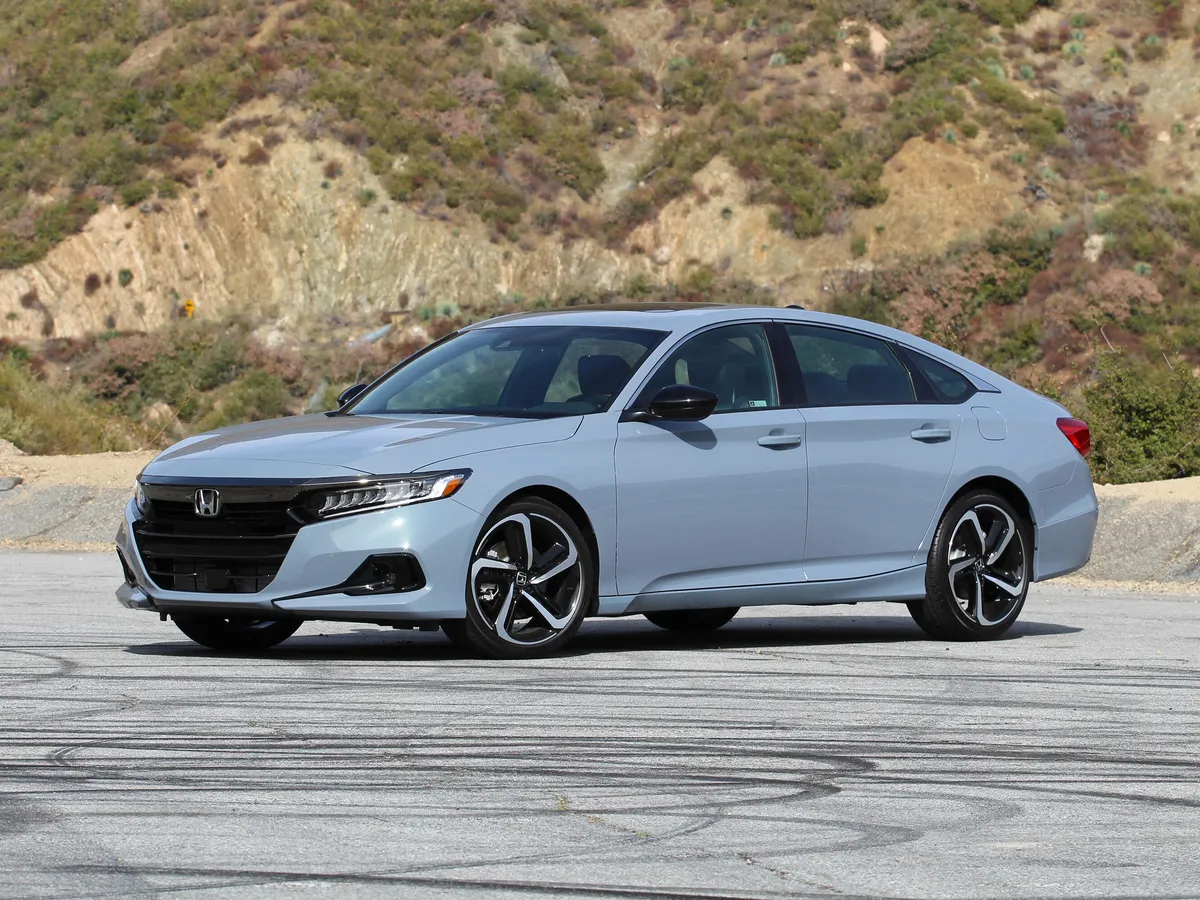
1. Honda Accord
The Honda Accord has long been celebrated for its driver-focused interior design, and its climate control system exemplifies this philosophy. Unlike vehicles that rely heavily on digital interfaces, the Accord prioritizes simplicity and tactile feedback.
The climate system features large, clearly labeled knobs for adjusting temperature and fan speed, allowing drivers to make changes almost instinctively.
The tactile response of the knobs provides immediate confirmation of adjustments, which is particularly valuable when driving in heavy traffic or low-visibility conditions.
Drivers can feel the difference in knob rotation or button press without needing to look down at the controls, enhancing both convenience and safety.
Ergonomics play a key role in the Accord’s design. The knobs and buttons are positioned within easy reach of the driver, reducing unnecessary stretching or awkward hand movements. This thoughtful placement ensures that adjustments can be made quickly, with minimal distraction from the road.
The buttons for airflow mode, air conditioning, and rear defrost are logically grouped, creating a clear layout that is easy to navigate.
Even new drivers or passengers unfamiliar with the car can understand the system almost immediately. This intuitive design reflects Honda’s broader commitment to practical usability and driver-centric interiors.
Another advantage is reliability. Physical controls are less prone to issues compared to touchscreen-based systems, which may suffer from software glitches or lag.
The Accord’s knobs and buttons provide consistent performance over time, ensuring that drivers can depend on the system in all conditions, from extreme heat to freezing temperatures.
Additionally, the tactile feedback helps reinforce confidence in operation. Pressing a button or turning a knob produces a deliberate response, reassuring drivers that the adjustment has taken effect. This predictability is often cited as a major reason drivers prefer physical controls over digital alternatives.
Beyond functionality, the Accord balances practicality with modern aesthetics. The controls are integrated into the dashboard in a way that complements the interior design, avoiding a cluttered appearance while maintaining ease of use.
The combination of visual clarity, tactile feedback, and ergonomic positioning makes the climate system a seamless part of the driving experience.
Honda has managed to create an interface that feels natural, intuitive, and responsive, demonstrating that physical controls can coexist with contemporary styling without compromising usability.
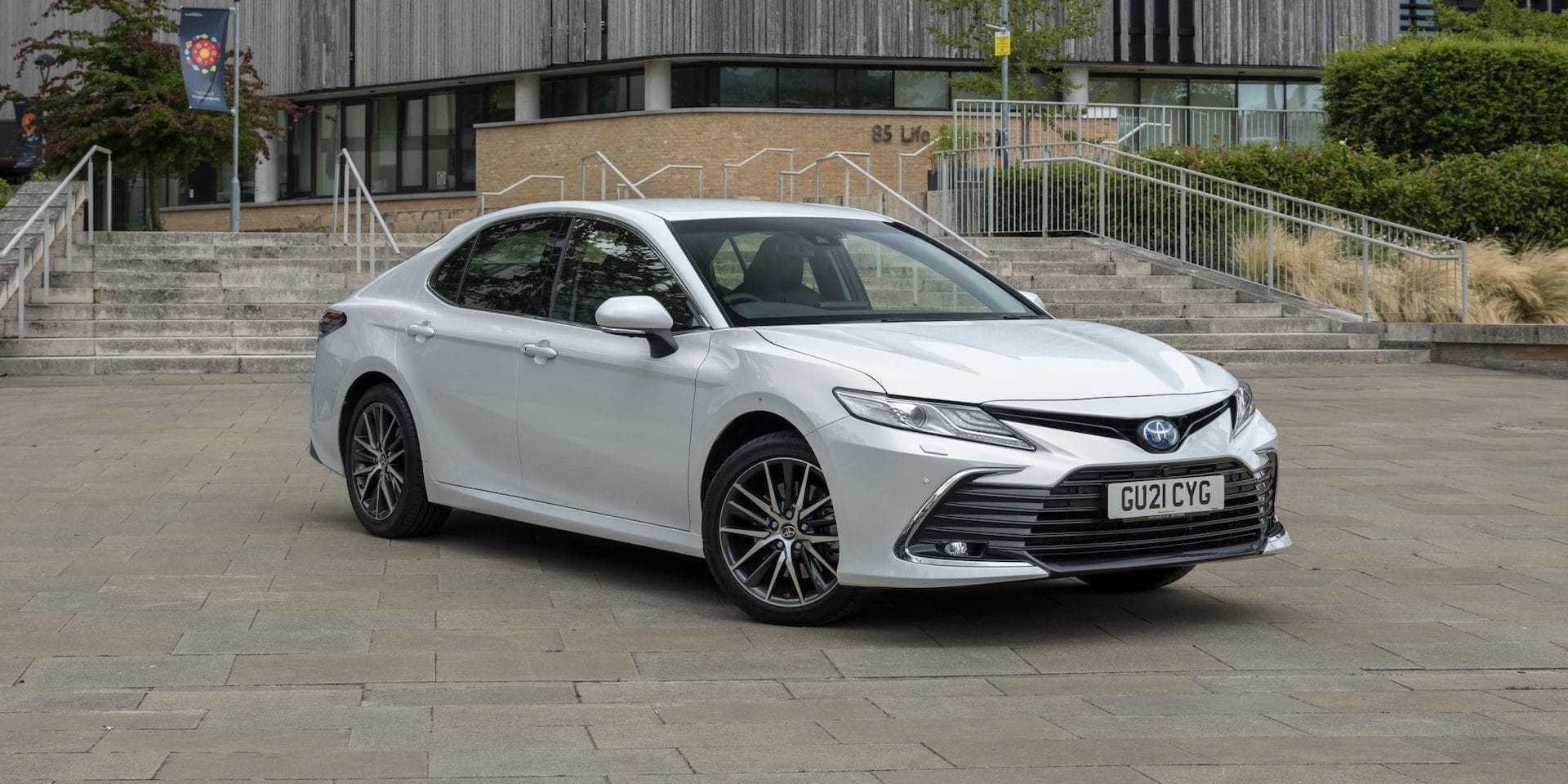
2. Toyota Camry
The Toyota Camry is another vehicle that excels in intuitive physical climate control design. Its system consists of large rotary knobs for temperature adjustments, coupled with dedicated buttons for fan speed, airflow direction, and air conditioning.
Each control has a distinct function, reducing the risk of confusion and allowing for fast, precise adjustments. The separation of controls ensures that drivers can operate multiple functions simultaneously without hesitation, an advantage during rapidly changing weather conditions.
Ergonomic design is central to the Camry’s approach. Controls are positioned so that drivers can reach them comfortably regardless of seat position or height. This reduces distractions and keeps focus on driving.
Additionally, the Camry features subtle backlighting for nighttime operation, allowing drivers to locate and operate controls easily without being blinded by bright lights.
The intuitive layout makes it simple to adjust temperature or airflow while keeping attention on the road, which is particularly important during long drives or in congested traffic.
Reliability and consistency are additional strengths of the Camry’s physical controls. Unlike digital systems, which may freeze, require software updates, or respond inconsistently, physical knobs and buttons perform predictably under all conditions.
Drivers can rely on tactile feedback when pressing a button or rotating a knob, which helps confirm the desired setting. Even when wearing gloves or in adverse weather conditions, the Camry’s controls remain fully functional, highlighting the durability advantage of physical interfaces.
Beyond functionality, the Camry balances practicality with modern cabin aesthetics. The controls are visually clear and logically arranged, integrating seamlessly with the dashboard. The simplicity of the design enhances usability without sacrificing style, making the climate system accessible and attractive.
For many drivers, this combination of practicality, reliability, and intuitive operation makes the Camry an excellent example of user-focused climate control design.

3. Subaru Outback
Subaru’s Outback emphasizes practicality and reliability, traits that extend directly to its climate control system. The Outback features large, easy-to-grip knobs for temperature and fan speed adjustments, complemented by clearly labeled buttons for defrosting, air recirculation, and other functions.
The spacing between the controls is generous, preventing accidental activation and ensuring that drivers can operate each function accurately. This layout is particularly valuable for drivers in rugged environments, where quick and precise control adjustments are necessary.
Ergonomics play a major role in the Outback’s design. The placement of the knobs and buttons ensures that drivers of varying heights and seating positions can reach the controls without straining. The tactile feedback from the knobs is clear, producing a noticeable click that confirms each adjustment.
Buttons provide similar responsiveness, allowing drivers to operate the system confidently without looking down. This haptic response is a crucial factor in usability, as it reduces cognitive load and makes operation more instinctive.
Durability is another strong point of the Outback’s physical climate controls. Unlike touchscreens, which may become unresponsive in extreme temperatures or due to software issues, the Outback’s knobs and buttons continue to function reliably over time.
They are also forgiving under challenging conditions, including wet hands or glove use. This resilience makes the system particularly appealing for drivers who prioritize reliability and practicality in daily use or during long road trips.
Clarity and visibility are further hallmarks of the Outback’s design. Each control is marked with intuitive symbols that are easy to read at a glance. The simplicity of the interface ensures that both new and experienced drivers can operate the system quickly and efficiently.
Subaru’s focus on safety and functionality is evident, as the climate controls allow drivers to maintain comfort without sacrificing attention to the road.
The combination of tactile feedback, ergonomic layout, and visual clarity makes the Outback a standout example of a vehicle with well-designed physical climate controls.
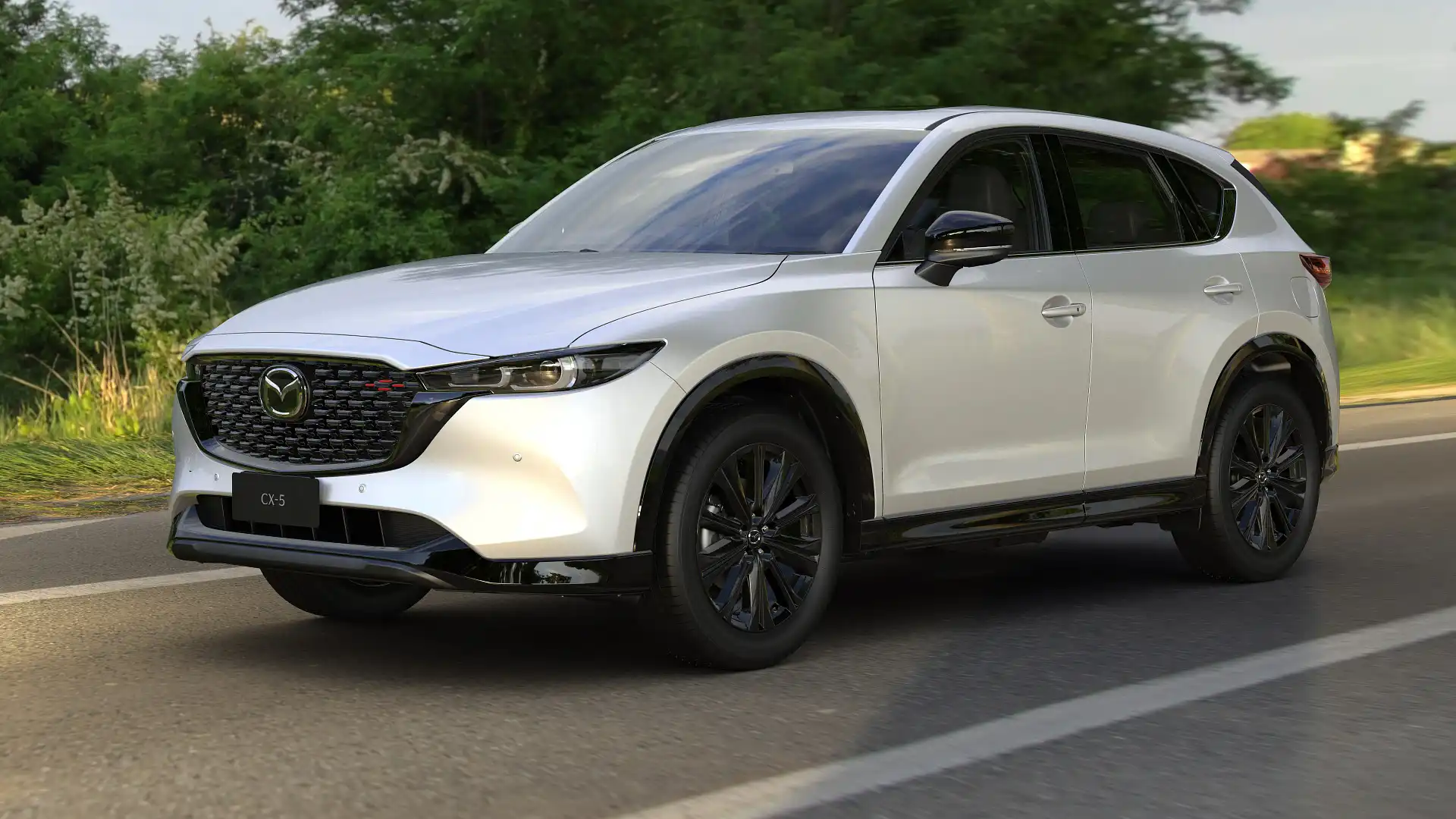
4. Mazda CX-5
The Mazda CX-5 emphasizes driver engagement, and its climate control system reflects this philosophy. The CX-5 uses three main knobs for temperature, fan speed, and airflow mode, along with additional buttons for air conditioning and defrost.
The layout is intuitive and allows drivers to adjust settings instinctively, minimizing the need to look away from the road. The tactile feedback from each knob is precise, providing a satisfying and deliberate response. Buttons are designed with distinct profiles, so drivers can differentiate functions by feel alone, even in low visibility conditions.
Ergonomics are a core aspect of the CX-5’s design. Knobs and buttons are placed within comfortable reach of the driver, ensuring minimal hand movement during operation.
This allows drivers to adjust the climate system safely while keeping attention on driving tasks. The predictable operation of the knobs and buttons reduces frustration and enhances confidence, particularly when driving in changing weather conditions where rapid adjustments are needed.
The reliability of the CX-5’s system is another key benefit. Physical controls are less prone to software-related problems, such as lag, freezes, or unresponsive touchscreens.
The tactile interface ensures that every adjustment has an immediate effect, reinforcing the driver’s sense of control. Even after prolonged use, the controls maintain consistent performance, demonstrating durability that aligns with Mazda’s reputation for high-quality engineering.
Beyond function, the CX-5 balances usability with aesthetics. Knobs and buttons are integrated into the dashboard design, complementing the cabin’s modern appearance. High-quality materials enhance the tactile experience, creating a feeling of precision and refinement.
The combination of intuitive layout, ergonomic placement, and tactile feedback makes the CX-5 a prime example of a vehicle where physical climate controls contribute directly to a safe and satisfying driving experience.

5. Ford F-150
The Ford F-150 is a flagship pickup designed for both practicality and durability, and its climate control system reflects these priorities. The F-150 features large, rugged knobs for temperature and fan speed adjustments, alongside clearly labeled buttons for airflow distribution, air conditioning, and defrost functions.
The tactile feedback of the knobs and buttons ensures that drivers can make adjustments confidently without visual confirmation. This is particularly important in work or off-road environments, where attention to driving conditions must remain high.
Ergonomic design is central to the F-150’s interior. Controls are positioned to be easily accessible from both driver and passenger seats, allowing for quick adjustments even during long hauls or challenging terrain.
The spacing and design of the knobs prevent accidental activation, while the deliberate tactile response assures that settings have been changed. Drivers can operate the system intuitively, relying on feel rather than sight, which is crucial when managing multiple tasks simultaneously.
The durability of the F-150’s climate controls is a significant advantage over touchscreen-based systems. Physical knobs and buttons can withstand repeated use over many years and continue to function reliably in harsh conditions.
The system remains responsive even when exposed to dirt, moisture, or extreme temperatures, which is often a consideration for truck owners. This combination of reliability, practicality, and ergonomic accessibility makes the F-150’s climate controls well-suited for both everyday driving and demanding tasks.
Finally, the F-150’s interior design ensures that functionality does not compromise aesthetics. The physical controls are integrated seamlessly into the dashboard, creating a cabin that is both visually appealing and easy to use.
The balance of tactile feedback, ergonomic placement, and clarity of function demonstrates that physical climate controls can provide a superior driving experience in vehicles designed for real-world performance.
Cars with Climate Controls Buried in Screens
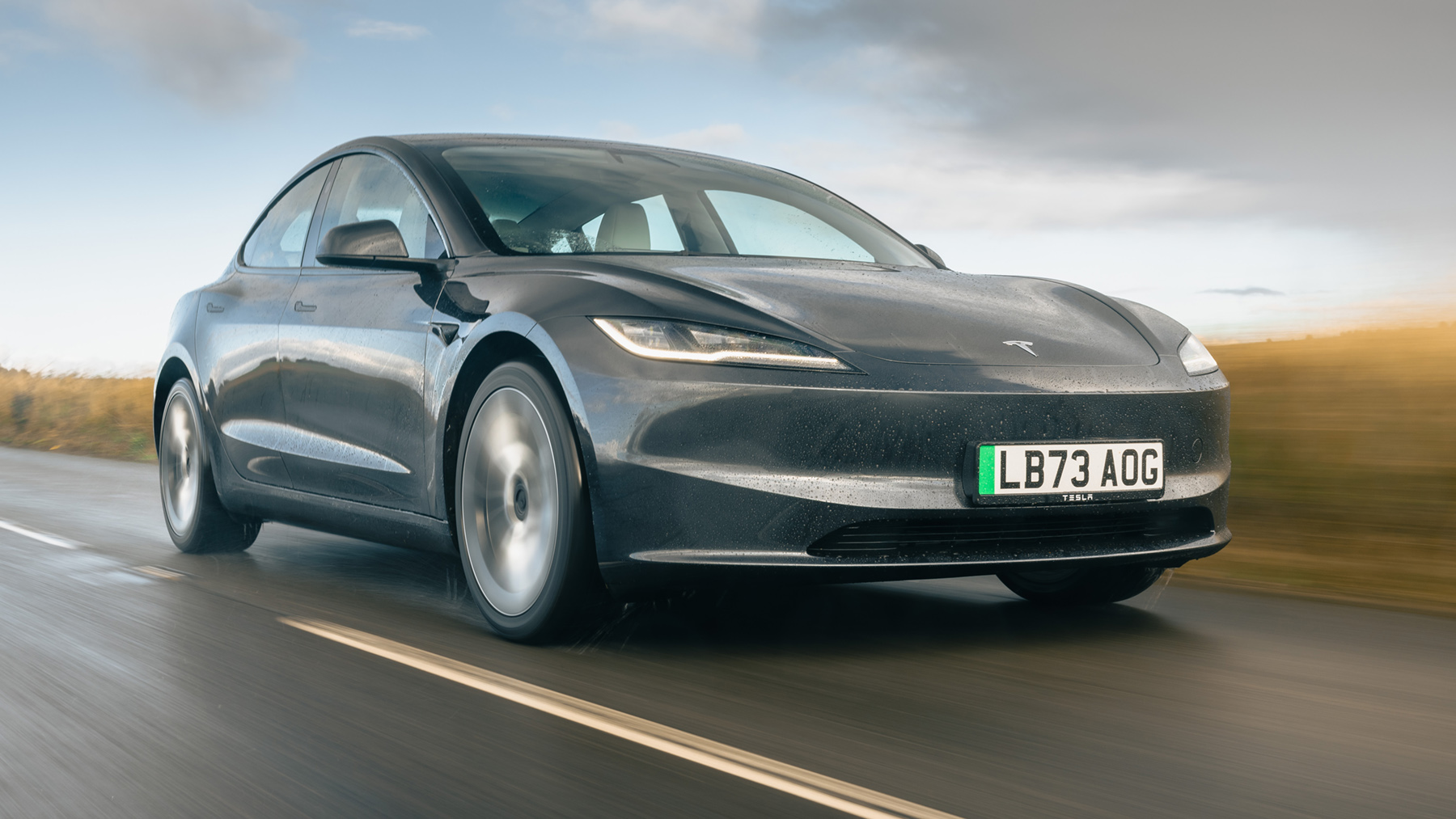
1. Tesla Model 3
The Tesla Model 3 is a prime example of a car that relies almost entirely on a central touchscreen for climate control.
In this system, temperature, fan speed, seat heating, and defrost functions are all accessed through a large 15-inch display. This touchscreen-centered design creates a sleek, minimalist dashboard without traditional knobs or buttons.
While visually striking, the reliance on a screen for all climate functions can make basic adjustments slower and less intuitive.
Drivers must navigate menus, touch small icons, and occasionally scroll through secondary screens to access features that were previously one-step operations. The lack of tactile feedback makes it more difficult to confirm changes without looking at the screen, which can be distracting in traffic.
Ergonomics in the Model 3 are heavily influenced by the screen’s placement. The large, centrally mounted display is slightly angled toward the driver, but reaching it can still require more precise hand movements compared to physical knobs.
Drivers must interact with the touchscreen while keeping their eyes partially on the road, creating a small but real distraction risk.
Additionally, in bright sunlight, glare can reduce the visibility of the controls, making it harder to adjust settings quickly. While Tesla’s software design attempts to streamline the process with intuitive menus, the absence of physical controls still demands more visual attention than traditional systems.
Reliability is another consideration. While touchscreen interfaces offer extensive functionality and can be updated with software over time, they are not immune to glitches. Freezes, delays, or misregistered touches can make adjusting the climate system inconvenient or frustrating.
In cold or hot weather, where quick responses are needed, these delays become more noticeable. Physical knobs, by contrast, operate instantly and consistently. For Tesla owners, this reliance on a digital interface represents a trade-off between modern styling and functional efficiency.
Despite these drawbacks, the Model 3’s touchscreen system provides unmatched flexibility. Users can control multiple zones, fine-tune airflow, and access additional climate features like cabin preconditioning or air filtration with a few taps.
This allows for more precise customization than many physical control systems. However, achieving this level of control requires more attention and familiarity with the interface.
While innovative and visually appealing, the Model 3 demonstrates the challenges of fully replacing physical controls with a touchscreen-centered approach.

2. Mercedes-Benz S-Class
The Mercedes-Benz S-Class is renowned for luxury, and its climate controls reflect a shift toward digital interfaces. Most climate adjustments are made through a large central touchscreen, supported by a smaller digital display in some configurations.
Temperature, airflow direction, and seat heating or cooling are all accessed via menus, often requiring multiple taps to reach the desired function.
The complexity of the interface can make it difficult for drivers to make adjustments quickly, especially if they are accustomed to physical knobs. The absence of tactile feedback increases reliance on visual confirmation, which can be less convenient while driving.
Ergonomics are a mixed experience in the S-Class. While the screens are elegantly integrated into the dashboard, they are positioned slightly farther from the driver compared to traditional controls.
Adjusting climate settings requires careful hand positioning and attention to the screen, which may not be as instantaneous as turning a knob.
The touch-sensitive controls respond to swipe gestures, which can feel unfamiliar or imprecise for some users. In addition, the sheer number of features accessible through the touchscreen can be overwhelming, requiring the driver to navigate multiple layers of menus to perform simple actions such as turning on the defroster.
Reliability concerns are present as well. Touchscreens are dependent on software performance, meaning occasional freezes or slow response can temporarily limit access to climate controls.
While physical controls are mostly immune to these issues, digital systems can be affected by software bugs, updates, or calibration errors.
Drivers who rely on immediate adjustments may find the S-Class climate interface less practical in urgent situations. Even though the system is feature-rich, it requires a level of digital fluency that not all drivers may possess.
The advantage of Mercedes’ approach lies in its customization. Through the touchscreen, users can control multiple climate zones, adjust airflow intensity, and fine-tune seat heating or cooling with a precision that physical knobs cannot easily match.
The interface also allows for integration with other vehicle systems, such as ambient lighting and ventilation, creating a sophisticated, interconnected environment.
However, achieving this level of control comes at the cost of speed and simplicity, demonstrating the trade-off between sleek, screen-based design and intuitive usability.

3. Volvo XC90
The Volvo XC90 employs a large portrait-oriented touchscreen for most climate control functions, replacing traditional buttons and knobs. Temperature, fan speed, and airflow direction are all accessed through the screen, with minimal physical buttons remaining.
While this design creates a clean and modern interior, it introduces challenges in quick usability. Drivers must navigate menus and tap small icons to make adjustments, a process that can be slower than turning a knob, especially while driving.
The interface is visually appealing, but the lack of tactile cues can make it harder to operate confidently without looking.
Ergonomic considerations are crucial in the XC90. The touchscreen is positioned within reach but slightly offset from the natural hand resting position, requiring more deliberate motion to interact with it.
Volvo attempts to mitigate this with large icons and logical menu layouts, but minor distractions are inevitable when performing frequent adjustments.
Additionally, during bright daylight or glare, the visibility of icons can be compromised, further complicating operation. Drivers must develop a level of familiarity with the interface to use it efficiently, unlike physical controls, which are more immediately intuitive.
Reliability and consistency are also affected by touchscreen reliance. Unlike physical knobs that are nearly impervious to weather conditions or long-term wear, digital interfaces can experience lags, glitches, or sensitivity issues over time.
Software updates can improve functionality but may temporarily disrupt learned habits or alter menu layouts, creating a learning curve for drivers accustomed to prior versions. For individuals prioritizing fast, dependable access to climate adjustments, this can be a source of frustration.
Despite these drawbacks, the XC90’s touchscreen system provides advanced functionality. Drivers can manage dual-zone climate control, adjust airflow direction with precision, and access seat heating or ventilation in an intuitive visual format once accustomed to the interface.
The system integrates with other vehicle controls, enabling coordinated climate responses, such as automatically adjusting cabin temperature when preconditioning is activated.
While highly capable, the touchscreen design emphasizes modern aesthetics and versatility at the expense of quick, tactile usability.
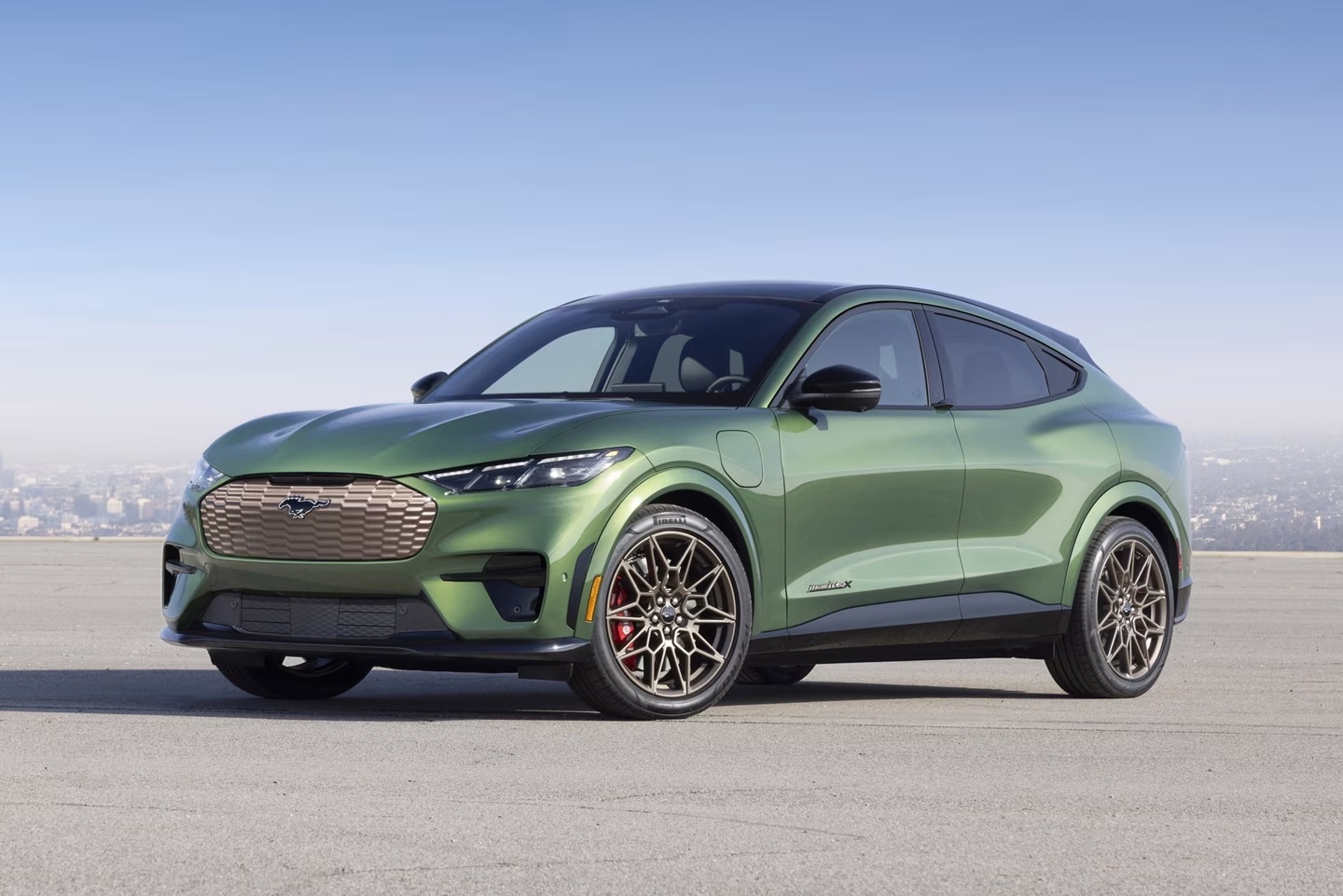
4. Ford Mustang Mach-E
The Ford Mustang Mach-E replaces many traditional physical controls with a vertical touchscreen interface. Temperature settings, fan speed, and seat comfort functions are all managed via digital menus, creating a futuristic cabin layout.
While this design allows for a minimalistic dashboard, it requires multiple steps to accomplish tasks that were previously instantaneous with physical knobs.
Drivers must look at the screen to confirm adjustments, which can increase distraction during dynamic driving conditions. The absence of haptic feedback means there is no tactile reassurance when pressing icons, unlike the distinct feel of physical buttons or dials.
Ergonomically, the touchscreen is within reach but requires precise hand placement to avoid accidental touches. The interface responds to gestures and taps, which may feel unfamiliar to some drivers, especially during quick adjustments.
During sunny conditions, glare or reflections on the screen can further complicate visibility, forcing drivers to focus more intently on the display. While the layout is logically designed, reliance on touch inputs can slow down routine adjustments compared to traditional physical systems.
Reliability concerns also exist for screen-based climate controls. Touchscreens are vulnerable to software crashes, freezes, or misregistered touches, which can temporarily impede access to essential functions like defrosting or temperature adjustments.
Physical knobs and buttons maintain consistent, immediate performance under all conditions, offering a level of reassurance that touchscreen systems often cannot replicate. For drivers who need fast, dependable operation in extreme temperatures or emergencies, this difference is particularly relevant.
The Mach-E’s touchscreen system excels in providing advanced customization. Users can control dual-zone climate, adjust airflow distribution with visual guidance, and access automated climate routines through software settings.
This allows for precise management of comfort conditions, far beyond what traditional knobs can offer. However, these benefits require more cognitive attention and familiarity with the interface, illustrating the trade-off between digital sophistication and the simplicity and immediacy of tactile controls.
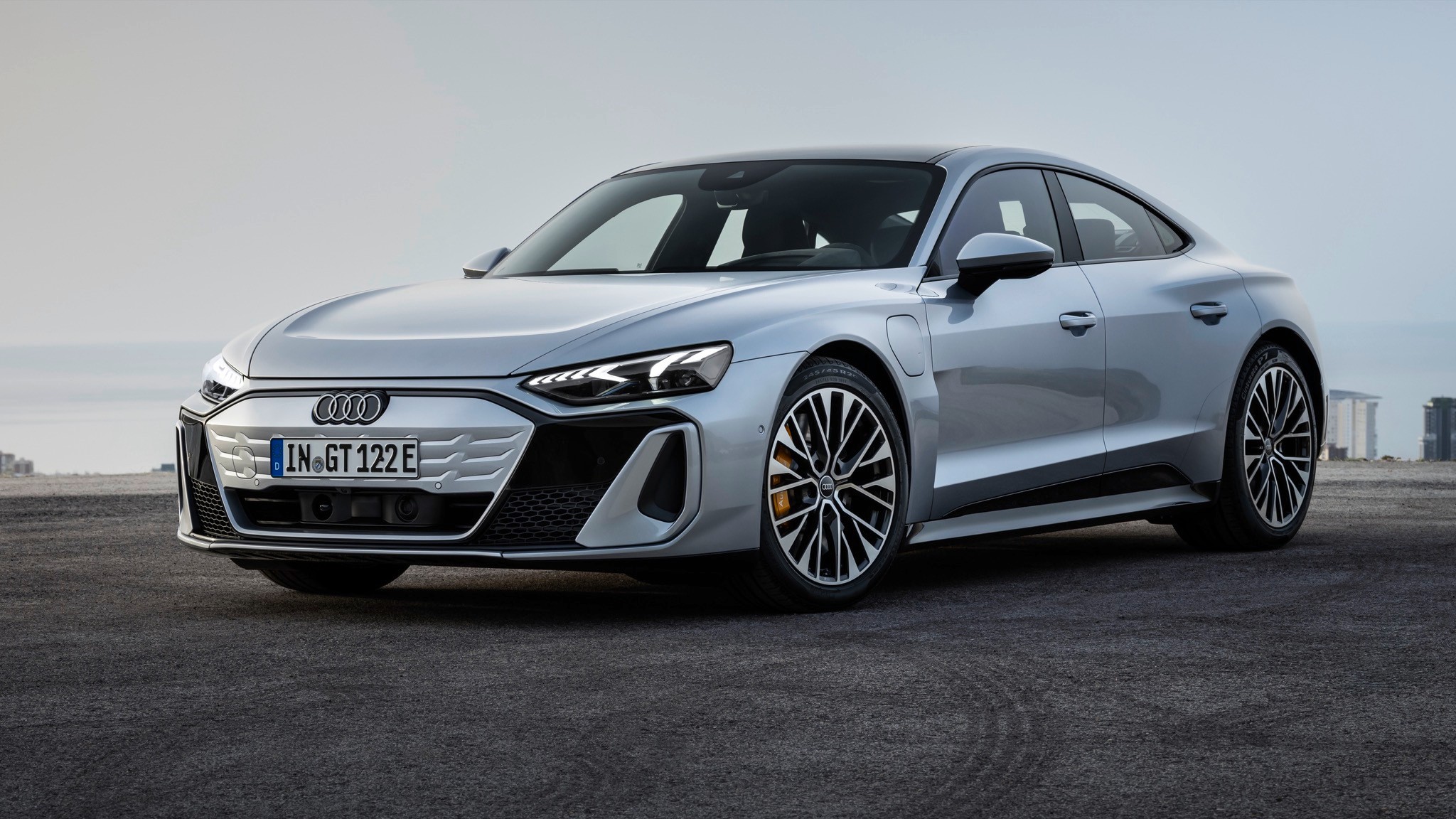
5. Audi e-tron
The Audi e-tron employs a dual-screen setup, with climate controls integrated into the lower touchscreen. Temperature, fan speed, and airflow adjustments, along with heated or ventilated seat settings, are managed digitally, reducing the number of physical buttons in the cabin.
While the design is visually modern, it prioritizes aesthetics over immediate usability. Accessing climate functions often requires navigating through multiple menus, which can slow response time compared to traditional knobs.
The lack of tactile feedback means that drivers must visually confirm every adjustment, which can be distracting in traffic or during rapid environmental changes.
Ergonomics present a moderate challenge in the e-tron. The lower screen is placed closer to the center console, requiring drivers to shift focus and slightly reposition their hands for interaction. Audi compensates with large icons and responsive touch interfaces, but tactile immediacy is lost.
Drivers must balance the desire for quick adjustments with the need to keep attention on the road. During bright conditions, screen reflections can make it more difficult to identify the desired function at a glance, unlike physical knobs, which are readable in virtually any lighting condition.
Reliability can also be a concern with touchscreen-dependent climate systems. Software updates can change the interface layout, temporarily confusing users accustomed to previous configurations.
Touchscreens are susceptible to lags, freezes, or calibration issues, which are not concerns with traditional physical controls.
In situations that require fast climate intervention, such as defrosting during winter, these delays may be inconvenient. Drivers must trust that the software interface will respond correctly each time, which introduces an element of uncertainty not present with tactile knobs.
Despite these limitations, the e-tron’s system allows highly detailed climate management. Multi-zone adjustments, airflow direction visualization, and integration with seat ventilation systems provide comfort customization at a level that traditional physical controls cannot achieve.
The dual-screen interface enhances cabin aesthetics and functionality, but at the cost of immediacy and tactile certainty. Audi’s design demonstrates the trade-off inherent in digital-first climate systems: advanced control options and a sleek cabin design come at the expense of fast, instinctive usability.