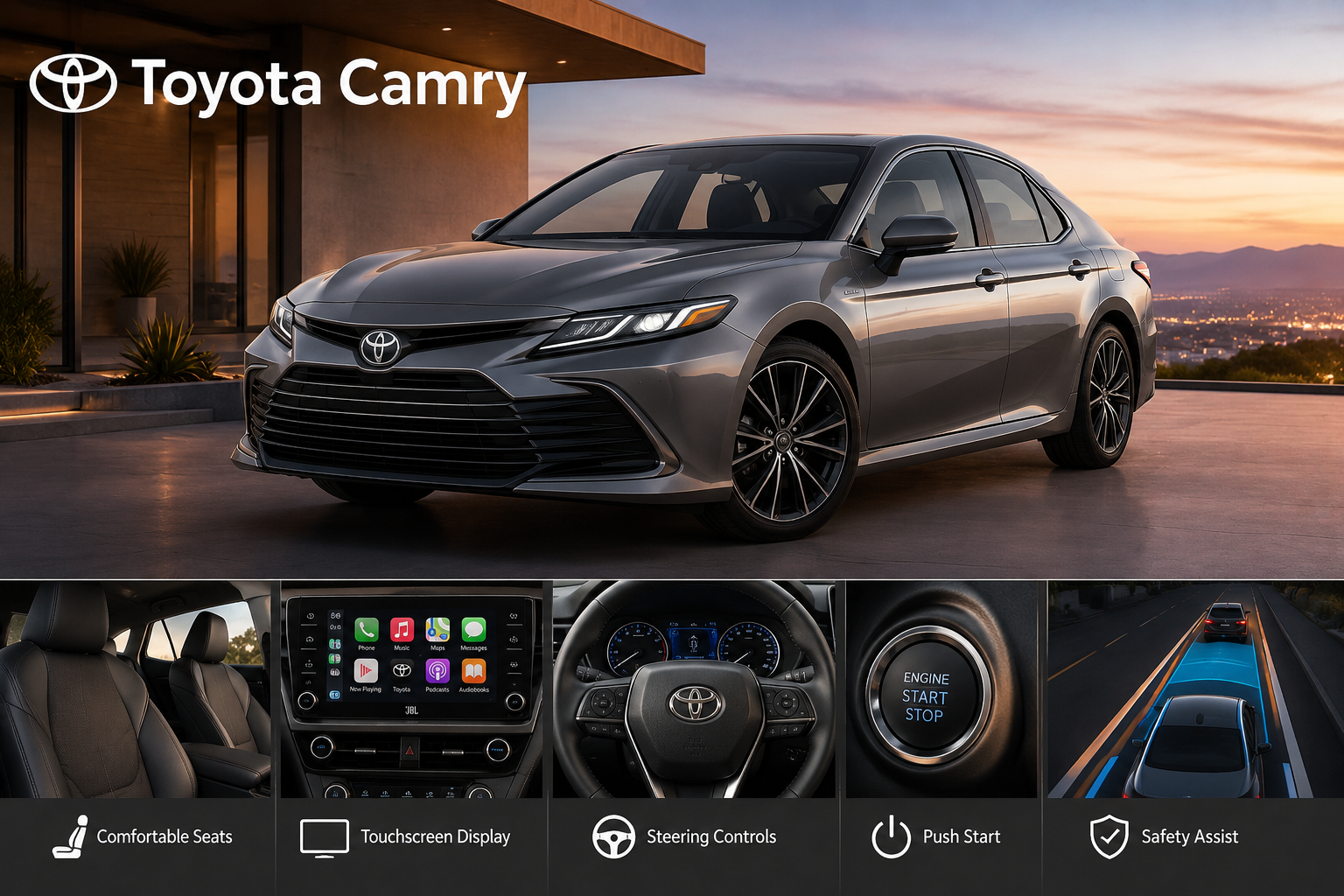
Many people who own a Toyota Camry learn the basic features quickly, such as connecting a smartphone through Bluetooth or adjusting the driver’s seat for comfort. What many drivers never realize is that the car includes plenty of hidden settings and practical features that are easy to miss.
These options are built into different parts of the vehicle and can make everyday driving more convenient, safer, and more enjoyable without requiring any extra equipment. Some of these functions are tucked away inside the multi-information display, while others become available by pressing and holding certain steering wheel controls for a few seconds.
There are also useful settings hidden in menus that most owners rarely open because they do not know they exist. Since dealership staff often focus on the main features during delivery, these smaller functions are easy to overlook, even after owning the car for years.
This guide highlights ten useful Camry features that deserve more attention. They may not be the first things you notice when you buy the vehicle, but they can make a real difference in your daily routine. After learning about them, you may wonder why you did not start using them much earlier.
Some of these features improve convenience, while others give you better control over how your car behaves in different situations.
1. Mute/Pause Steering Toggle
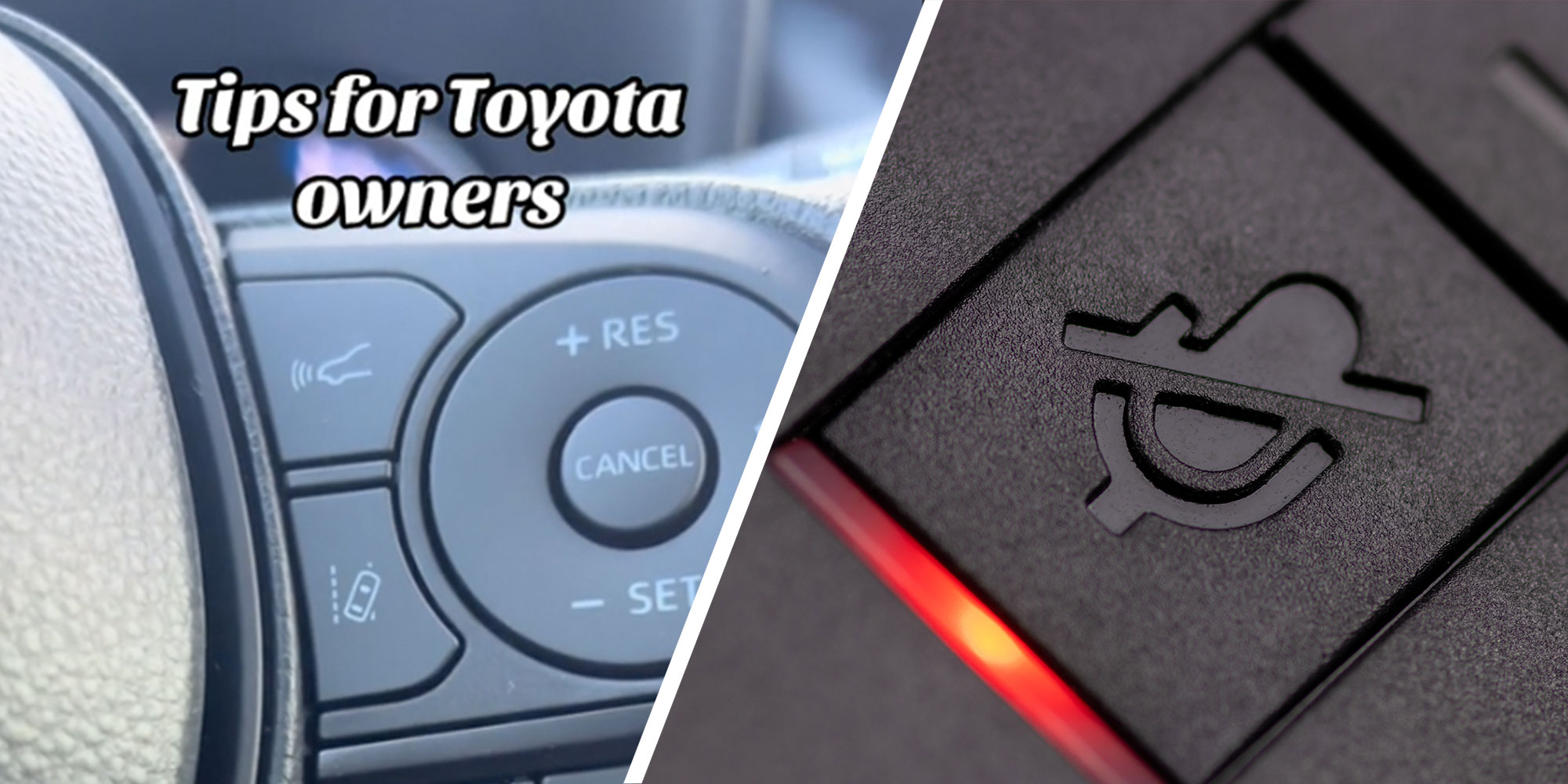
Every Camry driver knows the “Mode” button on the steering wheel switches between radio, Bluetooth audio, and other sources with a quick tap. What almost nobody realizes is that holding that same button down does something completely different.
Instead of cycling through sources, a long press instantly mutes or pauses whatever is currently playing. It sounds small, but once you try it, you’ll wonder how you lived without it. Picture this. You’re merging onto a busy highway, your favorite playlist is blasting, and you suddenly need total focus for a tricky lane change.
Fumbling for a volume knob or touchscreen icon takes your eyes off the road for a beat too long. With this toggle, one press and the cabin goes quiet, letting you concentrate without any visual distraction. Tap it again, and your music picks up right where it left off.
This feature also comes in handy for phone calls that aren’t routed through Bluetooth, quick conversations with a passenger, or moments when you just want a second of silence to think. Parents driving with kids in the back will appreciate being able to instantly kill the noise without a search through submenus.
It’s a purely physical, tactile shortcut, which means it works exactly the same every time, no touchscreen lag, no accidental taps on the wrong icon. Toyota buried this in plain sight, right there on the wheel where your thumb already rests. Try holding that Mode button the next time you’re behind the wheel. You’ll likely add it to your everyday routine within a single trip.
2. Door Lock Customisation
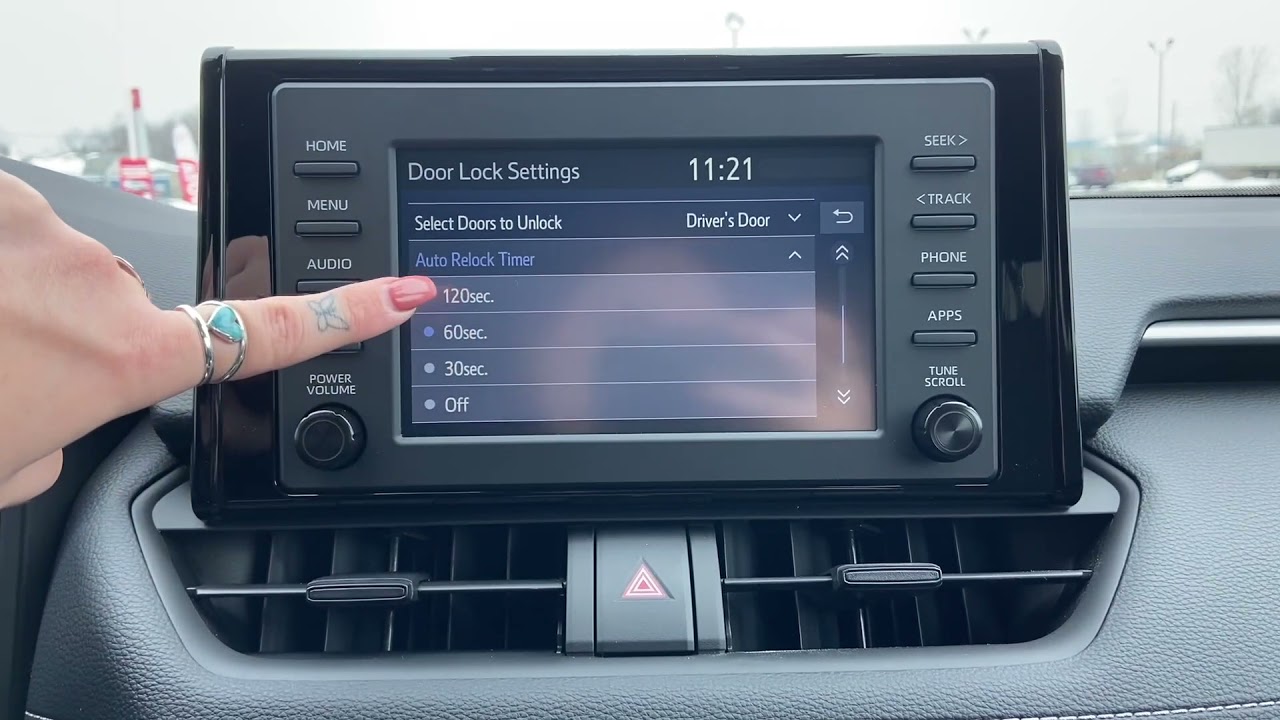
Tucked away inside the settings menu on the multi-information display is a feature that many Camry owners never bother to check. Even though it is easy to miss, this section allows you to decide how your doors lock and unlock, making everyday use of the car more convenient and better suited to your routine. Instead of sticking with the factory settings, you can adjust these options to match the way you use your vehicle each day.
You have a few useful choices available. One setting lets the doors unlock automatically as soon as you move the gear selector into Park. That means you do not have to press the unlock button after reaching your destination. It may seem like a small change, but it makes getting out of the car quicker whenever you arrive at your house, workplace, shopping centre, or any other stop.
Another setting focuses only on the driver’s door. Rather than unlocking every door when you touch the driver’s handle, you can choose to unlock only your own door first. Many drivers appreciate this option because it offers extra privacy and a little more security, especially when parking in crowded places, busy car parks, or areas where they prefer to keep the remaining doors locked until they are ready to open them.
Your lifestyle can also determine which option works best. Parents with young children often prefer every door to unlock together because it makes getting children and shopping in and out of the car and shopping much easier. People who usually drive alone may prefer unlocking only the driver’s door, especially during short stops or when they want a little more control over who can access the vehicle.
The best part is that you do not need to visit a dealership or buy any special equipment to make these changes. Everything can be done through the car’s display within a few minutes. After saving your preferred settings, the Camry remembers your choice and follows it every time you park, making daily driving feel more natural and convenient.
Also Read: 8 Hidden Features in the Honda CR-V
3. Auto-Relock Timer Adjustments
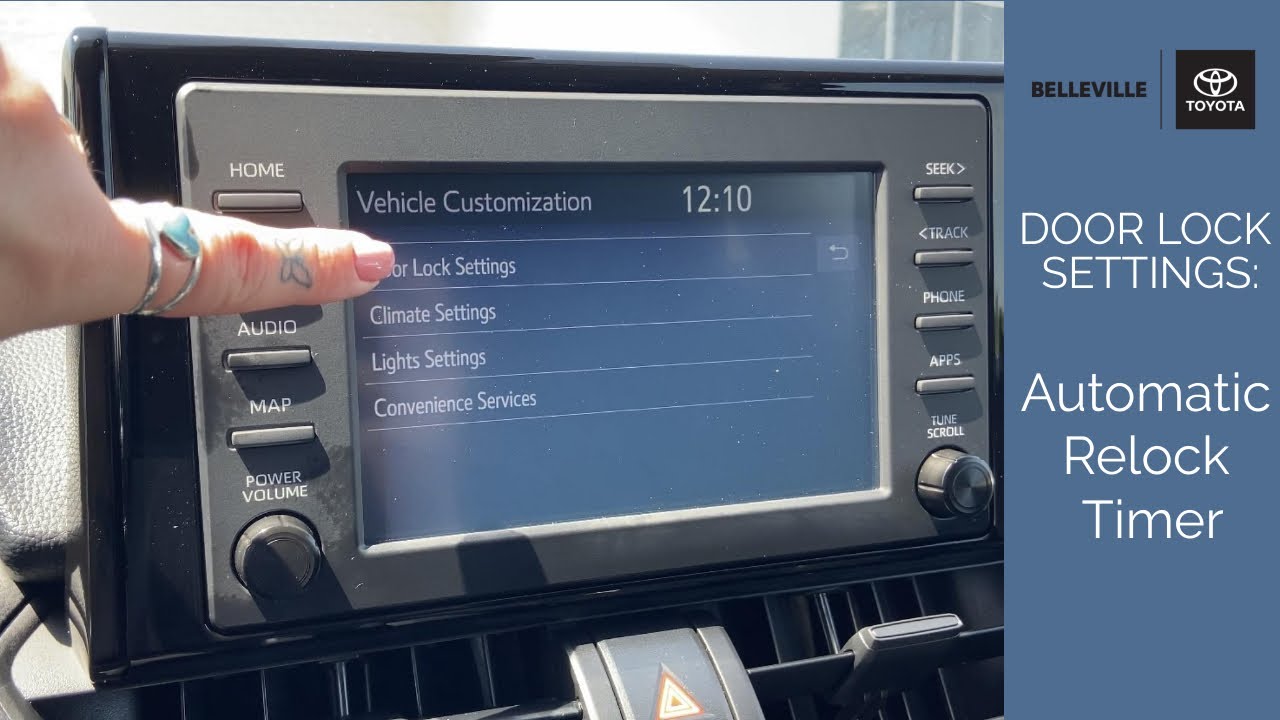
If you’ve ever unlocked your Camry, gotten distracted, and come back to find the doors locked themselves again, you’ve met the auto-relock feature. What most people don’t realize is that this timer isn’t fixed. It’s fully adjustable through the infotainment system, giving you control over how patient your car is willing to be.
By default, many drivers experience the doors relocking somewhere in the standard window built into the factory settings. But head into the touchscreen menu, and you’ll find the option to stretch that window anywhere from 30 seconds up to a full two minutes. That range matters more than it might sound like at first.
Think about loading groceries from a cart, wrangling a toddler into a car seat, or hauling gear out of the trunk piece by piece. Thirty seconds disappear fast in situations like these, and getting locked out mid-task is more than a little annoying. Extending the timer to 90 or 120 seconds gives you real breathing room without needing to press the unlock button on your fob repeatedly.
On the flip side, drivers who park in busy areas or high-traffic lots might actually prefer a shorter window. A quicker relock means less time the car sits unlocked while you’re distracted loading a single bag or grabbing something from the back seat.
The setting lives inside the same general area as other door and lock preferences, so once you’re in that menu adjusting one thing, it’s worth taking thirty seconds to check this one too. It’s a tiny setting, but it’s the kind of adjustment that quietly removes a small daily annoyance once it’s dialed in to match how you actually use your car.
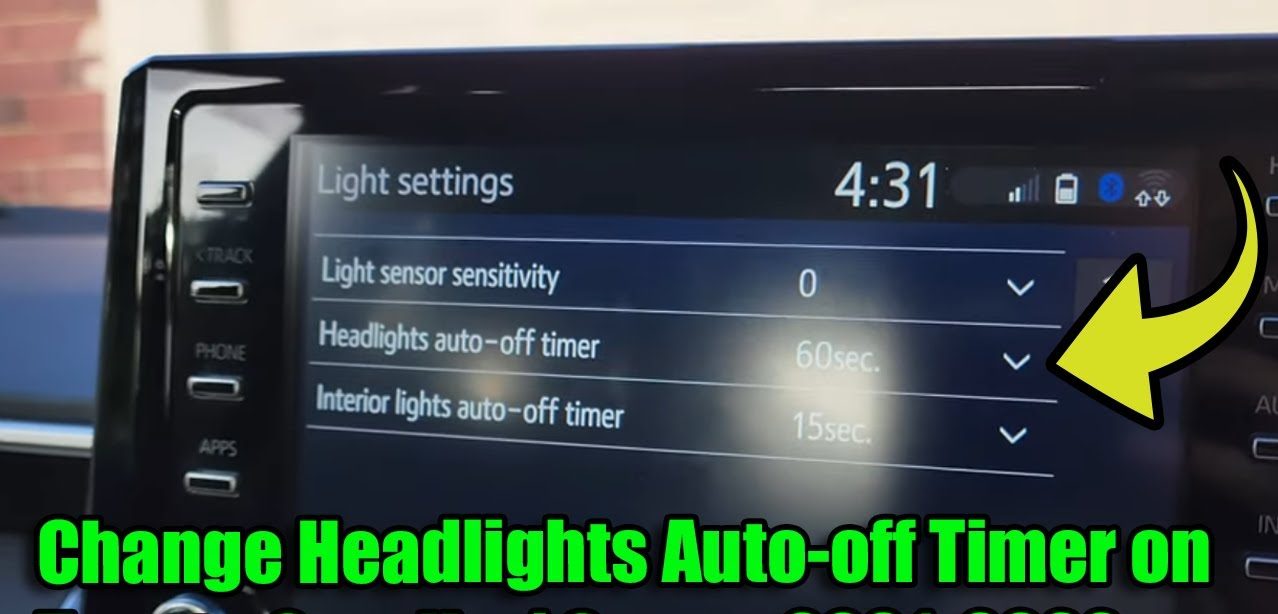
4. Headlight Delay Shutoff
Walking to your front door in total darkness after parking is one of those small frustrations that most drivers just accept as normal. The Camry has a fix for it, and it’s been sitting in the settings menu the whole time.
This feature keeps your headlights burning for a set period after you’ve turned off the engine and stepped out. Instead of instant darkness, the second you shut the car down, the lights stay on to illuminate your path. Better still, you’re not stuck with a single default duration.
Inside the multi-information display, you can choose between roughly 30, 60, or 90 seconds of extra illumination. A shorter window works fine for a well-lit driveway or a parking garage with plenty of ambient light already. A longer setting becomes genuinely valuable for anyone walking a longer distance to a front door, going through an unlit rural driveway, or getting to a building entrance across a dark lot.
This isn’t just about seeing where you’re stepping, either. Good lighting around your vehicle after dark adds a layer of personal safety, letting you spot uneven pavement, check your surroundings, or simply feel less exposed while you gather bags and lock up.
Setting it takes only a minute. Once selected, the timer applies automatically every time you park after sunset; no need to think about it or manually trigger anything. It’s the kind of quiet convenience that you might not notice you’re missing until a friend’s car leaves you standing in pitch darkness, fumbling for your porch light. After that, you’ll be glad your Camry has already taken care of it.
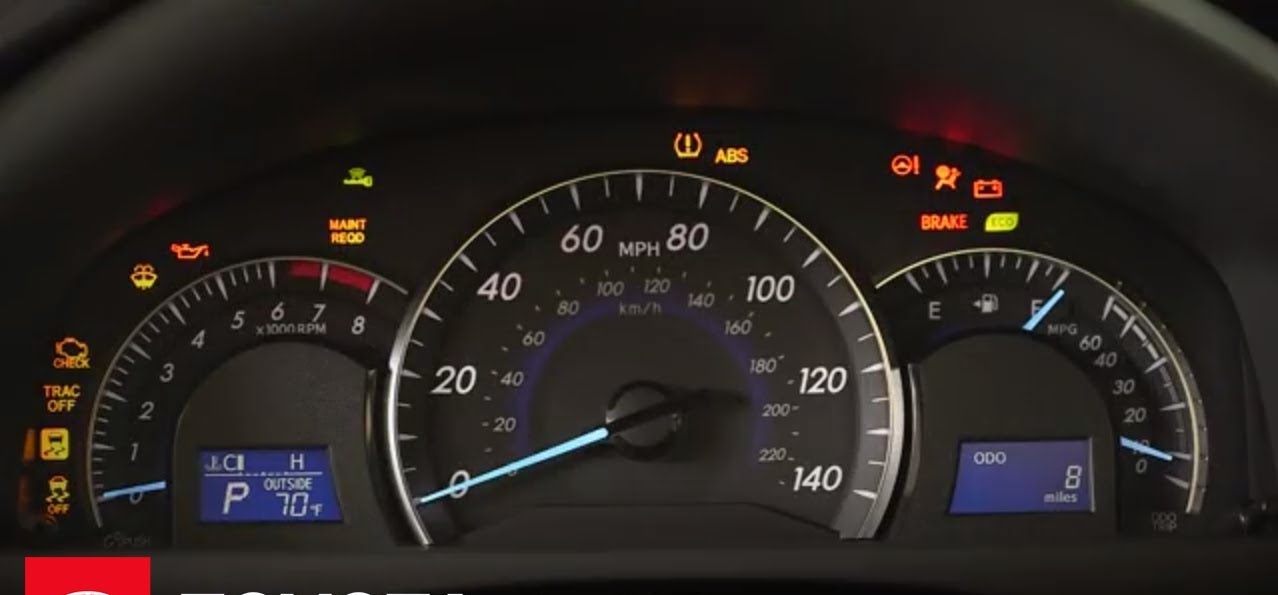
5. One-Touch Turn Signal Flashes
Anyone who drives regularly on a highway knows the annoyance of holding a turn signal stalk just a hair too long or too short during a quick lane change. Hold it too briefly, and it barely registers. Hold it a moment too long, and it looks like you’re announcing an exit you’re not actually taking. The Camry offers a genuinely practical solution to this common annoyance.
Through the central touchscreen, you can configure how many times the turn signal flashes with a single light tap of the stalk. Rather than sticking with a factory default, you get to choose between three, five, or seven flashes triggered by that one quick touch, without needing to hold the stalk in position the entire time.
Drivers who spend a lot of time weaving through multi-lane traffic often prefer the shorter three-flash setting, since it communicates intent quickly without lingering. Those who want to make absolutely sure surrounding drivers notice the signal, especially on faster roads or in low-visibility conditions, might lean toward the longer seven-flash option for extra clarity.
This isn’t just a gimmick. Clear, well-timed signaling plays a real role in preventing misunderstandings between drivers, especially during merges or quick lane moves where timing matters. A signal that flashes just enough and then stops cleanly communicates your intention without ambiguity or awkward over-signaling.
Adjusting this setting takes only a few taps in the menu, and once it’s set, it applies automatically every time you use that quick-tap lane change function. It’s a small mechanical convenience, but for daily commuters especially, it removes one more tiny source of friction from an already busy drive.
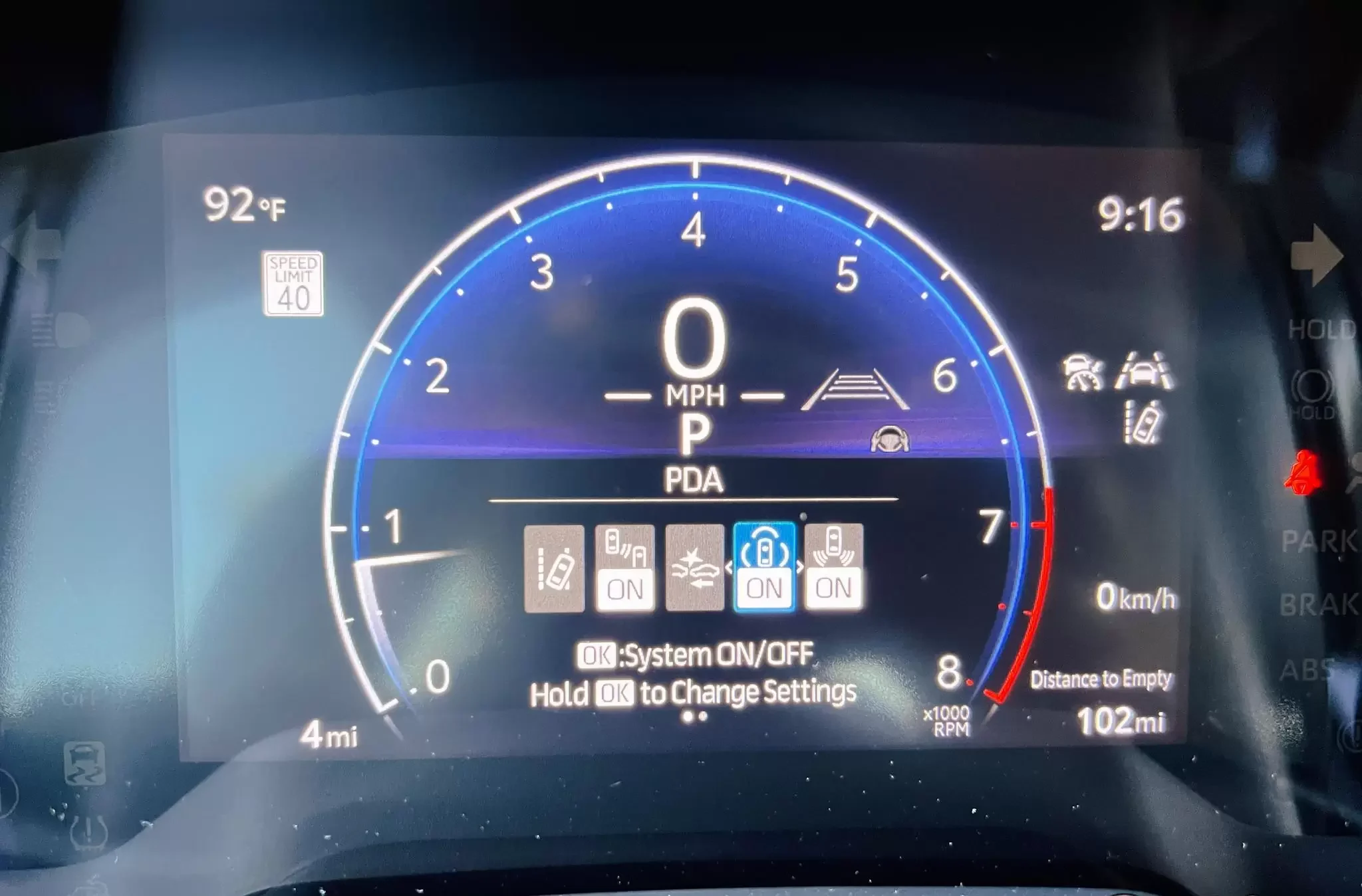
6. Proactive Driving Assist (PDA)
Buried inside the safety settings is a system that behaves almost like a quiet co-pilot sitting beside you, gently nudging the car toward smoother, safer driving without ever taking full control. Proactive Driving Assist, often shortened to PDA, doesn’t get nearly the attention it deserves considering what it actually does behind the scenes.
Here’s the basic idea. As you approach a curve too quickly, or as you close in on a slower vehicle ahead, the system applies light, predictive braking before the situation becomes urgent. It’s not a dramatic intervention. There’s no jolt, no alarming beep, no sudden stop. Instead, it’s a subtle deceleration designed to help you enter the curve at a safer speed or maintain a more comfortable gap from the car in front.
This matters because so many close calls on the road come down to timing rather than raw reaction speed. A driver glancing at a phone notification, adjusting the climate control, or simply lost in thought for half a second can miss the ideal moment to ease off the accelerator. PDA fills that gap quietly, working in the background regardless of whether you’re paying full attention or not.
It also plays nicely with steering input, offering gentle assistance to help keep the car centered through certain curves when paired with other active safety systems already on board. None of this replaces attentive driving. Think of it more as a safety net stitched into the background of everyday trips.
Because it’s tucked away in a secondary settings menu rather than front and center on the dashboard, plenty of Camry owners drive for months without ever realizing PDA is active. Once you know it’s there, it’s reassuring to have.
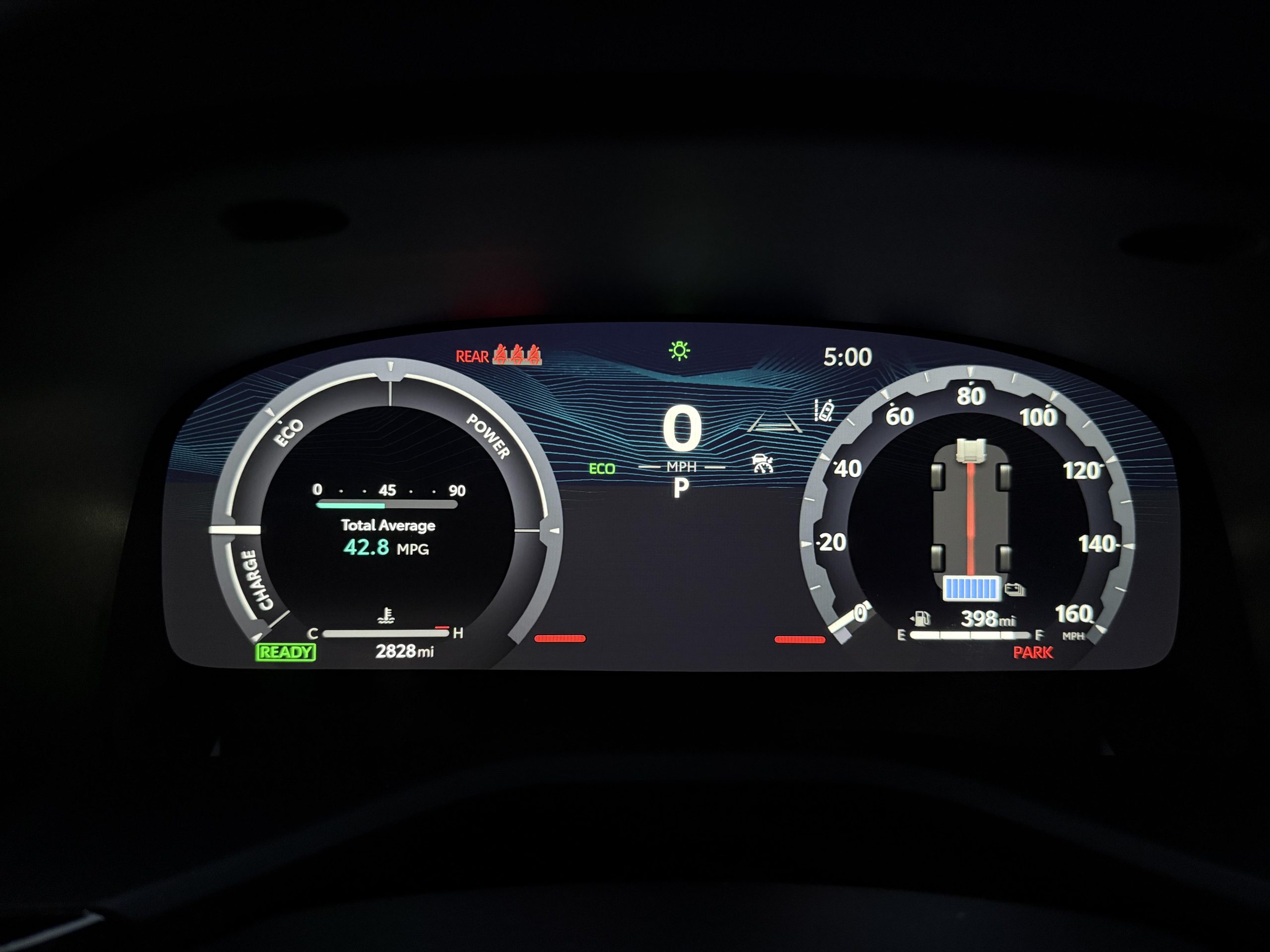
7. Speedometer Cluster Theme Matching
The Camry’s digital instrument cluster already changes its color scheme based on which drive mode you’ve selected, cycling through different tones depending on whether you’re in a standard, sport, or eco setting. What a lot of owners miss is that you don’t have to let the car decide for you.
By holding the “OK” button on the left-side steering wheel controls, you’ll open up meter settings that most drivers never intentionally visit. From there, you can lock in a permanent theme, choosing either a cool blue palette or a bolder red display, regardless of which drive mode you’re actually using at that moment.
Why would someone want this? Preference, mostly. Some drivers find the red theme easier to read in bright daylight, while others simply like the calmer look of blue during long stretches on the highway, even when they’re technically in a sportier drive setting. There’s also a nighttime readability angle, since certain color palettes feel less harsh on tired eyes during late drives.
This isn’t a permanent, irreversible choice either. You can head back into that same menu anytime and switch the theme again, or return it to the default behavior that changes automatically with your drive mode selection. It’s flexible enough to experiment with over a few days before settling on whichever look feels right for your daily routine.
It’s a small personalization option, sure, but it’s also a reminder that Toyota built more customization into this dashboard than the surface-level design suggests. For anyone who spends serious hours behind the wheel each week, a cluster display that actually matches their own taste is a nice, understated touch worth discovering.
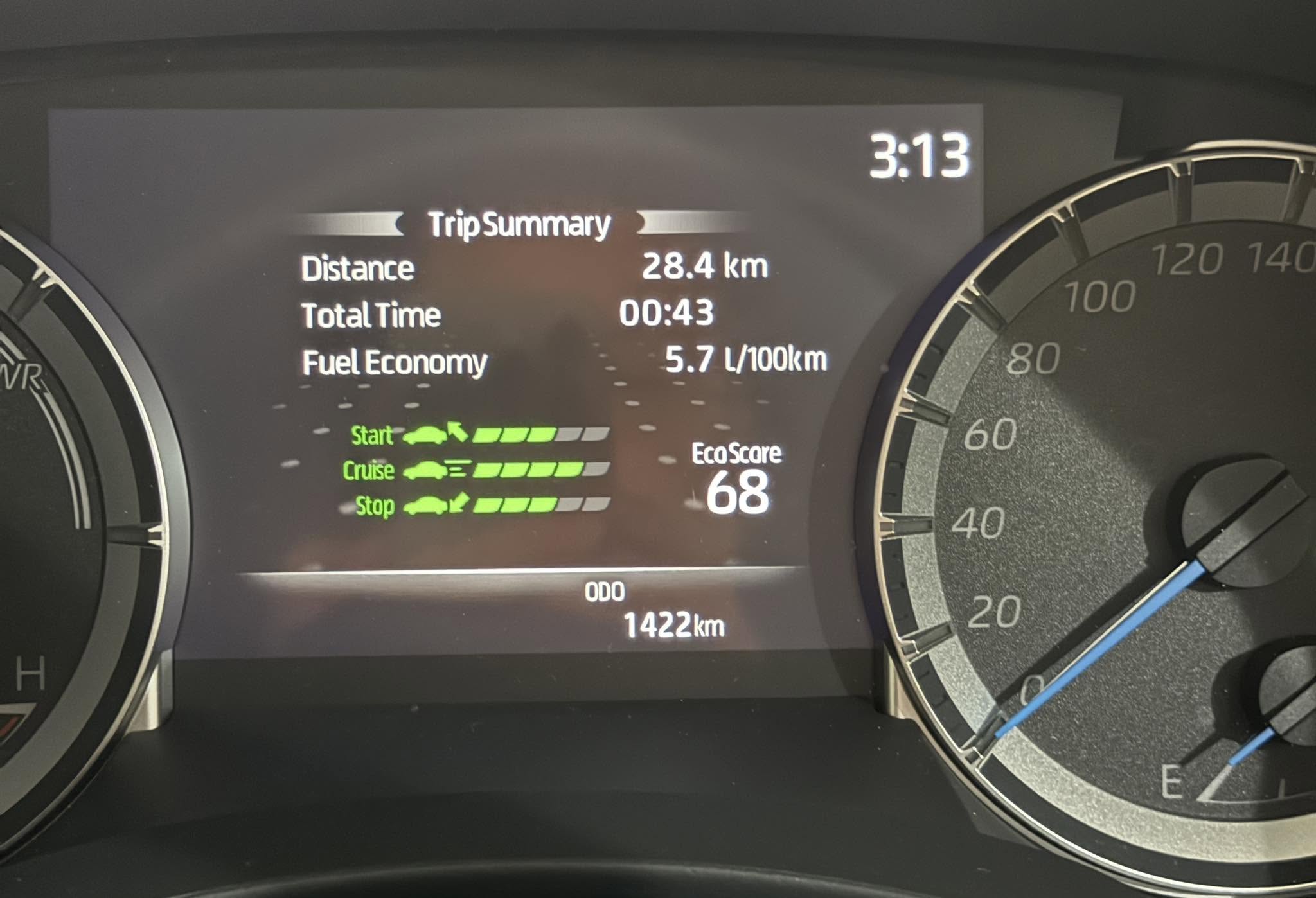
8. Eco Score & Savings Breakdown
Fuel efficiency numbers on a window sticker only tell part of the story. How you actually drive, day after day, has a real impact on the mileage you get in practice. Hidden inside the gauge options on the multi-information display, the Camry includes a genuinely useful tool for understanding exactly where your efficiency gains or losses are happening.
The Trip Eco menu breaks your driving down into three separate categories: starting, cruising, and stopping. Rather than giving you one vague efficiency number, it scores each phase of your trip individually, which makes it far easier to pinpoint specific habits worth adjusting.
Maybe your starts are smooth and efficient, but your stopping technique involves a lot of late, hard braking that wastes momentum. Or perhaps your cruising score is strong on the highway, but stop-and-go city starts are dragging your average down. This breakdown turns a vague feeling of “my mileage isn’t great” into something concrete and specific.
For hybrid owners especially, this data becomes genuinely actionable. Smoother acceleration, earlier anticipation of stops, and steadier cruising speeds all directly translate into better real-world mileage on a car that already leans heavily on efficient engineering. Watching the eco score improve over a few weeks of small habit changes can feel surprisingly motivating.
It’s also just an interesting window into your own driving style, something most people never get to see broken down this clearly. Families sharing one Camry between multiple drivers might even find some friendly competition brewing over who can post the better weekly score. It’s a genuinely practical tool hiding behind a menu label that sounds far more boring than the feature actually is.
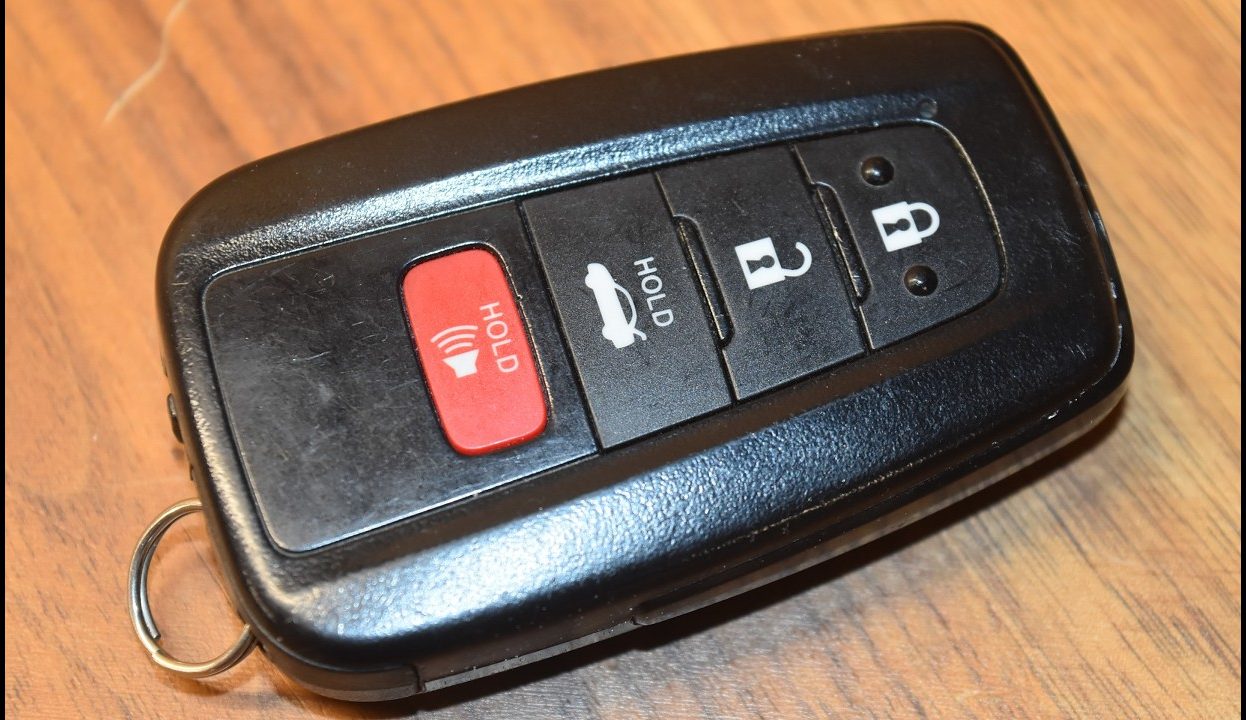
9. Key Fob Battery-Saving Mode
Most drivers don’t think twice about their fob until the day it stops working, usually at the worst possible moment. The Camry actually includes a built-in way to extend that battery life considerably, and it’s controlled entirely from the fob itself, no dealership visit required.
To activate it, hold down the “Lock” button while pressing “Unlock” twice in quick succession. This sequence deactivates the fob’s wireless signal, effectively putting it into a low-power sleep state. It’s particularly useful for a second or spare fob that spends most of its life sitting in a drawer rather than in daily use.
Why does this matter? Fobs are constantly broadcasting a low-level signal to stay ready for instant communication with the vehicle, and that background activity slowly drains the battery even when you’re not actively pressing any buttons. A spare fob left untouched for months can end up with a dead battery by the time you actually need it, often during an emergency when your primary fob is lost or misplaced.
By deactivating the signal during long stretches of storage, you preserve that battery for when it actually counts. Reactivating it is just as simple, typically involving a quick press of any button to wake the fob back up before use.
This is one of those features that feels almost like a well-kept secret, since it isn’t something most owners would stumble across without specifically searching for it. For households with multiple drivers, multiple fobs, or a spare tucked away for backup, this small trick is worth setting up sooner rather than later, before that spare battery quietly runs out.
Also Read: 9 Hidden Features in the Chevrolet Silverado 1500
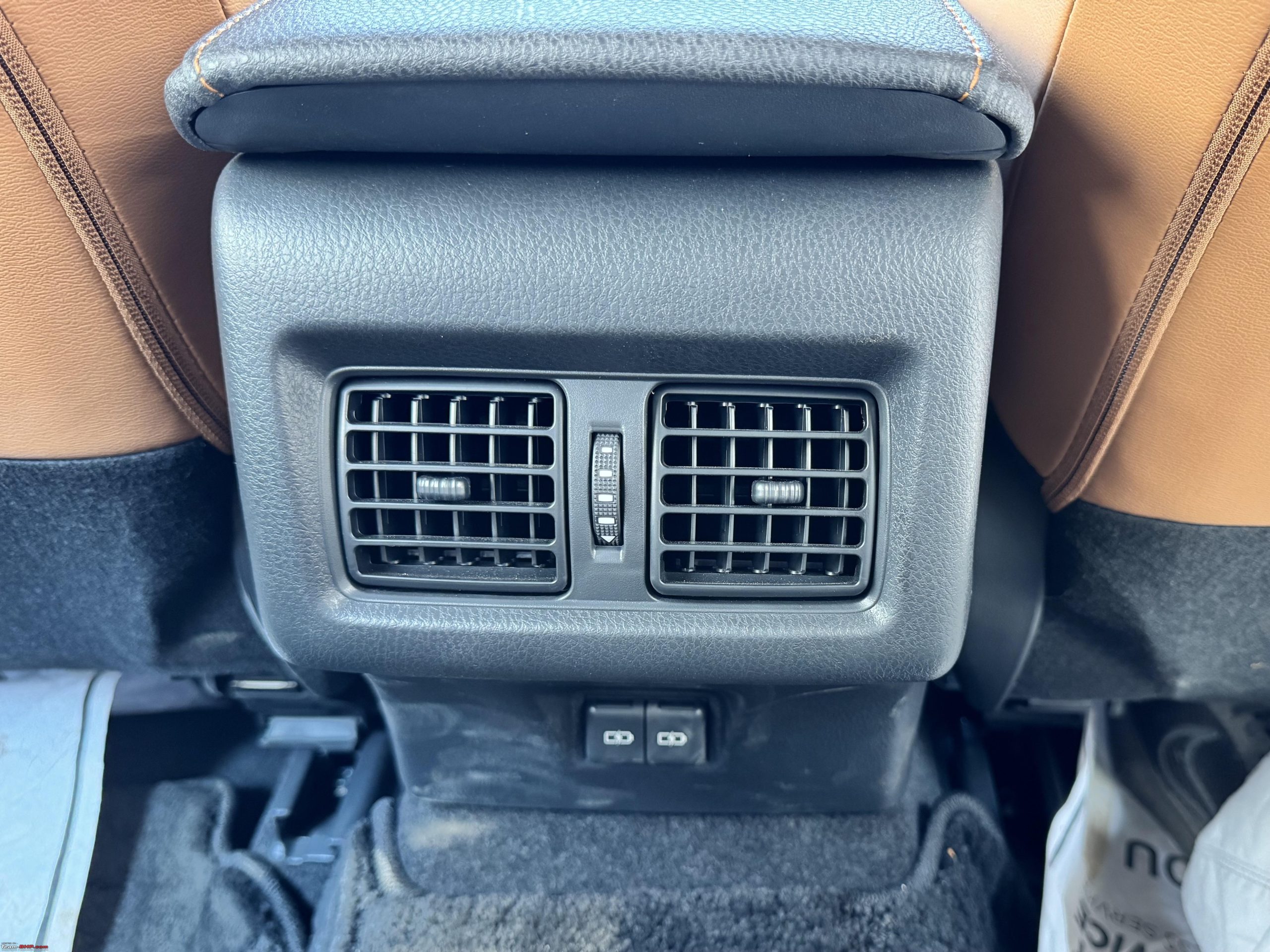
10. Rear Passenger Vent Isolation
Climate control efficiency isn’t something most drivers think about beyond adjusting the temperature dial, but the Camry includes a small mechanical detail that directly affects how well your front seat climate settings actually perform, especially when you’re driving solo.
Sitting on the rear center console is a small valve wheel, easy to overlook if you’re not specifically looking for it. This wheel controls airflow to the rear passenger vents, and turning it allows you to completely seal off that airflow when the back seats are empty.
Here’s why this matters practically. When rear vents remain open with nobody back there to benefit from the airflow, conditioned air gets spread across a larger cabin space than necessary. That means the front seats, where the driver actually needs consistent heating or cooling, receive a diluted share of that effort.
Sealing off the rear vents redirects more of that conditioned air specifically toward the front, which can noticeably speed up how quickly the cabin reaches a comfortable temperature. This becomes especially useful during extreme weather, whether that’s a scorching summer afternoon or a bitterly cold winter morning. Commuters driving alone day after day, without regular back seat passengers, stand to benefit the most from keeping this valve closed as a matter of routine.
It’s a purely mechanical solution, no digital menu, no touchscreen involved, just a simple wheel that takes a couple of seconds to turn. Once you know it’s there, it becomes second nature to check its position before a long solo drive. It’s a small, almost old-fashioned detail hiding among an otherwise thoroughly modern dashboard full of digital menus and screens.