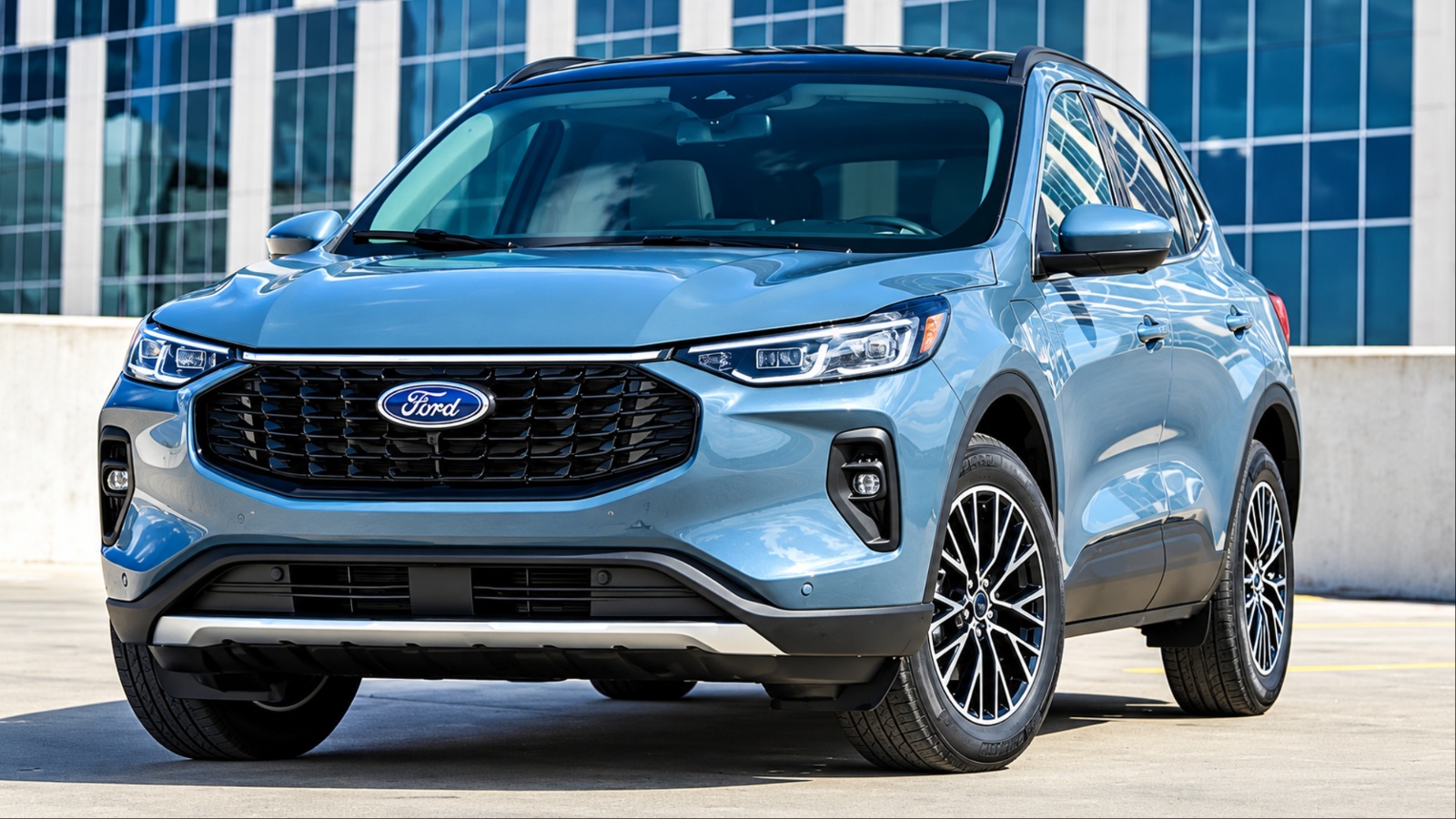
Most Ford Escape owners only ever scratch the surface of what their SUV can actually do. Between the touchscreen menus, the steering wheel controls, and the FordPass companion app, there’s a whole layer of functionality that never gets mentioned at the dealership and rarely shows up in the owner’s manual highlights. Some of it is about convenience, some about safety, and some is just clever engineering tucked away where you’d never think to look.
This guide walks through ten of the most useful hidden features across recent Escape model years, from a secret cargo compartment to smartphone tricks that turn your phone into a remote control for the car. Whether you’ve owned your Escape for years or just drove it off the lot, there’s a good chance at least a few of these will change how you use it every day.
1. The Hidden Under-Floor Cargo Compartment
Tucked beneath the carpeted cargo floor in the back of the Escape is a storage space that a surprising number of owners never discover. Lifting the load floor panel reveals a molded compartment large enough to hold a first-aid kit, jumper cables, a small tool bag, or anything else you’d rather keep out of sight rather than rattling around loose in the trunk.
Because it sits below the visible cargo area, it also doubles as a low-key security spot for valuables when you’re parked somewhere unfamiliar. A laptop bag or shopping bags left on the floor are an obvious target through the windows, but nothing tucked beneath the panel is visible at all.
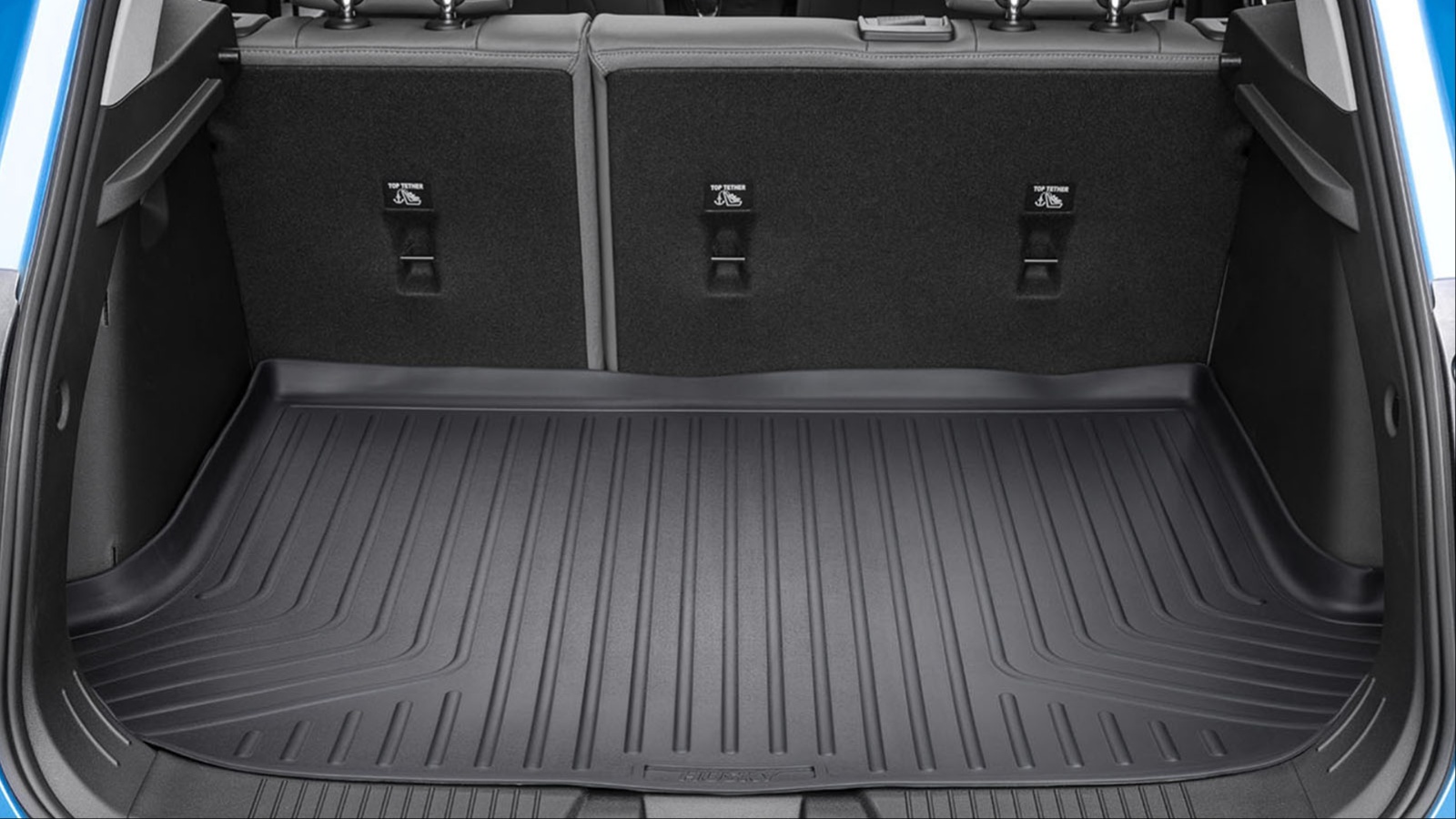
The compartment is integrated into the Escape’s adjustable load floor, a feature that adds even more versatility to the cargo area. Depending on the setup, the floor panel can be raised to create a level surface with the folded rear seats or lowered to make room for taller items. As a result, the hidden storage area can adapt to your needs instead of simply taking up a fixed amount of space beneath the floor.
Owners who tow small trailers, travel with pets, or simply want a place to stash an emergency kit without sacrificing usable trunk space tend to get the most out of this feature. It costs nothing extra and requires no setup, yet it’s one of the most commonly overlooked spots in the entire vehicle. Next time you’re loading groceries or luggage, take thirty seconds to lift the floor panel and see what’s waiting underneath.
2. A Fully Customizable Digital Instrument Cluster
On Escape models equipped with the configurable digital instrument cluster, the display behind the steering wheel is far more flexible than it looks at first glance. Rather than being locked into a single layout, drivers can cycle through several different information views using the directional buttons mounted on the left side of the steering wheel. This lets you decide, in real time, what data sits directly in your line of sight while driving.
Depending on the configuration selected, the cluster can prioritize navigation turn-by-turn directions, audio and phone information, trip computer data like average fuel economy and distance to empty, or a simplified, minimalist speedometer view for drivers who prefer less visual clutter.
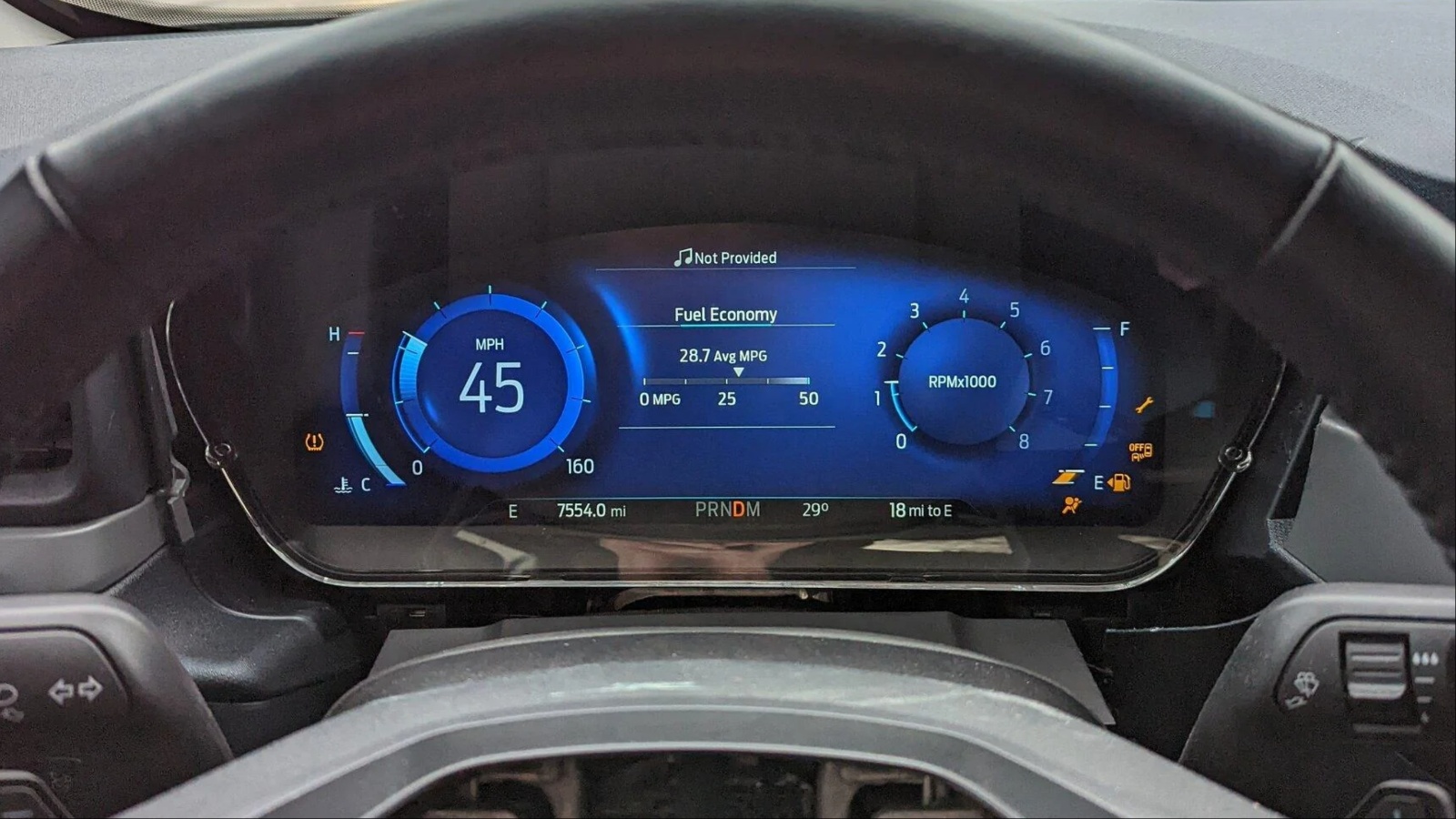
Changing between these views is quick and straightforward. A few button presses are all it takes, so there is no need to navigate through the touchscreen while driving. That makes the feature easy to use while keeping your attention focused on the road.
Many owners set up their cluster once when the car is new and never revisit it, which means they’re stuck with whatever default view happened to be active. Spending a few minutes cycling through the available layouts is worth doing, especially if you regularly use navigation or want quicker access to trip and fuel data.
Families who share the vehicle can also each set a personal preference tied to their profile, so the display adjusts automatically depending on who’s driving. It’s a small feature, but one that meaningfully changes how information-dense or how simple your dashboard feels on a daily basis.
3. The Hybrid Power Flow Display
If you own a hybrid Escape, there is a useful screen that many drivers never discover. Tucked away in the instrument cluster or infotainment menus, the power flow display gives you a real-time visual of how energy moves between the gasoline engine, electric motor, and battery pack. Instead of displaying a wall of numbers, it uses simple animated arrows and icons to show where the vehicle is getting and sending power at any given moment.
Paying attention to this display can reveal details about the hybrid system that are easy to miss from behind the wheel. It shows when the vehicle is running entirely on electric power, when the gasoline engine joins in, and how much energy is being recovered during braking or downhill coasting.
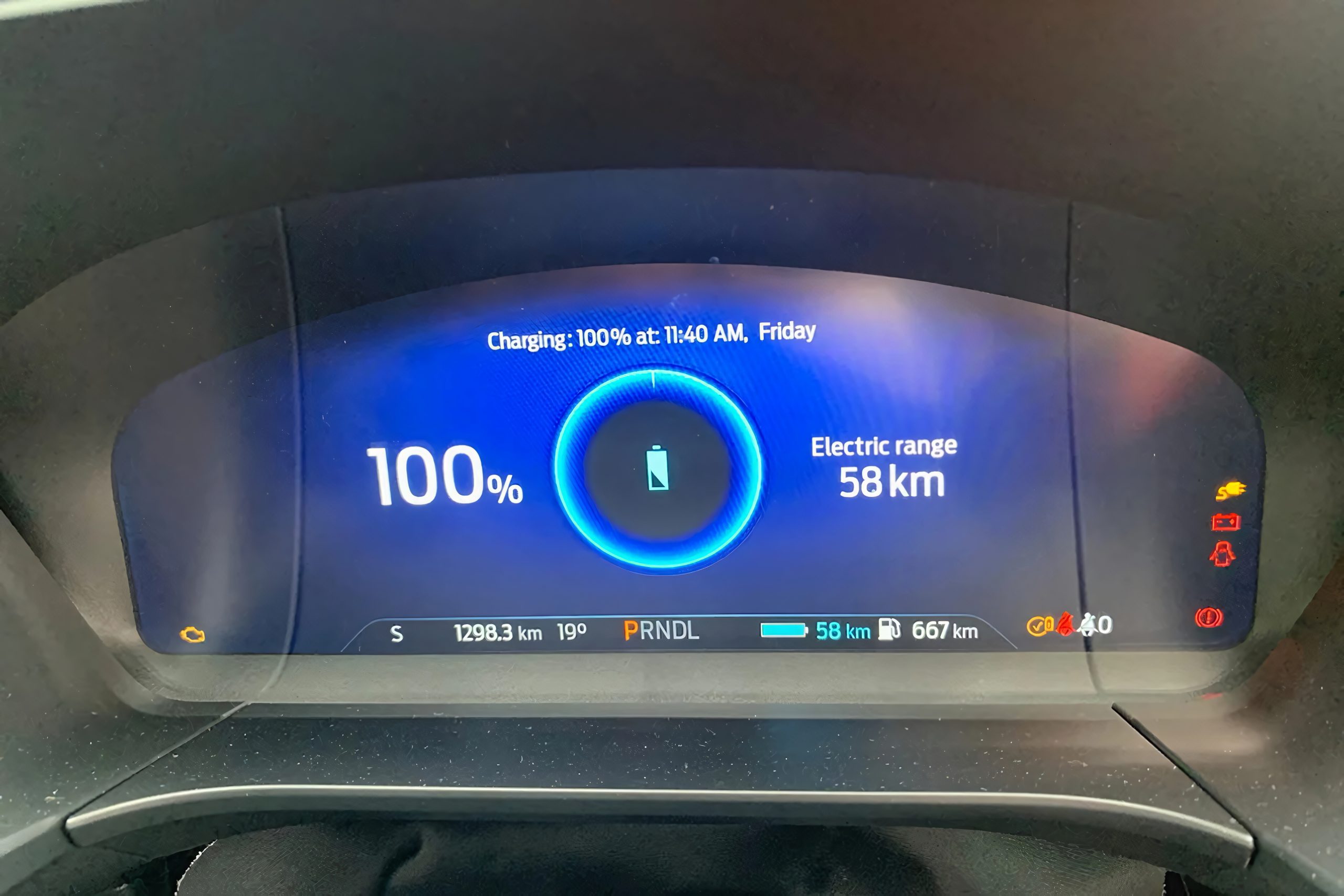
For anyone focused on improving fuel economy, that feedback can be especially helpful. It makes the hybrid system easier to understand and gives drivers a chance to adjust their habits for better efficiency.
Some owners use the power flow screen almost like a game, trying to keep the vehicle in electric-only mode for as long as possible around town, or timing acceleration to avoid unnecessarily waking the gasoline engine. Over time, this kind of feedback-driven driving can produce a real difference in observed fuel economy, particularly in stop-and-go city conditions where hybrids tend to shine anyway.
Because the screen isn’t part of the default cluster view, it’s easy to go months without ever cycling to it. Anyone who owns a hybrid Escape and hasn’t looked at this display yet is missing one of the more genuinely educational features Ford built into the car.
4. FordPass Driving Scores and Trip Logging
The FordPass smartphone app offers more than remote door unlocking and fuel-level checks. It can also monitor driving habits over time and use that data to create an efficiency score. Factors such as acceleration, braking behavior, and average speed contribute to the score, giving drivers a clearer picture of their driving efficiency while offering tips on how to improve it.
Beyond the scoring itself, the app logs detailed trip data automatically in the background. Every drive gets recorded with distance, duration, and route information, which turns out to be a genuinely practical tool for anyone who needs to track mileage for work reimbursement, tax deductions, or general household record-keeping.
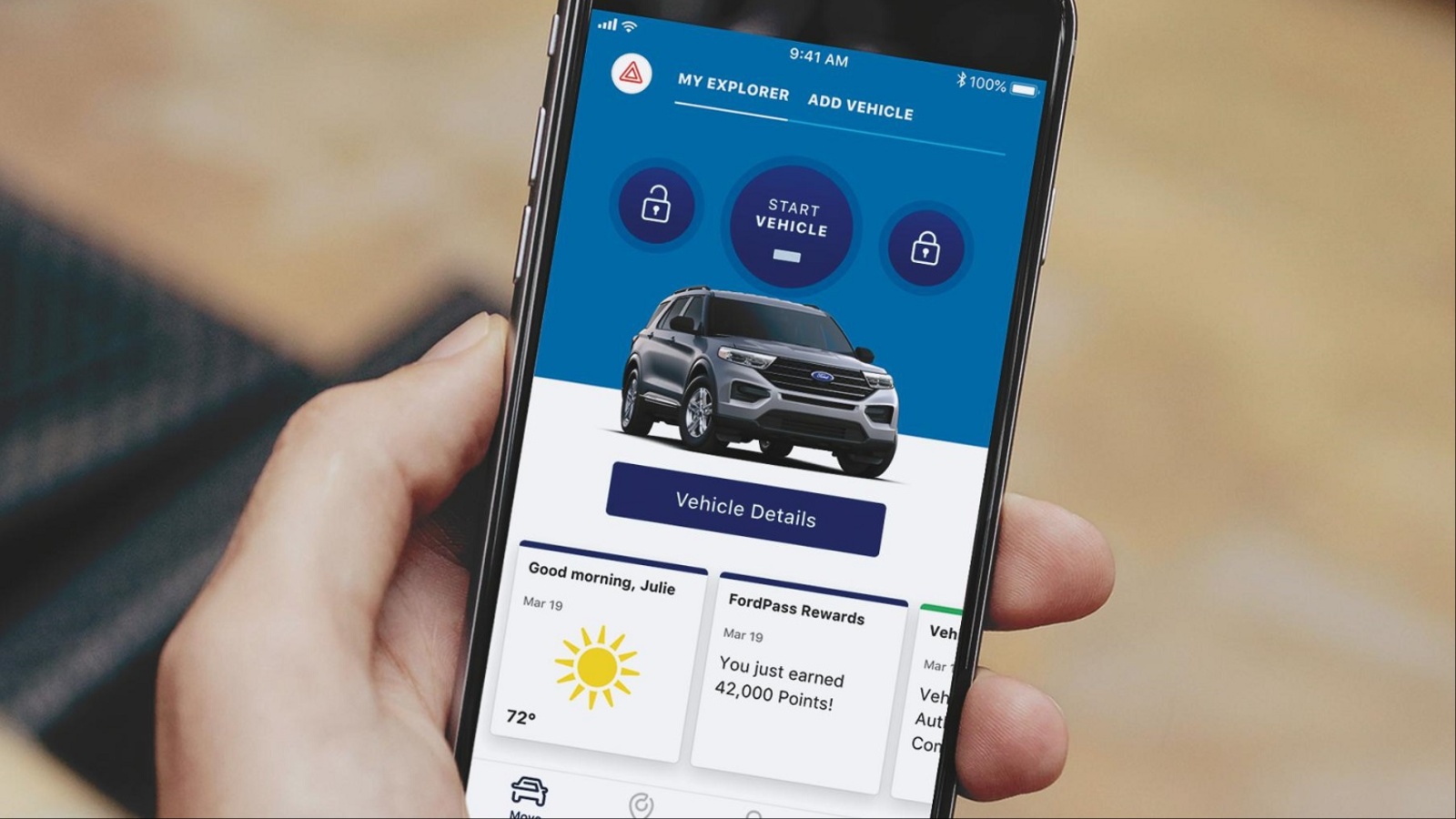
Instead of manually jotting down odometer readings before and after business trips, the app builds that history automatically, ready to export or reference whenever it’s needed.
Because this feature runs passively, most owners don’t even realize the data is accumulating until they open the app specifically to look for it. It’s worth checking the trip history section periodically, especially around tax season or when submitting mileage reimbursement paperwork, since the information is already there and formatted more precisely than most people would bother to track by hand.
Combined with the efficiency scoring, the app essentially turns your phone into a driving coach and a mileage logbook running side by side, without requiring any extra hardware or subscription beyond an active FordPass account tied to the vehicle.
5. Detailed Vehicle Health Reports
Dashboard warning lights only tell part of the story. By the time one appears, a problem may already have become more serious than it needed to be. The FordPass app provides a more detailed option with on-demand vehicle health reports that check multiple onboard systems and summarize their condition. This gives you a broader look at your vehicle than the limited number of warning icons displayed on the dashboard.
Requesting a report through the app typically returns information on engine health, oil life, tire pressure across all four tires, battery condition, and any diagnostic codes the vehicle’s systems have logged, even minor ones that wouldn’t normally trigger a dashboard alert.

This gives owners a chance to catch developing issues early, sometimes before they turn into a breakdown or an expensive repair, simply by checking the report on a regular basis rather than waiting for a warning light.
This feature is especially useful for anyone who doesn’t drive their Escape daily, such as a second vehicle in a household or a car used seasonally, since a quiet health report check can substitute for a physical walk-around inspection. It’s also a helpful tool before a long road trip, giving a quick systems-wide status check without needing to visit a dealership or independent mechanic first. Because the reports live inside the app rather than on the dashboard, they require an owner to actively seek them out, which is exactly why so many drivers never realize the feature exists in the first place.
6. Scheduled and Remote Engine Start
Remote start through the FordPass app already lets owners warm up or cool down the cabin before stepping outside, but the scheduling function takes it a step further. Rather than manually triggering remote start each time, drivers can set specific times for the vehicle to start automatically, lining it up with a regular morning commute or a predictable pickup time.
This is particularly valuable during extreme weather. On cold mornings, the Escape can be running and the interior warming up before you’ve even finished your coffee, and in hot climates the same scheduling can have the air conditioning working before you walk out the door.
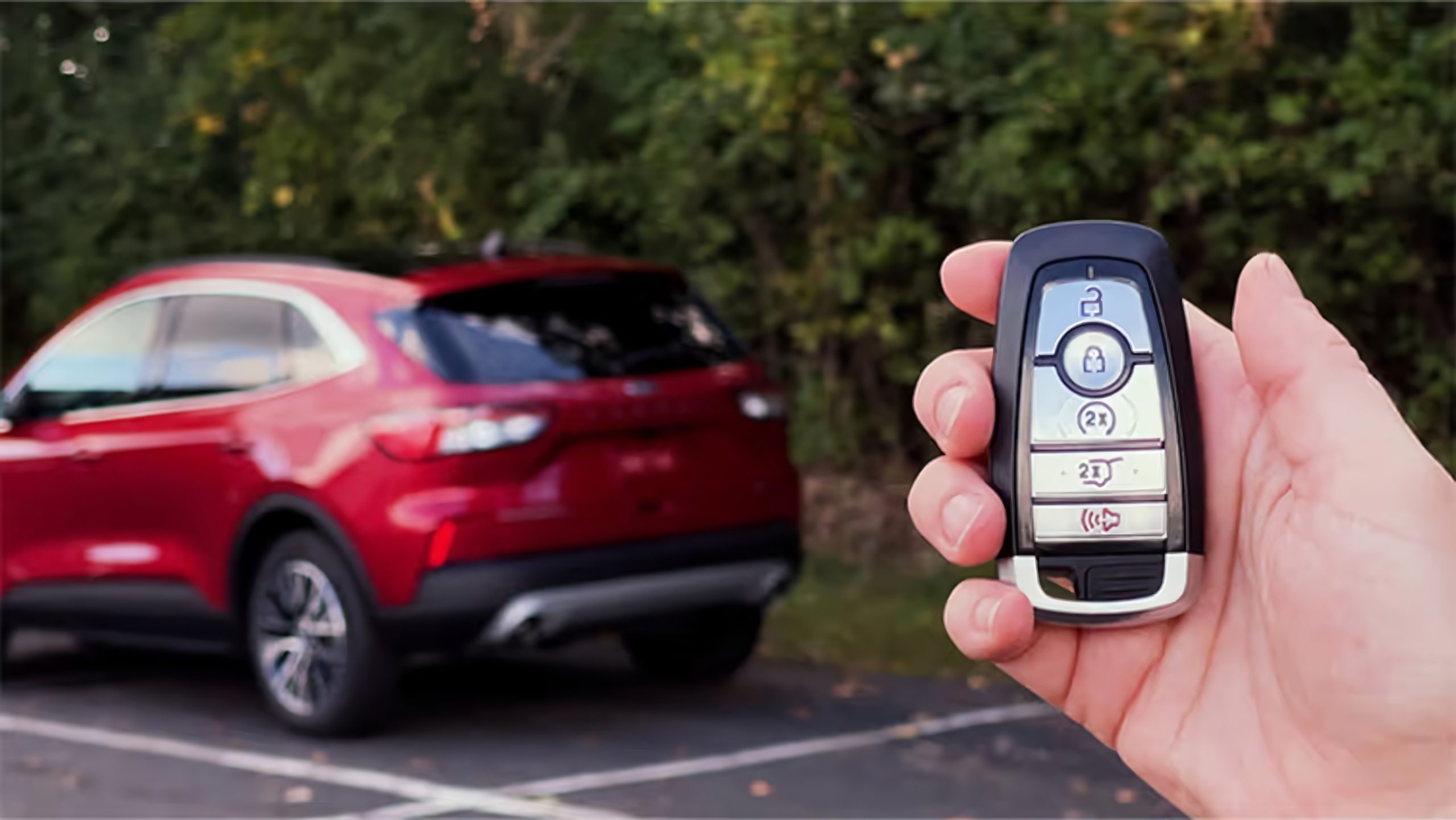
Unlike a traditional key fob remote start, which requires being within a limited range of the vehicle, the app-based version works over an internet connection, meaning it can be triggered or scheduled from anywhere with cell service, not just from the driveway.
Setting up a schedule takes just a couple of minutes in the app and can be adjusted for different days of the week, which suits people with irregular schedules or alternating routines. It’s a feature that quietly makes a noticeable difference in daily comfort without requiring any thought once it’s configured.
Many owners use remote start occasionally when they remember to open the app, but never realize the scheduling option exists, missing out on what is essentially a “set it and forget it” version of the same convenience.
7. In-Car Wi-Fi Hotspot
For Escape models equipped with FordPass Connect, the vehicle itself can double as a mobile Wi-Fi hotspot, using its built-in modem to create a wireless network that passengers’ phones, tablets, and laptops can join. This is separate from any smartphone’s personal hotspot and doesn’t draw on a driver’s or passenger’s individual data plan, since it runs through the vehicle’s own connectivity rather than a phone.
Activating the hotspot is done through the FordPass app or the vehicle’s touchscreen menu, and once connected, it functions like any other Wi-Fi network for streaming, browsing, or video calls. This proves especially useful on road trips with kids in the back seat who want to stream shows, or for anyone who needs a reliable internet connection while working from the car during a break or a long wait.
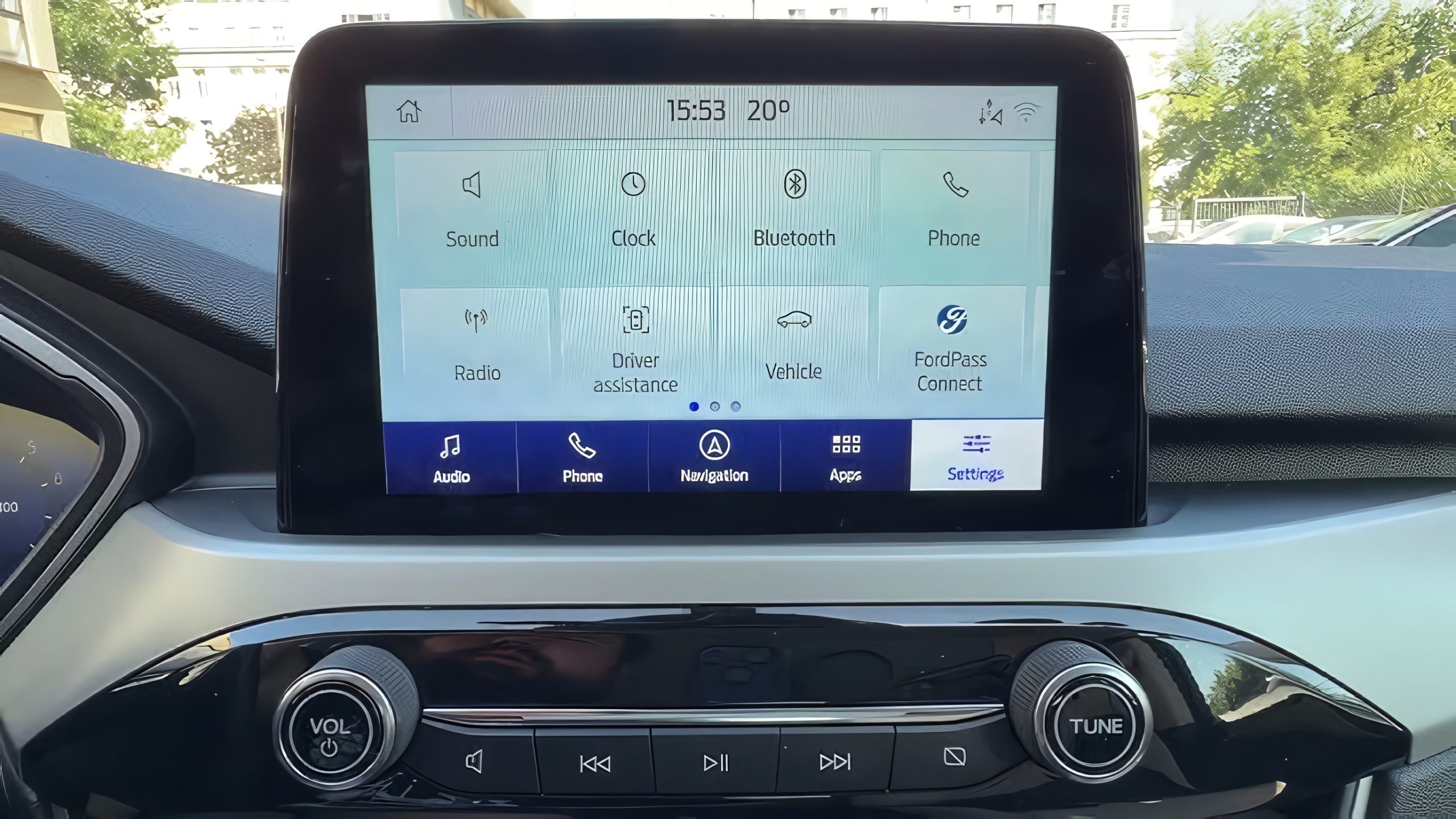
Because the hotspot depends on a data plan tied to the vehicle rather than a phone, it’s worth checking what subscription tier is active and what data allowance comes with it, since usage beyond a certain point may involve additional cost depending on the plan.
Even so, for households that regularly find themselves without solid cell coverage or want a dedicated connection separate from their phones, this feature turns the Escape into a functional mobile office or entertainment hub. Most owners never activate it simply because it isn’t advertised prominently within the main menu screens.
8. Adjustable Driver Assistance Sensitivity
The Escape’s Ford Co-Pilot360 driver-assistance system offers more flexibility than a standard set of fixed features. Several functions can be adjusted to suit the driver’s preferences. Intelligent Speed Assist is one example, as it allows drivers to set a speed limit buffer. This gives the system some room to adapt when posted speed limits change instead of making sudden adjustments every time a new sign appears.
Separately, the Driver Alert System, which monitors for signs of driver fatigue or inattention, has its own sensitivity setting buried in the menu system. Owners who find the alerts triggering too frequently during normal, attentive driving can dial back the sensitivity, reducing unnecessary interruptions while still keeping the underlying safety net in place for longer trips where fatigue genuinely becomes a factor.
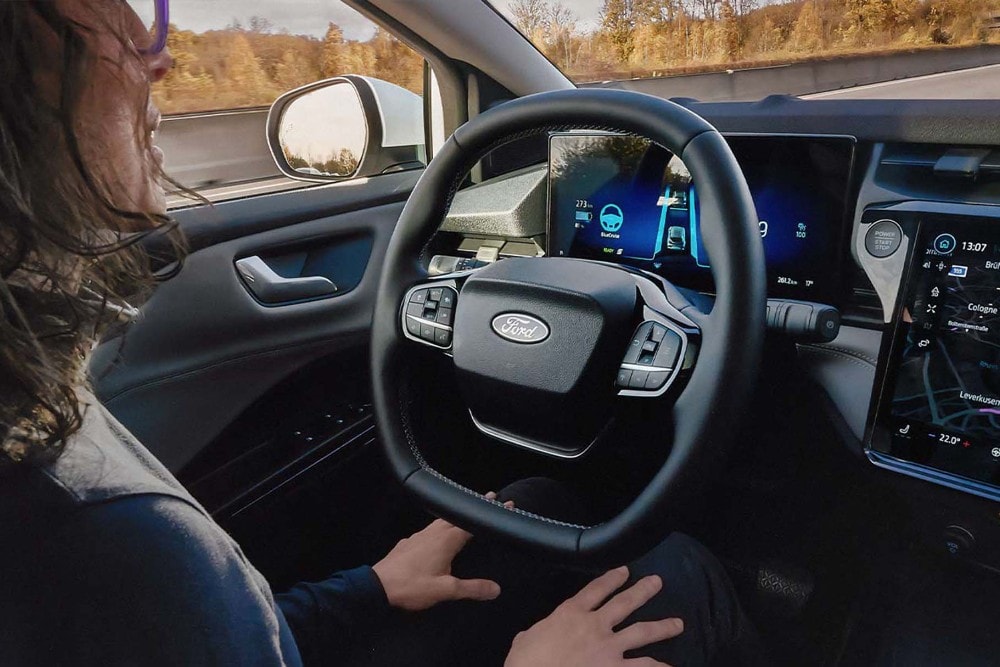
Both of these adjustments live several menu layers deep, which is exactly why most drivers leave them at factory defaults indefinitely, either because the alerts don’t bother them enough to investigate or because they don’t realize adjustment is even possible.
Spending a few minutes exploring the driver assistance settings menu can meaningfully change how the car feels to drive day-to-day, striking a better balance between safety oversight and the kind of over-cautious beeping that leads some owners to tune out alerts altogether. For anyone who logs a lot of highway miles, it’s worth the short detour into the settings to find a configuration that feels natural rather than intrusive.
9. The Hands-Free Power Liftgate Kick Sensor
Arms full of grocery bags and no free hand to open the trunk is exactly the scenario the Escape’s hands-free liftgate feature was designed to solve. On equipped models, a sensor beneath the rear bumper detects a specific foot motion, typically a kicking gesture, and triggers the power liftgate to open automatically, provided the key fob is within range in a pocket or bag.
The gesture takes a bit of practice to trigger the first few times reliably, since the sensor is looking for a fairly deliberate motion rather than any incidental foot movement near the bumper. Once learned, though, it becomes second nature, and it’s one of those features that, once discovered, makes it hard to remember how you managed without it.
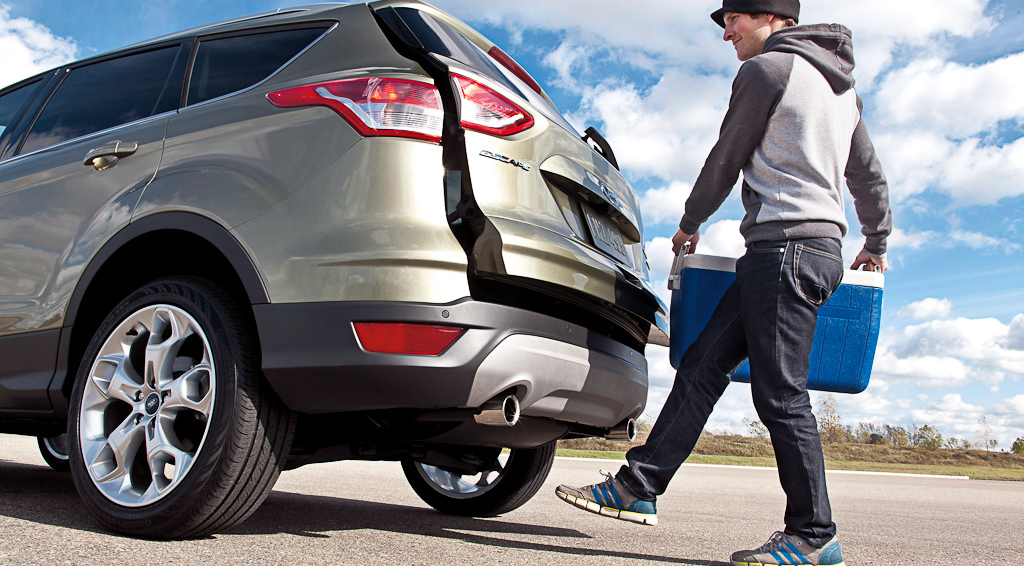
The same system typically closes the liftgate with a similar gesture or through a button on the fob, meaning the entire loading and unloading process can be handled without ever setting bags down on the pavement.
This feature can easily go unnoticed since the vehicle never tells you about it. There is no tutorial or on-screen guide, so many owners only discover it through a salesperson, a previous owner, or a bit of online research. Since it can make a common everyday inconvenience much easier to deal with, it is one of the most useful hidden features worth trying the next time you walk up to the car with your hands full.
10. The Auto Hold Braking Feature
Sitting through a long red light or crawling through stop-and-go traffic usually means keeping steady pressure on the brake pedal, which can become tiring during a long commute. The Escape’s Auto Hold feature takes that effort away.
Once activated, it keeps the vehicle completely stationary without requiring you to keep your foot on the brake. As soon as you press the accelerator, the system releases automatically, and the vehicle moves forward.
Activating Auto Hold typically involves a dedicated button near the gear selector, and once engaged, it stays active until manually turned off, meaning it doesn’t need to be re-enabled at every stop.
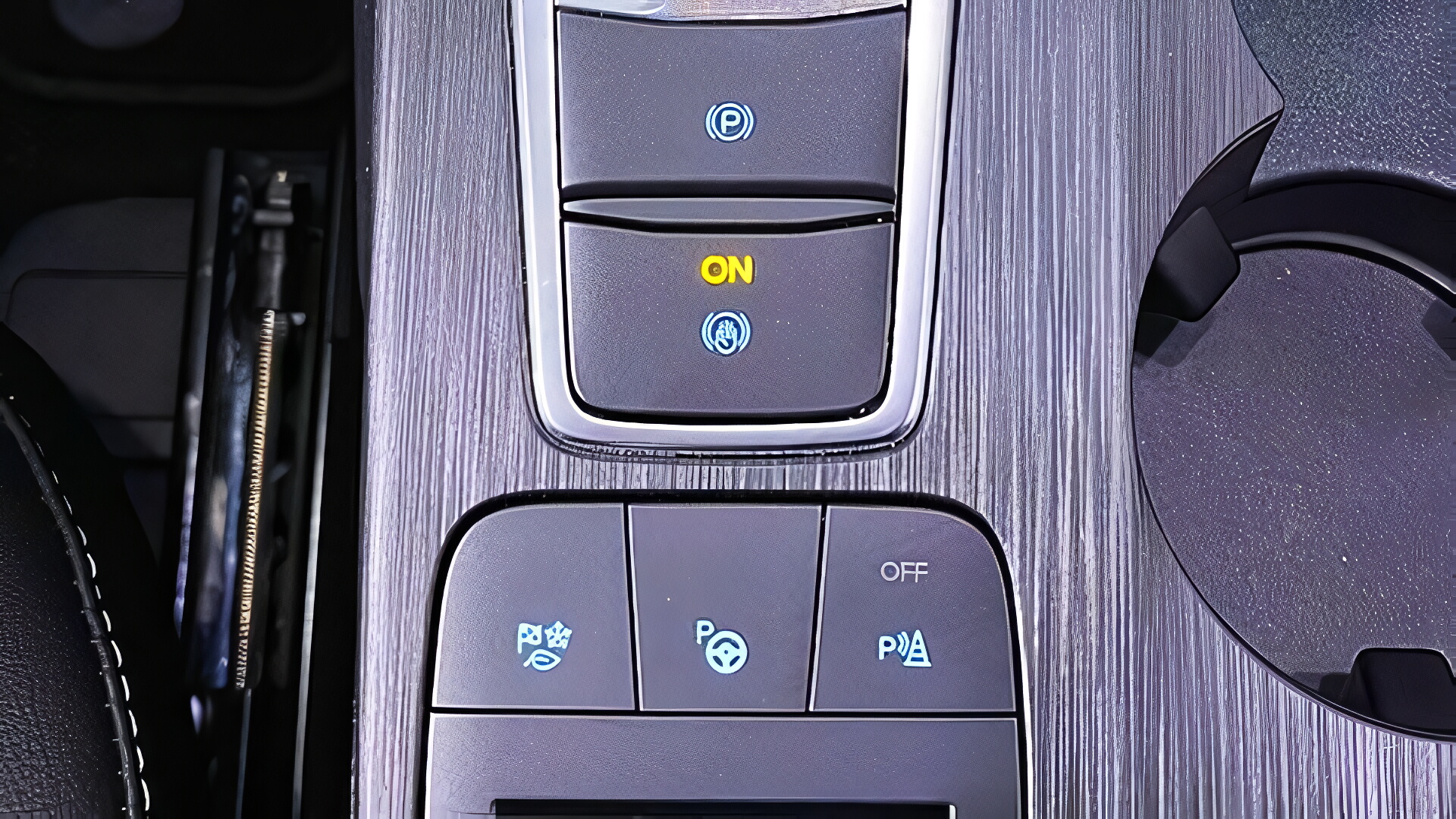
This is particularly useful in hilly areas, where holding a vehicle in place on an incline without rolling backward usually requires careful brake and throttle coordination. With Auto Hold engaged, the car simply stays put until you’re ready to move, removing that coordination entirely.
Beyond hills, the feature reduces general driving fatigue in heavy traffic, letting drivers rest their foot rather than maintaining constant pedal pressure for extended stops. It also adds a layer of safety, since a distracted moment at a stoplight won’t result in unintended rolling.
Despite how useful it is, Auto Hold is often overlooked simply because the button isn’t always obvious among the other controls near the shifter, and Ford doesn’t make a point of highlighting it during a typical test drive or delivery walkthrough. Owners who commute through hilly terrain or heavy stop-and-go traffic stand to benefit the most from switching it on.