The Toyota Corolla has earned its reputation as a practical, dependable car, but there is more to it than the features most drivers notice during a quick test drive. Depending on the model year and trim, the Corolla can include useful functions that quietly improve everyday driving. Some are designed for convenience, while others support safety, technology, or fuel efficiency.
You may even own a Corolla and still have a few of these functions waiting to be discovered. From clever key fob controls to hybrid driving settings and smartphone integration, these hidden features can make daily life with the car easier. Here are eight functions worth knowing about.
1. Smart Entry
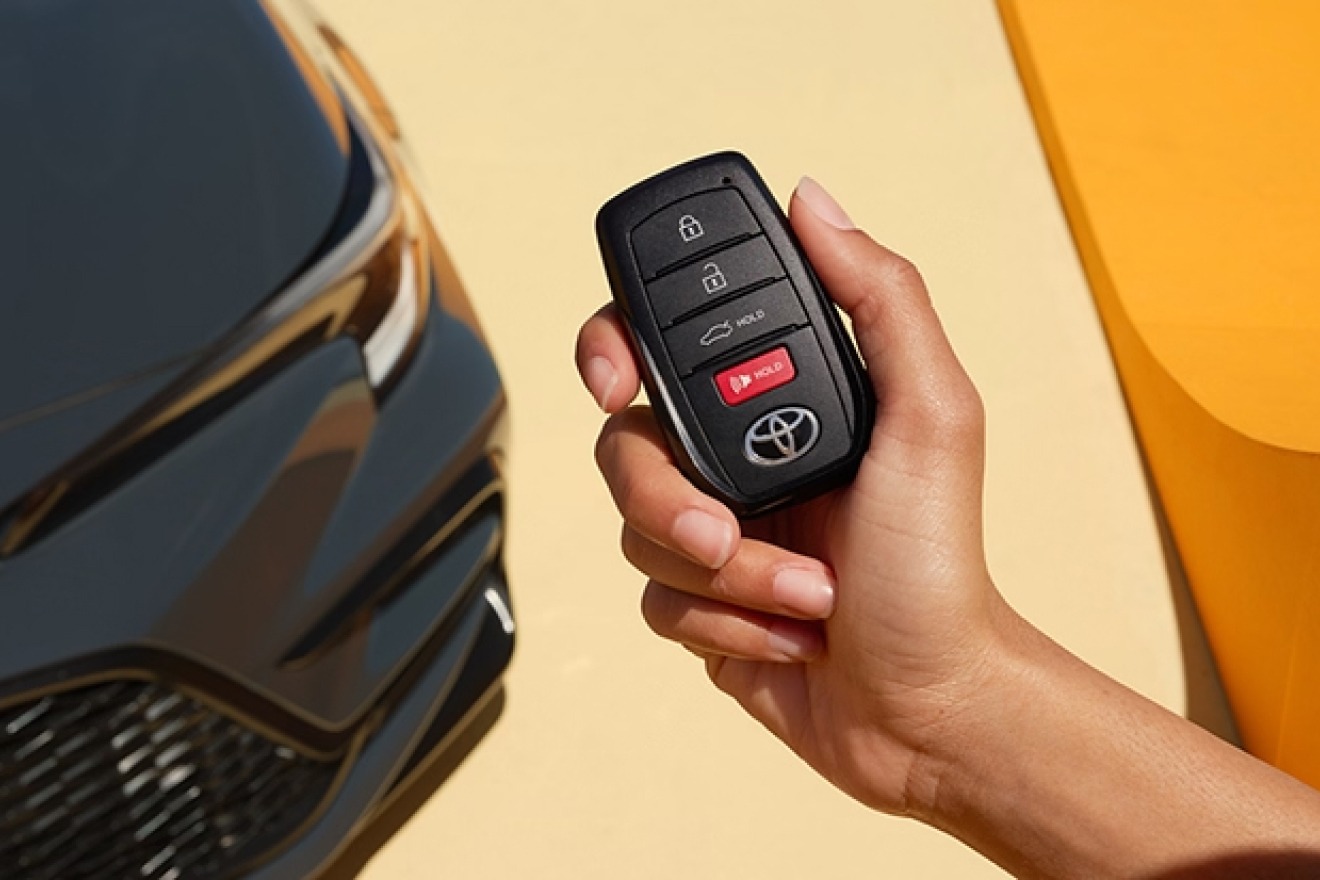
Fumbling for keys while carrying groceries is a hassle nobody misses once they’ve tried Smart Entry. Certain Corolla trims come equipped with this feature, letting you approach the car with the fob simply sitting in your pocket or bag.
Touch the door handle, and it unlocks. No digging, no pressing buttons, no juggling bags while trying to locate a tiny metal key. Once inside, starting the engine works the same way.
Press the ignition button while the fob is anywhere in the cabin, and the car fires up without ever inserting anything. This might sound like a small thing, but it changes the daily rhythm of owning a car.
Rain pouring down, hands full of shopping bags, kids tugging at your sleeve, Smart Entry removes one more obstacle between you and getting where you need to go. It also adds a layer of security.
Since the system requires the fob to be close by, unauthorized access becomes far tougher without the physical key present. Not every Corolla trim includes this feature, so it pays to check your specific model.
Higher trims typically get it standard, while base models might require it as an option. If your Corolla has it, take a moment and actually use it. Many owners keep reaching for their keys out of habit, never realizing their car already does the work for them.
Give it a try the next time your hands are full.
2. Remote Start and Key Fob Tricks
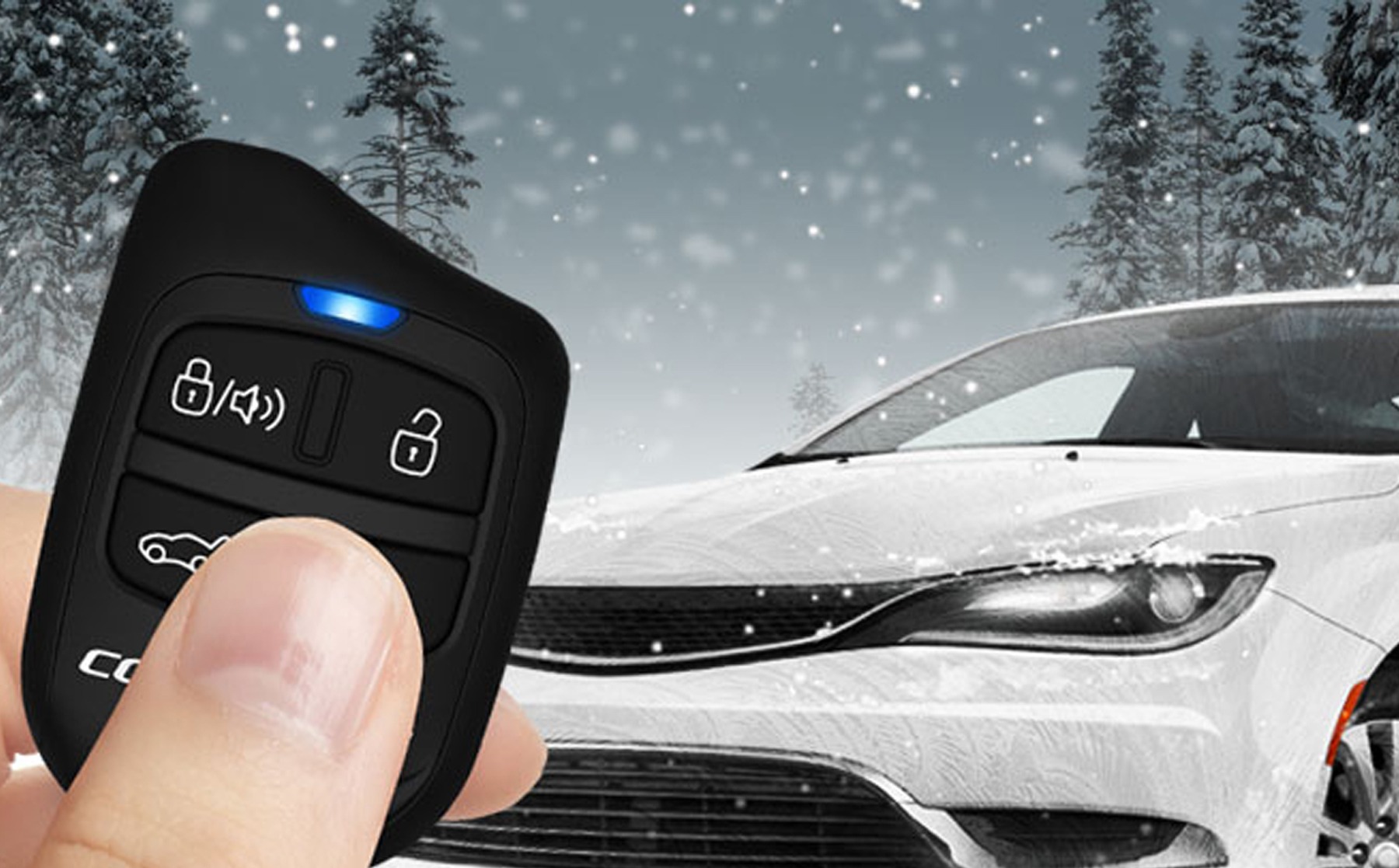
Many drivers think of the key fob as nothing more than a tool for locking and unlocking the doors. Certain Corolla models can do much more. Remote engine start, where available and properly configured, can allow the vehicle to begin running before you reach it.
This can make the cabin more comfortable before a trip when weather conditions are unpleasant. The exact remote-start procedure varies by model, and some versions may rely on a smartphone service rather than the fob alone.
The fob may also have additional controls that owners never discover because they are not used during normal driving. On certain models, holding the unlock button or using a programmed button sequence can control the windows.
Some vehicles may also support remote operation of the moonroof, though this function can depend on equipment and regional settings. Other fob combinations can affect audible locking confirmations.
If the vehicle’s lock or unlock beep becomes annoying, the owner’s manual may reveal whether the setting can be changed. These features are easy to miss because they often require holding a button longer than expected or following a specific sequence.
3. Hidden Boot Lock Button
Right near the trunk release on select Corolla models sits a small button most drivers walk past without a second glance. This discreet control lets you lock the entire car directly from the back, meaning you don’t have to circle to the front doors after loading groceries, luggage, or anything bulky into the trunk.
Imagine you’ve just finished loading the trunk with bags after a big shopping trip. Instead of walking around to the driver’s door to lock the car, you can simply press a button while standing at the rear.
The doors lock, the alarm arms if your model has one, and you’re free to head inside without the extra steps. This feature becomes especially handy for parents loading up strollers, coolers, or sports equipment, situations where every extra second and step matters.
It also helps in parking garages or busy lots where walking around a vehicle multiple times isn’t ideal, particularly at night. Because this button sits in a spot most people never think to check, it remains one of the more overlooked tools inside the Corolla.
Some owners drive their car for years without ever pressing it, assuming the only way to lock up is from the driver’s seat. Take a look near your trunk release the next time you’re loading the car. That small button might just become your new favorite shortcut.
4. Hybrid Driving Modes
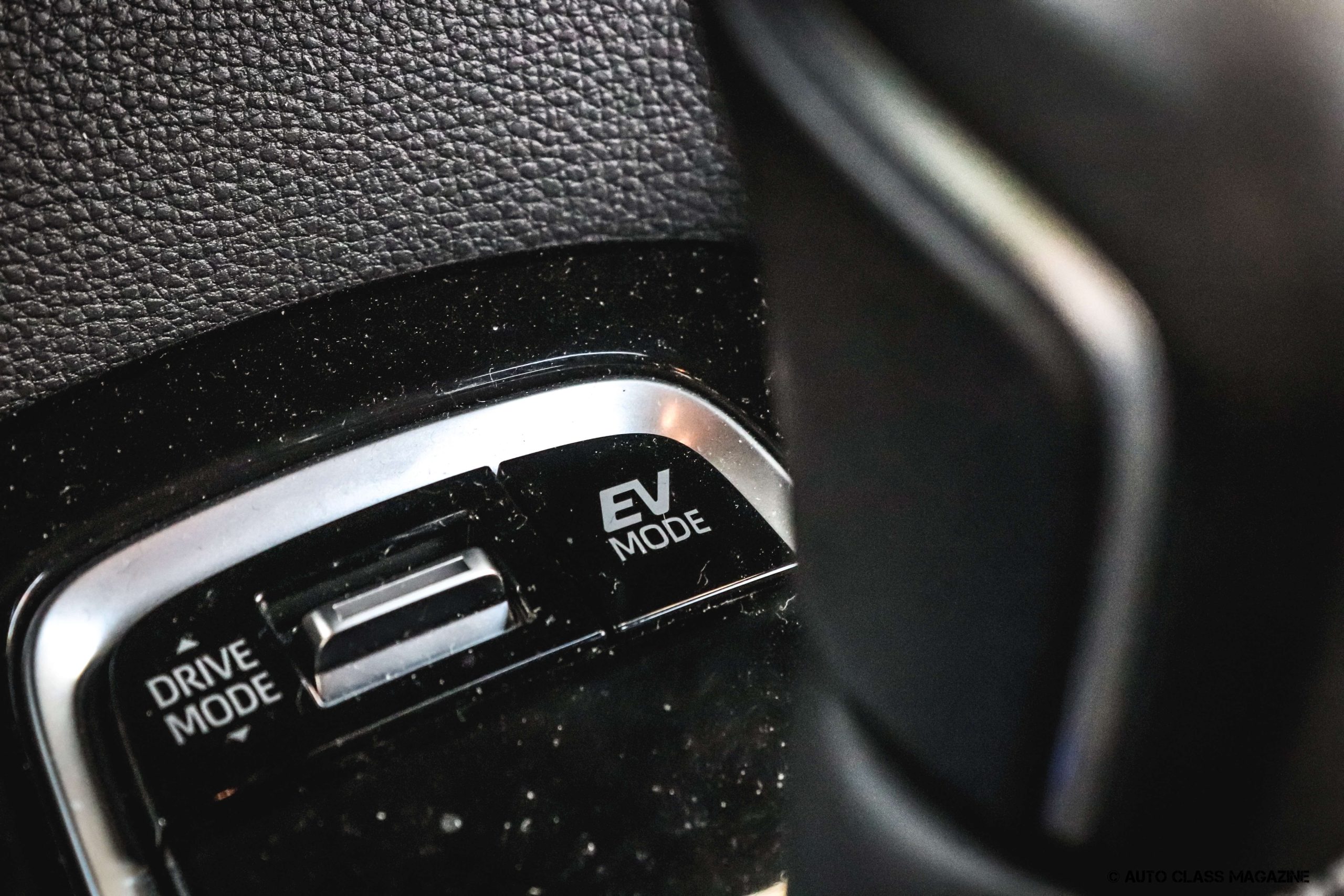
Corolla Hybrid owners have access to a set of driving modes that quietly work behind the scenes to squeeze out better fuel efficiency and smoother handling.
Eco Mode softens the throttle response, encouraging a gentler driving style that stretches every drop of fuel further. It’s a subtle adjustment, but over a full tank, the savings add up.
Power Mode flips that setup, sharpening throttle response for situations where you need a bit more punch, like merging onto a highway or overtaking on a two-lane road.
Switching between these modes takes seconds and gives drivers flexibility depending on the moment, whether that’s a relaxed commute or a quick errand where timing matters.
Then there’s B Mode, which increases regenerative braking. Lift off the accelerator, and the car captures more energy from deceleration, feeding it back into the battery.
This works especially well on downhill stretches or in stop-and-go traffic, where constant braking would otherwise waste energy. Drivers who spend a lot of time in hilly regions or heavy traffic often find this mode reduces how often the brake pedal gets used.
None of these adjustments require manual tinkering beyond selecting the mode. The car handles the technical side automatically, optimizing battery charging and energy recovery without asking the driver to think about it.
Many Corolla Hybrid owners never touch these settings, sticking with the default mode out of habit. Testing each one across different driving conditions reveals just how adaptable this hybrid system really is.
5. Infotainment Shortcuts
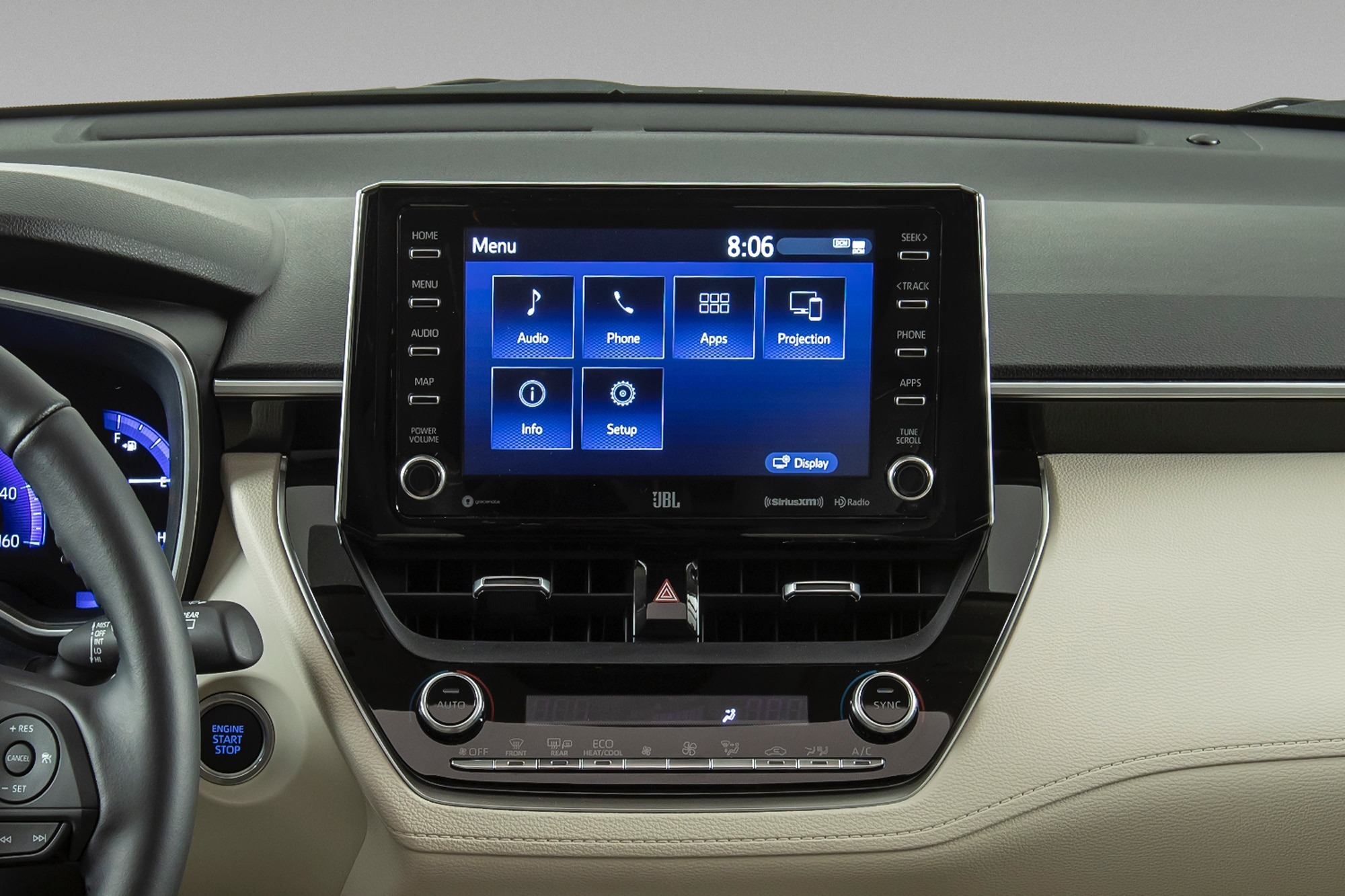
Modern Corolla models can have far more technology than many owners use on a typical day. The infotainment screen is often treated as a place for music and phone calls, but its menus can contain useful shortcuts and customization options.
Voice commands, where supported, can reduce the need to search through multiple screen menus. A spoken command may help with calls, audio functions, navigation-related tasks, or other supported features.
The system may also allow drivers to customize the information shown on the screen. Frequently used functions can sometimes be placed where they are easier to access, making the display feel less cluttered.
Another useful feature on certain systems is speed-sensitive volume adjustment. As road noise increases at higher speeds, the audio system can automatically compensate by changing the volume. This means you may not need to make constant manual adjustments.
Some Toyota multimedia systems also include service-related functions intended for trained technicians. Owners should avoid changing maintenance or diagnostic settings unless the manual specifically explains their purpose.
A few minutes spent learning the infotainment system can reveal options that make everyday driving simpler.
6. Rear Seat and Reminder Alerts
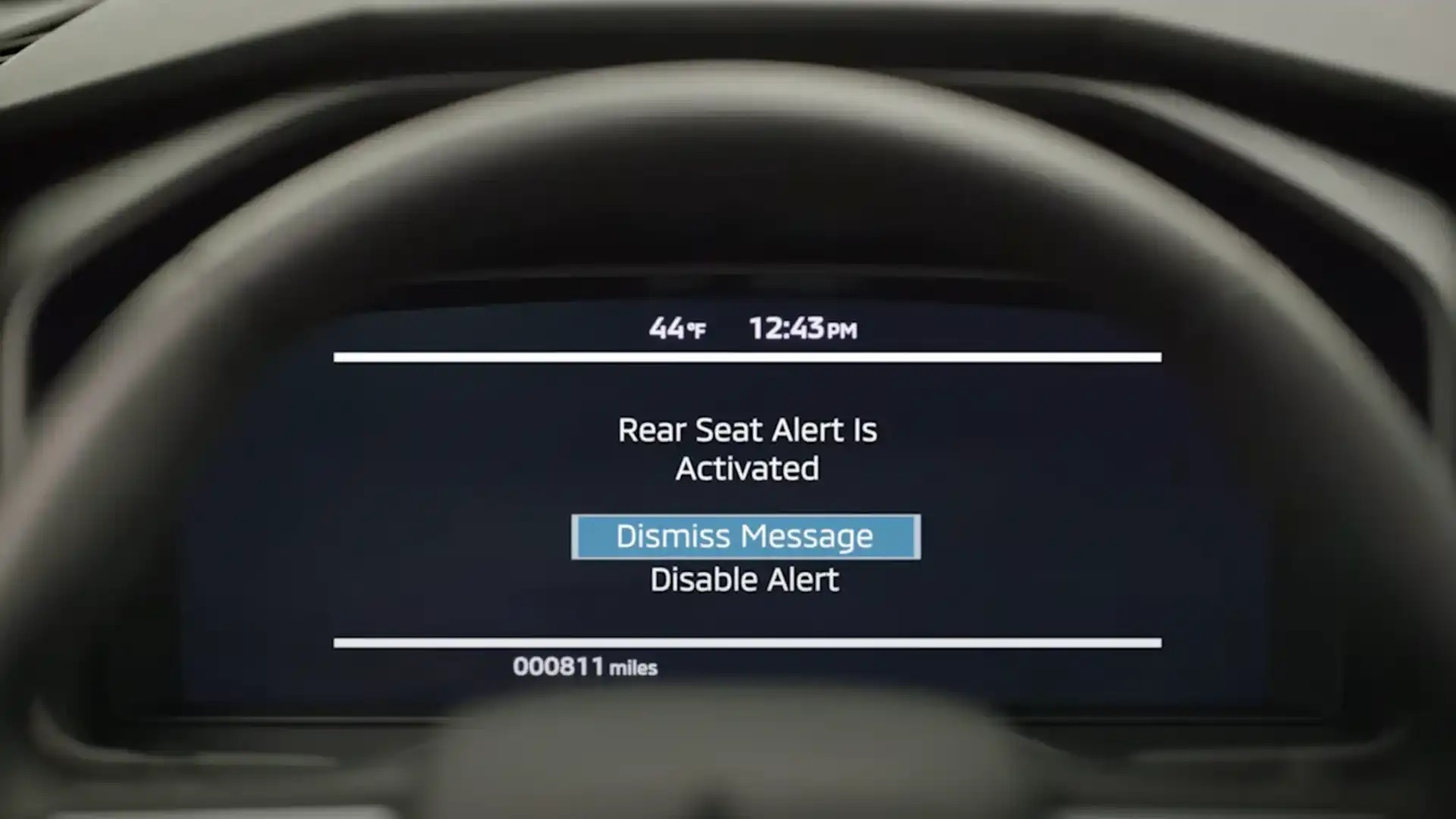
Forgetting something in the back seat happens to the best of us, whether it’s a bag, a phone, or, in more serious cases, a child or pet. The Corolla addresses this with a rear seat alert that notifies drivers if the rear door was opened before the trip started, prompting a check before walking away from the car.
It’s a small safeguard that catches moments of distraction before they turn into real problems. Beyond that, the system keeps tabs on the basics that owners sometimes forget to check themselves.
Door status gets flagged if something isn’t fully latched. Fuel level warnings appear well before the tank runs dangerously low. Maintenance reminders pop up on schedule, letting drivers know when an oil change or routine service is coming due rather than leaving it to guesswork or a sticker on the windshield.
The Toyota app extends these alerts beyond the car itself. Notifications about vehicle status can reach your phone even when you’re nowhere near the driver’s seat, useful for parents keeping an eye on a teen driver or anyone who wants peace of mind about whether the doors got locked after a rushed morning departure.
These alerts run quietly and rarely interrupt daily driving unless something needs attention. Many owners don’t realize how much monitoring happens behind the scenes until the day one of these notifications saves them from a forgotten item or an unnoticed maintenance need. It’s worth connecting the app and getting familiar with what it tracks.
7. Safety and Valet Features
Handing your Corolla over to a valet or a new driver comes with a bit less worry thanks to Valet Mode. This setting restricts access to certain features, keeping personal settings and sensitive information locked away while someone else is behind the wheel.
Some versions of this mode can also impose a speed limit, providing an added layer of safety when someone else is behind the wheel. The Corolla also has a lesser-known emergency feature. Pressing the start button three times in quick succession can shut the engine down in an emergency.
This exists for situations where the vehicle needs to be stopped immediately and stepping on the brake alone isn’t enough, a feature most drivers hope they never need but appreciate knowing about.
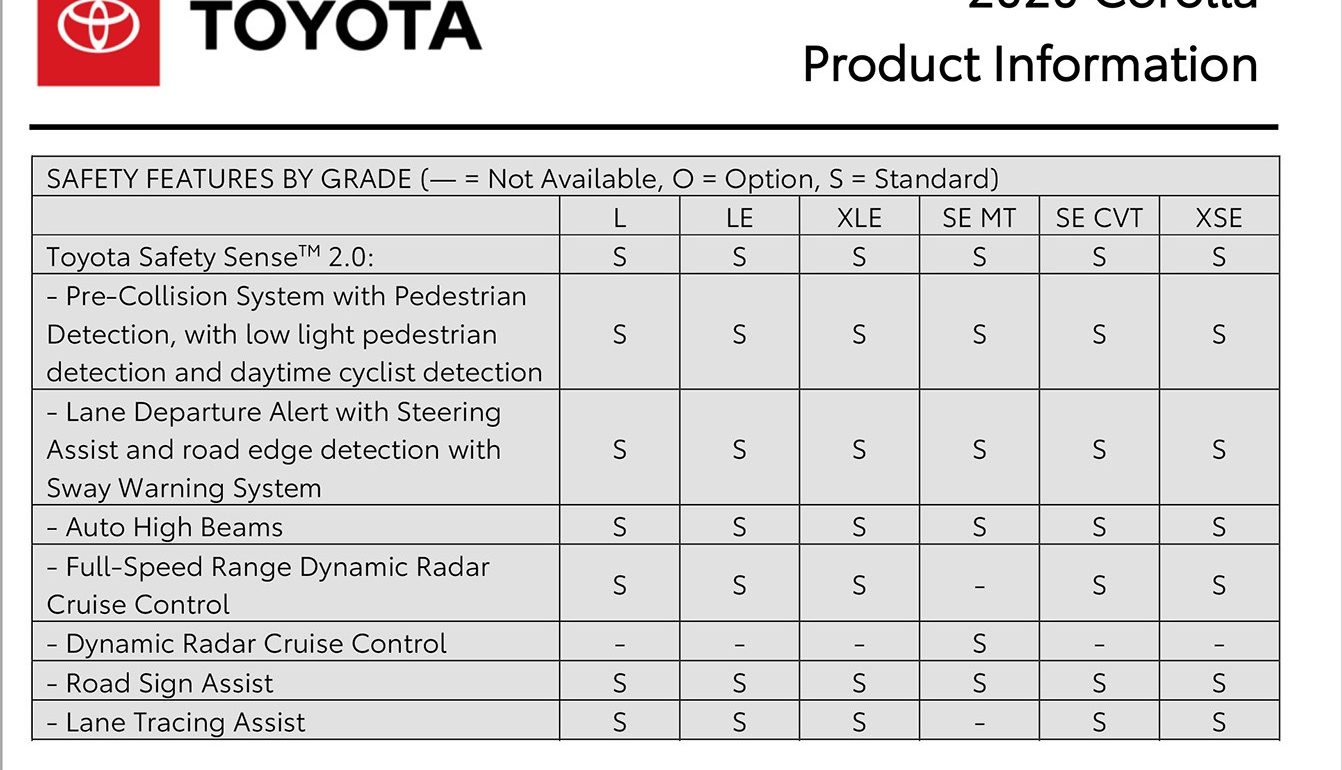
Advanced safety technology rounds out this category. Lane tracing assist gently nudges the steering to keep the car centered, reducing fatigue on longer drives.
Adaptive radar cruise control adjusts speed automatically based on the vehicle ahead, maintaining a steady following distance without constant pedal adjustments from the driver.
Underneath these visible systems sit quieter failsafe modes designed to catch unintended acceleration, stepping in if the car detects something isn’t matching normal driving behavior.
These protections rarely announce themselves unless something goes wrong, working silently to prevent a dangerous situation before it happens.
Reading through the safety section of your owner’s manual reveals just how much thought went into protecting drivers in moments they’ll hopefully never experience.
8. Wireless Charging and Device Integration
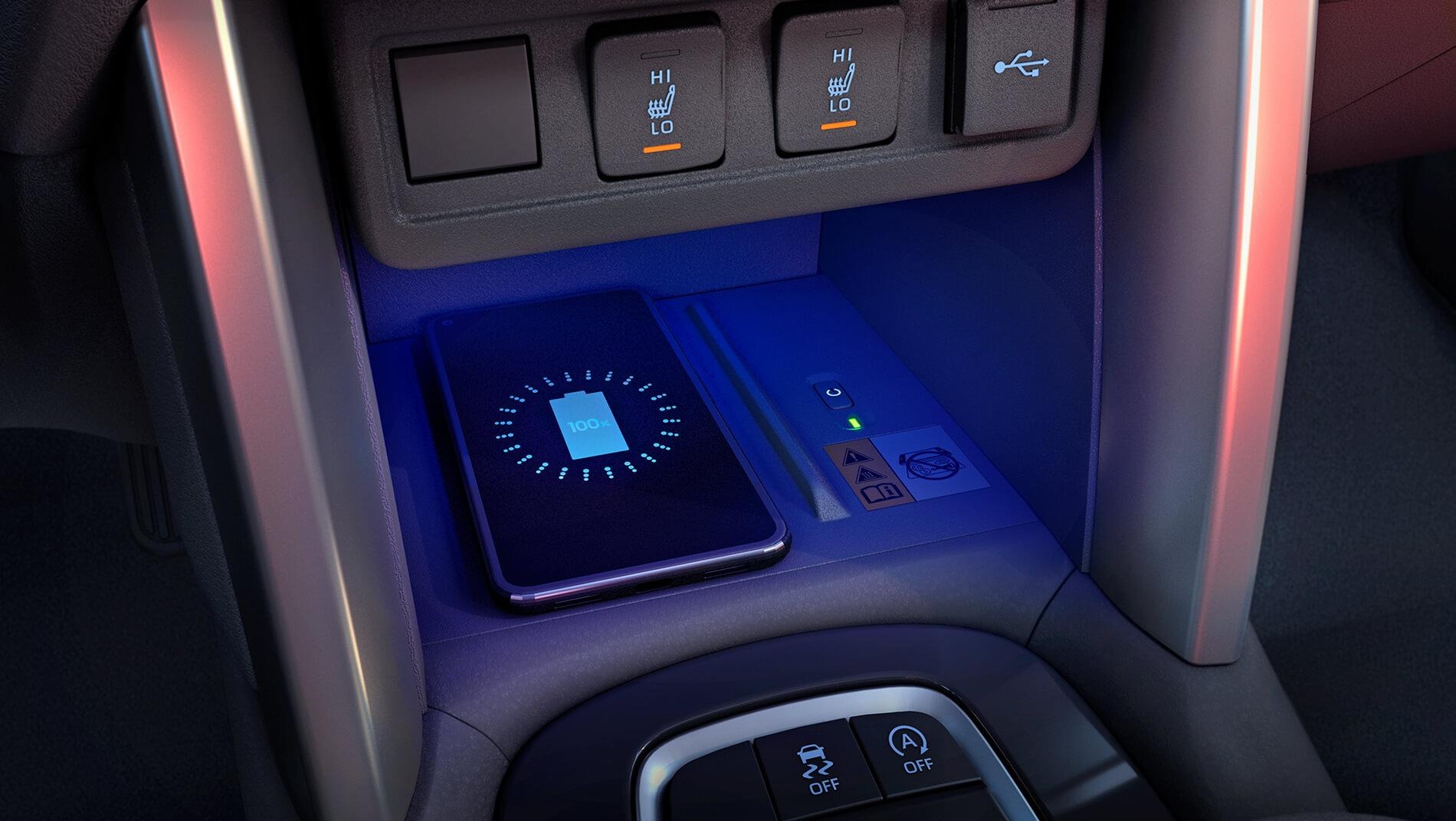
A smartphone has become part of the daily driving experience for many people, which makes easy device integration a useful part of a modern car. Depending on the Corolla’s trim and model year, a wireless charging pad may allow compatible phones to charge without plugging in a cable.
Simply placing the phone on the charging surface can reduce clutter around the center console. Proper placement still matters because the device must remain positioned correctly to receive power.
Wireless Apple CarPlay or Android Auto may also be available on certain versions. When supported, the system can connect a compatible phone without requiring a physical cable, giving drivers access to approved apps, calls, messages, music, and navigation functions through the vehicle’s display.
Parking technology can also work quietly behind the scenes. Some Toyota models offer systems such as parking sensors, Intelligent Clearance Sonar, or Rear Cross-Traffic Braking, depending on the version and available equipment.
These systems can warn the driver about nearby obstacles or potential hazards while parking. They are helpful aids, but drivers must remain attentive and check their surroundings.
The Corolla may look straightforward at first glance, yet many of its most useful features are the ones owners discover while living with the car.