Many Kia Telluride owners already know they chose a solid, roomy three-row SUV that performs well in family comparisons. What fewer owners realise is how much extra capability the vehicle offers beyond the handbook or the brief delivery explanation given at purchase.
Engineers at Kia built the Telluride with smart automation, hidden settings, and interior functions that many families discover by chance long after buying it. Some features help with daily routines, such as calming cabin noise for resting children or releasing trapped heat before opening the doors. Other tools focus on comfort during long drives, making travel easier for both drivers and passengers.
Some features simply feel useful once learned, turning small moments into smoother experiences every time the vehicle is used. This guide explains ten lesser-known features, showing exactly where to locate them in menus or on the vehicle. Each explanation focuses on how the feature works and why it matters during everyday family use.
Before the detailed breakdown begins, reviewing the Telluride’s basic specifications helps place these features in context and clarifies the foundation supporting everything discussed ahead. It also prepares readers to spot useful options already present inside their own vehicles.
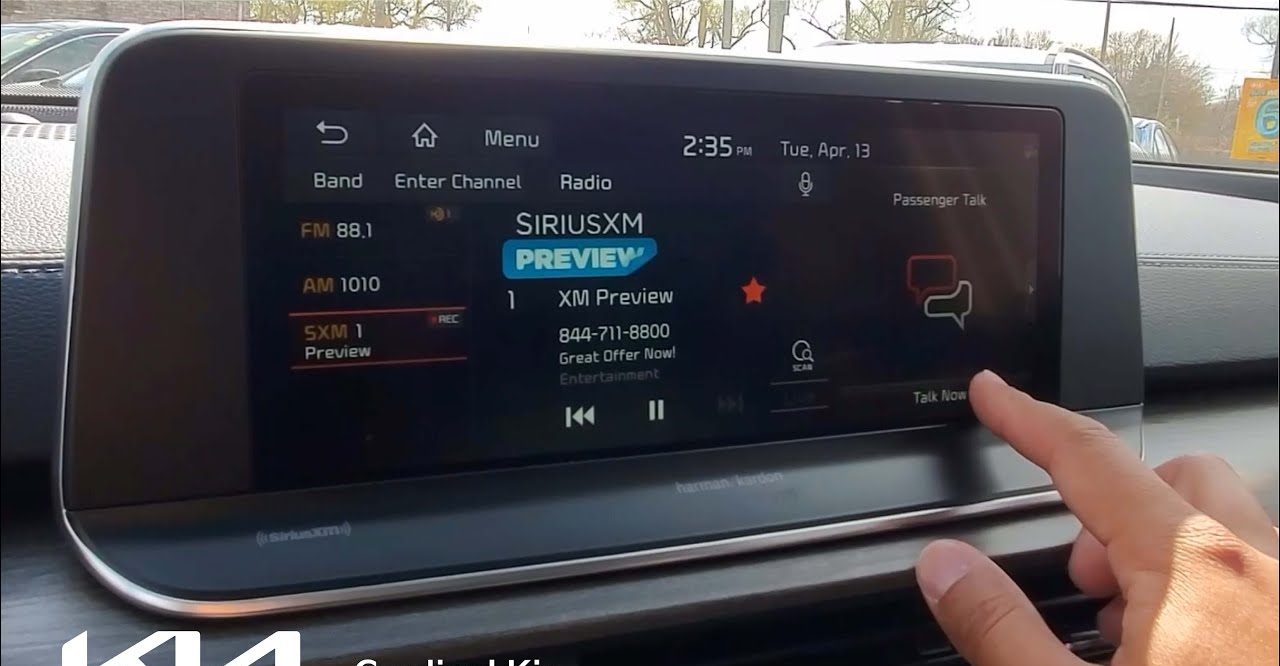
1. Passenger Talk Cabin Intercom
How to Find It: Swipe left on the main dual-panoramic touchscreen display and tap the Passenger Talk icon.
Driving a large three-row SUV filled with people quickly teaches drivers how hard it is to talk to someone sitting at the back. Engine sounds, music playing through the speakers, and the long stretch between the front seats and the last row all work against clear speech. Many families respond by shouting, repeating sentences again and again, or stopping the discussion completely until the vehicle is parked. What should be a simple question often becomes tiring and awkward during long trips.
Instead of accepting this problem, Kia added a smart tool inside the Telluride that many owners never notice. Passenger Talk uses the driver’s microphone connected to Bluetooth, records the voice at close range, and sends it straight to the speakers in the rear seats. For someone sitting in the third row, the message sounds clear and nearby, not distant or drowned out by traffic noise or background music playing up front.
This function helps during daily family trips. Parents can speak calmly, give instructions, or ask questions without muting the audio system. Turning it on takes only a swipe and a tap, making it easy to use briefly while keeping attention on the road for safer communication inside.
2. Quiet Mode Audio Cutoff
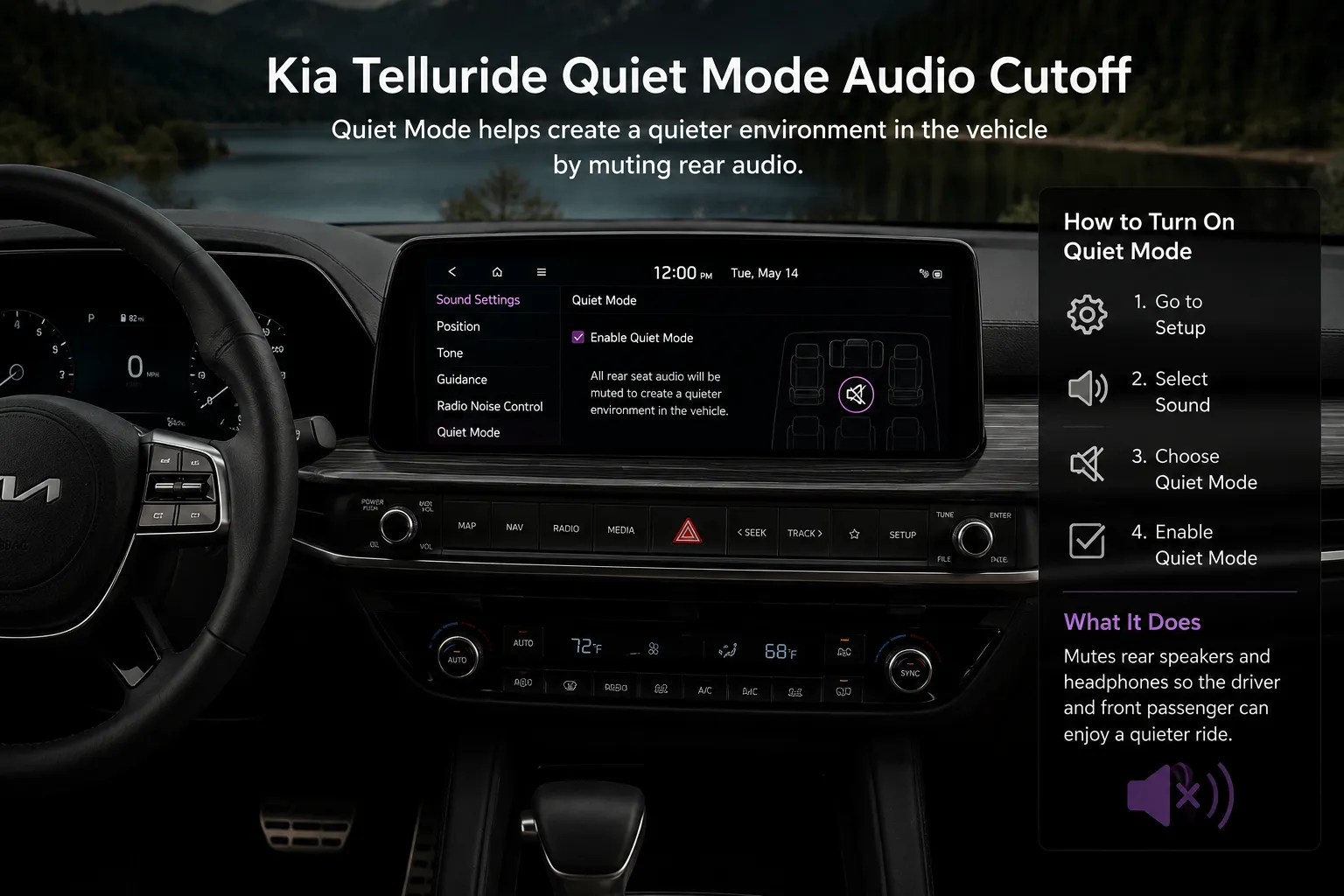
How to Find It: On your center infotainment home screen, swipe over and tap the Quiet Mode icon.
Road trips with young children involve a specific calculation that every parent learns quickly: the moment the kids fall asleep is precious, and the moment you accidentally wake them up with a podcast or a phone call is one of the more deflating experiences of family travel. Most SUVs offer no solution to this beyond turning the audio system off entirely, which means the driver and front passenger sacrifice their entertainment for the duration of the nap.
Quiet Mode on the Telluride approaches this differently. Activating it through the home screen does two things simultaneously. First, it mutes the second- and third-row door speakers completely, removing audio output from the rear cabin zones where sleeping passengers are located. Second, it automatically caps the front speaker volume at a low-level ceiling, preventing the front audio from being turned up loud enough to carry into the rear rows through the open cabin space.
The practical result is a cabin where the driver and front passenger can continue listening to music, a podcast, or a navigation prompt at a reasonable volume while rear passengers sleep without any audio reaching them from the speaker system. Kia calibrated the front volume cap specifically to land at a level audible to front occupants at close range without projecting far enough backward to disturb sleeping rear passengers.
Parents who discover this feature typically describe it as one of the most genuinely useful things they have found on any vehicle they have owned. The activation is a single tap from the home screen, which means it can be enabled without disrupting the driving environment. Few manufacturer-built features solve a real daily family problem as directly and as elegantly as Quiet Mode does on the Telluride.
Also Read: 2027 Kia Telluride Grows Larger and Adds a Hybrid for the First Time
3. Dual-Action Smart Tailgate Auto-Open
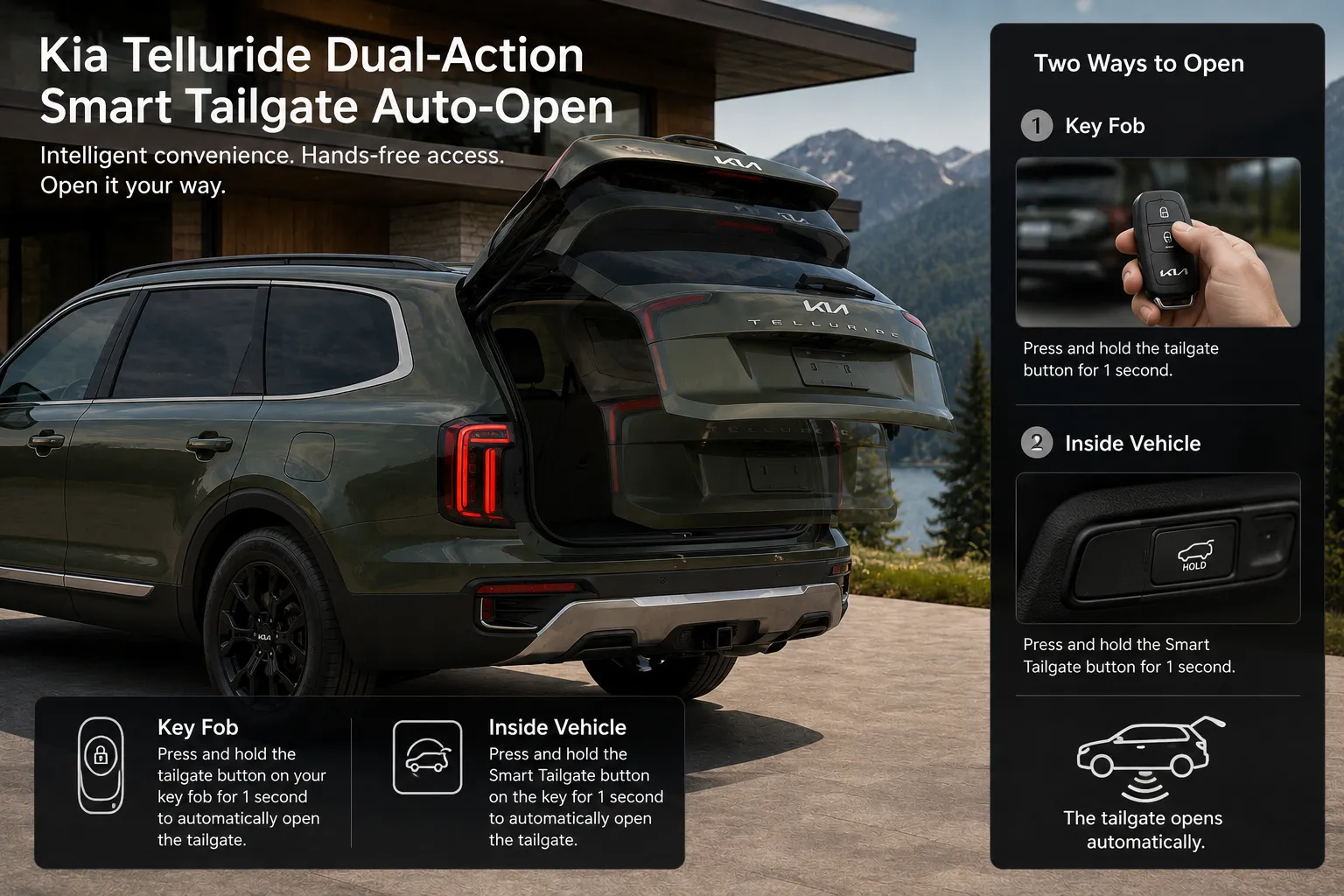
How to Find It: Go through your main center screen under Settings, then Vehicle, then Door, then Smart Tailgate.
Hands-free tailgate opening has become a standard feature on modern crossovers, but the most common implementation requires a specific physical motion, typically a sweeping leg kick under the rear bumper near a sensor, to trigger the opening.
This approach works fine in ideal conditions. It works considerably less well when you are carrying grocery bags in both hands and cannot swing your leg cleanly, when the bumper is dirty, and you are wearing good shoes, or when the ground near the bumper is wet or uneven enough to make one-footed balance uncomfortable.
Kia’s Smart Tailgate feature on the Telluride uses proximity radar rather than a kick sensor, which changes the entire interaction model. With Smart Tailgate enabled in the Door settings and the key fob in your pocket or bag, you approach the locked tailgate and simply stop moving within sensor range for approximately three seconds.
The vehicle detects the fob’s signal, processes the brief stationary pause as an intentional request rather than accidental proximity, and then sounds an audible confirmation before automatically raising the powered tailgate without any physical gesture required from you.
Enabling this feature through the Settings menu requires less than a minute of initial setup, and once active, it requires no action beyond approaching the vehicle and pausing near the rear. For parents managing multiple children and bags simultaneously, or for anyone who makes multiple cargo loading and unloading trips, removing the kick requirement and replacing it with a simple pause-to-open logic makes the tailgate considerably more convenient in real daily use.
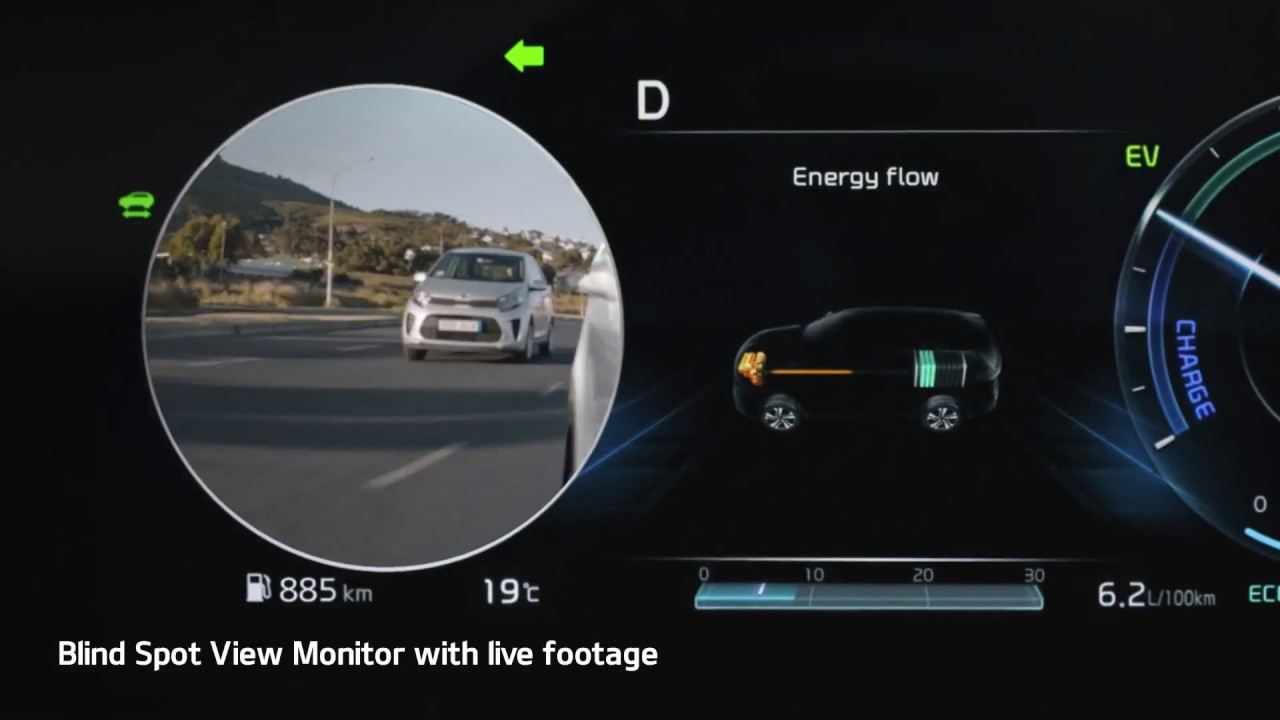
4. Blind-Spot View Monitor Live Camera Feed
How to Find It: Standard on higher trims, including SX and SX-Prestige. Activates automatically when you engage either turn signal stalk.
Blind-spot monitoring systems that use audible alerts and dashboard warning lights have been standard safety equipment on most crossovers for years. Knowing that something is in your blind spot is genuinely useful. Seeing exactly what and where that something is would be more useful, and that is the distinction the Telluride’s Blind-Spot View Monitor provides on equipped trims.
When you activate either turn signal, the digital gauge cluster in the driver instrument panel switches its display to show a live, wide-angle video feed captured by the camera mounted beneath the corresponding side mirror. If you signal right, you see a real-time wide-angle view of the right blind zone.
Signal left, and the left camera feed fills the cluster display. This happens automatically every time you signal, with no additional button press or menu navigation required after the system is set up. The practical safety value of a live image rather than an alert light is meaningful. An alert light tells you something is present.
A live camera feed shows you whether that something is a large truck one lane over, a cyclist you cannot see in your standard mirror angle, or a car closing quickly from behind. It also shows you the distance relationship between your vehicle and the object in the blind zone, allowing you to judge timing and spacing rather than reacting to a binary alert.
For city driving, highway lane changes, and any situation involving cyclists or motorcyclists who occupy mirror blind zones more completely than full-size vehicles, this feature provides a level of situational awareness that standard mirror checks alone cannot match.
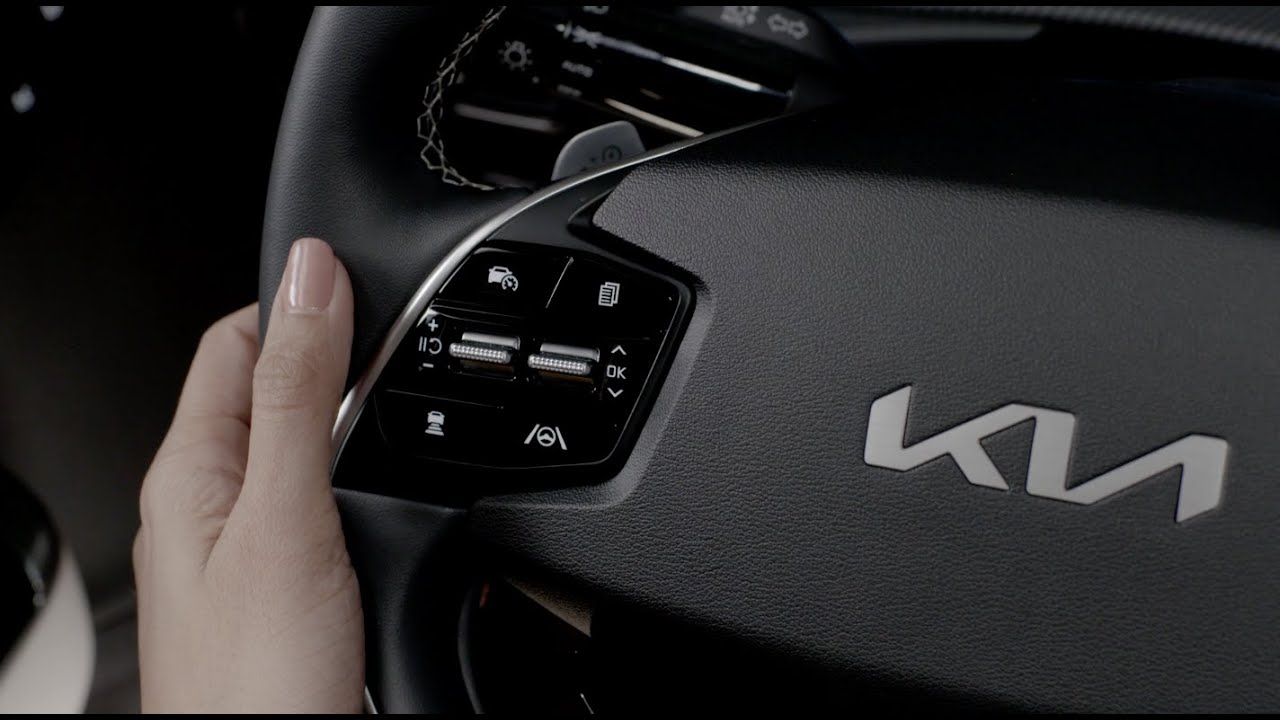
5. Custom Steering Wheel Star Button Shortcut
How to Find It: Locate the physical button marked with a star icon on the steering wheel, then configure it under Settings, then Button, then Custom Button.
Kia placed a physical button on the Telluride’s steering wheel that ships from the factory with no assigned function. Most owners never notice it. The ones who do notice it sometimes assume it is a feature specific to a different trim level or that it activates something predetermined that they have not discovered yet.
Rather than serving a fixed purpose, the button functions as a customizable shortcut that owners can assign to the feature they access most often. Using the Custom Button settings menu, drivers can configure it to activate a variety of commonly used functions, reducing the need to interact with the touchscreen while driving.
Practical assignments include instantly launching Apple CarPlay or Android Auto from the home screen, toggling Passenger Talk on or off without reaching for the touchscreen, activating Quiet Mode for a sleeping passenger, or bringing up the valet lock screen that restricts vehicle access and settings when leaving the Telluride with a parking attendant.
The value of a physical steering wheel button over a touchscreen shortcut is tactile. You can press a physical button without looking at it, which means whatever you assign to the star button becomes something you can activate by feel alone while keeping your eyes on the road. Touchscreen shortcuts require looking at the screen to locate and tap the correct area, a distraction that a steering wheel button eliminates entirely.
Taking five minutes to configure this button to your most-used feature is one of the highest-return customization actions available on the Telluride, and almost no one does it because almost no one knows the button is configurable.
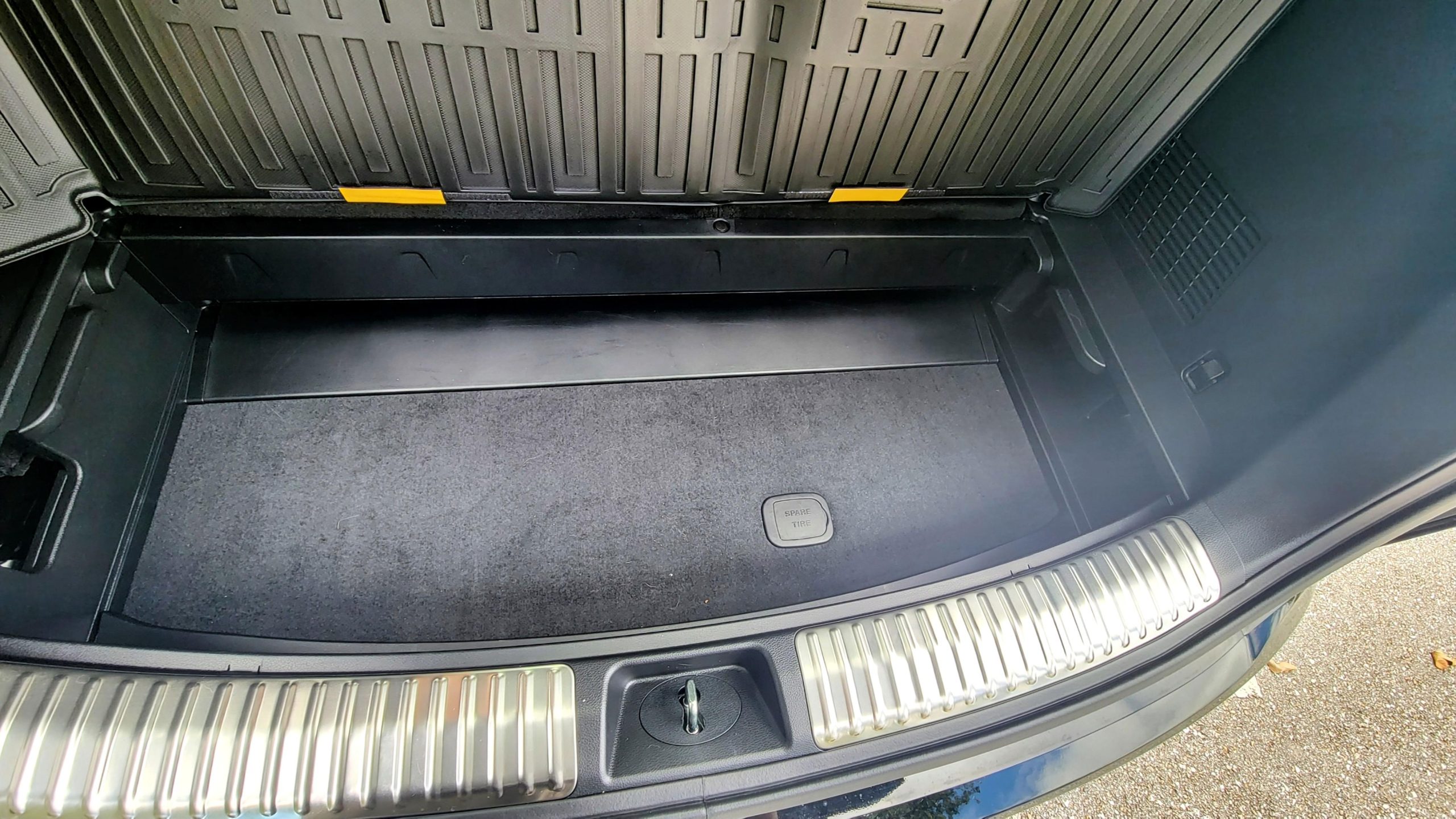
6. Under-Floor Trunk Board Hidden Track
How to Find It: Open the rear cargo door, lift the flat carpeted floor panel fully, and slide it downward into the angled factory tracks built into the cargo floor sides.
Opening the Telluride’s cargo area and looking at the flat carpeted floor panel, most owners see exactly what it appears to be: a flat floor. What they do not see is that Kia engineered a second position for that panel, accessible through a sliding track built into the sides of the cargo floor that allows the panel to drop roughly six inches below the standard flat position.
With the floor panel dropped into the lower track position, the cargo area gains a recessed bucket zone between the panel surface and the spare tire storage below it. This lower bucket configuration serves a specific practical purpose that flat cargo floors cannot provide: containment.
Grocery bags, sports bags, small boxes, and loose items placed in a flat cargo area move and slide every time the vehicle accelerates, brakes, or corners. Items placed into a recessed cargo bucket are surrounded on four sides by the floor panel and the cargo area walls, preventing lateral movement and keeping cargo organized without any nets, dividers, or additional accessories.
Families who regularly load groceries, sports equipment, or irregularly shaped cargo into the Telluride will find this lower position immediately useful. The standard flat position remains the better choice for large, single-piece cargo that needs the full unobstructed floor area.
For everyday mixed loads of smaller items, the lower bucket position is the more functionally appropriate configuration, and finding the factory track that enables it eliminates the need for aftermarket cargo organizer solutions.
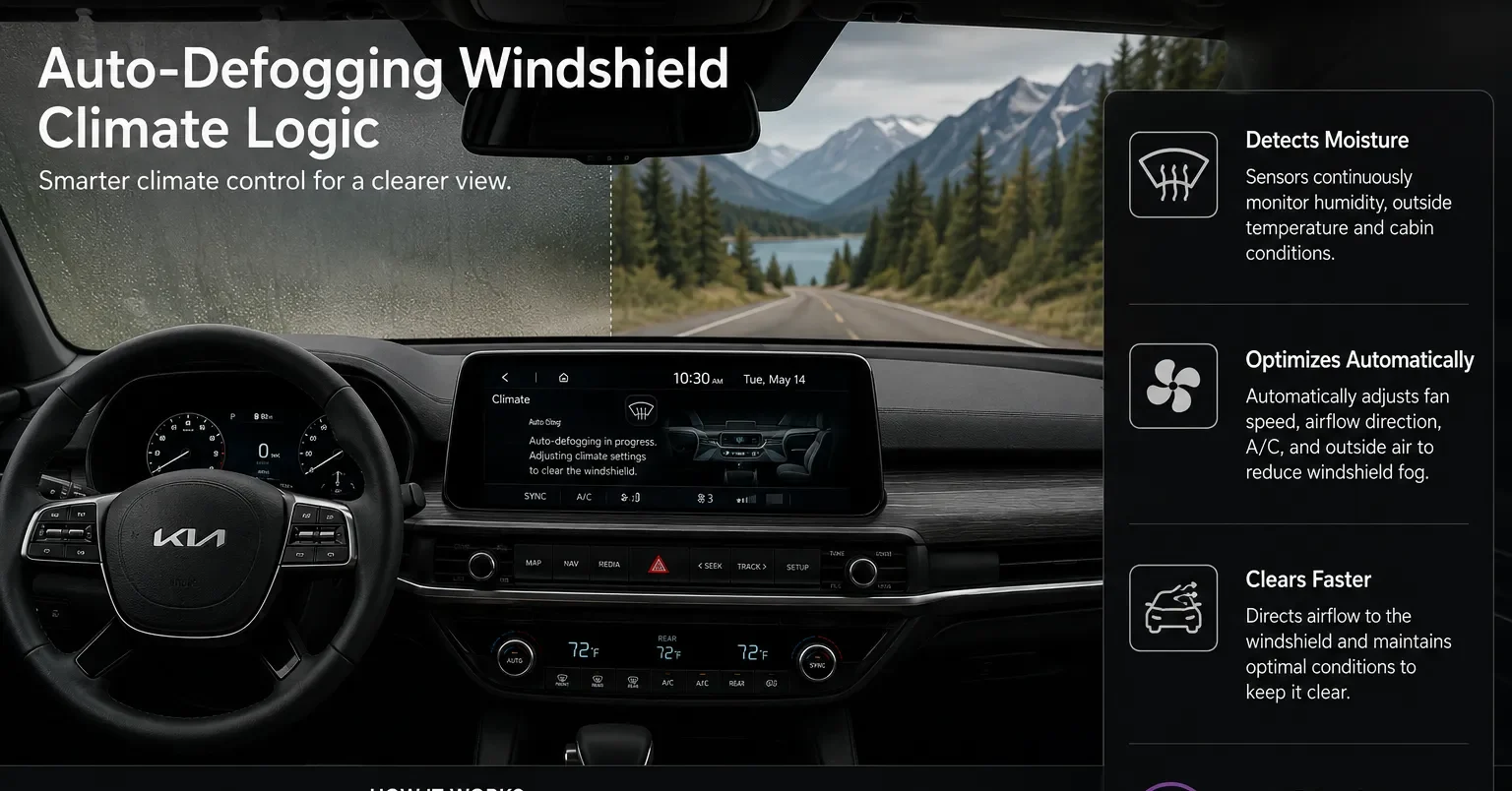
7. Auto-Defogging Windshield Climate Logic
How to Find It: Access your dashboard climate system settings, go to Settings, then Climate, then Defog and Defrost Options, then enable Auto Defog.
Windshield fogging is one of those driving hazards that develops gradually and then becomes a serious visibility problem faster than most drivers anticipate. The sequence is familiar: you get into a cold or humid vehicle, warm air from your body and breath meets the cold glass, condensation forms on the interior surface, and visibility drops from fully clear to dangerously obscured within a few minutes.
Most climate systems require the driver to manually detect the fogging, manually activate the defroster or AC, and then wait for the system to clear the glass. Kia installed a humidity sensor behind the rearview mirror that makes manual detection unnecessary. When Auto Defog is enabled in the climate settings menu, this sensor continuously monitors interior humidity levels relative to windshield surface temperature.
When the sensor detects conditions that will produce condensation before fogging is visible to the driver, the system intervenes automatically, adjusting fan speed and enabling the air conditioning compressor to control interior humidity and clear the glass before visibility degrades.
From the driver’s perspective, Auto Defog makes windshield fogging simply stop happening rather than requiring a reactive response after visibility has already deteriorated. In rainy weather, cold-weather commuting, and any situation where multiple passengers are breathing in a closed cabin, this automatic intervention happens repeatedly and without requiring any driver attention.
The feature must be enabled once through the climate settings menu, after which it operates continuously without further input. For drivers in humid or cold climates where fogging is a regular occurrence, enabling Auto Defog immediately after finding it is one of the most worthwhile single-menu changes available on the Telluride.
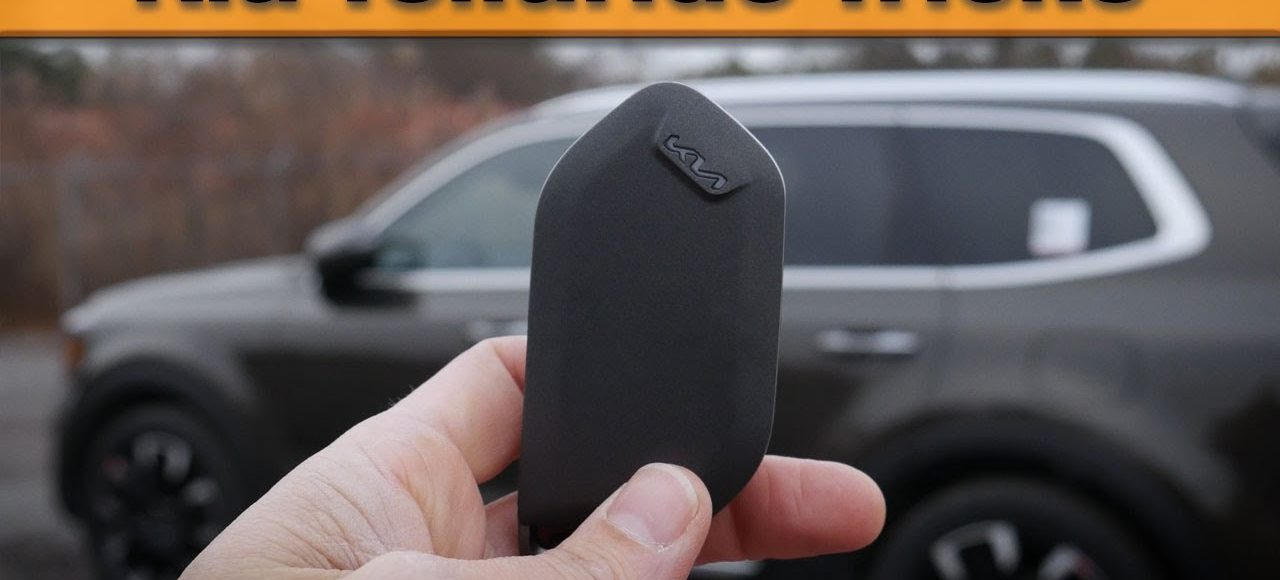
8. Key Fob Remote Window Lowering
How to Find It: Press the Unlock button on your key fob once, then immediately press it a second time and hold it down for several seconds.
Returning to a parked vehicle on a hot summer afternoon, particularly a large three-row SUV that has been sitting in direct sunlight, presents a specific problem: the interior temperature can reach genuinely dangerous levels within thirty minutes of parking, and opening the doors traps that hot air inside with you until the climate system cycles it out.
The standard solution is opening the doors and standing outside waiting for hot air to escape, which takes time and still requires you to initially sit in an uncomfortably hot cabin. The Telluride’s key fob remote window function allows you to begin venting the cabin before you physically reach the vehicle.
By pressing the unlock button once and then pressing and holding it a second time, the system rolls down both front windows simultaneously from whatever distance your key fob signal reaches, typically across a standard parking lot. Hot trapped air begins escaping the cabin immediately, and by the time you walk from where you triggered the function to where the vehicle is parked, the front cabin has already begun exchanging trapped hot air for ambient outside air.
This function costs nothing, requires no menu configuration, and takes roughly three seconds to execute from a standing position across the parking lot. Yet a substantial proportion of Telluride owners have never discovered it because the key fob behavior is not documented prominently in the standard owner’s manual sections that most people actually read. Once you try it on a hot day, it becomes a habit so immediately useful that it is hard to remember parking without doing it.
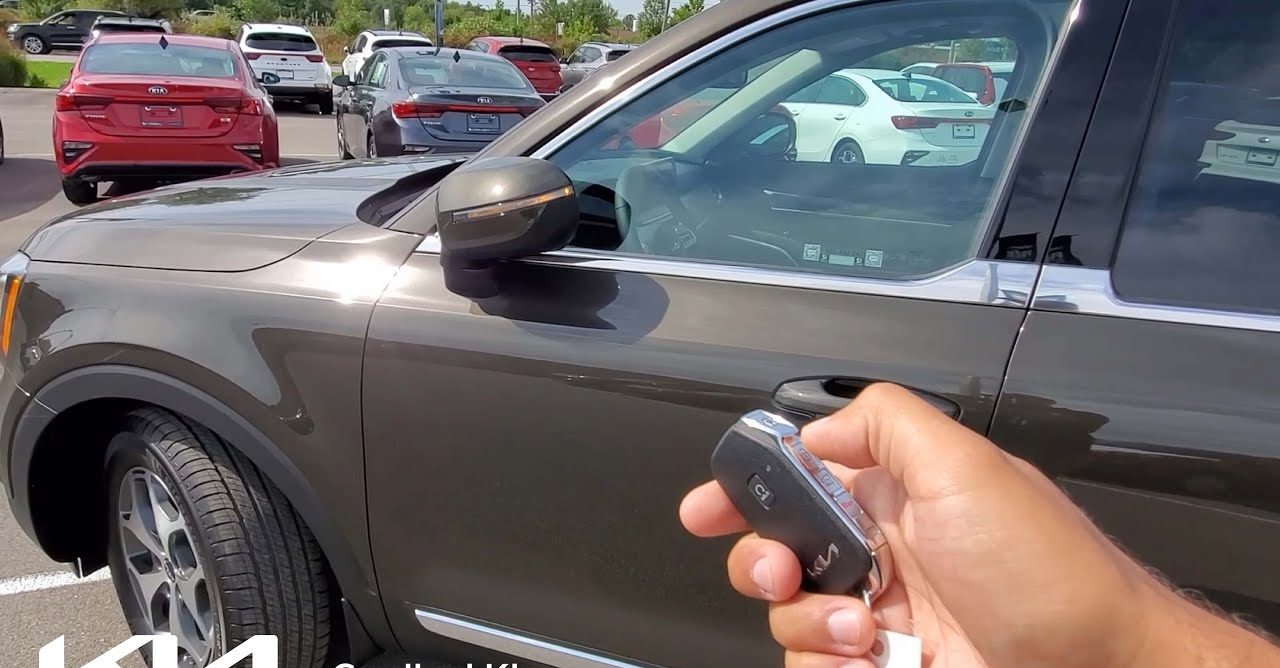
9. Smart Welcome Side-Mirror Unfolding
How to Find It: Go through your central touchscreen under Settings, then Vehicle, then Convenience, then Welcome Mirror and Light.
Most convenience features on modern vehicles activate in response to something the driver does: pressing a button, touching a screen, or opening a door. The Smart Welcome feature on the Telluride inverts that relationship, having the vehicle respond to the driver’s approach before any physical interaction occurs.
When Smart Welcome is enabled through the Convenience settings menu, the Telluride monitors the encrypted signal broadcast by your key fob as you approach the vehicle. When the signal enters the detection radius, the system responds without requiring any button press or interaction from you.
The side mirrors, which are folded in when the vehicle is parked and locked, automatically extend to their driving position. Simultaneously, the LED puddle lights hidden beneath the door handles activate, casting downward illumination on the ground beside each door and lighting the path to the door handle in low-light or nighttime conditions.
Both of these actions happen while you are still several feet from the vehicle, which means by the time you reach the driver’s door handle, the mirrors are already positioned, and the puddle lights have already lit the area around your feet. In wet or dark parking environments, this combination provides both practical assistance and a genuine quality-of-ownership moment that feels thoughtful rather than gratuitous.
Enabling this feature through the Convenience settings menu requires a single toggle, and once active, it operates every time you approach the locked vehicle with your fob in range. Families returning to a dark parking area after an evening event will find this feature immediately practical from the first time they experience it.
Also Read: 2027 Kia Seltos Gets A Higher Starting Price
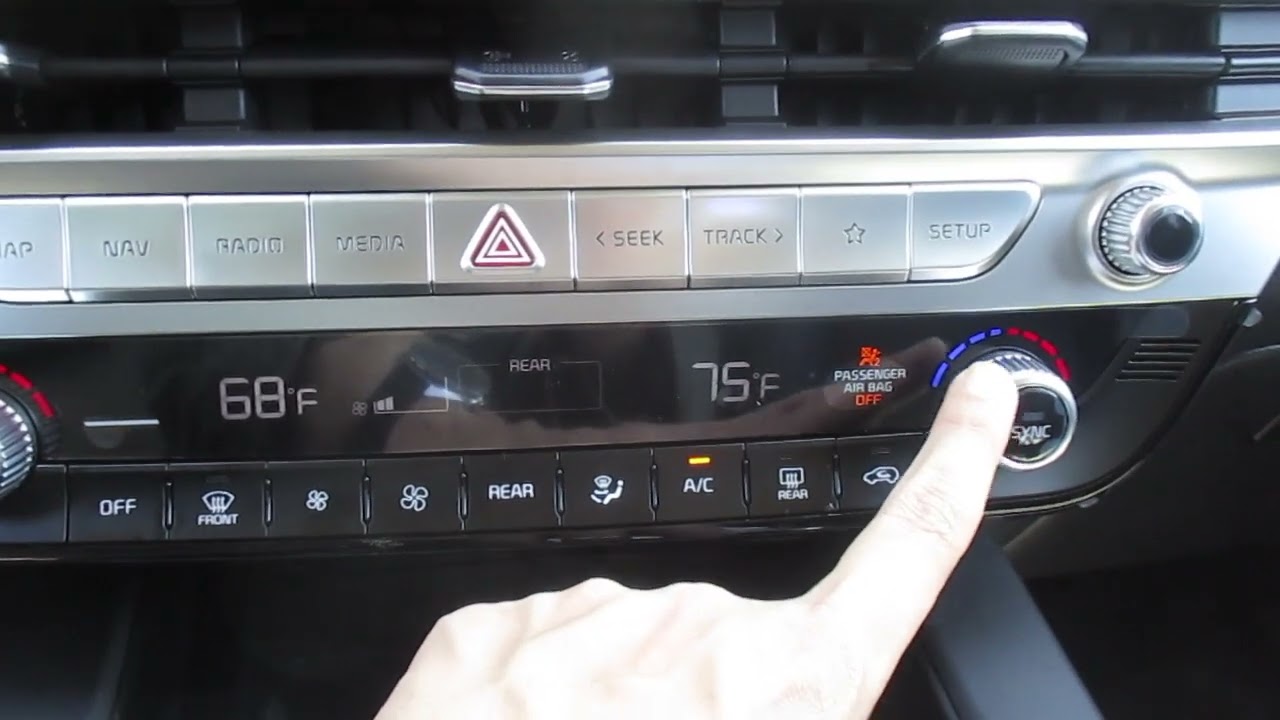
10. Second-Row AC Control Lockdown
How to Find It: Open the main climate panel layout on the front center screen and tap the Lock Rear icon.
Anyone who travels with children in the back seat understands how quickly rear climate controls become a playground. Young passengers adjust settings according to personal comfort, not adult plans for the cabin. Heat gets pushed high during hot weather, air flow is cranked up, and vents are pointed wherever curious hands can reach.
When this happens quietly on a long drive, front occupants suddenly feel uncomfortable without knowing why. Many parents have learned this lesson the hard way during calm highway moments that turn irritating without warning. From the front console, Kia offers a simple answer through its rear climate lock option.
A single touch on the front climate display stops all rear physical controls at their present settings. Once enabled, passengers in the second or third row cannot change temperature, air speed, or vent direction using the ceiling panel. Every adjustment then runs through the front screen, allowing the driver or front passenger to set conditions without interference from behind.
Control can be switched on or off anytime while driving, keeping authority where it belongs. For families with young kids, this tool prevents constant tinkering and preserves comfort, making each trip calmer and easier without altering the vehicle design.