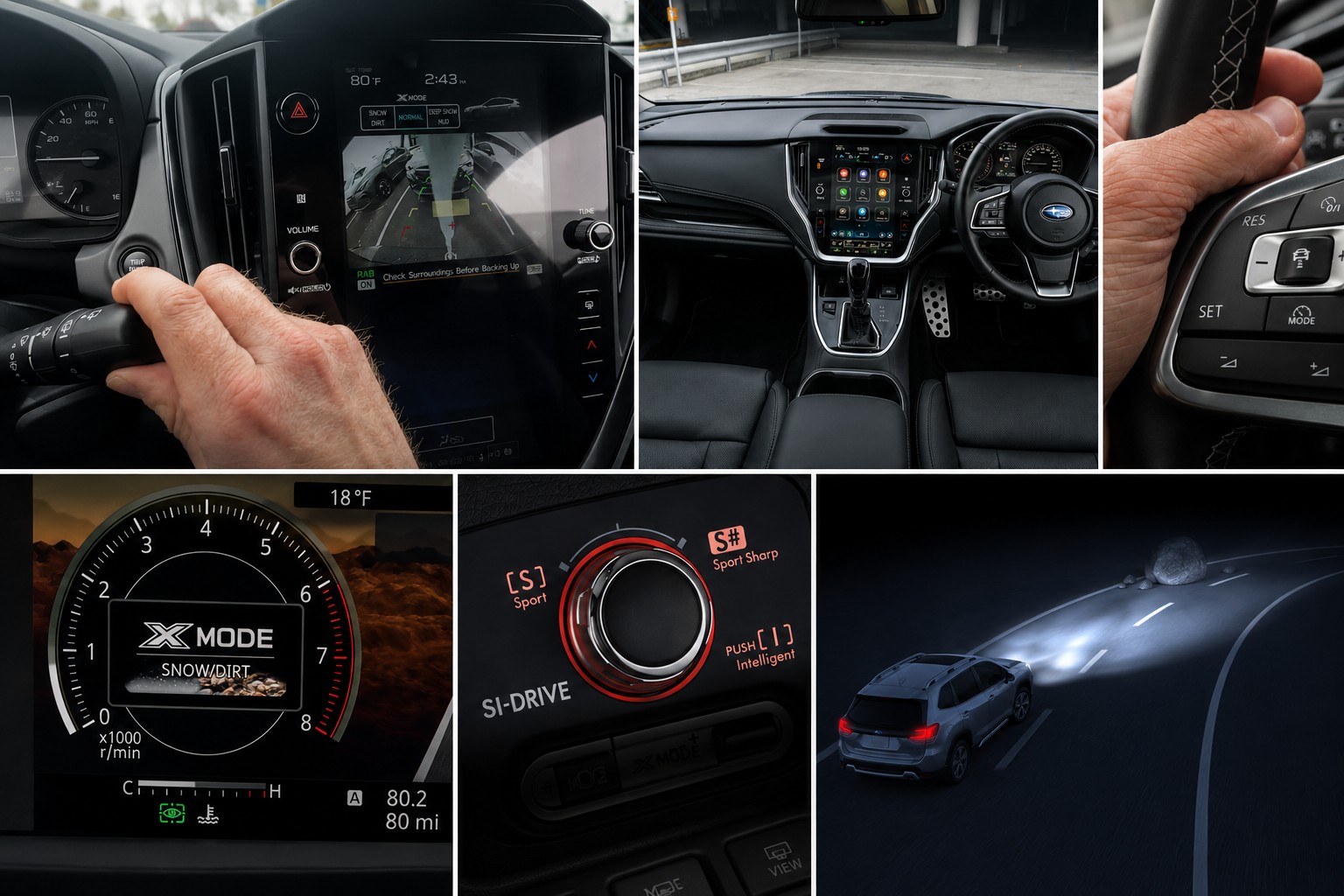
Subaru has long been celebrated as a brand that goes far beyond the ordinary. From its legendary Symmetrical All-Wheel Drive to its award-winning EyeSight driver assist technology, Subaru builds vehicles engineered for real-world adventure and everyday safety. But beneath every touchscreen, behind every settings icon, and buried inside every digital menu lies a set of features that even seasoned Subaru owners have never discovered.
These are not marketing gimmicks or dealer upsells they are genuine, practical tools that Subaru engineers quietly embedded into the vehicle’s software and hardware ecosystem.
Most owners drive their Subaru for years without ever unlocking its full potential. Your salesperson likely did not mention these features. Your owner’s manual glosses over them in tiny footnotes buried between pages of legal disclaimers. Yet these features can transform the way you interact with your vehicle on a daily basis. They can make rainy nights safer, off-road adventures more controlled, beach days more convenient, and long highway drives less exhausting.
Whether you own a 2025 Forester, an Outback, a Crosstrek, or a WRX, these hidden menu secrets apply across the Subaru lineup in meaningful ways. These are the features that reward curious, attentive owners who take the time to explore every corner of their vehicle’s settings. Read on, because your Subaru is considerably smarter than you think.
1. Customizable STARLINK Dashboard Widgets
Most Subaru owners glance at their 11.6-inch STARLINK touchscreen and assume the three pieces of information displayed at the top of the screen are permanently fixed.
They are not, and almost nobody who buys a new Subaru is ever told this. Subaru calls these small display tiles “widgets,” much like the instant information panels on a modern smartphone. You can select any three you want from the nine available options built directly into the system’s general settings.
To change them, you tap the Settings icon on the main touchscreen. You then choose the General category and scroll down until the “Favorite Widgets” option appears.
The settings screen shows your three currently active widgets at the top and all nine available choices listed below them, with inactive options highlighted for easy identification and swapping.
The available widgets include Weather 3H, which displays expected weather conditions for the next three hours, and Weather 6H, which provides a six-hour weather forecast.
Both weather widgets require an active SiriusXM subscription to function. Other available widget options include outside temperature, current fuel economy, average fuel economy, trip distance, compass heading, driver assistance status, and navigation estimated arrival time.
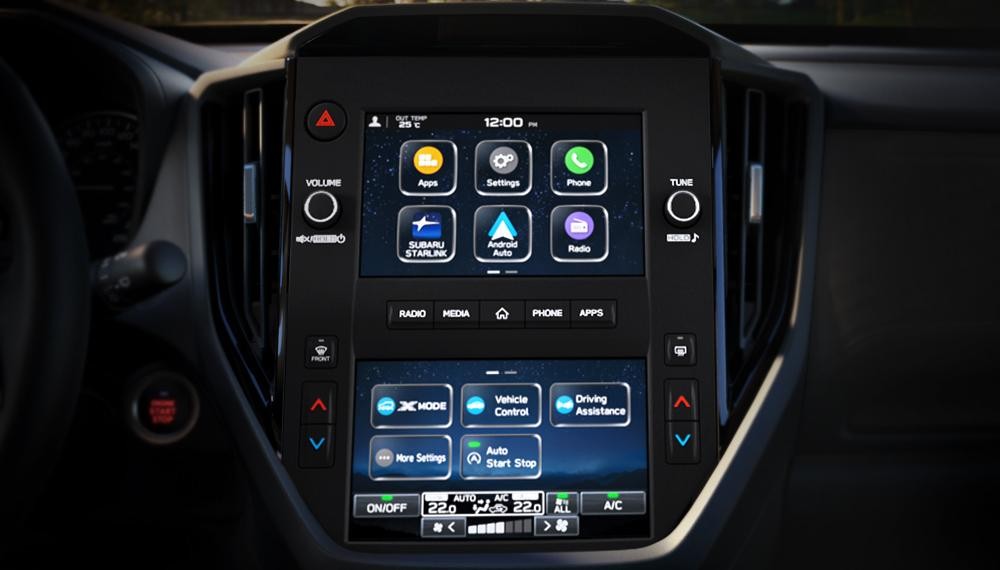
This feature is available specifically on models equipped with the larger STARLINK multimedia display. It reflects Subaru’s broader design philosophy of putting the driver in full control of their information environment while keeping the interface clean and uncluttered. The customization takes under sixty seconds to complete once you know where to find it.
For daily commuters, displaying navigation ETA, fuel economy, and temperature at the top of the screen makes perfect practical sense. For weekend adventurers heading into mountain terrain, showing X-MODE status, compass heading, and a weather forecast is far more relevant.
The system remembers your chosen widgets across every ignition cycle, so the screen is always exactly as you configured it without any manual reset required.
This is one of the most genuinely useful buried menu discoveries across the entire Subaru lineup. It is also one of the most commonly missed during dealership delivery walkthroughs, which is precisely why so many owners spend years staring at default information they never chose.
2. PIN Code Keyless Entry
This is one of the most practical hidden features Subaru has ever engineered into its vehicles, yet it remains virtually unknown outside of dedicated owner forums and communities.
After setting up a personal numeric PIN code through the vehicle’s security settings menu, you can unlock and access your Subaru even when your key fob is missing, has a completely dead battery, was accidentally locked inside the cabin, or was intentionally left behind. The entire setup process takes only a few minutes through the main touchscreen settings panel.
The use case Subaru themselves highlight is brilliantly simple and immediately relatable for anyone with an active outdoor lifestyle. Imagine arriving at a beach, a lakeside trail, or a public swimming area.
You cannot bring your electronic key fob into the water without risking damage, and leaving it visibly on a seat inside the car is an open invitation for theft. With PIN code access activated in your settings, you lock everything valuable inside the cabin, go enjoy your activity, and re-enter the vehicle using only a short numeric sequence entered through the door handle touchpad.
Setting up this feature requires going through the main Settings menu to the security or vehicle access sub-section. The exact label varies slightly depending on model year, but it is consistently found within the security settings area.
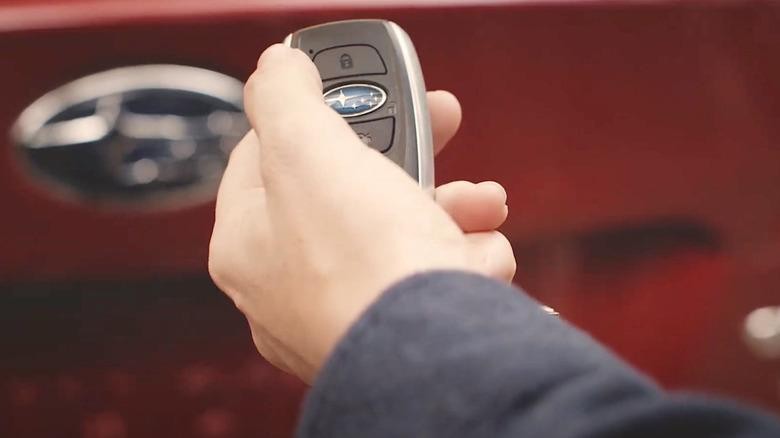
You create a personalized numeric PIN code of your choosing, which the vehicle’s onboard computer stores securely and permanently until you change it.
This feature is especially valuable for hikers, trail runners, cyclists, surfers, and swimmers who regularly encounter situations where carrying an electronic device is impractical or risky. It functions as a completely independent authentication method, separate from any physical key or fob, and it works reliably in all weather conditions. The touchpad entry point is built directly into the door handle on equipped models.
Think also about the everyday emergency scenarios this feature resolves without requiring a phone call or a locksmith. A dead fob battery in an unfamiliar parking lot, a key accidentally left on the front seat, or a situation where a trusted family member needs to access the car without a spare fob are all handled instantly. The PIN code system turns what would be a stressful and potentially expensive situation into a ten-second fix.
PIN code access is available across the Outback, Forester, Legacy, Crosstrek, and Ascent lineups on applicable trim levels. It remains one of the most underused and most appreciated features once owners finally discover it exists.
3. Wiper-Linked Automatic Headlights
This feature is a perfect example of something Subaru built specifically for safety that most owners never activate simply because it requires entering a specific lighting sub-menu that most people never open.
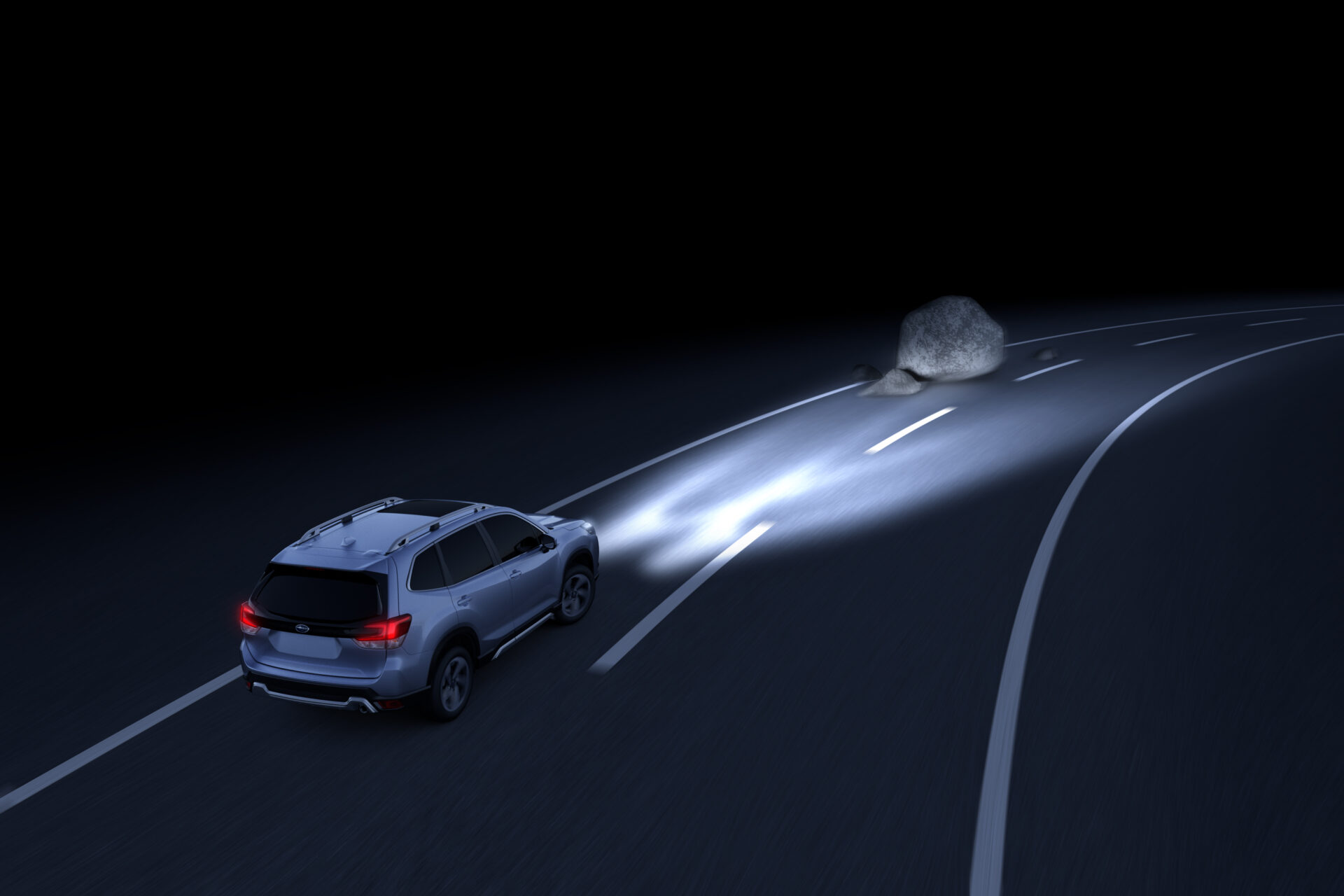
While the headlight control switch is placed in the AUTO position, the vehicle’s headlights will automatically turn on whenever the windshield wipers have been operating for several consecutive wipe cycles. It sounds like a small detail, but it addresses a genuine and widespread safety problem that plays out on roads every single rainy day.
Many states across the United States and numerous countries worldwide have enacted laws requiring vehicle headlights to be illuminated whenever windshield wipers are in active use. Rain, fog, sleet, and snow all reduce contrast and visual range dramatically for other road users.
A vehicle moving through rainfall without active headlights can become nearly invisible to approaching drivers from certain angles and distances, particularly when road surfaces are wet and create confusing reflective patterns.
The setting is found under the Vehicle Settings menu, specifically within the Lighting sub-section. It is labeled as “Auto-on/off wiper-linked headlights” on most Subaru models, including the Ascent, Outback, Forester, and Crosstrek.
The factory default on most recent Subaru vehicles is set to ON, meaning your car may already be doing this automatically. However, many owners who have explored their lighting settings have accidentally disabled it without understanding what they were turning off.
This feature works exclusively when the headlight switch is left in the AUTO position. If your headlight switch is manually set to off, daytime running lights only, or any other fixed position, the wiper-linked activation will not function regardless of what the menu setting shows.
The maximum benefit of this safety feature comes only when you commit to leaving the headlights in AUTO permanently and letting the vehicle manage all lighting decisions on your behalf.
This function works in close partnership with Subaru’s automatic high beam control system, which is similarly buried within the lighting settings menu.
Together, these two automated lighting features create a comprehensive system where your headlights are always doing exactly the correct thing for the conditions outside. Subaru designed both features specifically for drivers who want maximum safety delivered passively, without requiring any manual monitoring or adjustment during the drive.
4. EyeSight Individual Feature Customization Menu
Most Subaru owners understand EyeSight as a single unified system, something that is either active or inactive as a complete package. What almost nobody realizes is that EyeSight contains a detailed and deeply buried sub-menu inside the driver assistance settings that allows every individual function within the suite to be toggled, adjusted, and personalized completely independently.
This hidden configuration layer transforms EyeSight from a fixed all-or-nothing system into a fully personalized safety toolkit. To access EyeSight’s individual customization options, you tap the Settings icon on the main touchscreen.
You then go through into the Vehicle or Driver Assistance section, where the exact wording varies slightly between model years. Inside that section, you look for the EyeSight or ADAS Settings sub-menu, which may require scrolling down past other options or tapping into a secondary panel.
Once inside, each component of the EyeSight system is listed individually with its own independent toggle and, in some cases, its own sensitivity slider.
The individually adjustable elements include pre-collision braking threshold levels, lane keep assist intervention strength, lane departure alert timing and sensitivity, adaptive cruise control following distance default, and sway warning sensitivity.
On several 2022 through 2024 model year Subarus, a quick-access EyeSight shortcut panel can also be reached by swiping down from the top of the touchscreen, creating a faster path to the most frequently adjusted settings without going through multiple menu layers every time.
This level of individual control matters enormously in real-world driving conditions. Some owners find lane keep assist too aggressive on winding mountain roads, where the system pushes back against natural and intentional steering adjustments during tight corners.
Others operate primarily in dense urban traffic and want pre-collision braking to intervene earlier and more assertively than the default calibration provides. The individual toggle system means you never have to disable the entire EyeSight package simply to quiet one specific behavior.
EyeSight uses a pair of stereoscopic cameras mounted at the top interior of the windshield to monitor the road environment, vehicles ahead, lane markings, and pedestrian positions simultaneously.
The system processes this visual information in real time and uses it to manage braking, steering assistance, and alert timing. Allowing drivers to adjust each response independently through the hidden sub-menu represents a level of respect for individual driving preferences that most competing brands simply do not offer at this price point.
Also Read: Is It Time to Cap How Big Pickup Trucks Can Get?
5. SI-Drive Mode Customization
Subaru Intelligent Drive, universally known as SI-Drive, is a feature found on models including the Forester, WRX, and Legacy Sport. Most owners who have it simply press the mode button between Intelligent and Sport settings and believe that is the complete extent of what the system offers.
In reality, SI-Drive is a far more nuanced system with customizable behavior layers accessible through the vehicle’s powertrain settings menu that the vast majority of owners have never explored.
SI-Drive operates by actively managing how the vehicle interprets and delivers accelerator pedal inputs from the driver. In Intelligent mode, the throttle opens at a deliberately gradual and progressive rate, which smooths out power delivery, optimizes fuel consumption, and creates a relaxed driving character suited to city traffic and long highway cruises.
In Sport mode, throttle response becomes significantly more direct and immediate, delivering the full performance character of the engine with noticeably reduced lag between pedal input and vehicle response.
What most owners fundamentally misunderstand about SI-Drive is that it does not add power to the engine in Sport mode. Instead, it manages how quickly and how completely the full available power of the engine is made accessible to the driver’s right foot. Intelligent mode deliberately restricts throttle sensitivity to save fuel.
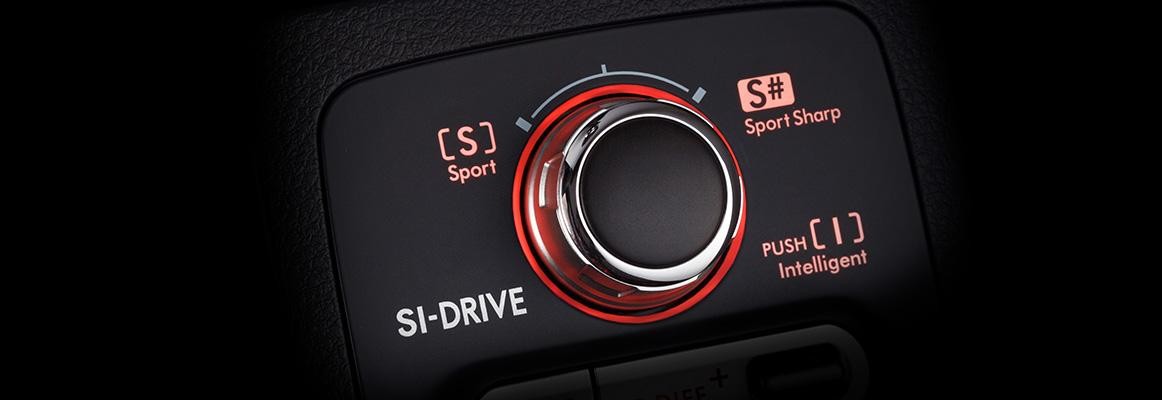
Sport mode restores the engine’s natural responsiveness. Sport Sharp mode, available on the WRX and STI, takes throttle mapping to near-instantaneous levels for maximum performance driving.
By accessing the SI-Drive settings through the vehicle menu on applicable trim levels, drivers can adjust the sensitivity thresholds within each mode.
This allows Sport mode to be configured with slightly softened throttle mapping for mountain driving, where the abrupt power delivery of full Sport creates unwanted wheel spin on loose surfaces. It also allows Intelligent mode to be sharpened just enough to feel responsive during highway merging without activating the full Sport character.
Finding these SI-Drive fine-tuning options requires going through the main Settings menu into the vehicle settings section, then into the powertrain or driving dynamics sub-panel.
The menu labels vary between model years, which is a significant reason why so few owners have ever discovered the deeper layer of adjustment.
Combined with the X-MODE terrain system covered next, SI-Drive’s hidden customization makes Subaru one of the most driver-configurable mainstream AWD platforms available today.
6. X-MODE Dual-Terrain Selection and Hill Descent Control Settings
X-MODE is Subaru’s purpose-built off-road traction management system, and while many owners know the button exists on their center console or dashboard, almost none of them understand the full operational depth and menu system that sits behind it.
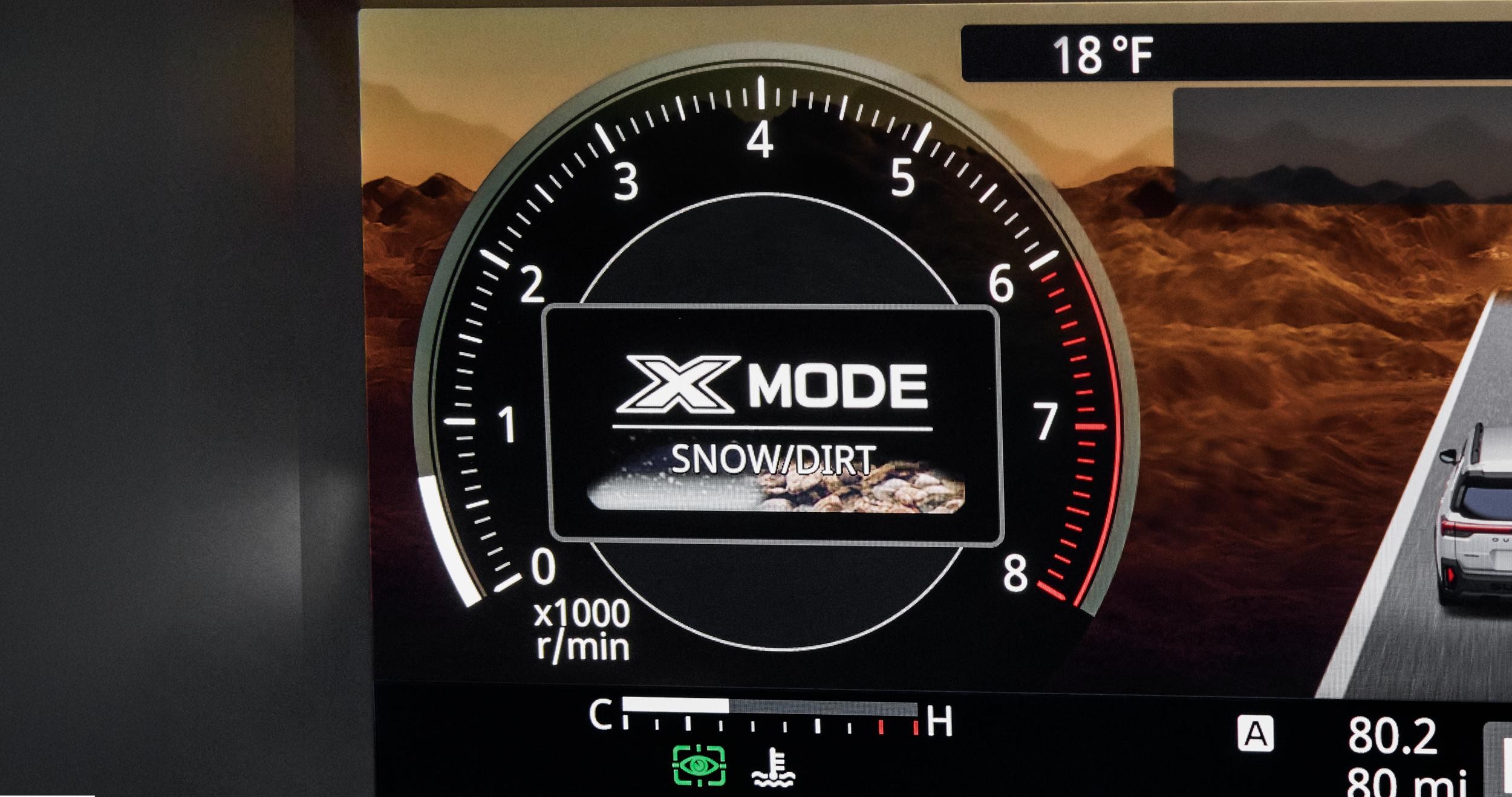
On properly equipped models, X-MODE offers two distinct and separately calibrated terrain modes that must be intentionally selected through either a rotary dial or touchscreen interface, depending on the model year. These modes are Snow/Dirt for moderate off-road conditions and Deep Snow/Mud for the most extreme low-traction environments.
Activating X-MODE is not simply a matter of pressing a single button and driving away. The system engages a carefully coordinated set of vehicle-wide calibrations that simultaneously reconfigure engine output characteristics, transmission gear ratio behavior, all-wheel drive torque vectoring sensitivity, and vehicle dynamics control intervention thresholds.
When X-MODE is properly active, the indicator lamp illuminates on the instrument cluster, and the vehicle enters a fundamentally different performance configuration tuned specifically for slow-speed precision and maximum traction over unpredictable and unstable terrain.
The buried menu layer that most X-MODE owners miss entirely involves Hill Descent Control, which operates as a direct and integrated partner to X-MODE when both systems are engaged together.
When active simultaneously, Hill Descent Control uses automatic brake modulation on each individual wheel to maintain a controlled and steady downhill speed without the driver needing to touch the brake pedal at any point during the descent. The driver can then focus entirely on steering through obstacles, rocks, or ruts without managing brake pressure.
On certain higher trim levels, the speed at which Hill Descent Control maintains the vehicle during a descent can be adjusted through the X-MODE settings sub-menu.
This allows for a faster controlled descent on gentle fire roads and a much slower, carefully managed crawl on seriously steep or rocky terrain. Accessing this adjustment requires going into the off-road settings section of the vehicle menu, which most owners have never opened, even after years of regularly using X-MODE.
X-MODE automatically deactivates when vehicle speed exceeds approximately 25 miles per hour in Snow/Dirt mode and approximately 12 miles per hour in Deep Snow/Mud mode.
These thresholds are explained within the settings panel, but are almost never communicated during a dealership demonstration. Understanding these boundaries prevents the confusing and potentially dangerous experience of having X-MODE suddenly disengage at an unexpected moment during a challenging off-road section.
7. Adaptive Cruise Control Speed Increment Adjustment
Adaptive cruise control in Subaru vehicles contains a two-speed adjustment behavior that is almost universally unknown among owners and can only be discovered by reading deep into the owner’s manual or stumbling upon it through careful experimentation during driving.
This behavior controls how much the set cruise speed changes with each toggle of the cruise control lever, and Subaru quietly reversed the logic of this system on recent models in a way that catches experienced Subaru owners completely off guard.
On older Subaru models equipped with adaptive cruise, toggling the speed lever up or down briefly adjusted the set speed by five miles per hour as the primary increment.
Holding the lever in position adjusted the speed more slowly in one-mile-per-hour steps for precise fine-tuning. On the 2025 Forester and several other recent models, Subaru reversed this behavior entirely to make it more intuitive.
A brief tap of the toggle now changes speed by one mile per hour for precise adjustment. Holding the toggle changes speed in five-mile-per-hour increments for rapid adjustments.
The setting for which increment behavior your specific vehicle defaults to can be confirmed and, in some cases, manually adjusted through the Driver Assistance settings menu under the cruise control configuration section.
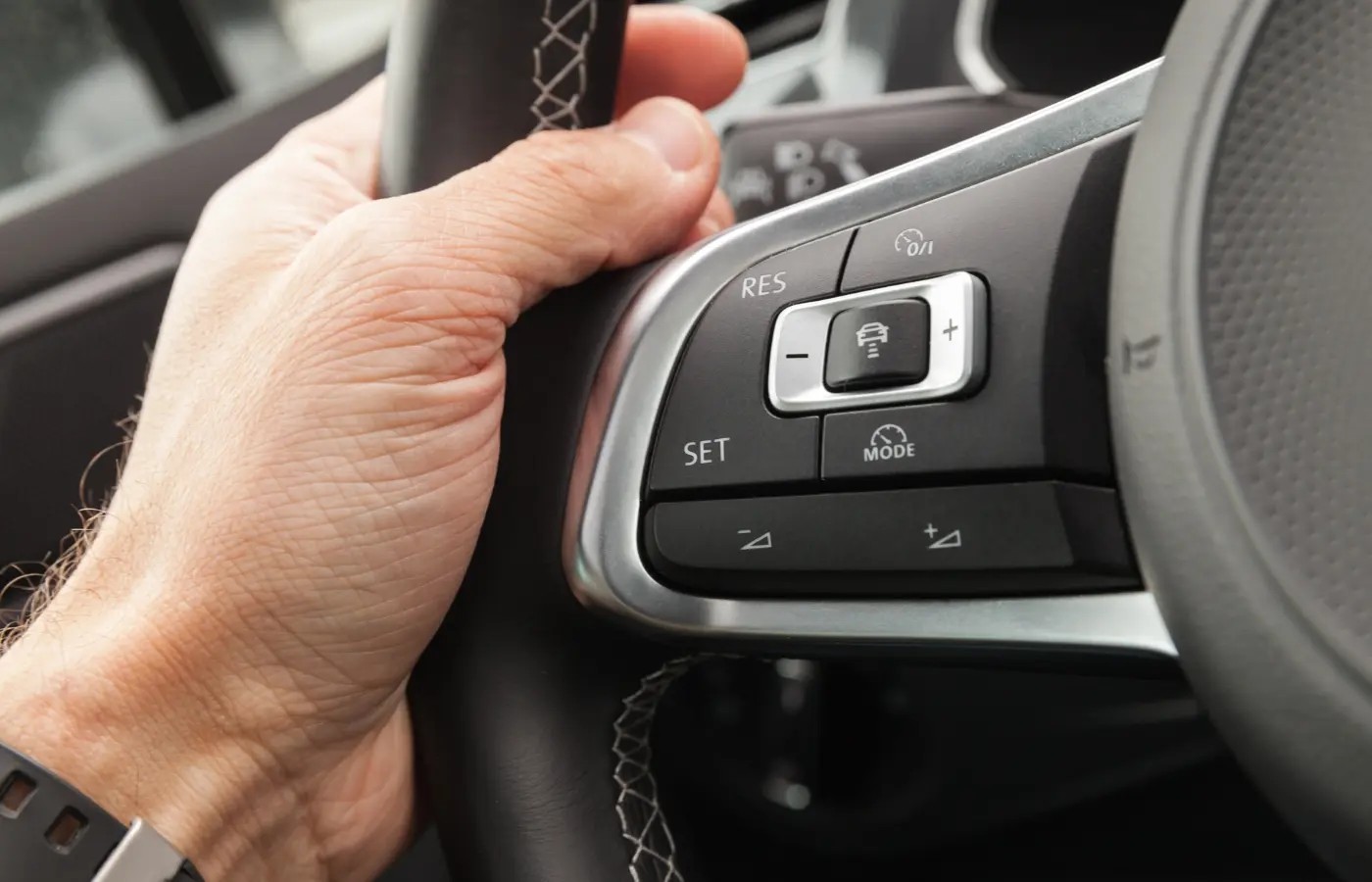
This allows households with multiple drivers who have different mental models of the system to align the behavior with the preference of the primary operator.
Knowing this setting exists prevents significant frustration during the first several highway drives in a newer Subaru after years of muscle memory built on an older model.
Beyond the increment behavior toggle, the adaptive cruise control menu also contains settings for the default following distance. Subaru’s system measures the gap between your vehicle and the one ahead in units of time rather than fixed physical distance, which automatically adapts to your current speed.
The default following distance level is set to Level 3 out of four available levels on most models. Drivers can change this default through the settings so that every time the vehicle starts, their preferred following gap is already pre-selected without any manual adjustment.
A lane centering function is also accessible through the same cruise control settings menu on EyeSight-equipped models. When active, the system provides gentle and continuous steering inputs to maintain the vehicle’s position in the center of the lane while simultaneously managing following distance to the car ahead.
This combination creates a highly capable semi-automated highway driving mode that most owners are completely unaware of because it lives inside the driver assistance sub-menus rather than being prominently advertised on the main interface screen.
8. Driver Profile Memory and Full Personalization Settings
Subaru vehicles on higher trim levels contain a comprehensive driver profile memory system buried within the main settings menu that most owners never properly configure because the initial setup prompts during the first drive are brief and easy to dismiss.
This system allows multiple individual drivers to store completely independent preference profiles covering seating position, mirror angles, climate control temperature zones, infotainment display preferences, radio presets, navigation saved addresses, and even default drive mode selections, all stored under a named profile that can be recalled instantly.
To access the driver profile system, you go to the main Settings screen and look for the Drivers or Personal Settings sub-menu. The exact label varies between model years and trim levels, but the core function is consistent across the lineup.
Each individual profile stores dozens of separate parameters simultaneously, and the car quietly and automatically restores all of them every time the associated driver selects their profile or inserts their linked key fob into the vehicle.
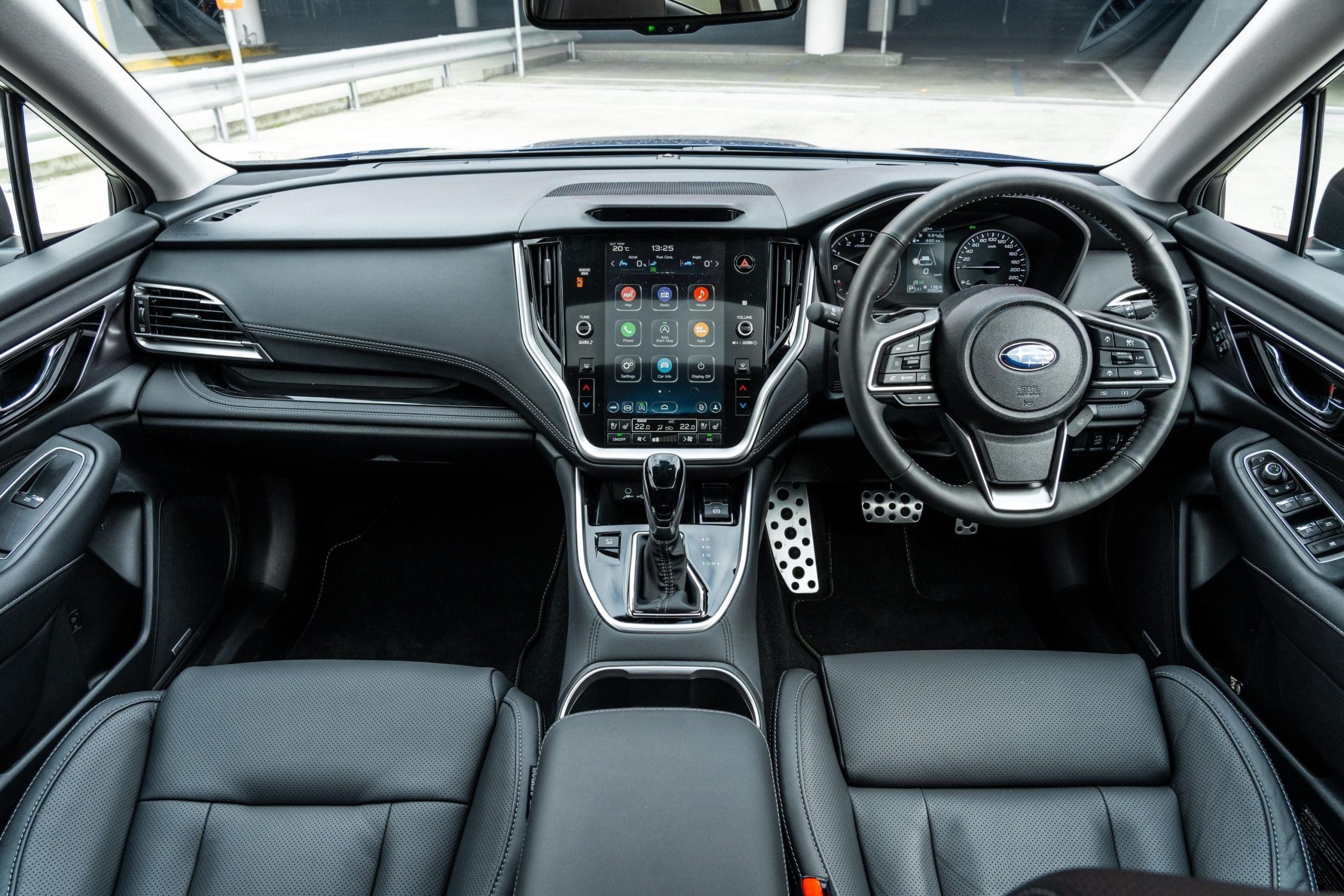
On models with power-adjustable seats and auto-folding mirrors, the profile system integrates directly with these physical components. When a saved profile is activated, the seat motor moves the seat to the stored position, the lumbar support adjusts, the steering column moves if power-adjustable, and both door mirrors angle themselves to the saved positions without any manual intervention.
This automated physical reconfiguration is particularly appreciated at night, in cold weather, or when other family members have been adjusting the seat controls.
The digital preferences stored per profile extend remarkably far into the vehicle’s systems. Stored items include specific radio station presets, the home and work addresses saved in the navigation system, the Bluetooth device connection priority order, the three STARLINK dashboard widgets discussed earlier in this article, and the default climate control temperature preference for both driver and passenger zones. Switching profiles is genuinely a complete digital reset of the vehicle’s entire personality configuration.
Few features in the Subaru lineup demonstrate the depth of engineering investment in the ownership experience better than the driver profile memory system.
It sits quietly and patiently inside a single sub-menu, fully configured and ready to make every single drive feel immediately personal, comfortable, and perfectly tailored to the individual behind the wheel. Most owners who finally discover and set it up consistently describe it as the feature they most regret not having configured from the very first day of ownership.
9. Rear Camera Washer Activation Through the Wiper Stalk
This final hidden feature is perhaps the most elegantly practical on the entire list, and it solves a problem that virtually every Subaru owner with a backup camera has encountered and complained about at some point.
The rear backup camera activates automatically whenever the vehicle is shifted into reverse, displaying the view behind the car on the center touchscreen.
The camera lens is mounted low on the rear of the vehicle, where it is perfectly positioned to collect mud, road spray, rain streaks, road salt, and accumulated dust on a daily basis. A fouled lens renders the camera nearly useless in the precise moments when you need clear rear vision most.
What almost no Subaru owner knows is that the rear window washer nozzle is positioned and angled specifically to clean not only the rear glass but the backup camera lens as well in a single activation.
The process requires only two steps. You place the car in reverse to bring the camera image onto the display. You then twist the wiper control stalk forward toward the windshield washer position, and the rear washer fluid sprays across the rear glass and directly over the camera lens simultaneously. The improvement in lens clarity is visible on the touchscreen display immediately.
This function requires no separate menu activation and no special mode selection. It uses the identical wiper stalk control that drivers interact with every day for the front windshield washer system.
The rear washer function simply requires the vehicle to be in reverse, which happens to be the only driving condition where washing the backup camera lens has any practical relevance. Subaru designed the system this way intentionally to make the solution as natural and effortless as possible.
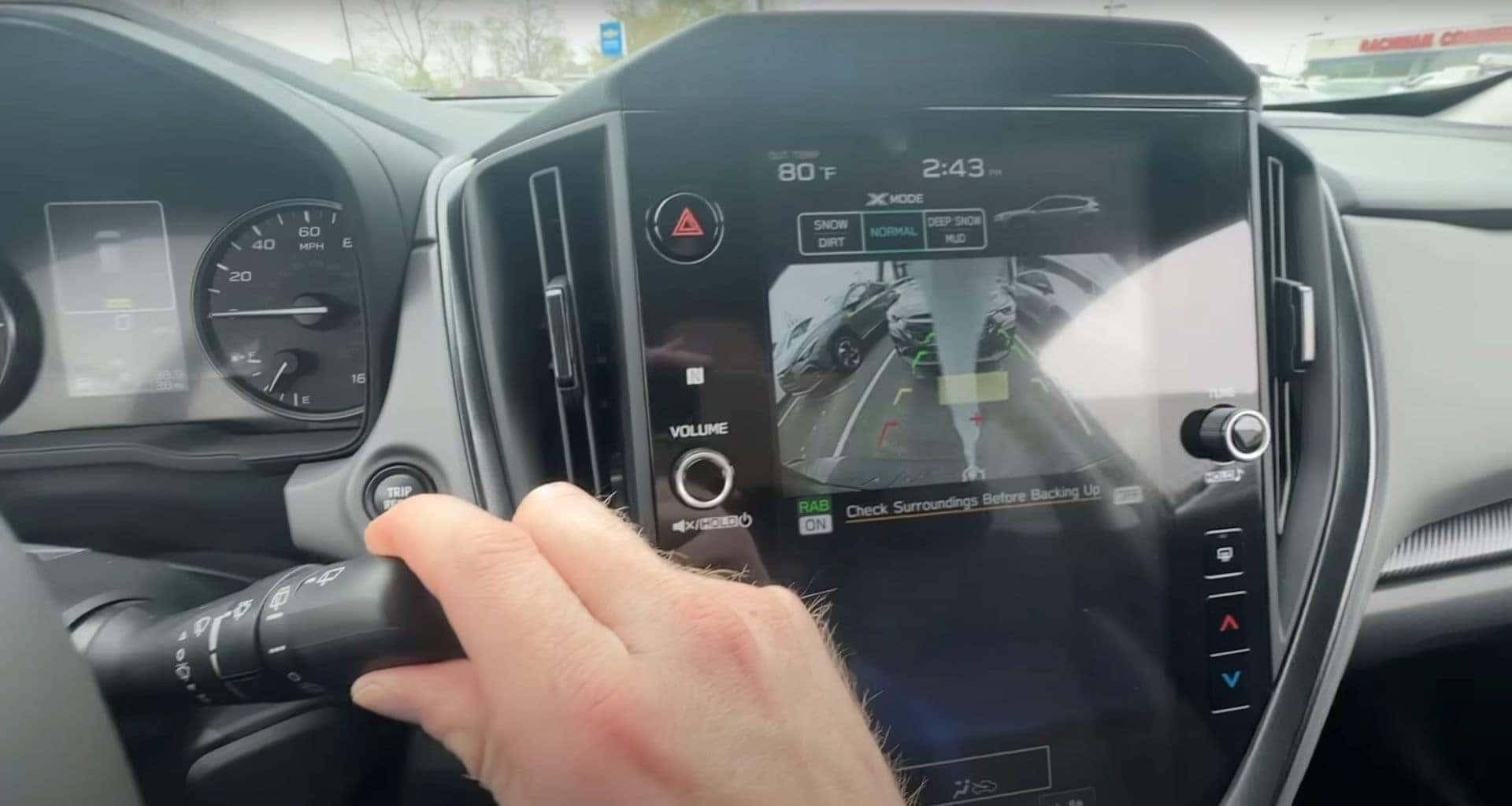
The behavior is documented in the rear wiper and washer section of the owner’s manual, but is never part of standard dealership delivery walkthroughs or sales demonstrations.
Discovering it independently feels like uncovering a hidden tool that has been sitting in plain sight the entire time. For any owner who has ever squinted at a mud-smeared camera image in a parking lot and resigned themselves to reversing blind, this single discovery changes the daily ownership experience immediately and permanently.
Across all nine of these features, one consistent theme emerges with striking clarity. Subaru engineers have built a remarkably thoughtful, deeply capable, and thoroughly considered vehicle ecosystem that extends far beyond what the surface-level ownership experience ever reveals.
The STARLINK widget customization gives you complete control over your information environment. The PIN code access gives you genuine freedom to live actively without any anxiety about your keys.
The wiper-linked headlights, EyeSight individual tuning, SI-Drive throttle customization, X-MODE terrain management, cruise control adjustment, full driver profile memory, and rear camera washer activation collectively represent an extraordinary level of engineering detail devoted entirely to improving your real life behind the wheel. Every single one of these features has been waiting patiently inside a menu, ready for the day you finally decide to look.
Also Read: Harley Waited Too Long to Take Electric Seriously