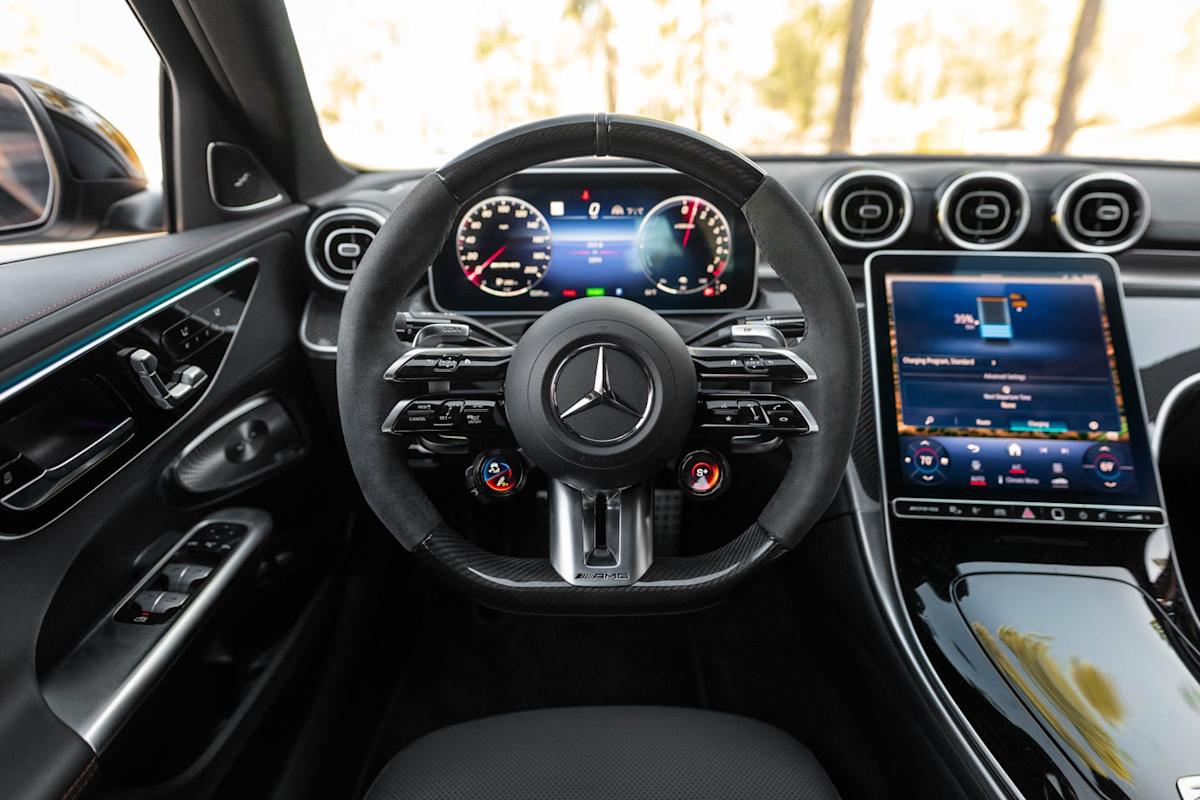
Modern cars are no longer just mechanical machines focused on steering, braking, and acceleration. They are intelligent driving systems packed with digital interfaces, sensors, and multifunction controls that quietly enhance safety, convenience, and driving comfort.
One of the most overlooked areas where this technological evolution is most visible is the steering wheel. What once only had a horn button has now become a command center capable of controlling audio, navigation, driver assistance systems, communication tools, and even vehicle behavior settings.
Many drivers use these features daily without fully realizing how many functions are actually built into the steering wheel itself.
In vehicles like the Toyota Camry, Honda Civic, Tesla Model 3, and BMW 3 Series, the steering wheel is designed as an interactive hub. Manufacturers embed hidden or underused controls within thumb reach so drivers can operate essential functions without taking their hands off the wheel.
These controls improve safety by reducing distraction and allowing drivers to keep their focus on the road while still interacting with the vehicle. However, many owners either ignore these features or never receive a proper explanation of what each button does during delivery.
The idea of “hidden controls” does not necessarily mean secret functions, but rather features that are present in plain sight yet underutilized or misunderstood.
For example, buttons for adaptive cruise control, voice commands, instrument cluster navigation, and media management are often present but rarely explored in depth by everyday drivers. Over time, this leads to the underuse of powerful systems that are designed to make driving easier and more intuitive.
Understanding these steering wheel controls can significantly improve the driving experience. It can reduce stress during long commutes, enhance safety during highway driving, and streamline multitasking in urban traffic conditions.
Many drivers only learn these features accidentally or through online discussions rather than structured instruction. As vehicles continue to evolve toward semi-autonomous driving systems, the importance of mastering steering wheel controls becomes even more critical.
This article explores seven key hidden or overlooked controls commonly found around modern steering wheels. Each section breaks down what the control does, why it exists, and how it contributes to safer and more efficient driving. Whether you drive a basic commuter car or a premium vehicle, these insights will help you understand your steering wheel in a completely new way.
Also Read: 7 Most Reliable Motorcycles You Can Buy Today

1. Adaptive Cruise Control Buttons
Adaptive cruise control is one of the most advanced yet frequently misunderstood steering wheel features in modern vehicles. It is designed to automatically maintain a safe distance from the car ahead while keeping your vehicle at a steady speed.
Unlike traditional cruise control, which only locks speed, adaptive systems continuously adjust acceleration and braking based on traffic conditions. This feature is commonly found in vehicles like the Toyota Camry and BMW 3 Series, where it plays a major role in highway driving comfort.
Most drivers notice a cluster of buttons on the right side of the steering wheel but do not fully understand their layered functions. These buttons typically include speed set, distance adjustment, resume, and cancel options.
The distance setting is especially important because it determines how closely your car follows the vehicle ahead. Many drivers leave it at the default without realizing it can be customized for comfort or safety preferences.
The system uses radar or camera sensors placed in the front of the car to detect traffic flow. When a slower vehicle is detected, the system automatically reduces speed without requiring driver input. Once the lane clears, the vehicle returns to the preset speed. This seamless adjustment is what makes adaptive cruise control so effective on highways and long-distance travel.
However, misunderstanding this system can lead to confusion. Some drivers mistakenly believe the car is driving itself completely, while others avoid using it due to a lack of trust. In reality, adaptive cruise control is a driver assistance feature, not full automation. The driver must remain attentive at all times and be ready to take control if needed.
When used correctly, adaptive cruise control reduces fatigue significantly. Long highway journeys become less stressful because the system handles repetitive acceleration and braking. It also contributes to fuel efficiency by maintaining smoother speed patterns compared to manual driving. This makes it one of the most valuable hidden controls around the steering wheel.
2. Audio Control and Media Navigation Buttons
Audio control buttons are among the most frequently used steering wheel features, yet many drivers only scratch the surface of their capabilities.
These controls allow you to adjust volume, switch tracks, change radio stations, and even switch between media sources without taking your hands off the wheel. In vehicles like the Honda Civic and Toyota Camry, these buttons are strategically placed for easy thumb access.
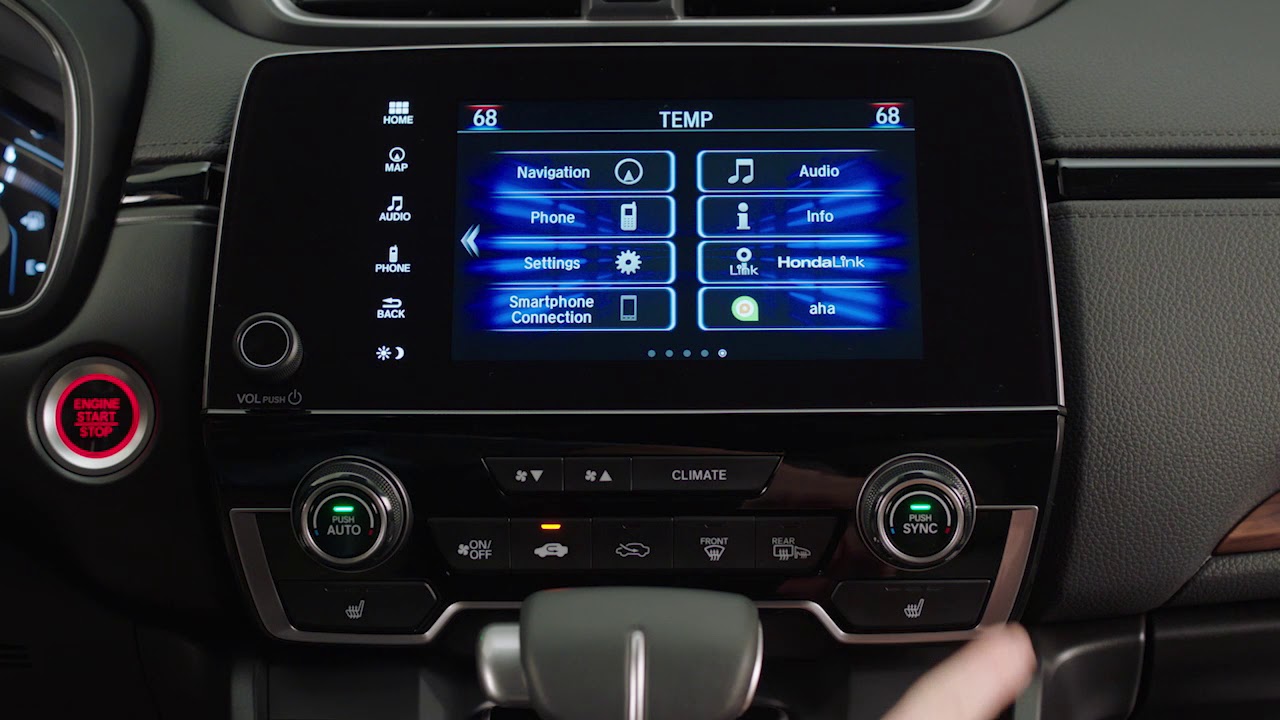
At a basic level, most drivers use volume up and down functions. However, the same cluster often includes track skipping, voice command activation, and mode switching between Bluetooth, FM radio, and USB input. These functions are designed to reduce distraction by eliminating the need to interact with the central infotainment screen while driving.
Modern systems integrate deeply with smartphone connectivity. This means steering wheel buttons can control music streaming apps, podcasts, and navigation audio prompts. For example, skipping a podcast segment or replaying a navigation instruction can be done instantly without looking away from the road.
Despite their convenience, many drivers do not explore long-press or double-press functions. In some vehicles, holding a track button may fast forward content, while holding volume controls may mute the system entirely. These subtle differences vary by manufacturer but significantly enhance usability when learned.
Audio controls represent one of the simplest yet most powerful hidden systems in a steering wheel. They reduce cognitive load, improve focus, and make the driving experience more seamless, especially in traffic-heavy environments.

3. Voice Command Activation Button
Voice control systems have become increasingly advanced, yet the activation button on the steering wheel remains underused in many vehicles. This button allows drivers to interact with the car’s digital assistant using natural speech, enabling hands-free control of navigation, calls, messages, and vehicle settings.
In vehicles like the Tesla Model 3 and BMW 3 Series, voice command systems are deeply integrated into the infotainment ecosystem. Pressing the microphone button activates the system instantly, allowing drivers to issue commands without manually browsing through menus.
Common voice commands include setting navigation destinations, playing specific songs, calling contacts, and adjusting climate settings. In newer systems, drivers can even request real-time traffic updates or nearby points of interest. This reduces the need to interact with screens, which is especially useful in heavy traffic conditions.
However, many users avoid voice systems due to inconsistent recognition or unfamiliarity with the command structure. In reality, modern systems have improved significantly and can understand natural language more effectively than earlier versions. The key is speaking clearly and using consistent phrasing.
When properly used, voice command activation becomes one of the safest steering wheel tools available. It minimizes distraction and allows drivers to maintain full visual focus on the road while still controlling essential functions.
Also Read: 10 Cars That Drove Over 800,000 Miles

4. Instrument Cluster Navigation Controls
Behind the steering wheel, most vehicles include a set of directional buttons or scroll wheels that control the digital instrument cluster. These controls allow drivers to switch between vehicle information screens, trip data, fuel economy stats, navigation prompts, and safety alerts.
In models like the Honda Civic and BMW 3 Series, the instrument cluster is fully digital or semi-digital, making these controls extremely important. Drivers can customize what information appears in front of them without touching the central infotainment screen.
These buttons often include up, down, left, and right navigation, along with a selection or confirm button. A scroll wheel may also be present for smoother navigation. Each input allows access to different layers of vehicle data, including tire pressure, driver assistance status, and real-time efficiency tracking.
Many drivers never explore these menus beyond basic speed and fuel readings. However, deeper settings can provide valuable insights such as long-term fuel consumption trends, eco driving scores, and maintenance alerts. These features help drivers understand vehicle performance more accurately.
Mastering instrument cluster controls enhances situational awareness. It allows drivers to personalize their dashboard experience and access critical information instantly without distraction.
5. Hands-Free Calling and Communication Controls
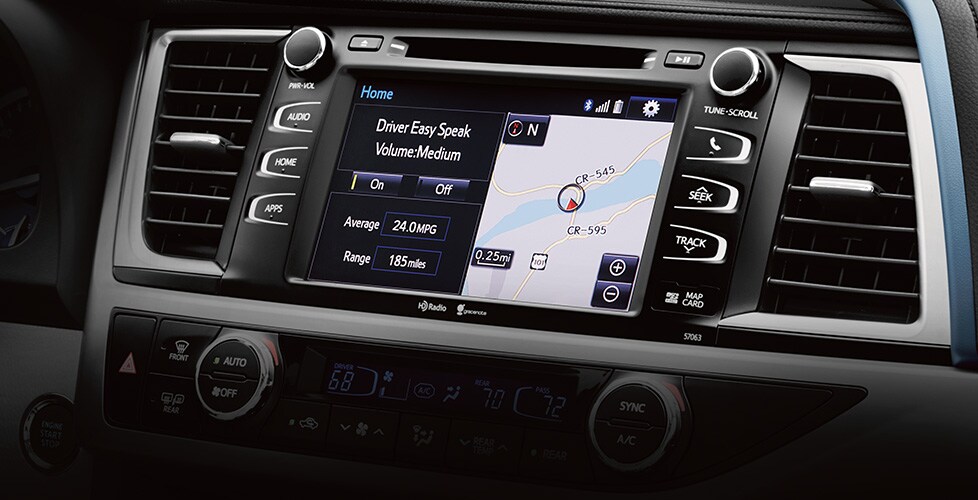
Steering wheel communication buttons allow drivers to manage phone calls without touching their mobile devices. These controls are part of the vehicle’s Bluetooth or integrated communication system and are essential for safe driving practices.
In vehicles like the Toyota Camry and Honda Civic, these buttons typically include call answer, call end, and sometimes a shortcut to recent contacts or voice dialing. They are designed to minimize manual phone interaction while driving.
When a call comes in, a simple press of a button allows the driver to answer through the car’s speaker system. Built-in microphones ensure clear audio transmission, allowing hands-free conversation. This reduces the temptation to pick up a phone, which significantly improves road safety.
Some systems also support messaging through voice input. Drivers can listen to incoming messages and dictate replies using voice commands, all controlled from the steering wheel interface.
Despite their usefulness, many drivers still rely on manual phone handling, especially in older habits. Learning these communication controls is a simple yet powerful way to improve driving safety and comply with road regulations.
6. Driver Assistance Mode Shortcut Buttons
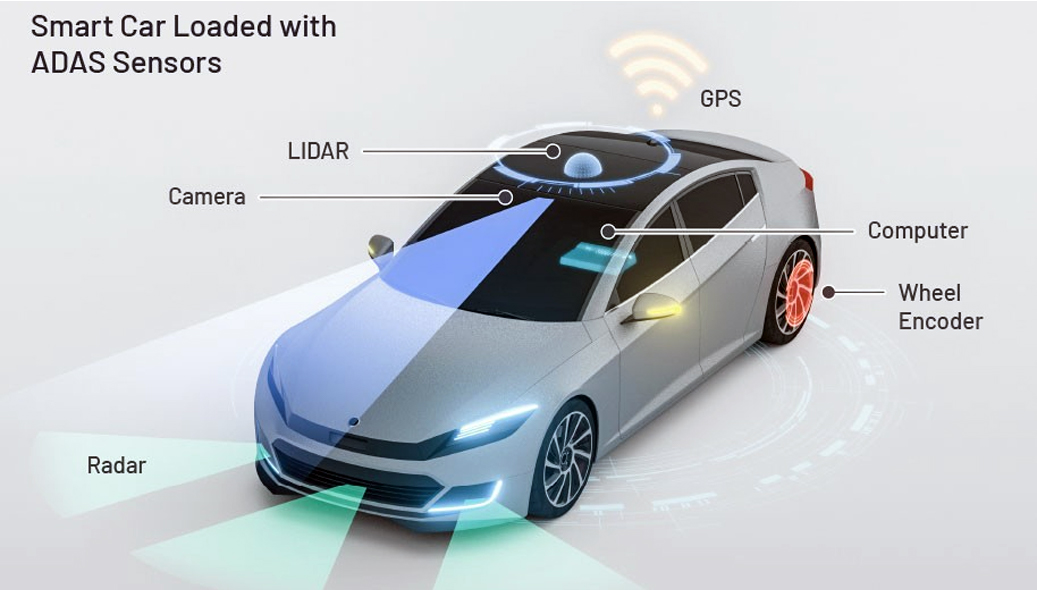
Driver assistance systems are becoming standard in modern vehicles, and many of their key functions can be controlled directly from the steering wheel. These include lane keeping assist, collision alerts, and parking assistance settings.
In vehicles like the BMW 3 Series and Tesla Model 3, these systems are highly integrated and often accessible through quick-access steering wheel buttons. Drivers can toggle features on or off or adjust sensitivity levels depending on driving conditions.
Lane keeping assist helps keep the vehicle centered in its lane by gently correcting steering input. Collision warning systems alert the driver if a potential impact is detected. These features work together to create a safer driving environment.
However, drivers must understand that these are assistance systems, not replacements for attention. Overreliance can lead to reduced situational awareness, which is why manufacturers design them to require periodic driver input confirmation.
Using these shortcut buttons effectively allows drivers to adapt vehicle behavior quickly based on road type, whether highway, city, or parking environments.

7. Customizable Shortcut and Function Buttons
Many modern steering wheels include programmable buttons that allow drivers to assign specific functions based on personal preference. These may include navigation shortcuts, favorite contacts, driving mode selection, or infotainment presets.
In vehicles like the Toyota Camry and Tesla Model 3, these customization options vary but generally allow some level of personalization. Drivers can configure the system to match their driving habits.
For example, a driver may assign a single button to activate sport mode, while another may set it to open a favorite navigation route. This reduces the need to navigate through multiple menus while driving.
Customization improves efficiency and comfort. Instead of searching through screens, drivers can execute frequent actions instantly. This is particularly useful for commuters who follow repetitive routes or frequently adjust settings.
Customizable buttons represent the future of steering wheel design. They transform the wheel into a personalized control hub tailored to individual driving styles.