
Most drivers interact with their steering wheel in the simplest way possible, turning, signaling, and occasionally adjusting volume or cruise control. Yet modern steering wheels are packed with hidden buttons that quietly handle far more than basic driving functions.
From voice commands and audio controls to adaptive safety systems and customizable shortcuts, these small inputs are designed to reduce distraction and keep essential features within fingertip reach. The problem is that most of them go unnoticed due to unclear icons, dual-function presses, or assumptions that they are too complex to use.
As a result, drivers often rely on touchscreen menus or voice assistants while completely ignoring faster, safer physical controls already built into their car. This guide explores 10 steering wheel buttons most people never fully understand, revealing how each one works and why it matters. Once you know what they do, everyday driving becomes smoother, safer, and far more convenient.
1. Voice Command Activation
The voice command button on a car’s steering wheel is designed to provide drivers with a safer and more intuitive way to interact with infotainment and smartphone systems while driving. Typically identified by a microphone icon or a speaking silhouette, this button functions as a central gateway for hands-free control, allowing drivers to keep their focus on the road instead of the dashboard.
In most modern vehicles, a quick press activates the car’s built-in voice recognition system, while holding the button for a few seconds switches control to smartphone integration platforms such as Apple CarPlay or Android Auto, enabling access to Siri or Google Assistant. This dual-function design makes it possible to perform a wide range of tasks through voice alone, including setting navigation routes, making phone calls, sending messages, and controlling media playback.
Despite its usefulness, the feature is often underutilized due to inconsistent labeling, varying icon designs, and confusion over its press-versus-hold functionality. Earlier voice systems also suffered from poor recognition accuracy, leading many drivers to abandon the feature after initial frustration. As a result, many users default to activating assistants through wake phrases like “Hey Siri” or “Hey Google,” bypassing the steering wheel control entirely.
However, the steering wheel voice button remains especially effective in noisy driving environments, where it directly prioritizes the vehicle’s microphone input. By reducing the need for manual interaction with screens, it significantly lowers driver distraction and helps maintain proper hand positioning on the wheel. Ultimately, it serves as a practical safety feature that enhances convenience, improves connectivity, and supports more focused driving experiences.

2. The Mute or Pause Button
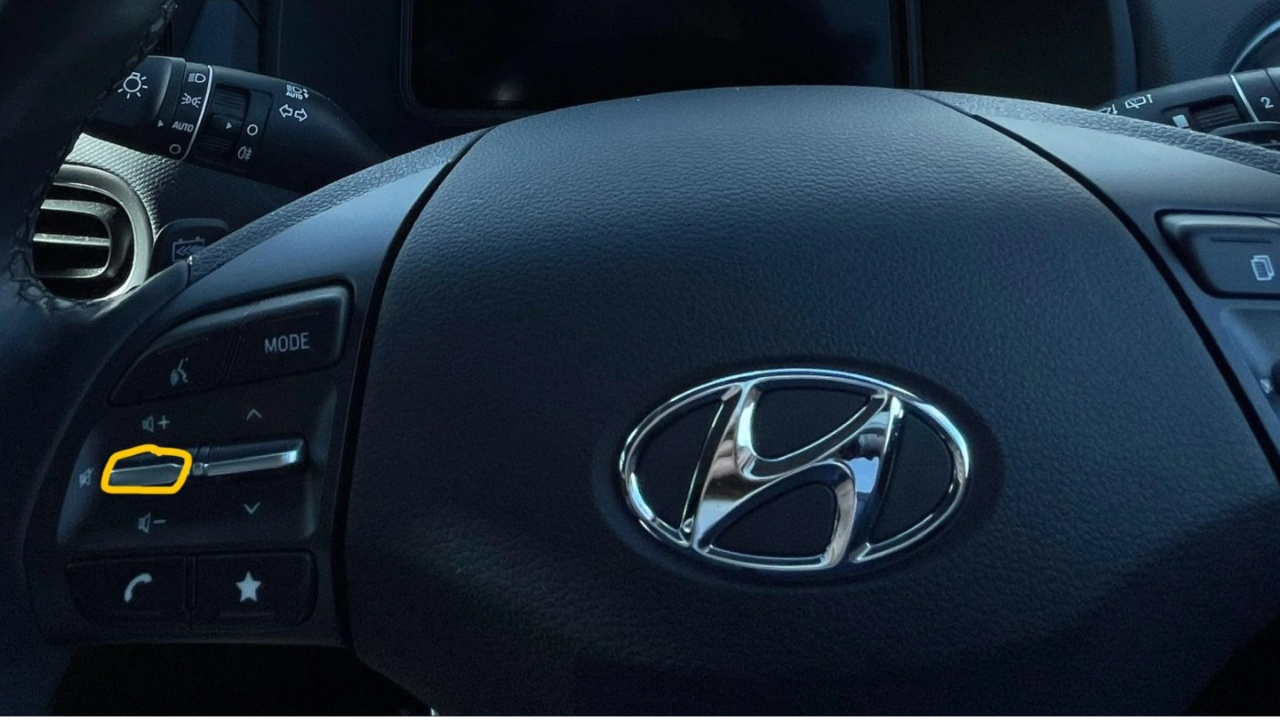
The mute or pause button on a steering wheel is a small but highly practical control designed to instantly manage all in-car audio. Usually built into the volume roller or marked with a simple mute symbol, it functions as a quick audio cut-off without requiring the driver to manually lower volume levels.
A single press can silence music, pause a podcast, or interrupt a loud advertisement, making it especially useful during tight parking situations, sudden hazards, or when emergency sirens need to be heard clearly. It also helps during brief conversations with passengers or service workers, such as at drive-through windows, without losing your place in audio playback.
Despite its usefulness, many drivers overlook or underuse this feature due to inconsistent design and hidden functionality. There is no universal symbol for pause, and manufacturers often integrate the control into other buttons like “Mode” or the volume knob itself. In many vehicles, a quick press may change audio source, while a press-and-hold action triggers full pause or mute. This lack of standardization leads to confusion and missed functionality.
Behavior can also vary depending on whether the phone is connected through Apple CarPlay or Android Auto, with some systems pausing media entirely while others simply reduce volume. As a result, many drivers rely on touchscreen controls or voice assistants instead, even though the steering wheel button offers a faster, safer way to manage audio without taking attention off the road.
3. Adaptive Cruise Control Gap Adjuster
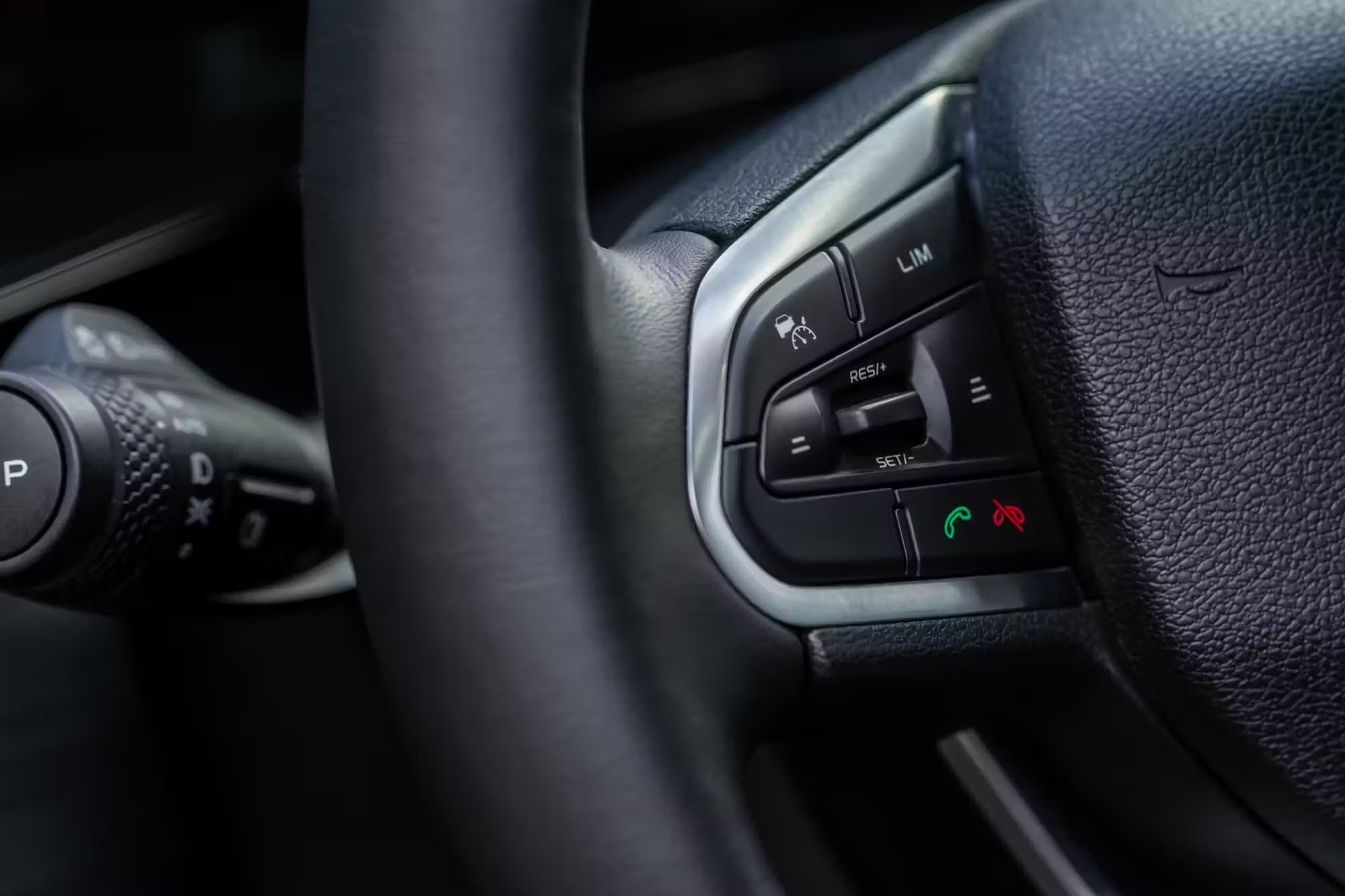
The Adaptive Cruise Control (ACC) gap adjuster is a useful but frequently overlooked steering wheel control that allows drivers to customize how much space their vehicle maintains from the car ahead. Usually marked by an icon showing a vehicle with horizontal bars beneath it, the button works alongside adaptive cruise control to automatically manage following distance using radar and camera systems. Rather than relying on a fixed setting, drivers can adjust the gap based on traffic conditions, speed, and road safety needs.
Most systems offer multiple distance levels, commonly ranging from short to long following gaps. A shorter setting is practical in congested stop-and-go traffic, where maintaining tighter spacing reduces the likelihood of other vehicles constantly cutting into your lane. Longer settings are better suited for highway driving, rain, fog, or slippery roads because they provide more braking distance and additional reaction time when speeds are higher.
Despite its practicality, many drivers ignore the feature because they confuse adaptive cruise control with traditional cruise control or simply leave the factory default unchanged. The button can also blend into crowded steering wheel layouts, making it easy to miss. Proper use of the ACC gap adjuster improves comfort, safety, and traffic flow while helping reduce sudden braking events and smoother vehicle responses in changing driving conditions.
4. Lane Keep Assist Toggle
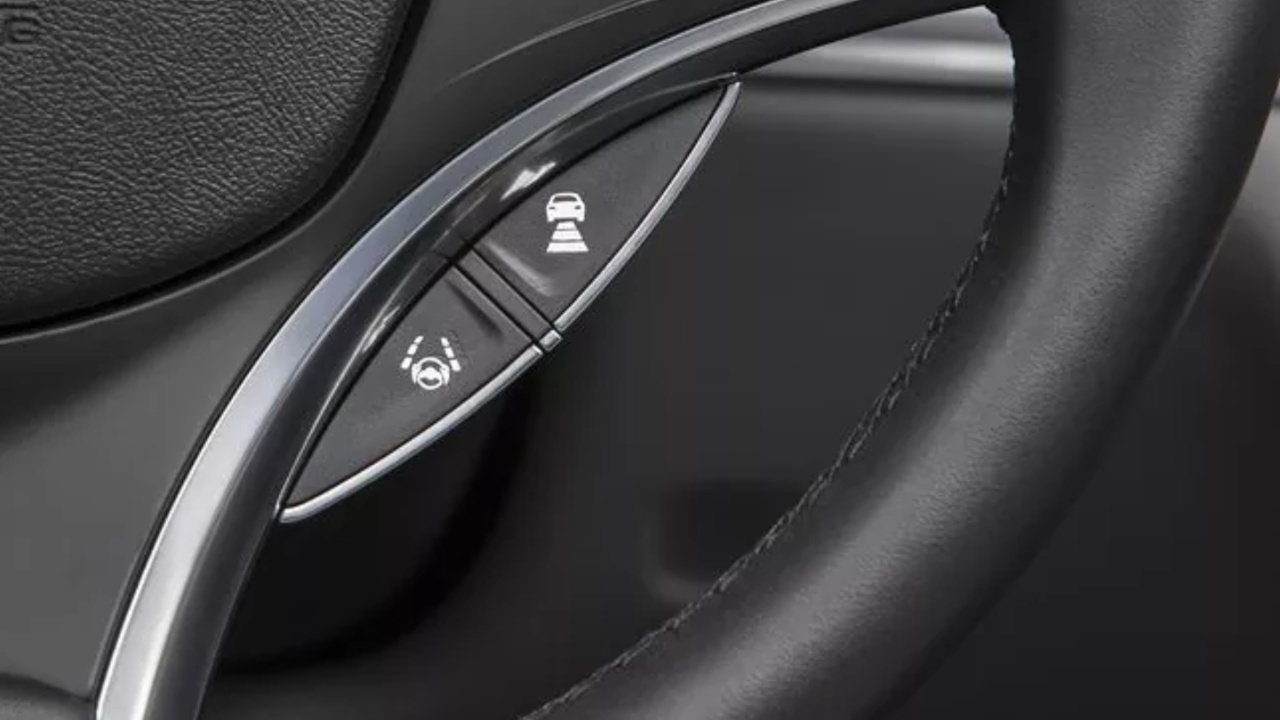
The Lane Keep Assist (LKA) toggle is a practical but often overlooked steering wheel control that manages a vehicle’s lane-centering technology. Usually represented by an icon showing a car positioned between lane markings, the button activates or deactivates a system that uses cameras and sensors to monitor road lines and gently guide the vehicle back toward the center of its lane.
This feature is especially useful during long highway drives, where it reduces fatigue by helping drivers maintain consistent positioning and minimizing accidental drifting.
However, Lane Keep Assist is not equally beneficial in every situation. On narrow roads, construction areas, or poorly marked streets, the system may misinterpret temporary or faded lane lines, resulting in unwanted steering corrections. Drivers may also find it frustrating when intentionally avoiding potholes, debris, or uneven road surfaces, as the system can feel like it is resisting manual steering inputs. In these scenarios, quickly toggling the feature off provides greater control and a smoother driving experience.
Many drivers overlook the LKA toggle because of confusing symbols, crowded steering wheel layouts, or hidden infotainment settings. In some vehicles, the system operates automatically at startup, creating a “set-and-forget” habit where drivers rarely explore customization options. Depending on the vehicle, the toggle may also cycle between steering assistance, warning vibrations, or combined modes rather than simply switching on or off.
Understanding where this control is located and how it functions helps drivers adapt lane assistance to changing road conditions, improving both comfort and confidence behind the wheel.
5. Speed Limiter
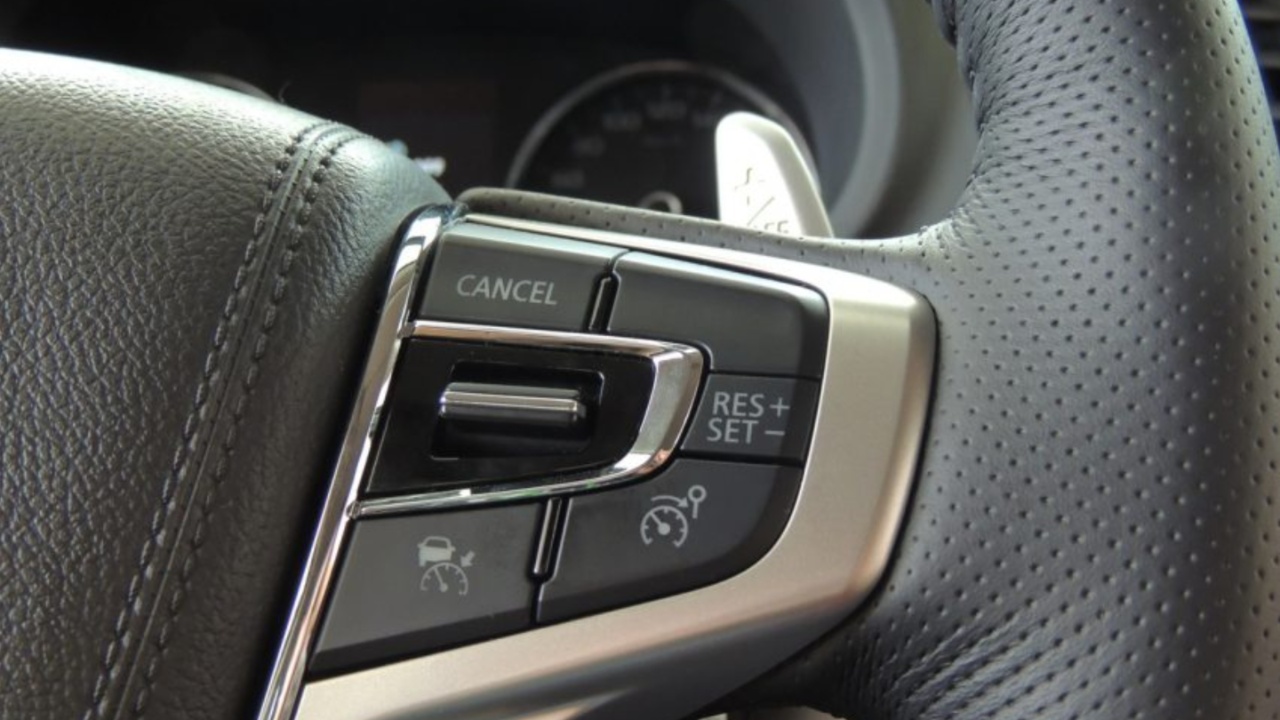
The Speed Limiter, commonly identified by a “LIM” button near cruise control settings, is a useful but often overlooked driving aid that prevents a vehicle from exceeding a chosen speed. Unlike traditional cruise control, which automatically maintains a constant pace, the speed limiter allows drivers to accelerate and brake normally while electronically capping maximum speed. Once a preset limit is reached, the system gently restricts acceleration, helping drivers avoid unintentionally driving too fast.
This feature is particularly valuable in school zones, construction areas, city streets, and unfamiliar roads where speed limits frequently change or are heavily enforced. By setting a maximum speed, drivers can focus more on surrounding traffic conditions instead of repeatedly checking the speedometer. In stop-and-go traffic, it also reduces the mental effort of constantly monitoring speed, making urban driving less stressful.
Many drivers ignore the speed limiter because it is commonly mistaken for standard cruise control or hidden among similar steering wheel buttons. Since cruise control is more familiar, drivers often overlook the limiter’s practical advantages for daily driving. Modern vehicles have made the system more sophisticated by integrating GPS mapping and traffic-sign recognition, allowing some cars to automatically detect local speed limits and adjust settings accordingly.
Importantly, the limiter is not restrictive in emergencies. Drivers can temporarily override it by pressing the accelerator firmly to the floor, allowing quick acceleration when necessary, such as overtaking another vehicle or responding to sudden hazards. Understanding this feature can improve safety, convenience, and speed awareness during everyday driving.
Also read: 10 Cars Thieves Can Steal in Under 30 Seconds
6. Star (*) or “Custom” Button
The Star (*) or “Custom” button is one of the most flexible yet overlooked steering wheel controls found in modern vehicles. Usually marked with a star, diamond, or generic symbol, this programmable button acts as a personalized shortcut that drivers can assign to frequently used features. Unlike fixed-function buttons, it starts unconfigured in many vehicles, meaning it does nothing until manually set up through the infotainment or vehicle settings menu.
Its purpose is simple: reduce the need to navigate through touchscreen menus while driving. Modern cars often bury important functions beneath multiple interface layers, which can distract drivers and pull attention away from the road. By assigning a preferred task to the custom button, drivers gain immediate, one-touch access to commonly used settings without needing to glance at a screen.
Depending on the manufacturer, the button can be programmed for several useful actions. Popular choices include instantly launching navigation, muting guidance prompts, switching between audio sources, opening Apple CarPlay or Android Auto, adjusting drive modes, turning off the center display for nighttime driving, or checking electric vehicle range information. Some systems also allow access to Wi-Fi hotspot settings, quiet cabin modes, or favorite radio stations.
Many drivers remain unaware of this feature because automakers rarely highlight it in quick-start guides, and the button lacks a standardized icon or obvious purpose. Programming it is typically straightforward, requiring only a press-and-hold action or a quick visit to vehicle settings. Once configured, the custom button can make everyday driving more convenient, intuitive, and less distracting.
7. Scroll Wheel / Menu Selector
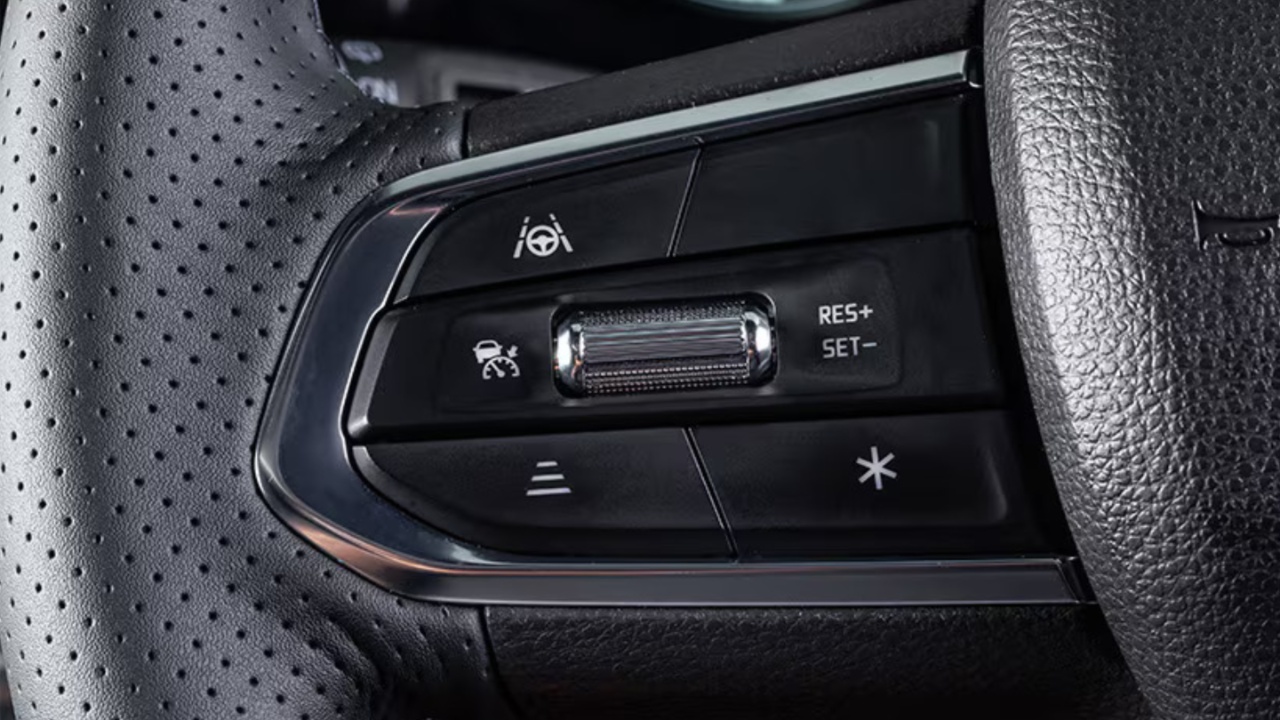
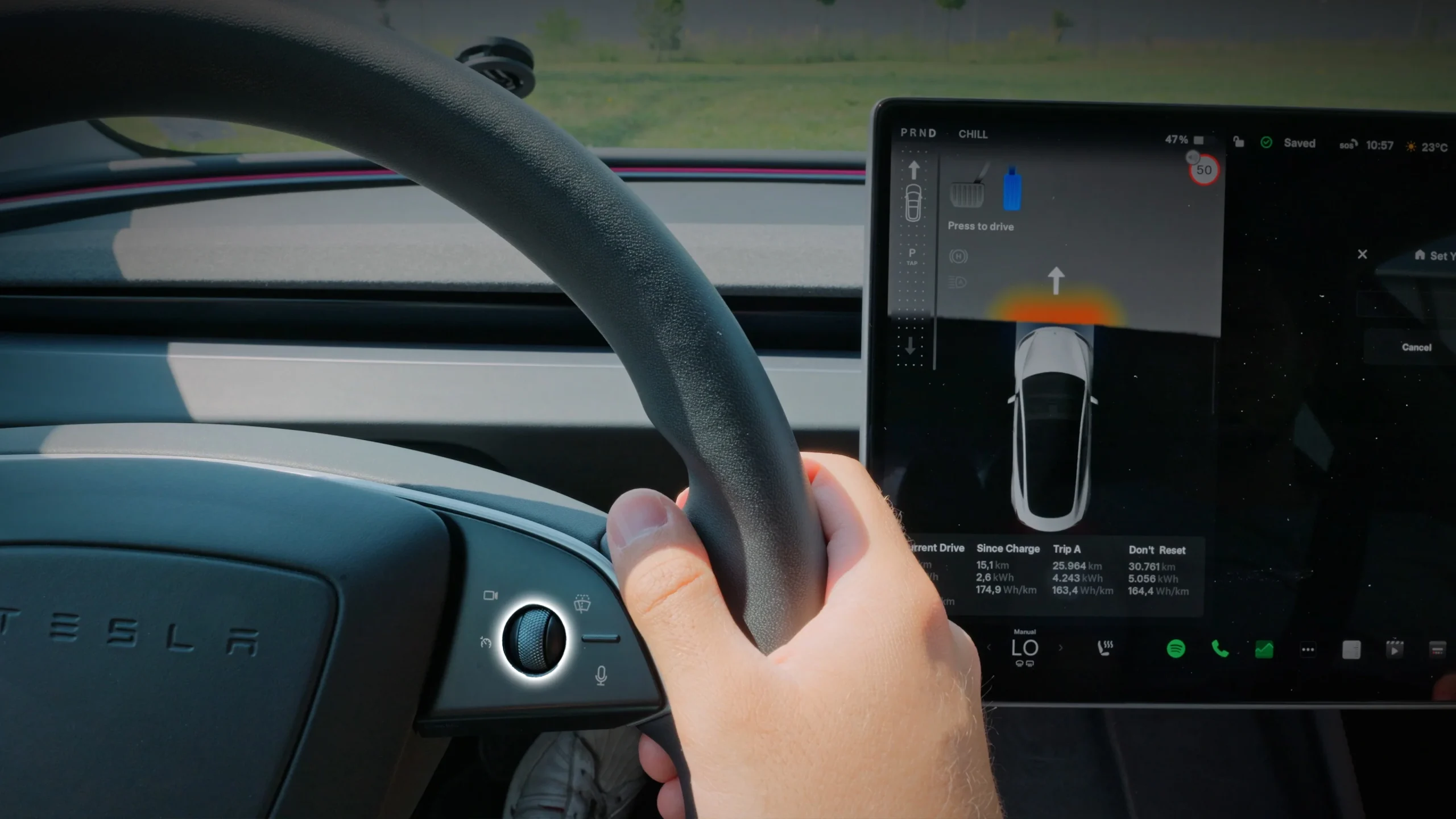
The scroll wheel or menu selector is a practical yet often overlooked steering wheel control that serves as a direct gateway to a vehicle’s digital instrument cluster. Positioned on the steering spokes as a rolling wheel, directional pad, or clickable selector, it allows drivers to quickly browse essential driving information displayed in the Multi-Information Display (MID) behind the wheel.
Instead of relying on the central touchscreen, drivers can use this control to check trip data, fuel economy, real-time tire pressure, turn-by-turn directions, media playback, and call information while keeping their hands on the wheel.
This feature is especially useful because it places important information directly within the driver’s line of sight. With a few clicks or rolls, drivers can switch songs, review recent phone calls, adjust driver-assistance settings like adaptive cruise control following distance, or check vehicle status updates without shifting focus too far from the road.
Despite its convenience, many people underuse the scroll wheel because its purpose changes depending on the active menu, making it less obvious than buttons with clear labels, such as volume or phone controls. Drivers also tend to depend heavily on touchscreen systems, overlooking the fact that many settings can be accessed more quickly from the steering wheel. Some vehicles even include hidden press-and-hold functions for controls like mirrors, climate settings, or wiper adjustments.
Taking time to explore this feature while parked or reviewing the owner’s manual can reveal useful shortcuts that simplify daily driving, reduce distractions, and make vehicle controls feel more intuitive and efficient.
8. Recirculate Air / Climate Button
The recirculate air or climate button is a practical feature designed to improve cabin comfort by controlling how air flows inside a vehicle. Usually identified by an icon showing a car with a looping arrow inside, the button closes external air intake vents and circulates the air already inside the cabin instead of drawing in outside air. While commonly found on center climate controls, some modern vehicles place it on the steering wheel for quicker access without requiring drivers to remove their hands from the wheel.
Its biggest advantage is faster cooling. By continuously circulating air that has already been cooled by the air conditioning system, the cabin reaches a comfortable temperature more quickly, especially during hot weather. Because the air conditioner does not have to constantly cool warm outside air, the system works more efficiently and may reduce strain on climate components, potentially improving fuel efficiency.
The feature is also valuable for protecting cabin air quality. Activating recirculation helps block unpleasant odors, vehicle exhaust, smoke, dust, pollen, and airborne pollutants from entering the car. This becomes particularly useful when driving through traffic congestion, construction zones, agricultural smoke, or dusty environments.
However, recirculation is not ideal in every situation. During cold or rainy weather, it can trap moisture inside the vehicle, increasing the likelihood of fogged windows and reduced visibility. For this reason, many drivers switch back to fresh-air mode when defogging the windshield. Knowing when to use the recirculation button can improve comfort, air quality, and climate control efficiency during everyday driving.
9. Phone Hang-Up / Reject Button
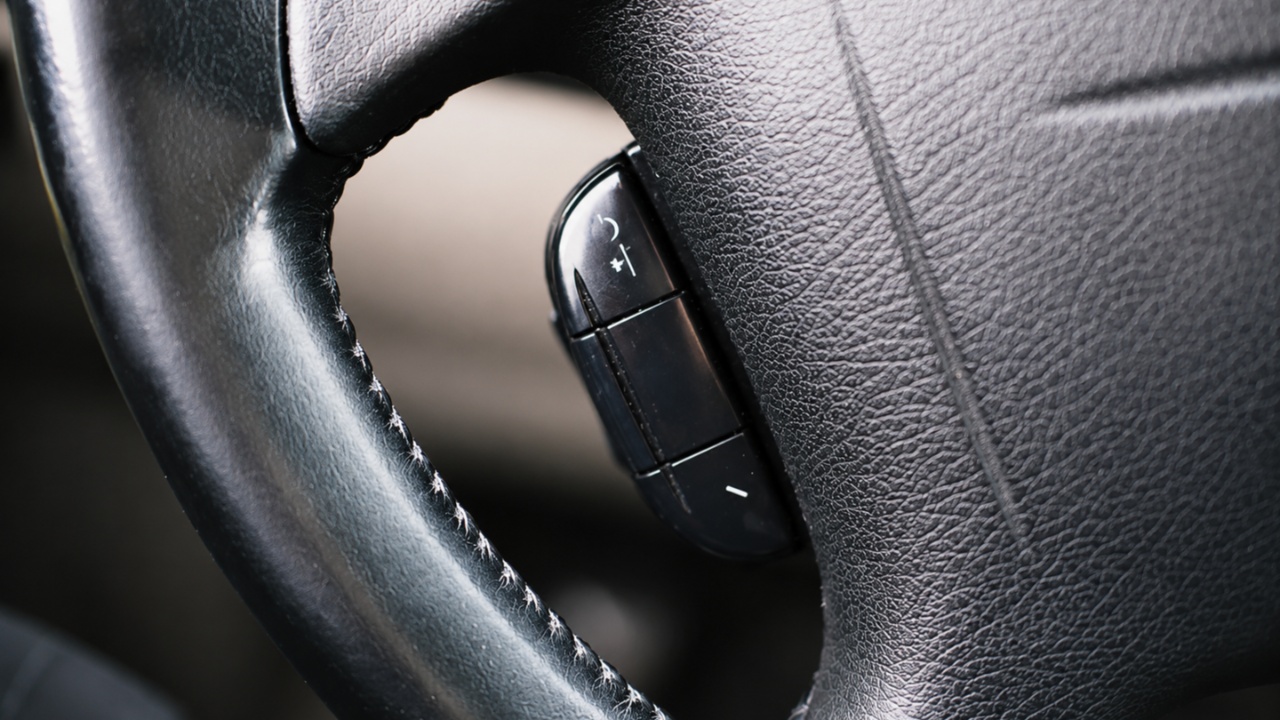
The steering wheel phone hang-up or reject button is one of the most overlooked vehicle controls, despite being designed to make hands-free communication safer and more convenient. Many modern infotainment systems simplify call handling into a single phone button, leading drivers to assume that ending or rejecting calls requires using the touchscreen display, voice assistant, or smartphone itself. As a result, this useful shortcut often goes unnoticed.
In most vehicles, the phone button serves multiple purposes depending on timing and call status. When a call is incoming, a quick press usually answers it, while pressing the same button during an active conversation disconnects the call. To reject a ringing call, drivers can often press and hold the button for a few seconds. Since many vehicles lack a dedicated red “hang-up” icon, people may not realize the same button performs several functions.
This feature becomes particularly valuable from a safety standpoint. Instead of reaching for the center console or glancing at a phone screen, drivers can end distracting conversations while keeping their hands on the steering wheel and attention focused on traffic conditions. It provides a quick, physical shortcut that reduces distraction during busy or high-speed driving situations.
Some drivers may occasionally experience inconsistent button performance due to smartphone integration issues. While the control often works smoothly through Bluetooth, systems connected through Apple CarPlay or Android Auto can sometimes experience communication glitches. In these situations, reconnecting devices, clearing Bluetooth settings, or resetting smartphone integration systems may restore full functionality and improve reliability.
10. Paddle Shifters
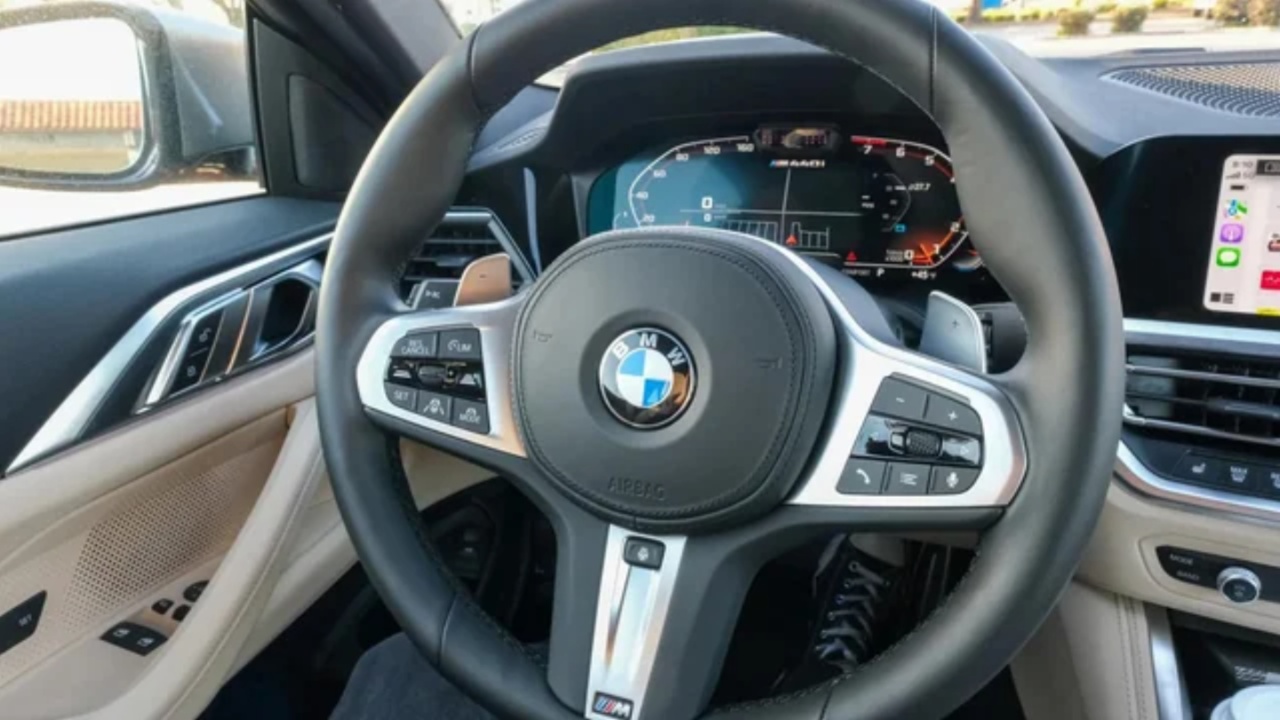
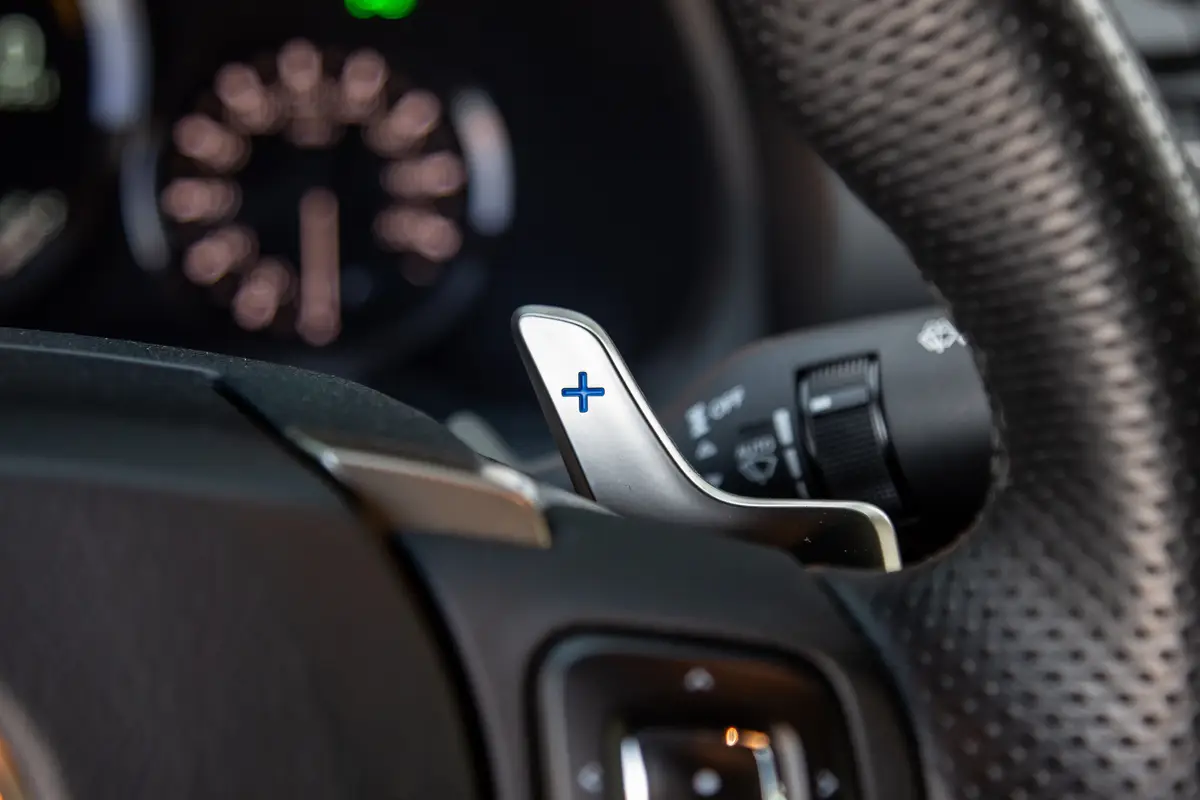
Paddle shifters are small levers mounted behind the steering wheel that let drivers manually override an automatic transmission. The right paddle shifts up, while the left paddle shifts down, giving immediate control over gear changes without needing a clutch. Although they are widely available in modern vehicles, many drivers overlook them due to reliance on fully automatic driving or the mistaken belief that manual shifting can harm the engine.
In practice, paddle shifters are useful in more than just sporty driving. One of their key benefits is engine braking, where downshifting on steep descents reduces reliance on the brake pedal and helps prevent overheating or brake fade.
They also improve acceleration during overtaking or highway merging by allowing the driver to pre-select a lower gear, removing the delay of automatic downshifting. In low-traction conditions such as rain, snow, or mud, holding a higher gear through the paddles reduces torque delivery and helps prevent wheel spin.
Despite the manual input, modern systems include built-in electronic safeguards. The vehicle’s computer prevents unsafe actions such as over-revving or stalling, and it automatically downshifts when coming to a stop or shifts up when the redline is reached. This makes the system both responsive and protected against driver error.
Depending on the vehicle, paddle shifters may activate through a dedicated sport or manual mode, or temporarily engage when used in drive mode. Drivers can return to full automatic operation either by holding the upshift paddle or switching out of manual mode.
Steering wheels today are no longer just mechanical interfaces, they are intelligent control hubs designed to simplify driving in subtle but powerful ways. Many of the buttons covered in this list remain underused, not because they lack value, but because their functions are hidden behind unclear symbols, press-and-hold actions, or default settings that drivers rarely change.
Once these controls are understood, they can significantly improve comfort, safety, and responsiveness behind the wheel. From adjusting driving distance in traffic to muting audio instantly, switching driving modes, or activating advanced assistance systems, each button reduces the need to interact with screens and keeps attention where it matters most, the road.
The real advantage is not in adding new technology, but in using what already exists more effectively. Learning these hidden functions turns a standard commute into a more controlled and intuitive experience, showing that some of the most useful car features are already sitting just inches from your hands every time you drive.
Also read: 10 Cars Where the Cheaper Option Was Always the Smarter One