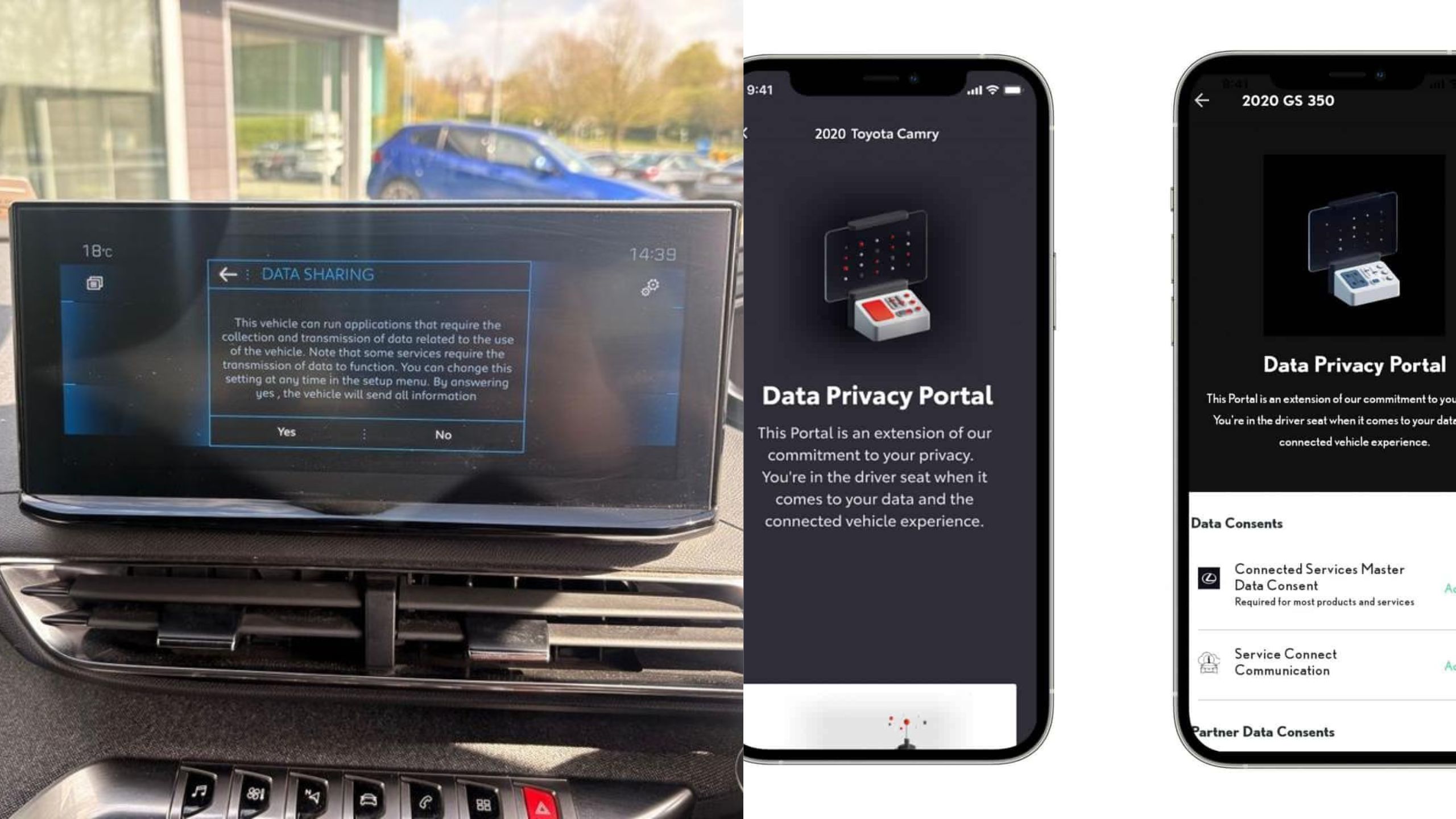
Modern cars are no longer just machines that get you from point A to point B. They are rolling computers packed with sensors, cameras, and cellular modems. Every trip generates data about your location, speed, braking habits, and even who is sitting in your passenger seat.
A modern connected car generates nearly 25 gigabytes of data per hour, according to S&P Global Mobility. That is an enormous amount of personal information flowing out of your dashboard every single drive.
The scary part is how little most owners know about this. Consent is often buried in a series of forms shown the first time you turn on the infotainment system, and most people simply accept the terms without reading them.
This has real consequences. A New York Times investigation found that driving history was being funneled to data brokers, who then sold it to insurance companies, sometimes leading to higher premiums for the driver.
Fortunately, you are not powerless here. Automakers do offer settings, apps, and portals that let you dial back what your car reports home. Below are eight concrete places to look, based on how major brands actually structure their opt-outs.
1. Turn Off the Infotainment “Data Sharing Setting”
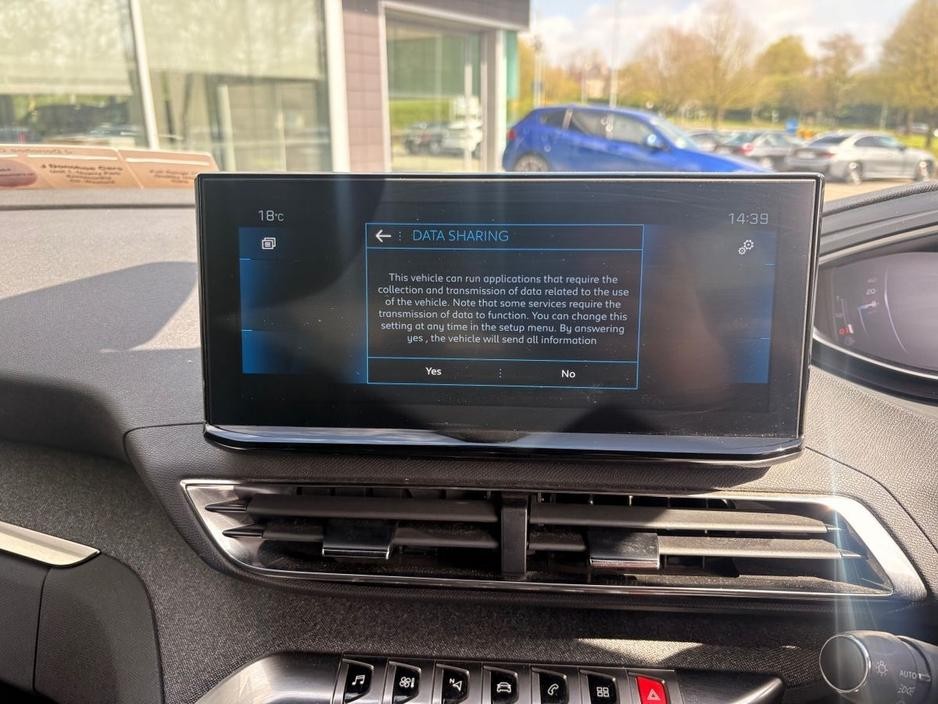
Most connected vehicles bury a master data toggle inside the infotainment touchscreen itself. It is usually labeled something like “Data Sharing Setting.”
The process is simple once you find it. Users can go through to this menu and flip the switch to “OFF.” Automakers do not always make it easy to leave that setting off. Some vehicles display a persistent orange notification urging drivers to turn sharing back on, as one owner discovered after disabling it.
Ford has a nearly identical pathway on its Sync system. Owners go into Settings, choose Connectivity, tap Connected Vehicle Features, and toggle off Share Vehicle Data before confirming the change in a prompt.
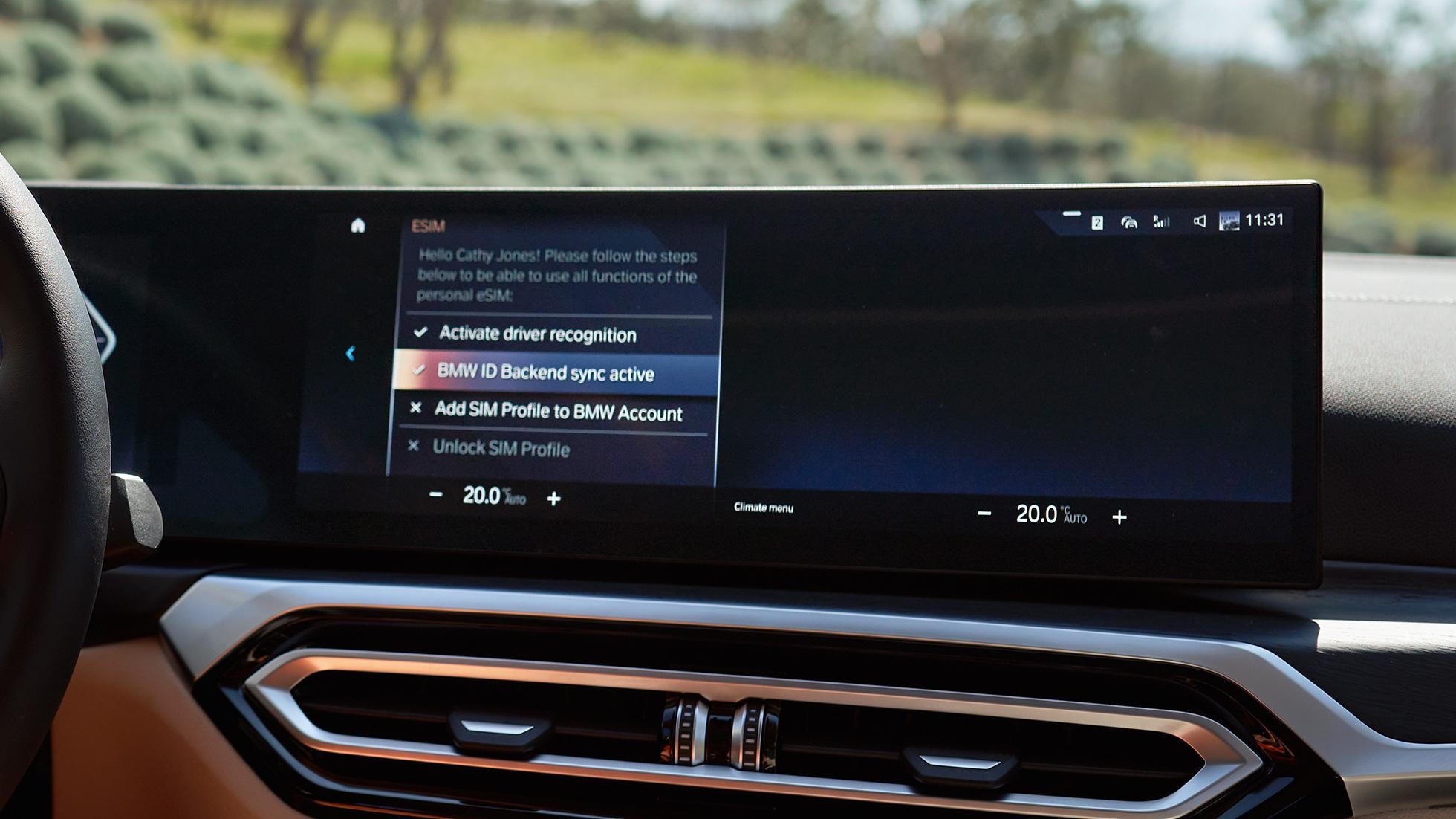
BMW takes this a step further than most rivals. The automaker lets customers disable data collection directly in the infotainment system and even allows disabling the SIM card that powers the cellular connection.
Don’t assume one toggle covers everything. Many brands split “data sharing” from “connected services” as two separate switches. Check both settings screens carefully.
A single missed toggle can leave a secondary data stream running in the background. This infotainment-level toggle is your first and most direct line of defense. It should be the first place you look after buying or leasing any connected vehicle.
2. Disable Driver-Scoring Programs Like Smart Driver
Beyond basic location tracking, many automakers run behavioral scoring programs. These track your acceleration, braking, and speed to generate a “driving score.”
GM’s OnStar Smart Driver became the most infamous example of this. GM shut down the Smart Driver program in April 2024 after reporting revealed the driving data was being sold to LexisNexis and Verisk.
That shutdown does not mean OnStar itself stopped collecting data. OnStar continues gathering information, and data-sharing settings remain enabled by default on newer vehicles.
You can still switch off the scoring feature yourself. Go to Settings, then OnStar, then Smart Driver, and toggle it Off directly from the vehicle’s infotainment system.
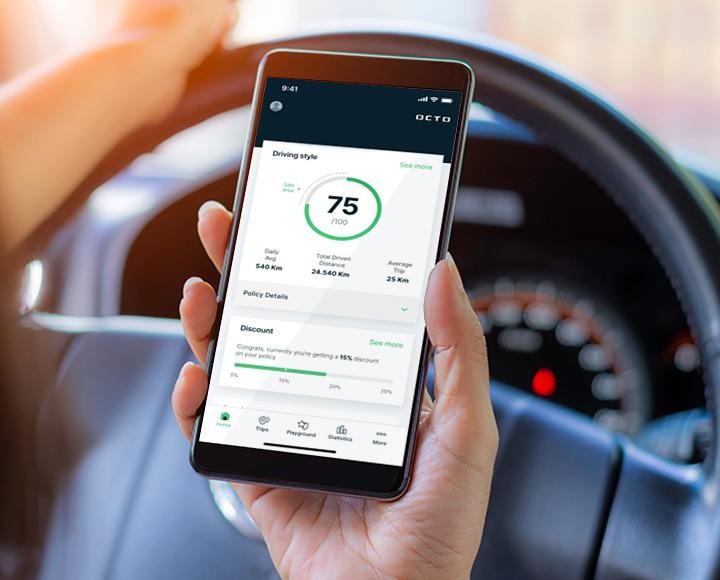
Other brands run comparable programs under different names. Toyota, Honda, and Subaru all offer similar driving-score features tied to insurance discount programs.
These programs are often opt-in for insurance discounts. But once enabled, they can quietly keep transmitting data long after you forget you agreed to them.
If you never signed up for a usage-based insurance discount, check anyway. Some dealerships enable these programs automatically at the point of sale.
Turning off the scoring feature does not always cancel the underlying data connection. Treat it as one layer of a larger opt-out process, not a complete fix.
3. Use the Automaker’s Mobile App Privacy Portal
Many brands have moved core privacy controls out of the car and into a companion smartphone app. This is often the most complete control panel available to owners.
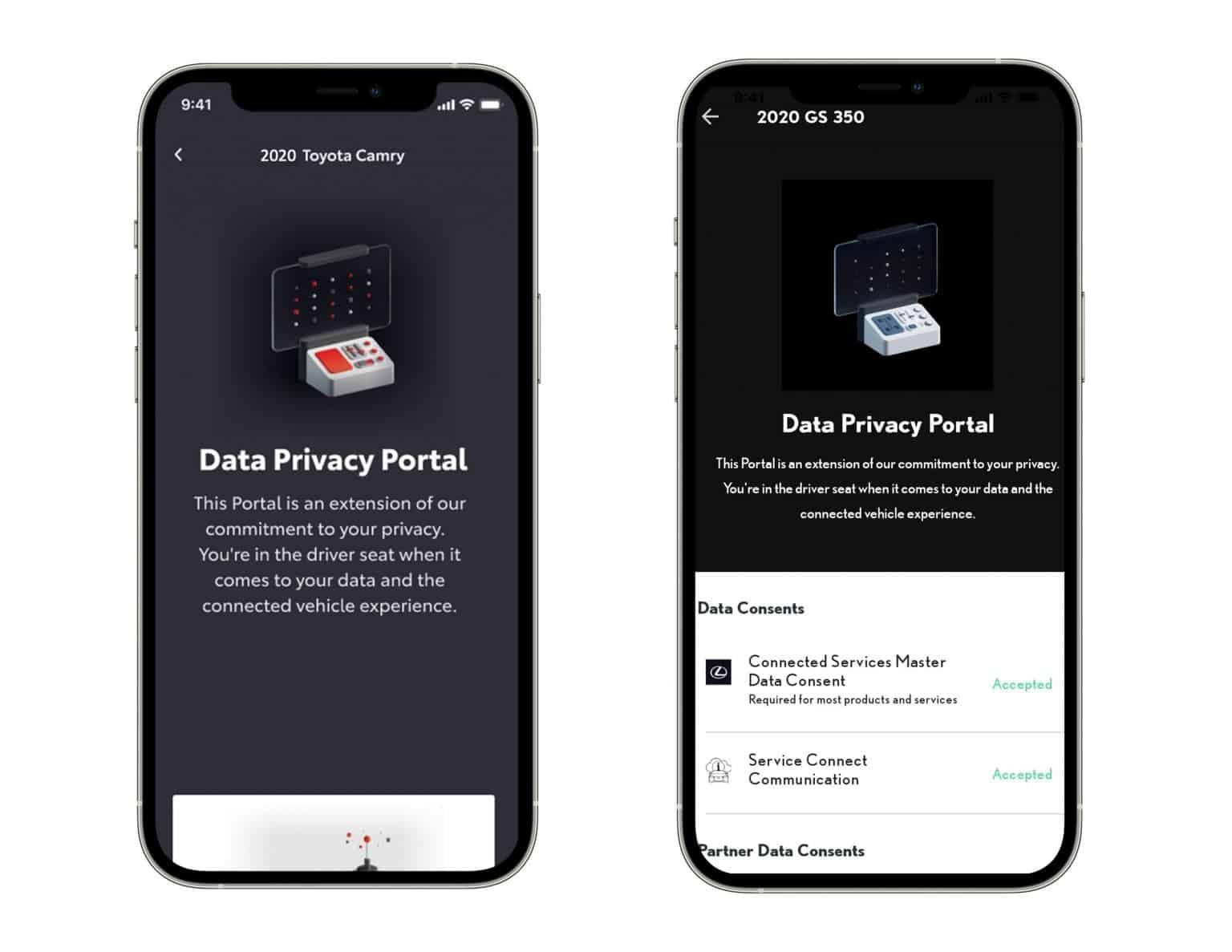
Toyota and Lexus offer a clear example of this design. Customers log into the mobile app, tap the person icon, select Account, then Data Privacy Portal, and choose the vehicle they want to adjust.
This portal typically covers more ground than the in-car menu. It usually includes toggles for marketing data, third-party sharing, and location history.
Not every brand makes this portal easy to find. Some bury it several menus deep, forcing owners to dig through account settings rather than a dedicated privacy tab.
Location-specific toggles are often hidden inside these same apps. Mitsubishi’s RoadAssist+ app, for instance, has users go into the settings menu and switch off “Trip Recording” to stop location logging.
It is worth checking your app every few months. Automakers frequently update privacy settings and sometimes reset toggles after a software update.
Screenshot your settings after changing them. This gives you a record if a future update silently reverts your choices back to sharing data. The mobile app is also usually where subscription cancellations live. That makes it a natural companion to the in-car toggle covered earlier.
4. Cancel Connected Services Subscriptions Entirely
Turning off a toggle stops new data collection, but the underlying subscription often keeps running. Fully canceling the service is a stronger step. Kia owners can do this through their online account. Go to Account Overview on the Kia Connect Subscriptions page on the Kia Owner’s Portal, then click Cancel Subscriptions, or call the Kia Call Center directly.
Genesis handles cancellation similarly through its own portal. Owners can go to the Connected Services page online and cancel the subscription, though a Genesis account is required to do so.
Volkswagen’s Car-Net follows a comparable subscription model. Car-Net collects data on location, speed, and braking, and the only way to turn it off is by unsubscribing through the myVW app.
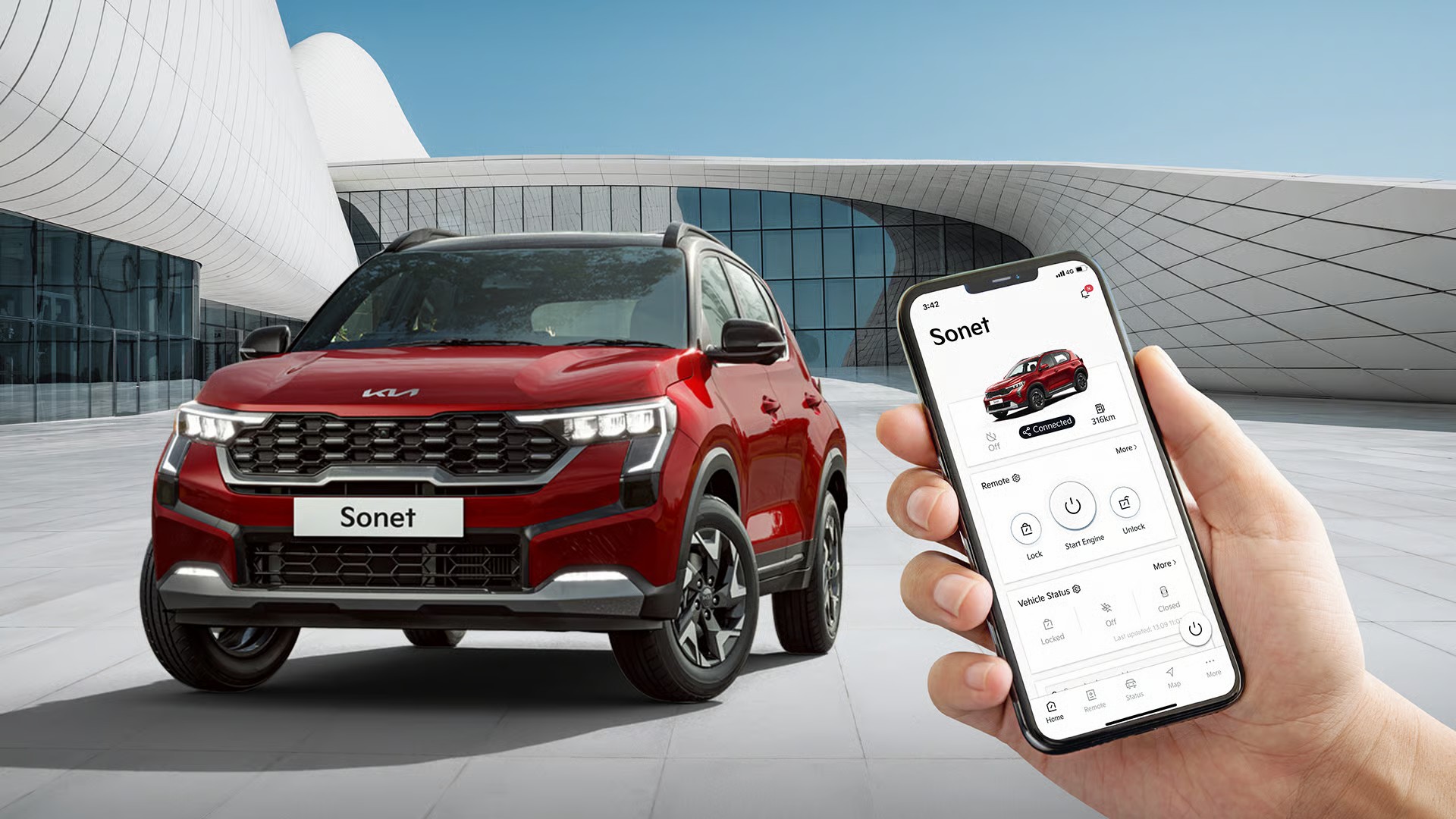
Subaru’s Starlink works the same way behind the scenes. Starlink bundles remote services, collision notification, and stolen vehicle recovery, and its data-sharing default is set to on.
Cancelling has real trade-offs you should weigh first. Opting out often means losing features like roadside assistance, crash detection, or remote door locking from your phone.
Decide which features actually matter to you. Some drivers happily give up remote start to stop the constant background data stream. Full cancellation is the cleanest break available. It removes the temptation of a toggle quietly resetting itself after a software update.
Also Read: 8 Family Cars With the Best Rear-Seat Safety Scores
5. File Formal “Do Not Sell or Share” Privacy Requests
Toggles inside the car only control what leaves your vehicle going forward. They do nothing about the data your automaker has already collected and shared.
State privacy laws give you a separate legal tool for this. California’s CPRA, along with laws in Colorado, Connecticut, Utah, and Virginia, provide residents rights to limit how much personal data companies collect.
These requests go by a few different official names. They are commonly labeled “Right to Opt Out,” “Right to Limit the Use and Disclosure of My Sensitive Personal Information,” or “Right to be Deleted” requests.
Submitting one is usually straightforward online. Each automaker has its own process, generally through an online form or through privacy settings inside a connected mobile app.
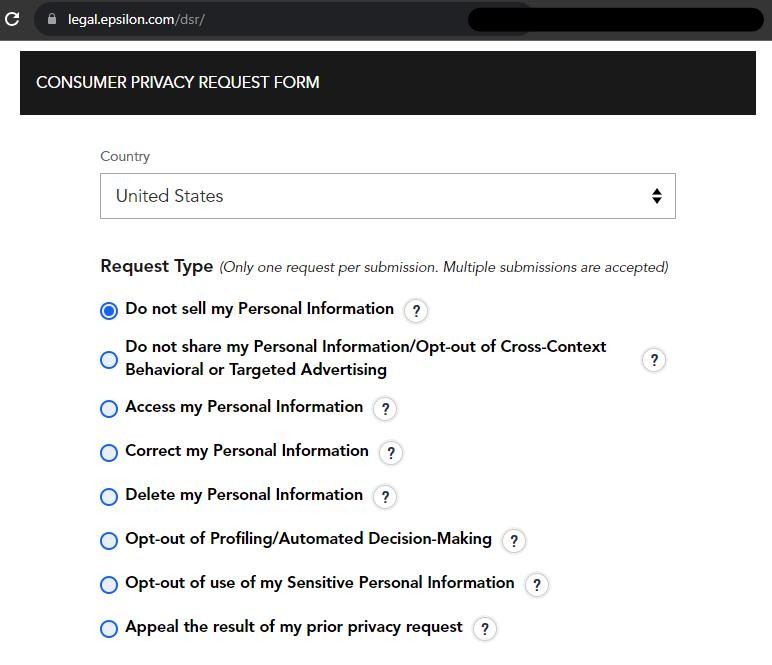
Privacy researchers recommend filing more than just one request type. Ask for a copy of what data the company holds, request deletion, and separately opt out of any future sale or sharing.
The Electronic Frontier Foundation has compiled these forms for convenience. It maintains links covering brands such as BMW, Mercedes-Benz, Nissan, Rivian, Stellantis, Volvo, and several others.
Processing times vary but are not instant. Expect several weeks for a company to confirm your data has actually been deleted from their systems. This step matters most if you’re buying a used connected car. The previous owner’s driving history may still be tied to the vehicle’s onboard systems unless it was formally cleared.
6. Clear Paired Bluetooth and USB Device Data
Every time you pair a phone to your car, it can pull in far more than just your contact list. This data often sits on the vehicle long after you’ve moved on.
The scope of this collection surprises most owners. Connecting a phone via Bluetooth or USB can allow the car to access call logs, contacts, and even social media activity.
This becomes especially important before selling, trading in, or returning a leased vehicle. Your personal contact list and call history can remain accessible to the next driver.
Most infotainment systems have a dedicated menu for this. Look under “Phone,” “Bluetooth,” or “Device Management” for a list of every previously paired device.
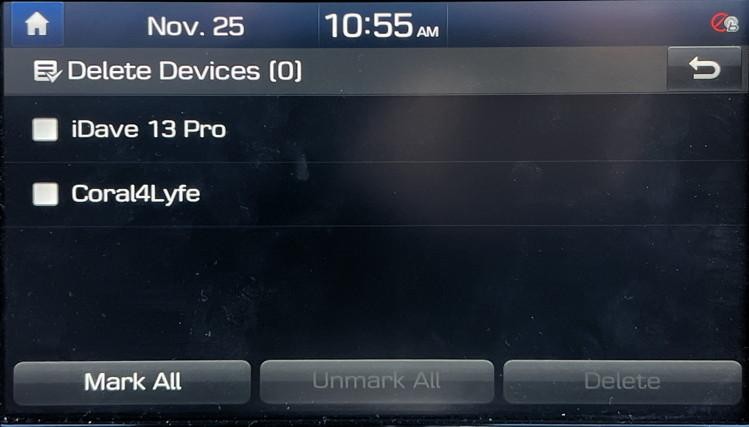
Delete each paired device individually rather than assuming a factory reset covers it. Some systems keep cached contact data even after a device is unpaired.
If you’re returning a leased vehicle, do this before drop-off. The leasing company’s finance arm typically has access to driving data collected through connected services, and that data stays with the lease return unless you clean it up first.
A factory data reset, if your car offers one, is worth running as a final step. Check your owner’s manual for the specific menu path, since it varies by manufacturer and model year.
This is an easy step to forget because it feels separate from “privacy settings.” But it is one of the most personally identifiable data types your car stores.
7. Turn Off In-Cabin Cameras and Microphones
Newer vehicles increasingly include cameras and microphones facing the cabin, not just the road ahead. These are marketed as safety features but double as data collection points.
Some automakers have gone further than drivers expect. Interior cameras and sensors can monitor driving style, detect passengers, and even capture in-car activity.
Tesla’s approach has drawn particular scrutiny on this front. Tesla collects extensive data including vehicle performance, Autopilot usage, dashcam video, location, and driving behavior, though it says this data isn’t tied to your VIN or account.
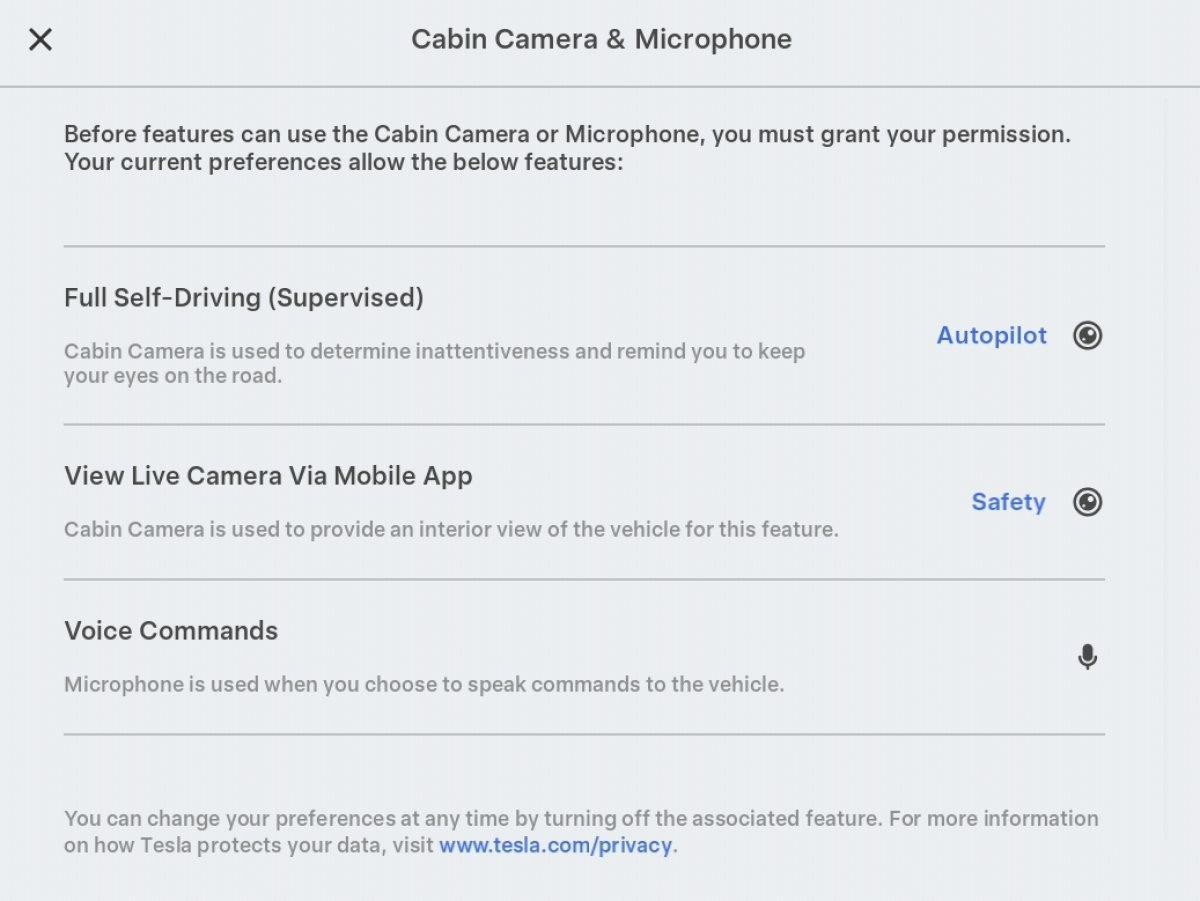
That claim has faced real-world challenges, too. A 2023 Reuters investigation found Tesla employees had internal access to footage from connected vehicle cameras.
Most vehicles with these features let you disable them individually. Look for settings labeled “Cabin Camera,” “Driver Monitoring,” or “In-Car Recording” inside the infotainment menu.
Be aware of the trade-off before switching these off. Disabling data sharing can prevent certain Autopilot features or navigation optimization that depends on that data.
Some safety regulators require basic driver-attention monitoring to remain active. Read your model’s manual carefully, since fully disabling this camera isn’t always possible.
If full disabling isn’t offered, ask about local-only recording modes. Some brands let footage stay on the vehicle’s storage without ever transmitting to the cloud.
8. Disable Cellular Connectivity or Deactivate the SIM Entirely
If you want a genuinely offline experience, the most decisive option is cutting cellular connectivity altogether. Without a live connection, most background data transmission simply stops.
BMW explicitly supports this level of control. The automaker allows customers to disable the SIM card responsible for enabling the vehicle’s data connection.
For brands without a direct SIM toggle, canceling the wireless service works similarly. One Stellantis-based process requires calling a dedicated number and requesting cancellation specifically “for privacy reasons,” which deactivates the wireless transmission network for the vehicle.
This does not always mean total silence from the vehicle. Certain in-vehicle safety, diagnostic, and other systems may keep generating and storing performance and safety data even after wireless transmission stops.
That stored data isn’t necessarily gone forever, either. This information can still be accessed by dealers during service visits and shared with the manufacturer for warranty and performance purposes.
Understand what you’re giving up with this option. Losing cellular connectivity typically means losing OnStar-style crash detection, remote start, and over-the-air software updates.
If you disable OnStar or a similar service, you’ll need to call 911 manually in the event of an accident. Airbags and other passive safety systems, however, keep working independently of any connection.
This is the nuclear option, and it’s not for everyone. But for owners who value privacy above remote convenience features, it remains the most complete way to stop a car from phoning home.
Also Read: 8 Cheapest Mercedes Cars Ever Made, Ranked